
AppRecs review analysis
AppRecs rating 1.4. Trustworthiness 78 out of 100. Review manipulation risk 27 out of 100. Based on a review sample analyzed.
★☆☆☆☆
1.4
AppRecs Rating
Ratings breakdown
5 star
7%
4 star
0%
3 star
0%
2 star
13%
1 star
80%
What to know
✓
Low review manipulation risk
27% review manipulation risk
✓
Credible reviews
78% trustworthiness score from analyzed reviews
⚠
Mixed user feedback
Average 1.4★ rating suggests room for improvement
About Veent
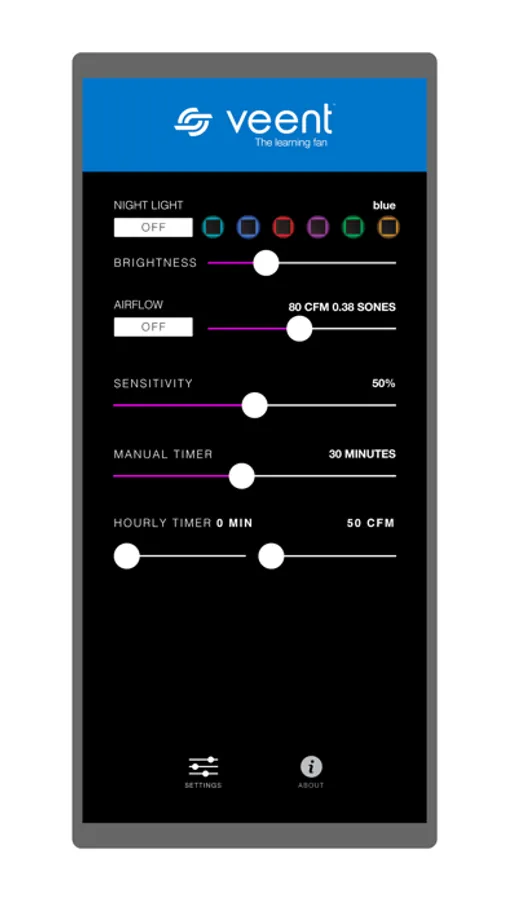
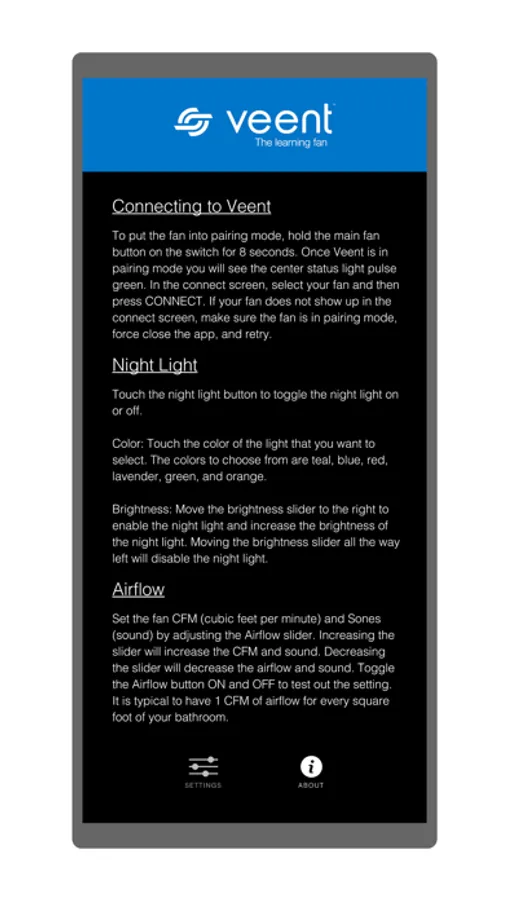
The Veent app allows you to set your controlled moisture level, control and customize your six color night light, adjust your fan speed, sound level and set your manual and hourly timer. Simply choose your preferences and let your Veent do the rest.
•Set the moisture sensitivity to your desired controlled moisture level
•Set the air volume or CFM’s (cubic feet per minute) and sound level (sones)
•Set the manual timer to turn off Veent after a specified amount of time
•Set the hourly timer, allowing Veent to turn on for a specified amount of time every hour
•Set the Night Light by choosing your favorite color and brightness
Features require bluetooth connectivity and are available on your iPhone and iPad
Veent Screenshots
Tap to Rate:
Reviews for Veent
Jules-ski
Terrible
This app is ridiculous! It does nothing to control the fan - so sorry I bought this product! In this day and age a make an app that works!!!!!
VinkoSlydell
Veent pairing
The Veent app and fan are great when the fan is paired to the switch, but sometimes they need repairing (e.g., after blackouts, when replacing battery) in order for the fan and app to be helpful. The following info is very important to Veent owners, but not readily available, so copy to someplace important. To pair the Switch and grille please follow all steps: The instructions are: You will need a paper clip. 1) Cycle the power to the fan (turn the breaker off and then on) 2) On the back of the wall switch there is a battery compartment. Open battery compartment and remove the battery for 15 seconds or longer (to reset the switch) and then re insert the battery. 3) Remove the grille from the fan housing but make sure the cable remains plugged in between the grille and fan housing. On the back side of the grille near the center locate the small paperclip size hole. There is a button inside. Use the paperclip to press and hold the button form 20 seconds, then release. Use the paper again to press the same button 5 times. Then press the large button on the wall switch 5 times. You have about 20 seconds between pressing the grille button with the paper clip and the large switch button. 4) Try the light, max fan and fan buttons on the switch. They should now work. If it does not connect the first time please try again it will connect. (No need to remove the battery again or cycle power at the breaker box but must be done once). It may be a little easier if you have one person at the grille and one person at the switch. Good luck!