AppRecs review analysis
AppRecs rating 4.3. Trustworthiness 77 out of 100. Review manipulation risk 24 out of 100. Based on a review sample analyzed.
★★★★☆
4.3
AppRecs Rating
Ratings breakdown
5 star
87%
4 star
2%
3 star
0%
2 star
2%
1 star
9%
What to know
✓
Low review manipulation risk
24% review manipulation risk
✓
Credible reviews
77% trustworthiness score from analyzed reviews
✓
High user satisfaction
87% of sampled ratings are 5 stars
About PDF Margin Adjuster
Have you experienced that a PDF file have too large/small margin?
PDF Margin Adjuster allows you to adjust PDF margins interactively.
How to Use
===
1. Open a PDF/PPT/PPTX* file with the folder button on the lower left of the screen.
You also can open a PDF/PPT/PPTX* file from another application (e.g. Safari).
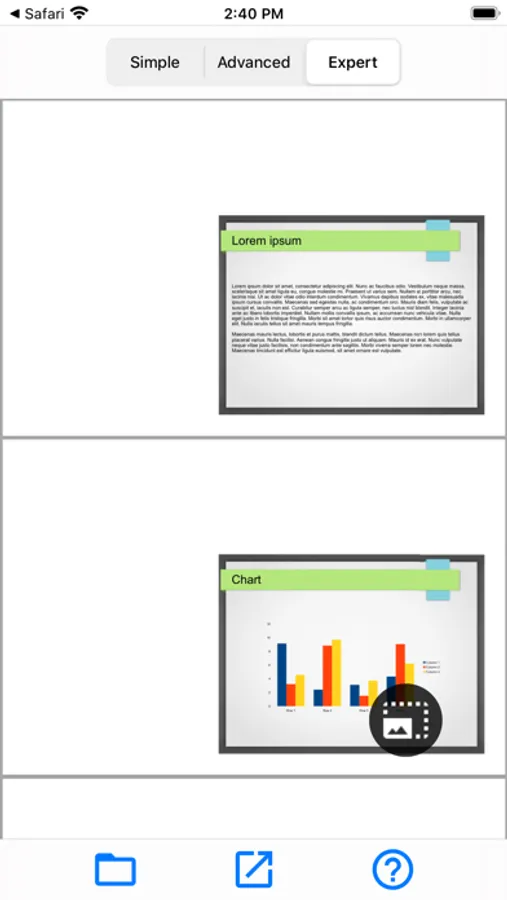
2. Adjust the margin of the file.
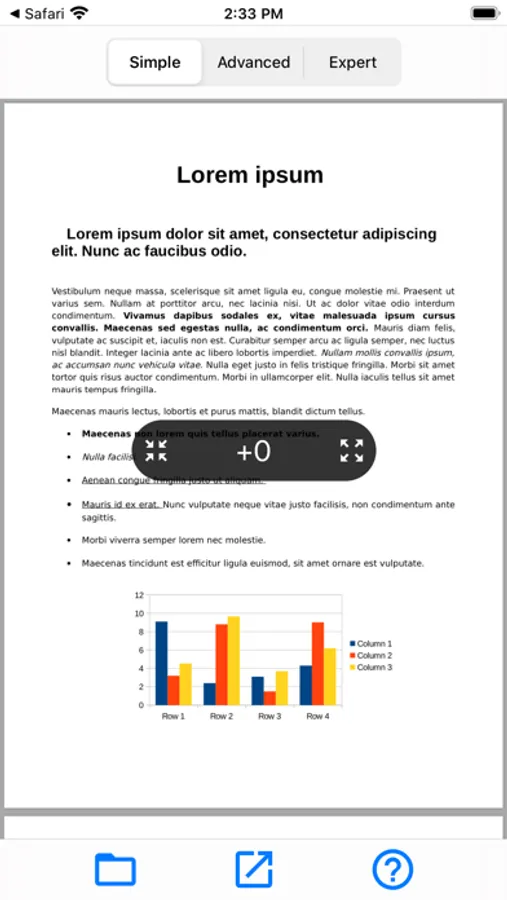
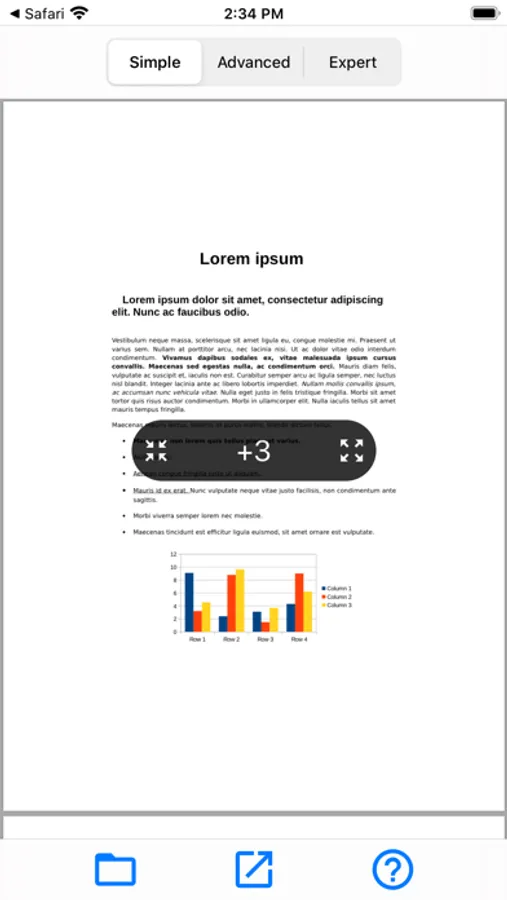
- Simple: adjust margin with the arrow buttons at the center of the screen.
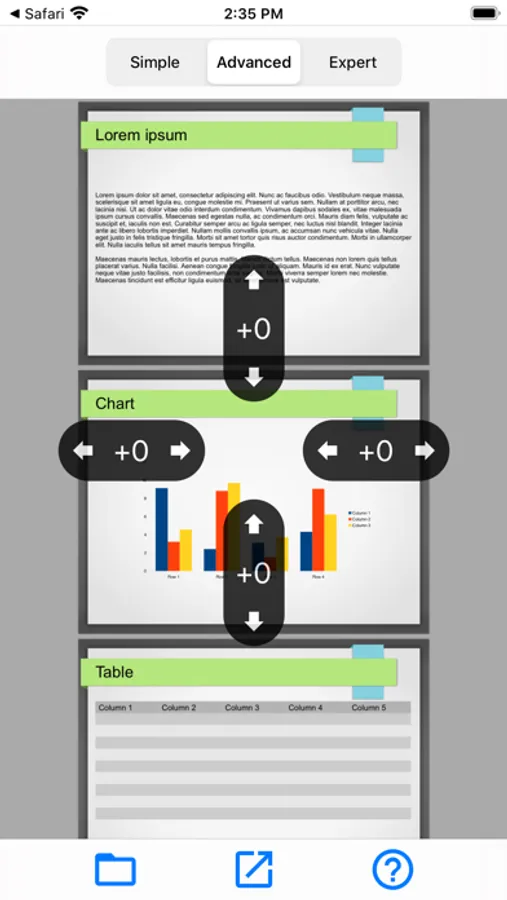
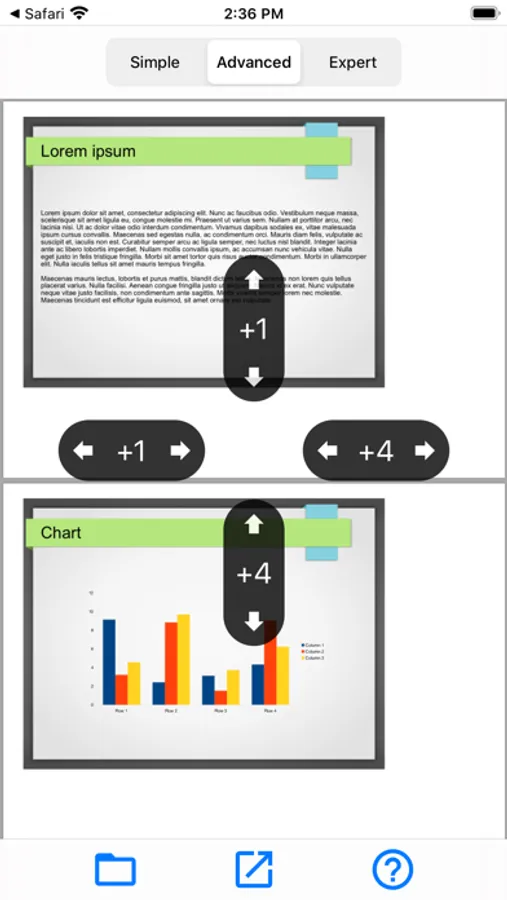
- Advanced: adjust margin either side separately.
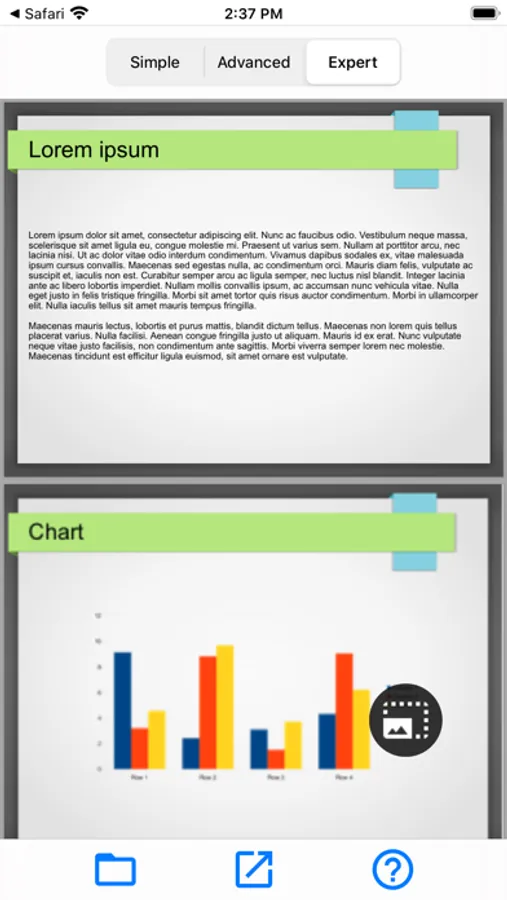
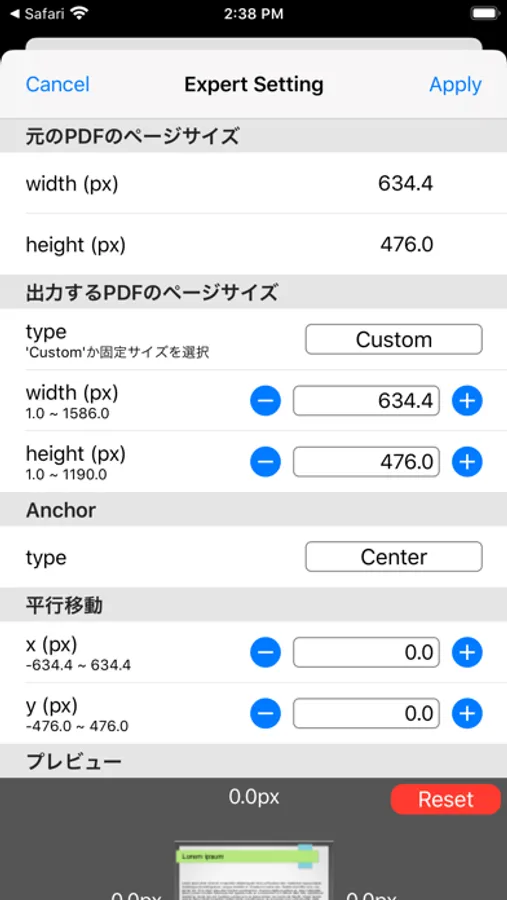
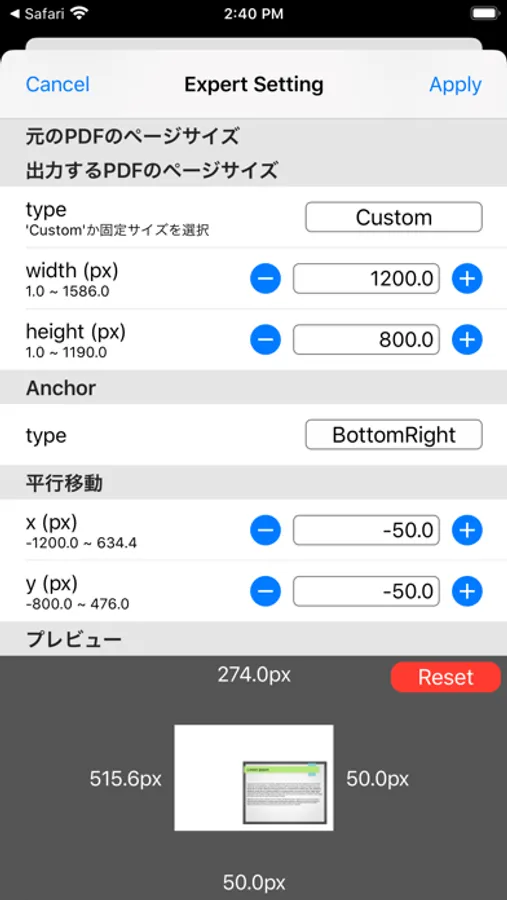
- Expert: adjust margin more finely and freely.
3. Save it to your own device or iCloud/ Share it to another application with the share button at the bottom of the screen.
*PPT/PPTX is experimental feature, layout can be collapsed.
PDF Margin Adjuster allows you to adjust PDF margins interactively.
How to Use
===
1. Open a PDF/PPT/PPTX* file with the folder button on the lower left of the screen.
You also can open a PDF/PPT/PPTX* file from another application (e.g. Safari).
2. Adjust the margin of the file.
- Simple: adjust margin with the arrow buttons at the center of the screen.
- Advanced: adjust margin either side separately.
- Expert: adjust margin more finely and freely.
3. Save it to your own device or iCloud/ Share it to another application with the share button at the bottom of the screen.
*PPT/PPTX is experimental feature, layout can be collapsed.
PDF Margin Adjuster Screenshots
Tap to Rate:
Reviews for PDF Margin Adjuster
Miguel Angel Sedano
Use this for notability
It just works amazingly
Alex546475637595
Recommended feature: ruled lines
This app is great! One feature that would be great is the ability to add fill layers to the added margins. If I could make the added margins lined, it would be easier for me to take notes in the margins. This is a great app, thank you!