
With this app, you can quickly save, organize, and access links across iOS and macOS devices, using tags and rich previews. Includes fast sharing extensions and filtering options for efficient link management.
AppRecs review analysis
AppRecs rating 4.4. Trustworthiness 64 out of 100. Review manipulation risk 26 out of 100. Based on a review sample analyzed.
★★★★☆
4.4
AppRecs Rating
Ratings breakdown
5 star
89%
4 star
0%
3 star
7%
2 star
0%
1 star
4%
What to know
✓
Low review manipulation risk
26% review manipulation risk
✓
High user satisfaction
89% of sampled ratings are 5 stars
About links for later
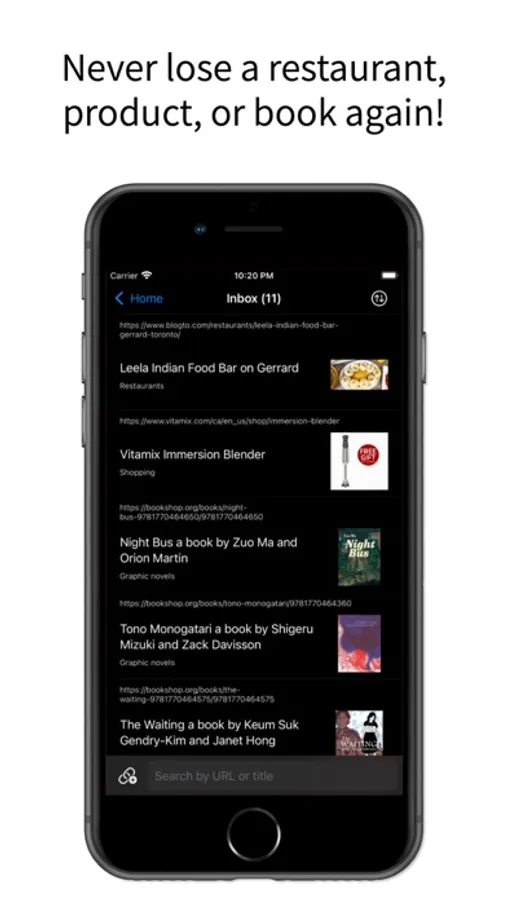
Links for Later gives you a fast and easy way to save, organize, and find links! Links include rich previews and automatically sync across all your iOS and macOS devices.
Who is this good for? Links for Later is perfect for people who:
- Save a lot of things for later (recipes, articles, tweets, shopping wish lists)
- Can't stand having a lot of tabs open
- Like organizing saved links
- Think their browser's bookmarking solution involves too many steps
What can it do?
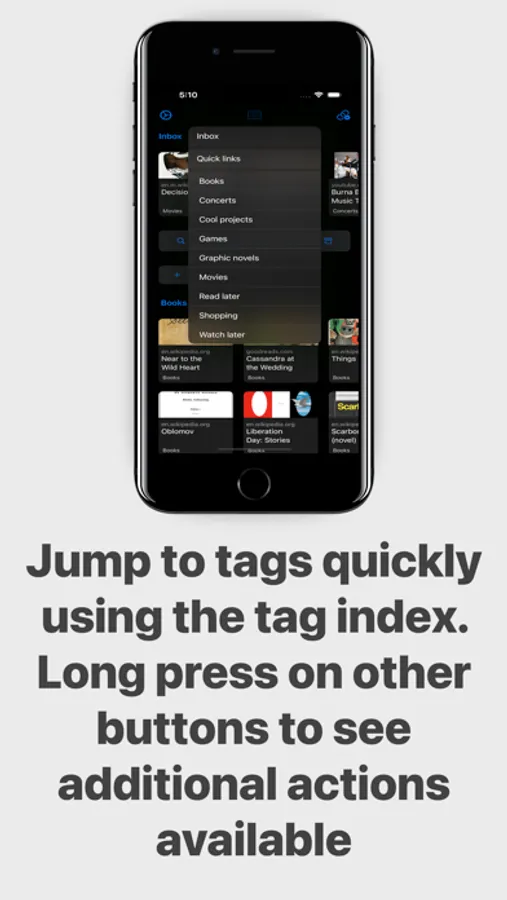
- Give you a great overview of all your saved links in the home feed
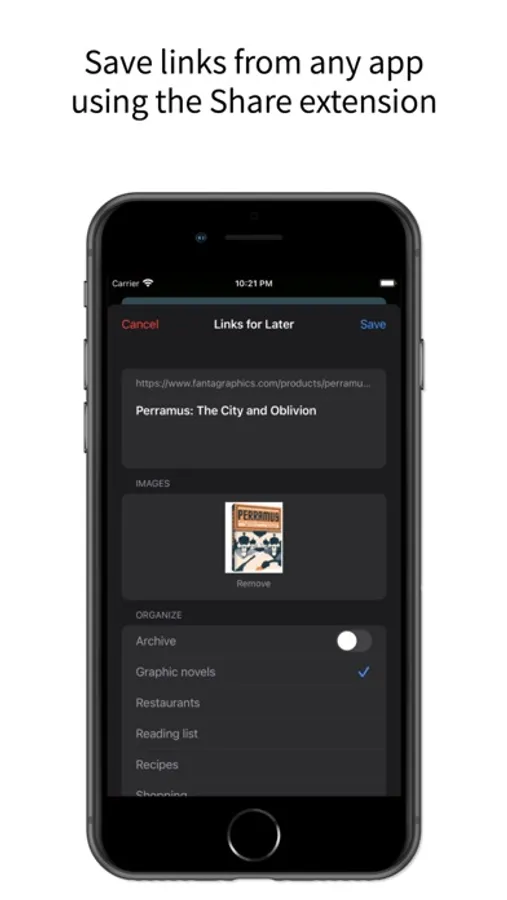
- Save links fast
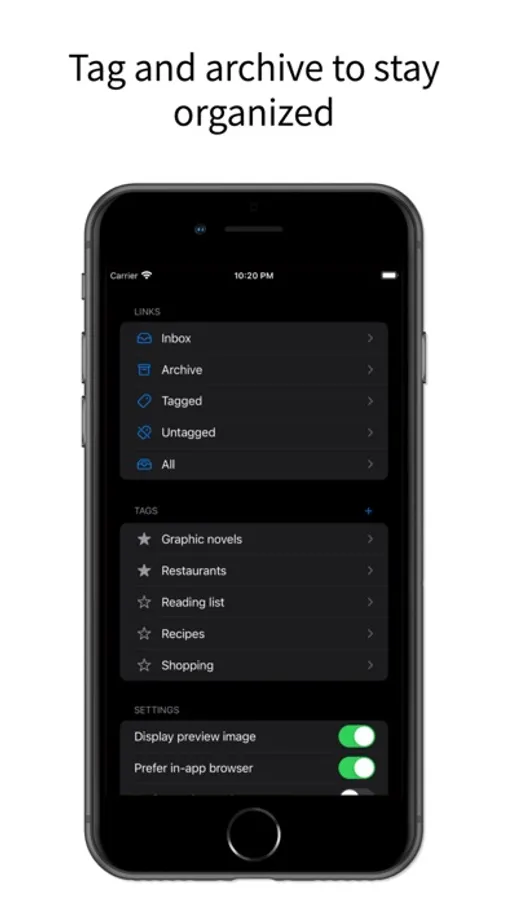
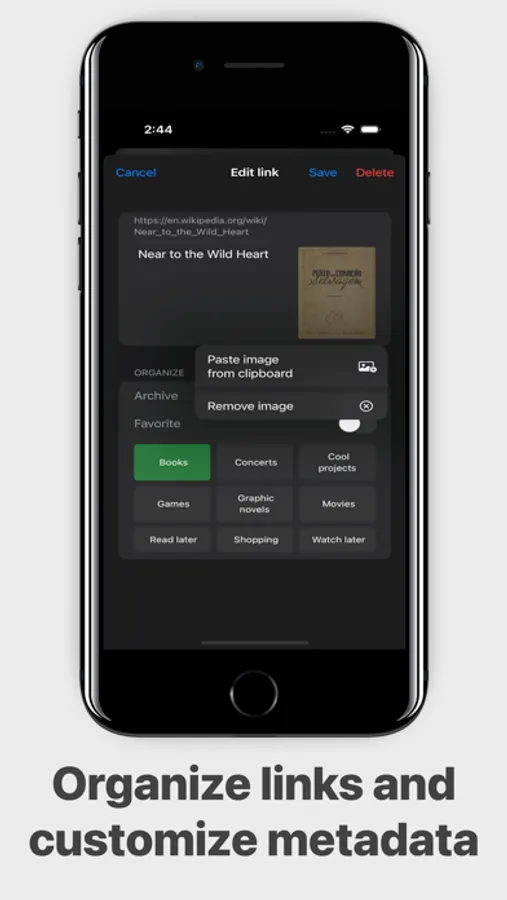
- Tag links
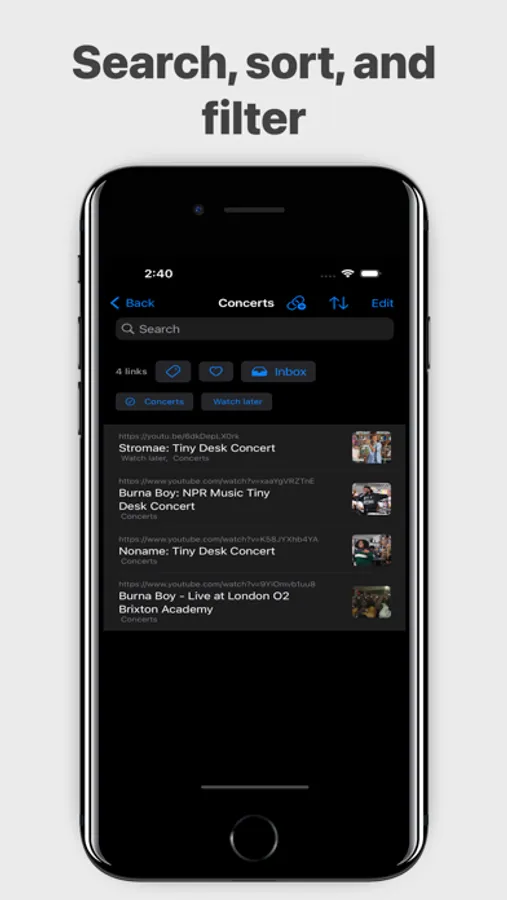
- Filter links
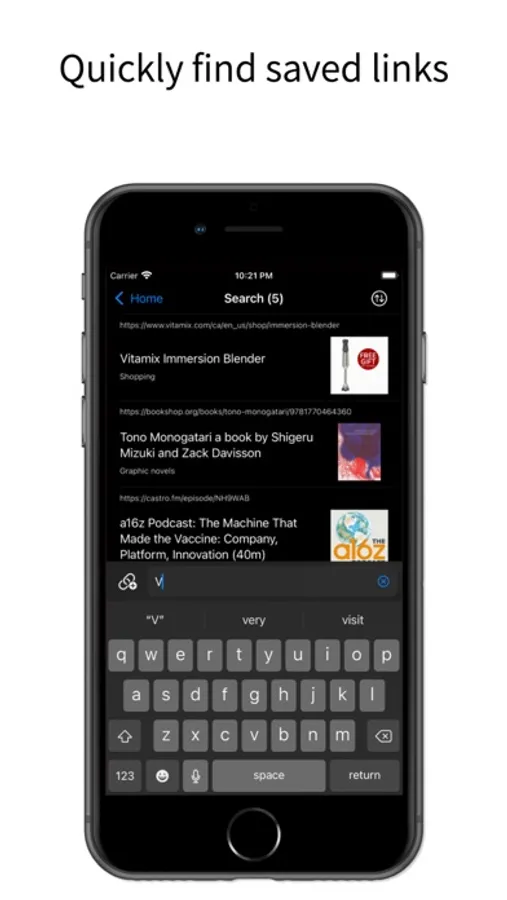
- Find links by their URL or title
- Display rich previews to help you identify saved links faster
- Hide and unhide saved links
Enable the Share Extension for fast saving:
(iOS 14 users please note you may have to restart your device after installing the app for it to appear in your share extensions list)
1. Open Safari on your device
2. Tap the Share button
3. Swipe to the end of the row with app icons
4. Tap Edit
5. Find Links for Later, add it to your favourites, and drag it to the front of the list
6. Use the newly enabled extension to save links as fast as you can find them!
Who is this good for? Links for Later is perfect for people who:
- Save a lot of things for later (recipes, articles, tweets, shopping wish lists)
- Can't stand having a lot of tabs open
- Like organizing saved links
- Think their browser's bookmarking solution involves too many steps
What can it do?
- Give you a great overview of all your saved links in the home feed
- Save links fast
- Tag links
- Filter links
- Find links by their URL or title
- Display rich previews to help you identify saved links faster
- Hide and unhide saved links
Enable the Share Extension for fast saving:
(iOS 14 users please note you may have to restart your device after installing the app for it to appear in your share extensions list)
1. Open Safari on your device
2. Tap the Share button
3. Swipe to the end of the row with app icons
4. Tap Edit
5. Find Links for Later, add it to your favourites, and drag it to the front of the list
6. Use the newly enabled extension to save links as fast as you can find them!
links for later Screenshots
Tap to Rate:
Reviews for links for later
avilanov
Great App
Best bookmarking app I have used yet.
Millermk
Excellent App and recent updates
Developer is hard at work and just added a ton of features!