AppRecs review analysis
AppRecs rating 3.8. Trustworthiness 55 out of 100. Review manipulation risk 28 out of 100. Based on a review sample analyzed.
★★★☆☆
3.8
AppRecs Rating
Ratings breakdown
5 star
70%
4 star
0%
3 star
0%
2 star
0%
1 star
30%
What to know
✓
Good user ratings
70% positive sampled reviews
About TimeLink for YouTube Video
■ It doesn't matter if your friend doesn't have this app.
The shared video will be played on YouTube.
Have you ever shared a YouTube video with a friend?
■ Friends are more impatient than you think.
They quit playing before the part I wanted to show comes.
■ It is also difficult to write a specific time as a message.
The keyboard is too inconvenient to enter multiple numbers.
■ Would your friend go to that part and watch the video?
You can make the video play from the time you set.
Using the app is very simple.
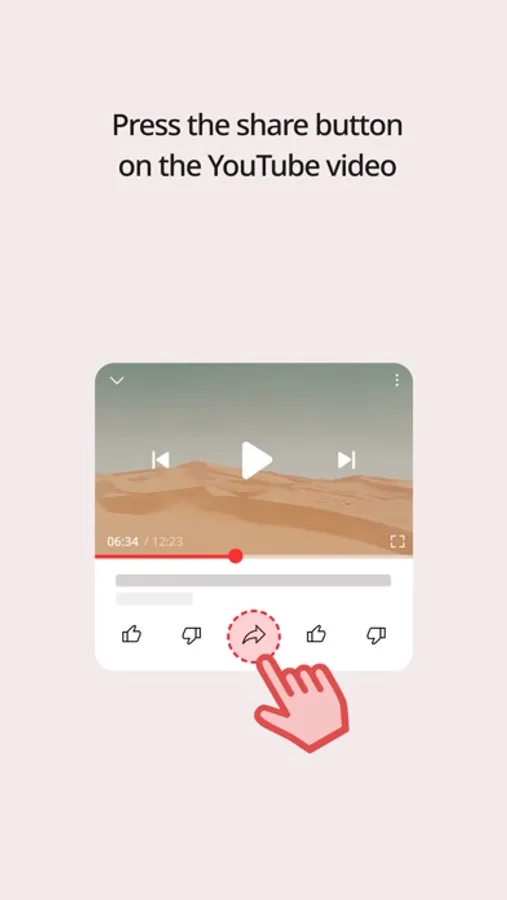
1. Press the share button on the YouTube video.
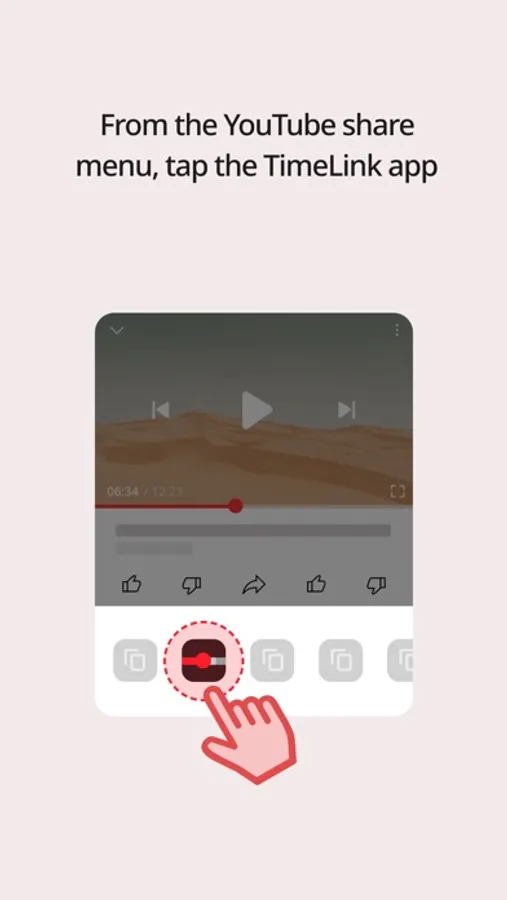
2. From the YouTube share menu, tap the TimeLink app.
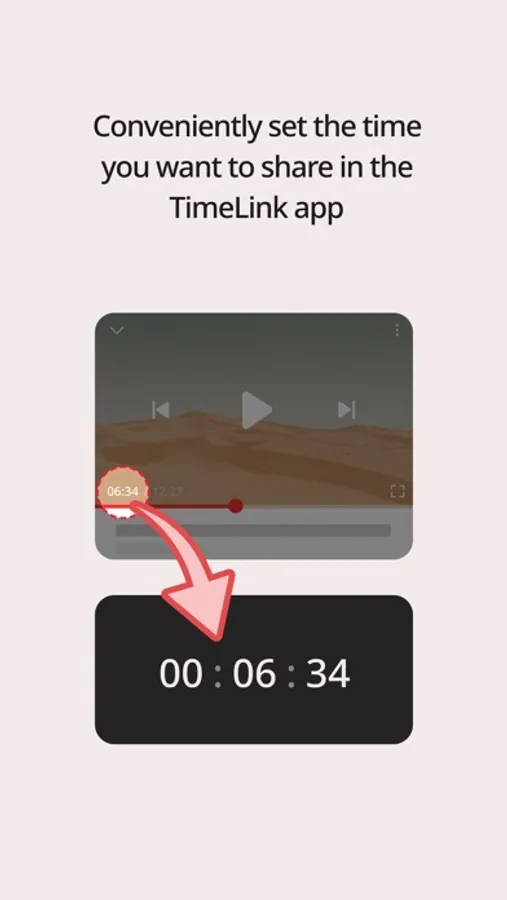
3. Conveniently set the time you want to share in the TimeLink app.
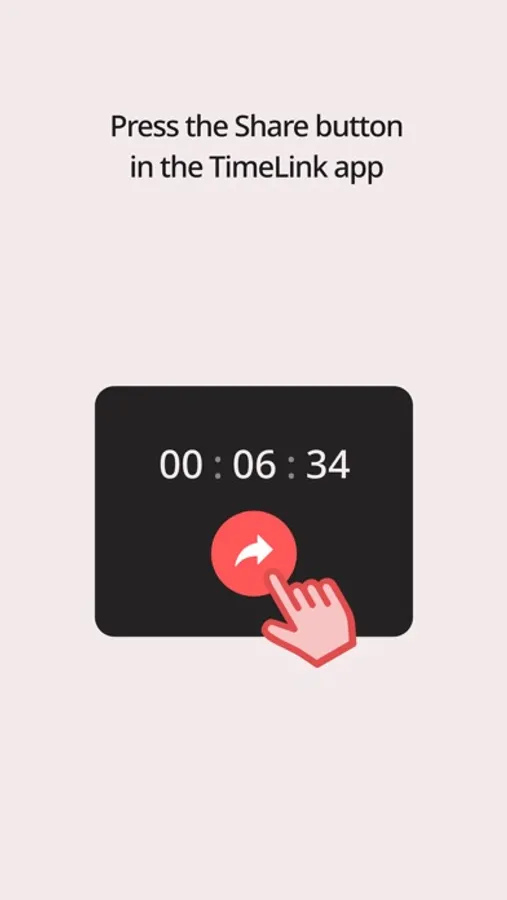
4. Press the Share button in the TimeLink app.
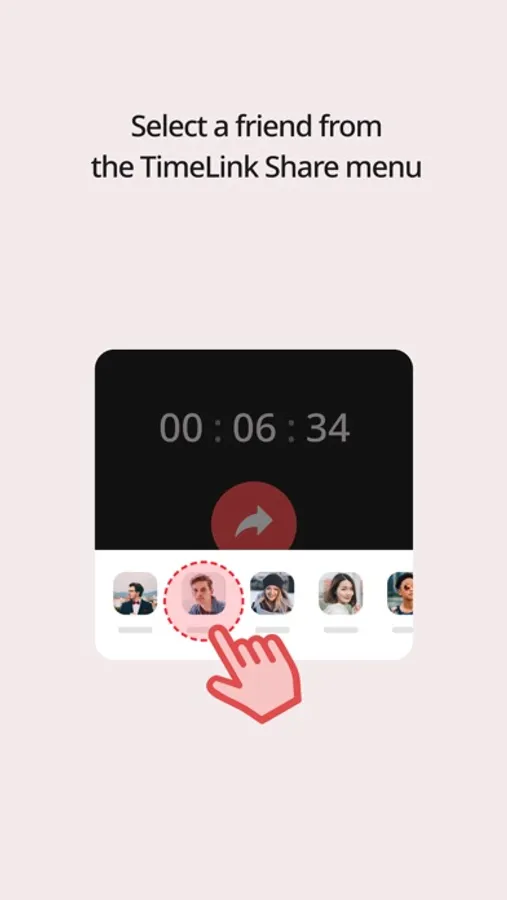
5. Select a friend from the TimeLink Share menu.
■ The friend who receives the message will open the link as usual.
The video will start playing exactly where you set it.
So your intentions have been successfully shared with your friends.
The shared video will be played on YouTube.
Have you ever shared a YouTube video with a friend?
■ Friends are more impatient than you think.
They quit playing before the part I wanted to show comes.
■ It is also difficult to write a specific time as a message.
The keyboard is too inconvenient to enter multiple numbers.
■ Would your friend go to that part and watch the video?
You can make the video play from the time you set.
Using the app is very simple.
1. Press the share button on the YouTube video.
2. From the YouTube share menu, tap the TimeLink app.
3. Conveniently set the time you want to share in the TimeLink app.
4. Press the Share button in the TimeLink app.
5. Select a friend from the TimeLink Share menu.
■ The friend who receives the message will open the link as usual.
The video will start playing exactly where you set it.
So your intentions have been successfully shared with your friends.
TimeLink for YouTube Video Screenshots
Tap to Rate:
Reviews for TimeLink for YouTube Video
Shadi12345
تحت التجربه
ياريت يكون في وقت بداية ووقت نهاية .. و نمتنى اضافة خيار التحميل لوقت معين
dudntjxhs
عداد الثواني
من المفروض عدد الثواني يكون ٦٠ وليس ١١