With this diagnostics app, you can analyze battery health, charge cycles, and capacity details. Includes device information, battery analytics, and user guides.
AppRecs review analysis
AppRecs rating 4.5. Trustworthiness 73 out of 100. Review manipulation risk 25 out of 100. Based on a review sample analyzed.
★★★★☆
4.5
AppRecs Rating
Ratings breakdown
5 star
80%
4 star
8%
3 star
2%
2 star
2%
1 star
8%
What to know
✓
Low review manipulation risk
25% review manipulation risk
✓
Credible reviews
73% trustworthiness score from analyzed reviews
✓
High user satisfaction
80% of sampled ratings are 5 stars
About BAST: Battery Status
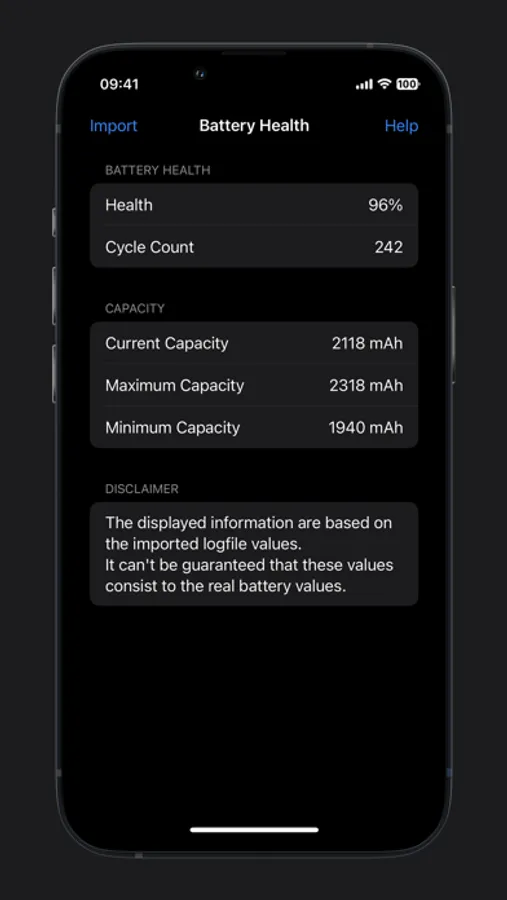
BAST is a powerful and easy-to-use battery diagnostics tool that gives you deep insights into the condition of your iPhone, iPad or Apple Watch battery. Using Apple’s own analytics log files, BAST extracts and analyzes key data to provide detailed information, including:
- Device and operating system details
- Battery health (even values above 100%)
- Charge cycle count
- Current, maximum and minimum battery capacity
Apple Watch is supported automatically if paired with the same iPhone.
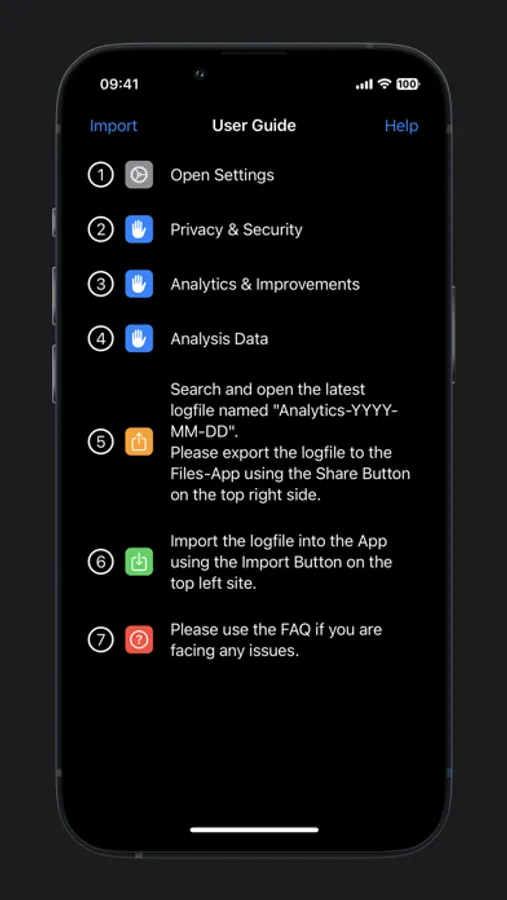
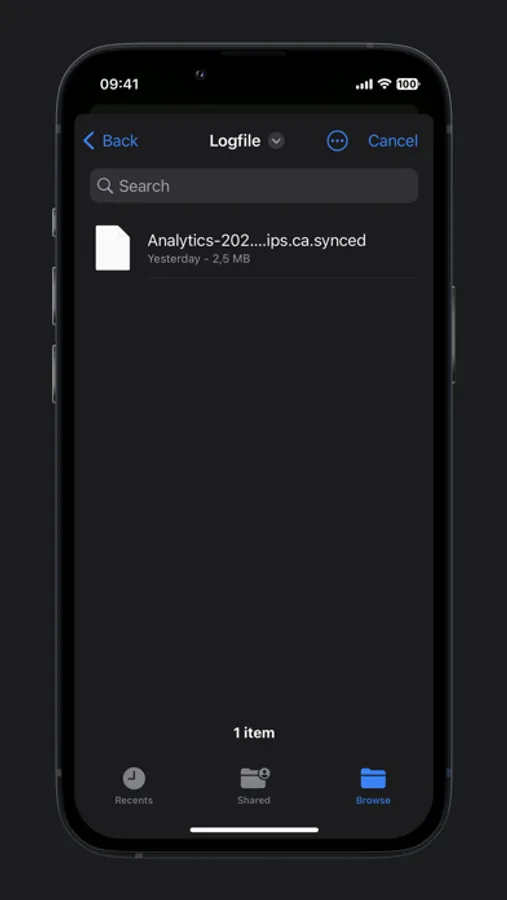
Simply import the analytics file — BAST will guide you through every step.
A built-in manual explains the process clearly and helps you get started right away.
BAST: Battery Status Screenshots
Tap to Rate:
Reviews for BAST: Battery Status
MacSlim777
MacSlim777
My iPad Pro was purchased in 2021, iPads don’t have the battery health feature, like the iPhones. This feature was only added into the new iPads introduced in mid 2024. Bast provides the device name; the current iOS; battery capacity with battery indicator on the left normally black, but if it’s less capacity showing 85% or less it turns red. What impressed me the most is it shows battery charging count which the maximum is 1000, if near that count a message might show battery needs replacing. The 6 steps are easy to follow. The only part that might be difficult is getting the report. When reaching Analytics & Data. Search for the one that starts with the word “analytics.“ Look for the current date; example 2026-01-08 indicating the latest charging date Jan 8, 2026 ending with the word Synced. Tap on that section. A box at the top right with an arrow pointing up appears. Tap on it. You may see 2 of rows of information. The row that starts with the word “AirPlay“ if you’re on iPadOS 26, place your finger on the right side and slide it from right to left till you see the three dots at the end tap them; there you’ll see a column of different apps. Scroll down till you see the app “Bast”; tap on it and the report comes up. Hope that’s helpful!!!
Ricethebeast
Information
Useful can see my cycle counts for battery usage