AppRecs review analysis
AppRecs rating 4.6. Trustworthiness 79 out of 100. Review manipulation risk 31 out of 100. Based on a review sample analyzed.
★★★★☆
4.6
AppRecs Rating
Ratings breakdown
5 star
84%
4 star
5%
3 star
0%
2 star
5%
1 star
5%
What to know
✓
Credible reviews
79% trustworthiness score from analyzed reviews
✓
High user satisfaction
84% of sampled ratings are 5 stars
About One Task
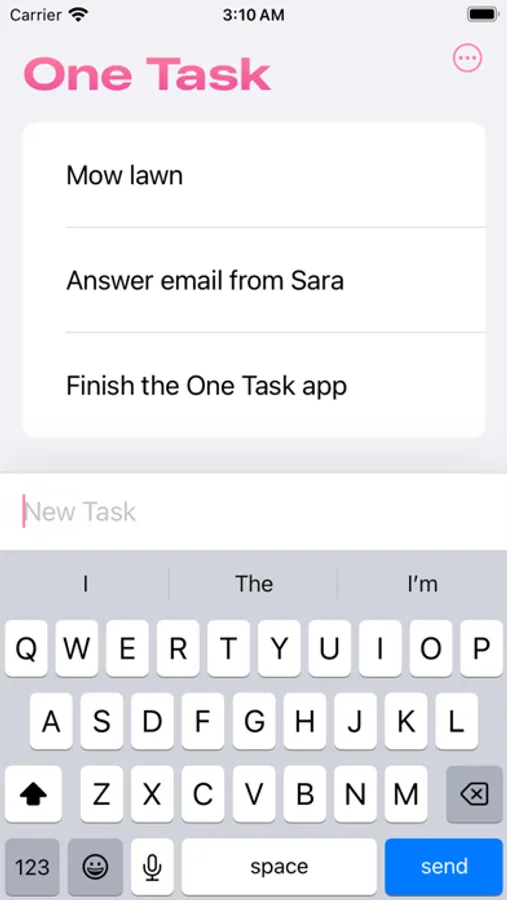
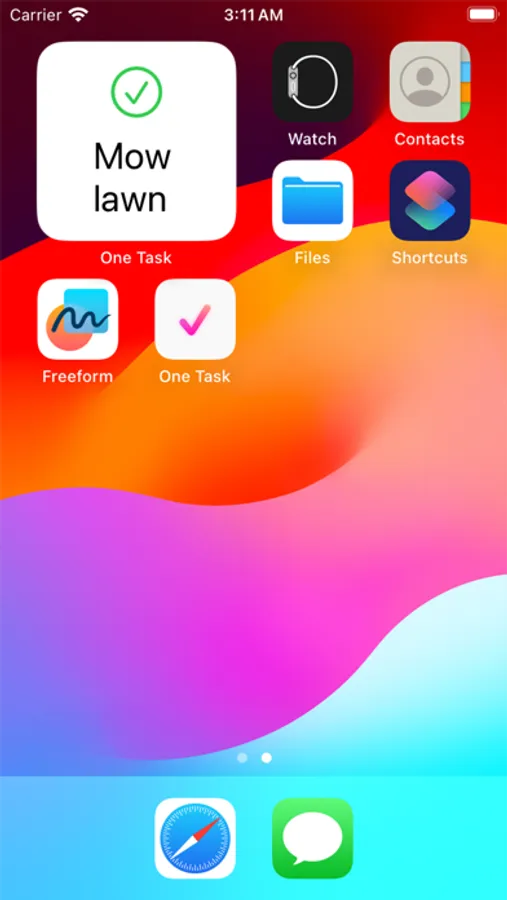
Add some tasks to the app and then add the widget. Simply tap the widget to mark the task as completed. The next task will then appear.
You can change the order the tasks will be chosen in the widget configuration.
The simplicity is a feature. The app will not have things like folders, tags, priority, notes, etc.
The optimal workflow is to add only the tasks you are committed to completing today. The app is designed for task completion, not endless organization and neglect.
Syncs seamlessly across your devices with iCloud.
« You can achieve almost anything if you focus on one thing at a time »
— Someone on the internet
Known issue: If you long-press a task while the text field is focused, the keyboard will hide, but not the text field. This is an iOS bug. Instead, dissmiss the keyboard by scrolling first and then long-press a task.
■ Support
You can contact me through the feedback button in the app.
One Task Screenshots
Tap to Rate:
Reviews for One Task
iOSBliss
Simple and useful
Great simple list app to carry on your wrist. iCloud sync works well and swiftly. Only wishes: history of completed items with date stamp and more Apple Watch complications. Even with a simple app icon that can be used in any watch face to just open the app with one tap.
VictoriousAchilles
Simplest way to be productive
This is a fantastic app. It has a functional Apple Watch interface. I usually create tiny tasks out of big ones to progress and this has been instrumental in keeping me off my phone. Checking phone every few minutes is annoying for task management. So, I note down on paper stuff that I have to do today and then as I go through the day I create tiny tasks on this app on the watch. I also like that you can read the whole task description on the watch screen. Not many apps have that.