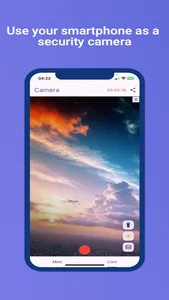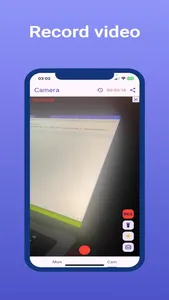
If you need to setup a surveillance camera and you have an unused smartphone then this app is for you. eyePhone is a security camera app that provides more features than an expensive security IP camera system
Instructions:
1. Start the app on one of your phone you want to use as a camera, go to 'Cam' tab and make sure camera is turned on and online i.e center button is red.
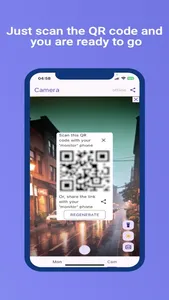
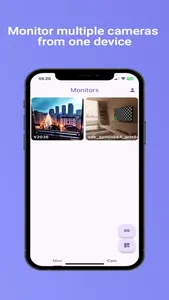
2. Start the app on your second phone you want to use as a monitor, open 'Mon' tab, tap on 'QR' icon and scan the QR code shown on the 'Camera' phone.
Also, you can share the camera link from your 'Camera' phone.
Features:
1. Live video and audio transmission
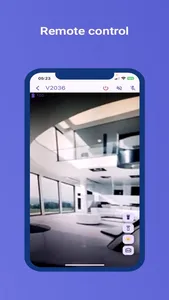
2. Remote device control:
a) Camera on/off
b) Torch on/off
c) Back front camera switch
d) Dim screen light
e) Siren alarm
f) Start/stop recording
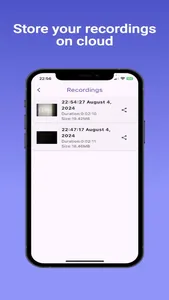
3. Record and save video on the cloud.
4. Motion detection
Terms of Service:
https://eye-phone.top/terms
Instructions:
1. Start the app on one of your phone you want to use as a camera, go to 'Cam' tab and make sure camera is turned on and online i.e center button is red.
2. Start the app on your second phone you want to use as a monitor, open 'Mon' tab, tap on 'QR' icon and scan the QR code shown on the 'Camera' phone.
Also, you can share the camera link from your 'Camera' phone.
Features:
1. Live video and audio transmission
2. Remote device control:
a) Camera on/off
b) Torch on/off
c) Back front camera switch
d) Dim screen light
e) Siren alarm
f) Start/stop recording
3. Record and save video on the cloud.
4. Motion detection
Terms of Service:
https://eye-phone.top/terms
Show More