Found 12 search results.
Email Spam Blocker
Automatically detects and moves email SPAM from the INBOX to the email SPAM folder. Only shows shows email notifications for NON-SPAM emails. [Please note: The app does *not* auto remove email SPAM from the INBOX of Android email apps unless the INBOX is set to resync with the email SERVER. Also, b

Behance Watch Faces
Please make sure your watch is running Android Wear 5.0 or higher. After installing the app, it may take some time to sync to your watch. You can also try “Resync apps” in Android Wear settings. - Select artwork from the Behance community to be used as watch face backgrounds - 6 unique watch face
VSub Studio
VSub Studio is a subtitle editor for create, editing & modify your subtitle files right on your smartphone. Features: - Supported formats SubRip .srt - Supports multiple characters encoding - Load files from the external storage - Lines can be added, removed and modified one by one - Modify styles
Gear S2 - Watch Face
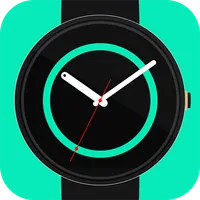
A simple, vibrant and clean watch face with 10 customizable colors. NOTE: Hit 'Resync app' on Android Wear App after installing. This face may not appear in your watch right after installing. It may take a bit of time to make its way to your watch. If you experienced a problem or have any suggesti
INKY Watch Face
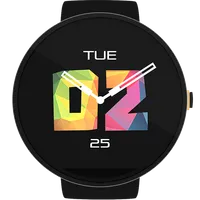
INKY is a simple and minimal watch face that has a predefined preset of colorful tessellated triangles for each second that are displayed in center along with white colored hands and texts for day and date. This set up will definitely make you turn your wrist so often ;). There are two variants add
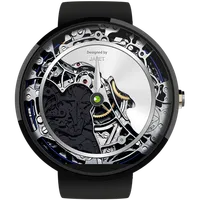
Gear Watch Face
FEATURES: # Set your own brand on the watch face! # Watch movements animation # Date and day indicator Compatible with Moto360, LG G Watch R, LG Watch etc. Best look and feel on round watches How to set watch face and your own brand: 1. Download and install the watch face on your phone 2.
Resync Smart Home
With this app, you can: - Monitor your real-time energy consumption, energy bills, and carbon footprint in your home and individual appliances - Figure out your high-consumption appliances and take action to reduce energy bills - Find out whether your household consumption is comparable to the avera
Resync
With this app, you can, monitor your real-time energy production and consumption data. Get granular information about your solar energy generation and inverter level performances. Dive deep into your load consumption and manage your energy usage. Generate tickets for your sites and assign to your te

UCL Offline Courses
This app allows users to read the full descriptions of the 1500+ degree courses offered by University College London, the UK's largest campus-based university. It can "resync" and download all content in a few seconds, then is available offline. It contains all publicly available information includ
ZPRemote (Zoom Player Remote)
Control Zoom Player with your Android device as remote. Uses the Zoom Player's TCP interface. For more infomration, visit http://www.codejugglers.com Features: * Playback/volume control * Playlist with drag&drop * Playtime, seekbar * Audio/subtitle track change, resync * Adjust
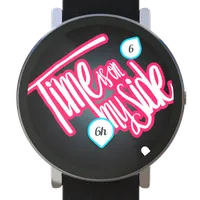
Letterings Watch Face
WARNING Please make sure your watch is running Android Wear 5.0 or higher. (Doesn't work on Samsung's smartwatches running on Tizen OS (Gear 2, S2 etc....)) After installing the app, it may take some time to sync to your watch. You can also try “Resync apps” in Android Wear settings. Your style, on
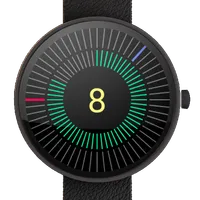
Spectrum Watch Face
Features ★ Mix of digital and analog parts ★ Custom colors ★ Smooth animations ★ Ambient display ★ Battery indicator If watch face does not show up 1. Open Android Wear app on phone. 2. Tap the settings button (gear) in the top right corner. 3. Tap on watch name. 4. Tap "Resync apps". 5. Wait a few