Shot Designer
Hollywood Camera Work SRLS
3.6 ★
2K ratings
100,000+
downloads
Free
+ in-app
In this app, users can create animated camera diagrams, generate shot lists, and integrate storyboards with real-time animation. Includes synchronization via cloud sharing and tools for team collaboration.
AppRecs review analysis
AppRecs rating 3.6. Trustworthiness 84 out of 100. Review manipulation risk 22 out of 100. Based on a review sample analyzed.
★★★☆☆
3.6
AppRecs Rating
Ratings breakdown
5 star
48%
4 star
17%
3 star
5%
2 star
12%
1 star
18%
What to know
✓
Low review manipulation risk
22% review manipulation risk
⚠
Pricing complaints
Many low ratings mention paywalls or pricing
⚠
High negative review ratio
30% of sampled ratings are 1–2 stars
About Shot Designer
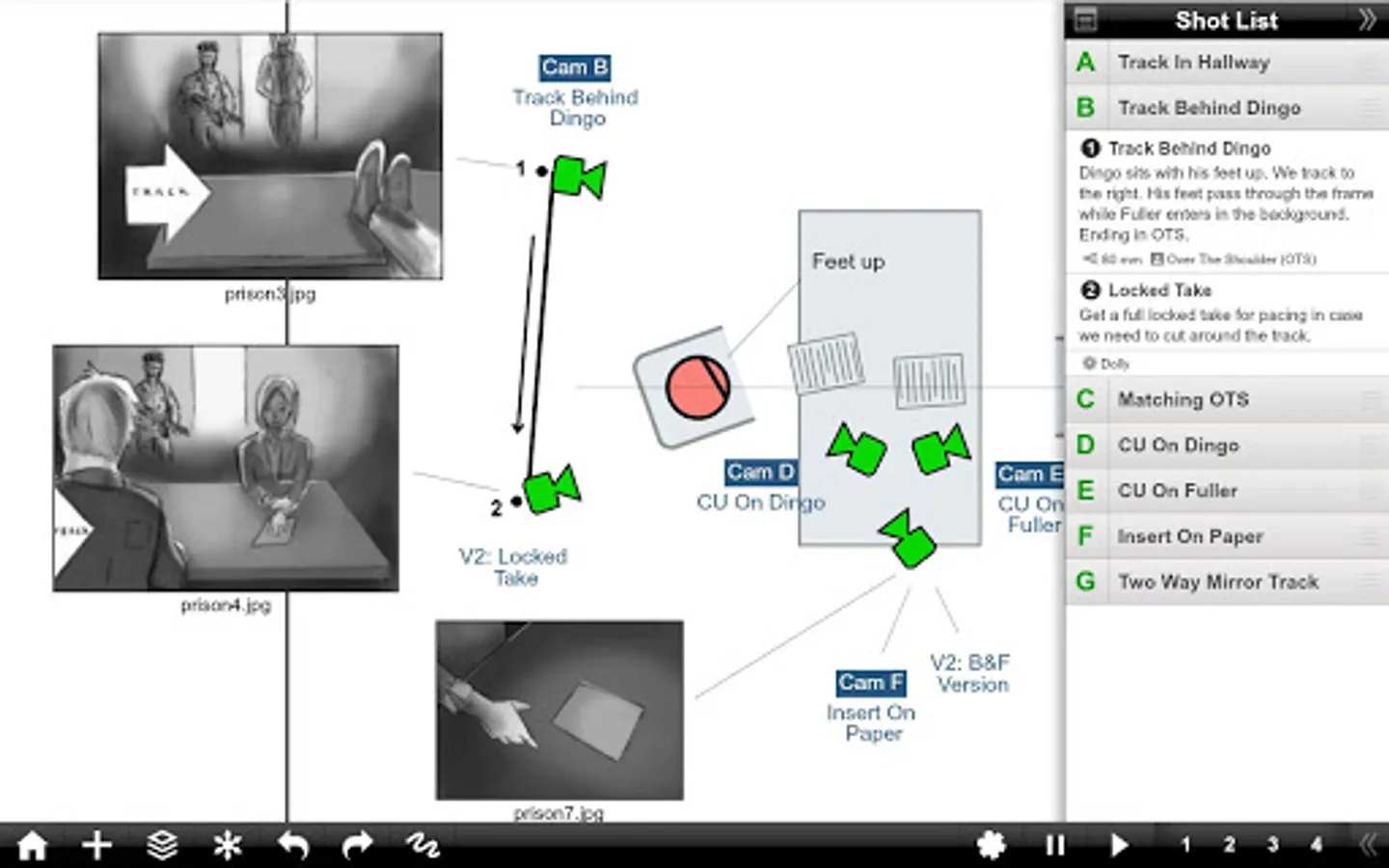
Shot Designer is a ground-breaking tool for Directors and DPs that creates Animated Camera Diagrams, with integrated Shot List, Storyboards, Professional Director's Viewfinder, and Sync & Team Sharing via the Hollywood Camera Work cloud at no extra cost.
WHAT IS SHOT DESIGNER?
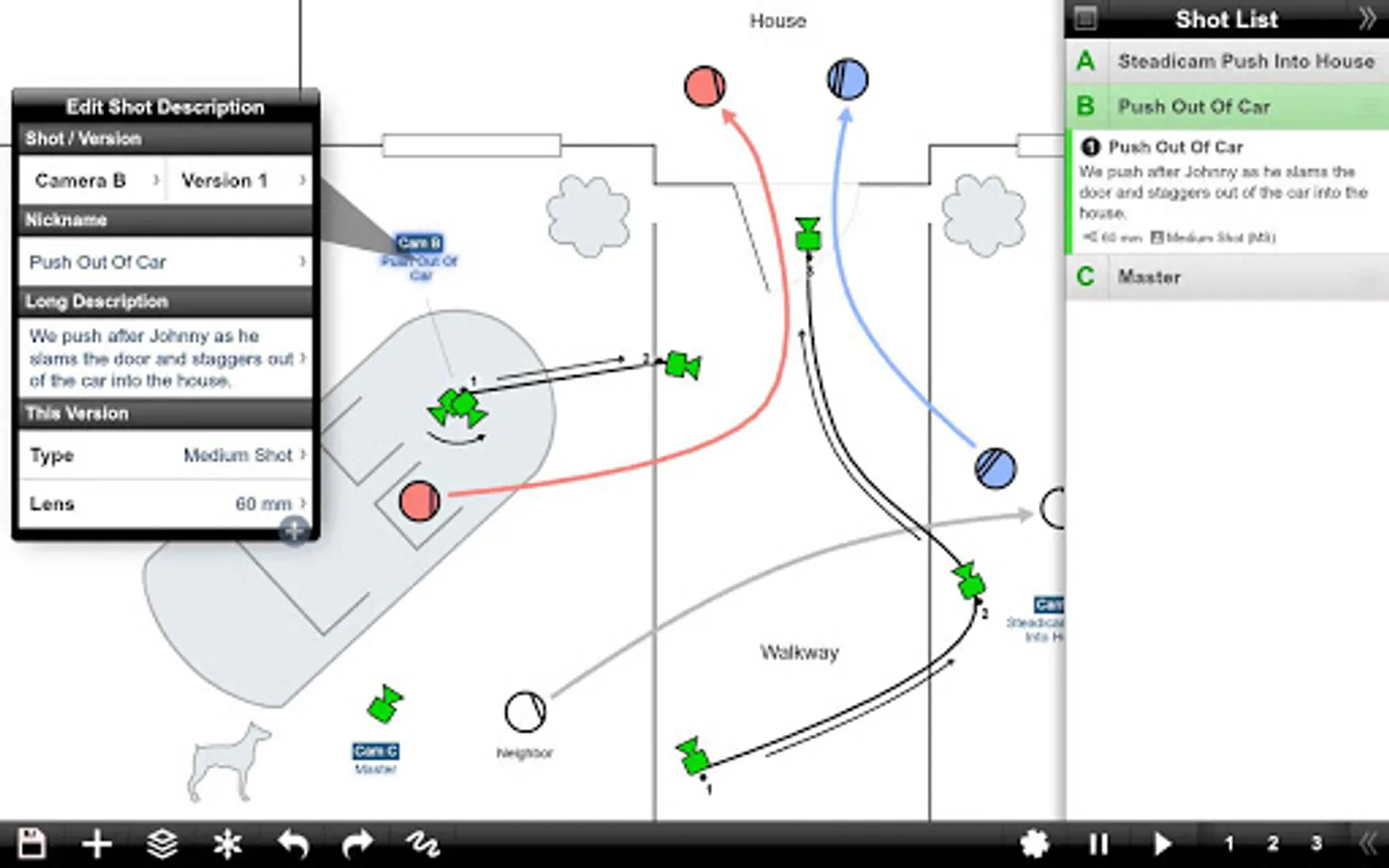
• CAMERA DIAGRAM - Shot Designer dramatically speeds up the Director's process of making camera diagrams. Create full-blown diagrams in minutes. The software does most of the work.
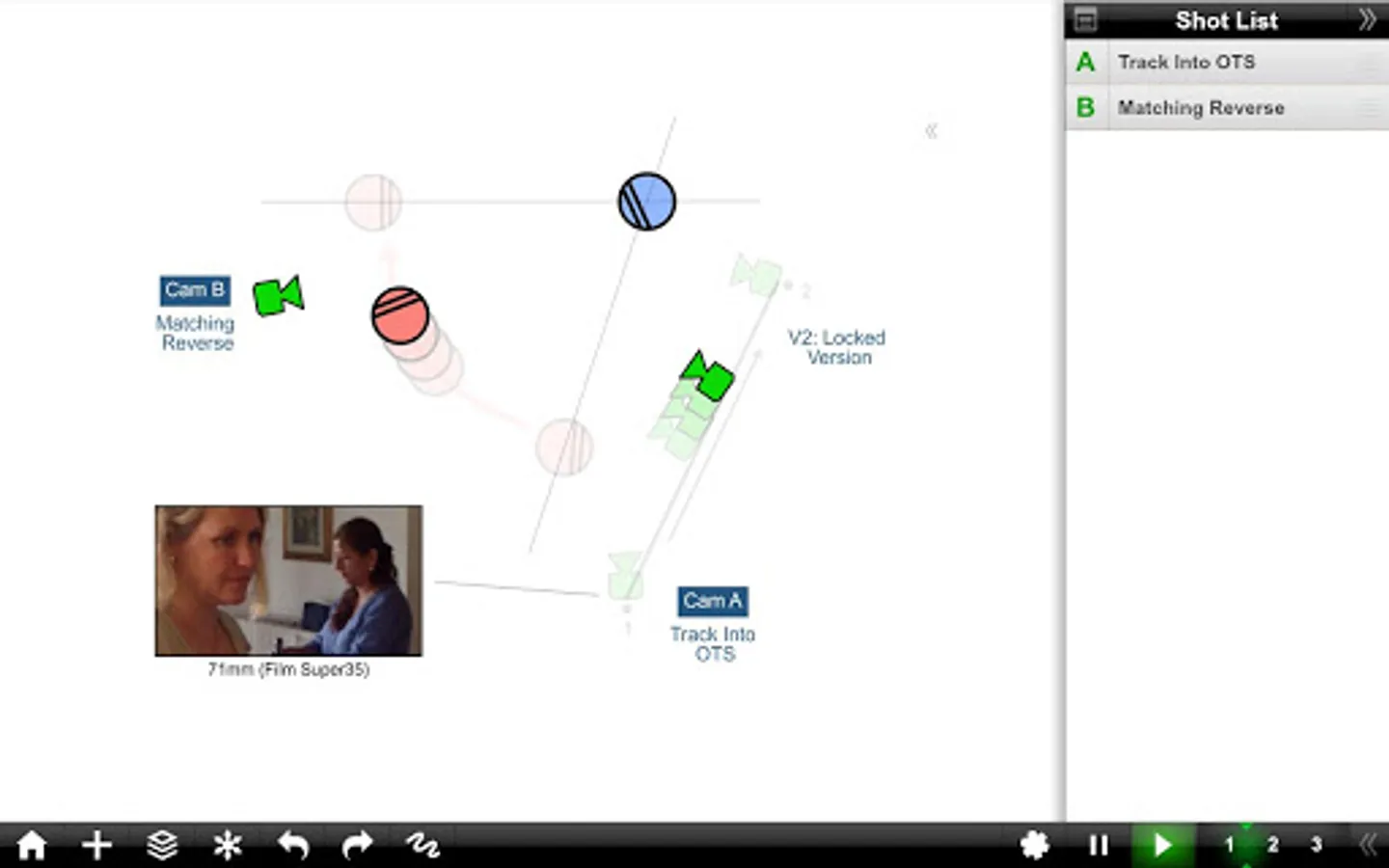
• ANIMATION - Animate your characters and cameras to move around your diagram in real-time. Previsualize the rhythm of a scene by seeing it play out.
• SHOT LIST - The integrated Shot List is tied into the diagram and writes itself while you work. Edit shots intuitively in the diagram, not in a confusing spreadsheet.
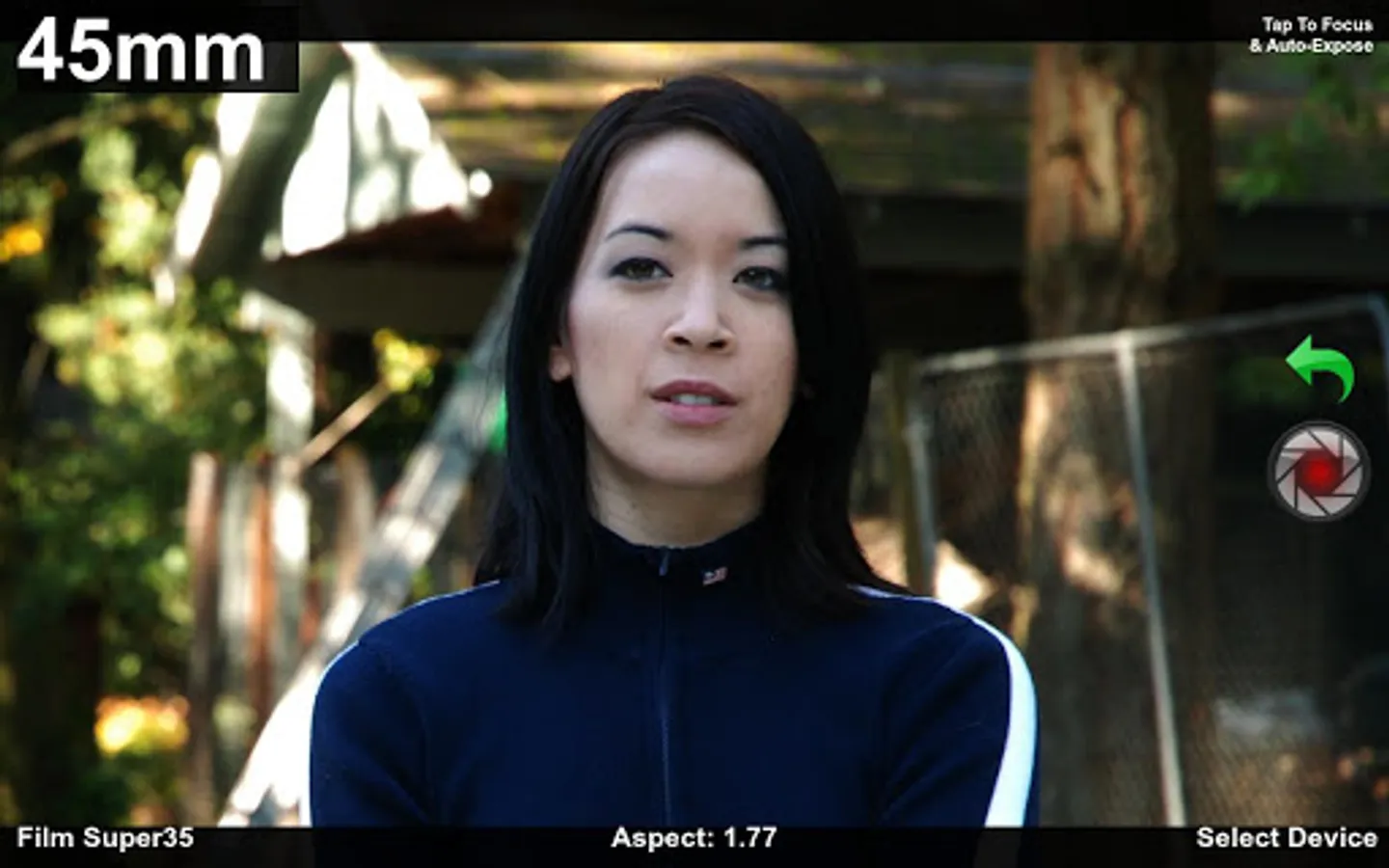
• DIRECTOR'S VIEWFINDER / STORYBOARDS - Bring in lens-accurate camera angles via the integrated Director's Viewfinder or Storyboard Import.
• MAC/PC DESKTOP VERSION - An identical Mac/PC Desktop Version is included with the Pro Version (in-app upgrade).
• SYNC & TEAM SHARING VIA DROPBOX - Sync your scenes across all your devices. Share scene folders with teams. Control who owns which scene. (Pro Feature)
Watch the feature-demo at http://www.hollywoodcamerawork.com/shot-designer-videos.html
CAMERA-BLOCKING ON STEROIDS
Shot Designer was developed by Per Holmes, the creator of the Hollywood Camera Work training.
Shot Designer is based on the realization that neither Camera Diagrams, Shot Lists, or Storyboards by themselves give you a satisfying understanding of camera-blocking -- you have to use them *together*.
Shot Designer is FAST. The app knows how Directing works and automatically does most of the work for you. Cameras rearrange themselves when you move characters. Animate characters and cameras with simple Walk To and Track To commands. Create sophisticated tracking shots with multiple marks. Shot Designer is fast enough that you can rearrange the diagram with actors waiting.
OTHER FEATURES
• Integrated Set Designer for building floor plans.
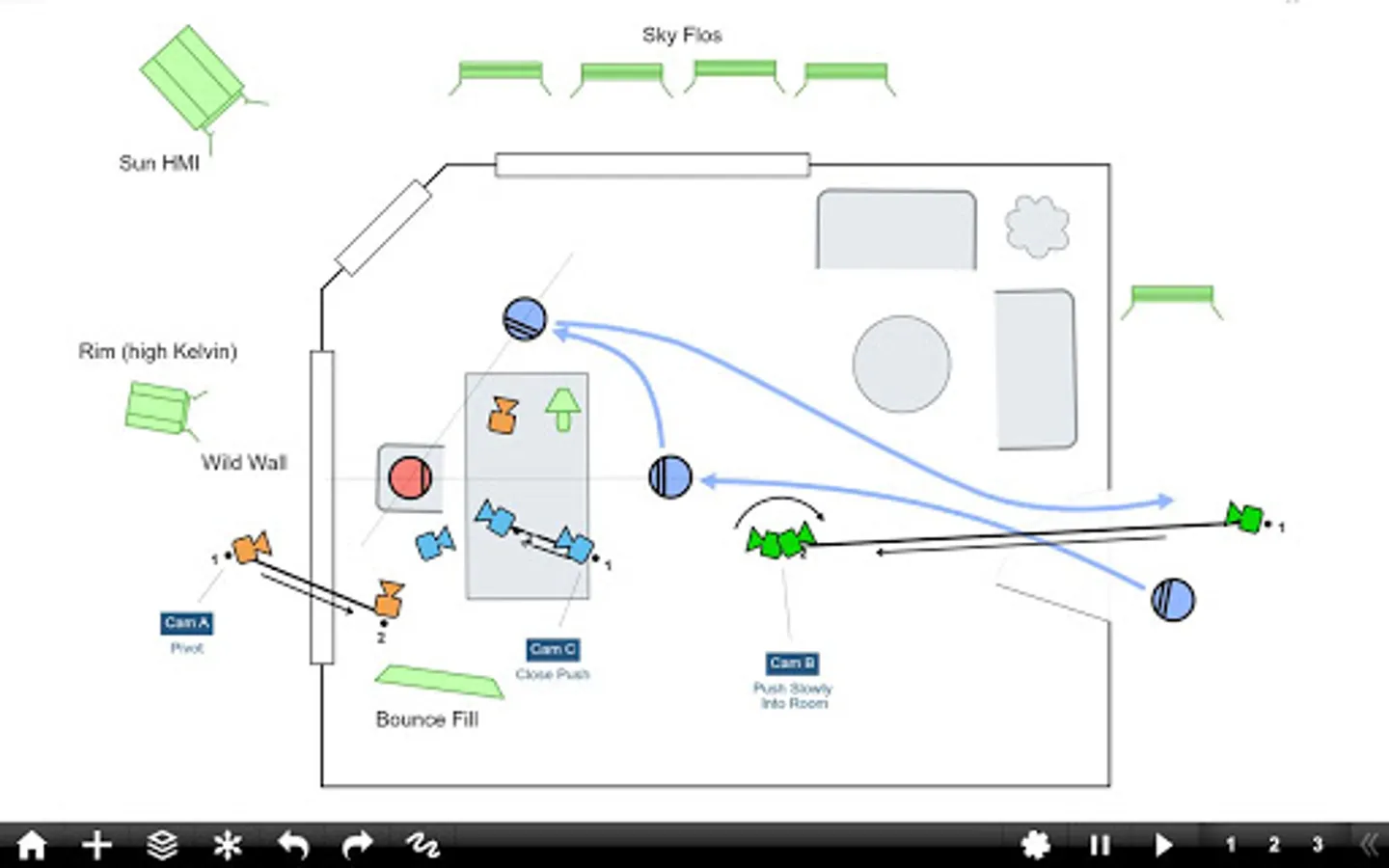
• Integrated Lighting Designer for DPs, with lighting symbols provided by Ari Golan of Atomic Imaging Studios Chicago.
• Import production drawings as backgrounds and block on top of them.
• Factory Templates of pre-made camera setups for any situation.
• Make your own templates as starting points for new scenes.
• Large and growing prop/furniture library. Email us requests, we'll build them.
• Scene Freeze: Experiment easily by taking snapshots you can return to (Pro).
• PDF/JPG/Excel export and emailing of Camera Diagrams and Shot Lists (Pro).
• Unlimited Folder Structure for organizing scenes (Pro).
The Free Version of Shot Designer is full-featured except for Save and Export. Your current scene is always saved, and you can be fully productive working on one scene at a time. The Pro Version (in-app upgrade) adds File Management, identical Mac/PC Desktop Version, PDF/JPG/Excel Export, Scene Freeze and more.
WHAT IS SHOT DESIGNER?
• CAMERA DIAGRAM - Shot Designer dramatically speeds up the Director's process of making camera diagrams. Create full-blown diagrams in minutes. The software does most of the work.
• ANIMATION - Animate your characters and cameras to move around your diagram in real-time. Previsualize the rhythm of a scene by seeing it play out.
• SHOT LIST - The integrated Shot List is tied into the diagram and writes itself while you work. Edit shots intuitively in the diagram, not in a confusing spreadsheet.
• DIRECTOR'S VIEWFINDER / STORYBOARDS - Bring in lens-accurate camera angles via the integrated Director's Viewfinder or Storyboard Import.
• MAC/PC DESKTOP VERSION - An identical Mac/PC Desktop Version is included with the Pro Version (in-app upgrade).
• SYNC & TEAM SHARING VIA DROPBOX - Sync your scenes across all your devices. Share scene folders with teams. Control who owns which scene. (Pro Feature)
Watch the feature-demo at http://www.hollywoodcamerawork.com/shot-designer-videos.html
CAMERA-BLOCKING ON STEROIDS
Shot Designer was developed by Per Holmes, the creator of the Hollywood Camera Work training.
Shot Designer is based on the realization that neither Camera Diagrams, Shot Lists, or Storyboards by themselves give you a satisfying understanding of camera-blocking -- you have to use them *together*.
Shot Designer is FAST. The app knows how Directing works and automatically does most of the work for you. Cameras rearrange themselves when you move characters. Animate characters and cameras with simple Walk To and Track To commands. Create sophisticated tracking shots with multiple marks. Shot Designer is fast enough that you can rearrange the diagram with actors waiting.
OTHER FEATURES
• Integrated Set Designer for building floor plans.
• Integrated Lighting Designer for DPs, with lighting symbols provided by Ari Golan of Atomic Imaging Studios Chicago.
• Import production drawings as backgrounds and block on top of them.
• Factory Templates of pre-made camera setups for any situation.
• Make your own templates as starting points for new scenes.
• Large and growing prop/furniture library. Email us requests, we'll build them.
• Scene Freeze: Experiment easily by taking snapshots you can return to (Pro).
• PDF/JPG/Excel export and emailing of Camera Diagrams and Shot Lists (Pro).
• Unlimited Folder Structure for organizing scenes (Pro).
The Free Version of Shot Designer is full-featured except for Save and Export. Your current scene is always saved, and you can be fully productive working on one scene at a time. The Pro Version (in-app upgrade) adds File Management, identical Mac/PC Desktop Version, PDF/JPG/Excel Export, Scene Freeze and more.
Shot Designer Screenshots
Tap to Rate:
Reviews for Shot Designer
AKASHABA DARTIVAN ALVIN
2/11/2026
great for planning creative scenes💪💪 I like it and I use it most of the time in my production
Mteteleli Ndlazi
12/24/2025
amazing app