In this app, you can manage default applications and set preferences for opening files and links. Includes features for listing, viewing, and resetting default apps, as well as managing file associations.
AppRecs review analysis
AppRecs rating 3.4. Trustworthiness 64 out of 100. Review manipulation risk 30 out of 100. Based on a review sample analyzed.
★★★☆☆
3.4
AppRecs Rating
Ratings breakdown
5 star
45%
4 star
14%
3 star
8%
2 star
20%
1 star
14%
What to know
✓
Authentic reviews
Natural distribution, no red flags
⚠
High negative review ratio
33% of sampled ratings are 1–2 stars
About Default App Manager
Default App Manager is a tool that facilitates the management of predetermined applications.
Manage default applications when launch an action or opening a file.
With Defaul App Manager, it facilitates the management of the default apps established on your Android device.
Default Action Apps:
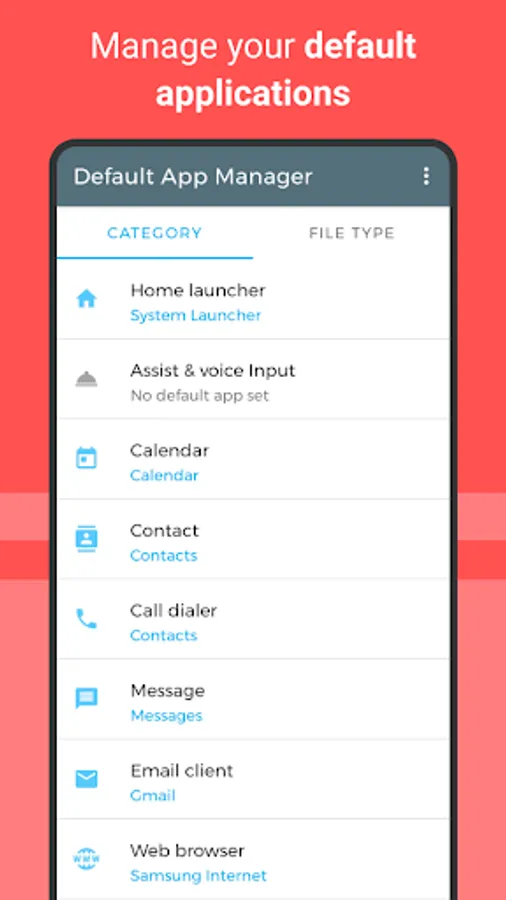
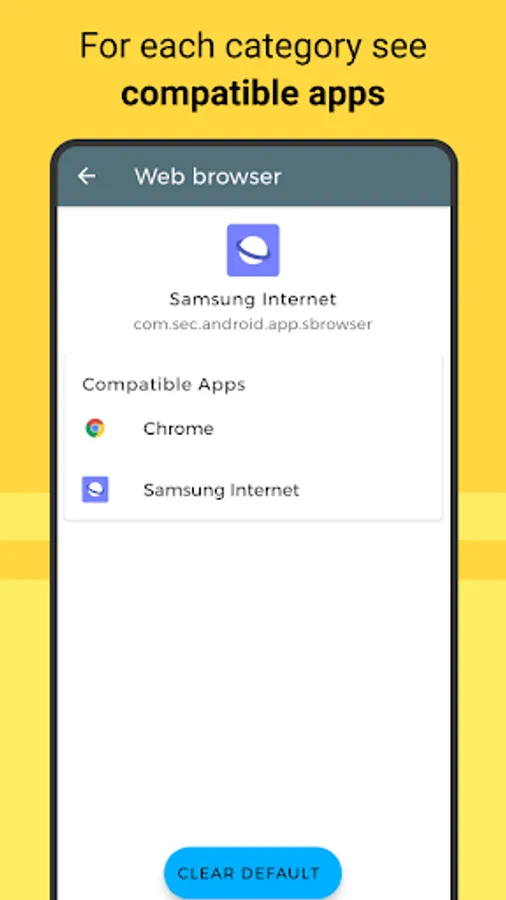
Set the default application to send or receive emails, surf the internet, app to take photos, view the photos of the gallery, music player, etc ...
File Association:
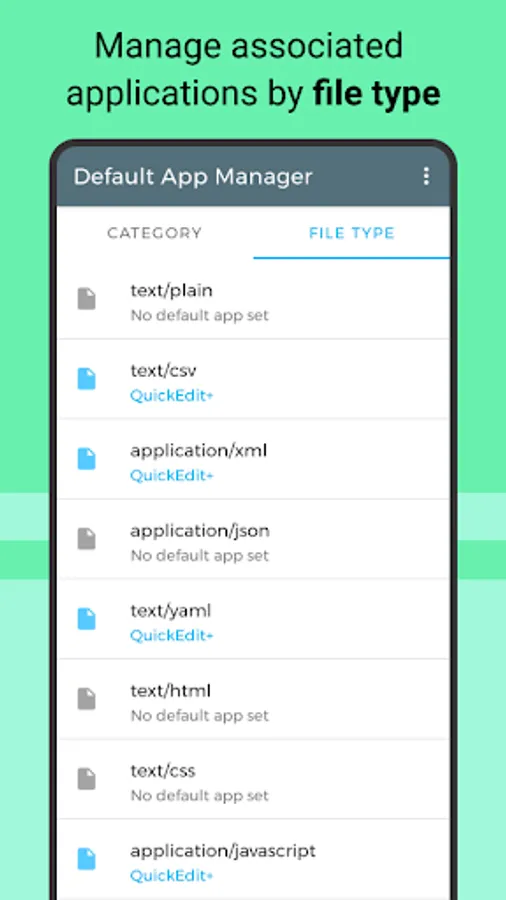
Manage file association, set which app will start by default when opening a file type.
Deep links: (coming soon)
Visualize the deep links and their direct connection to the app.
Features:
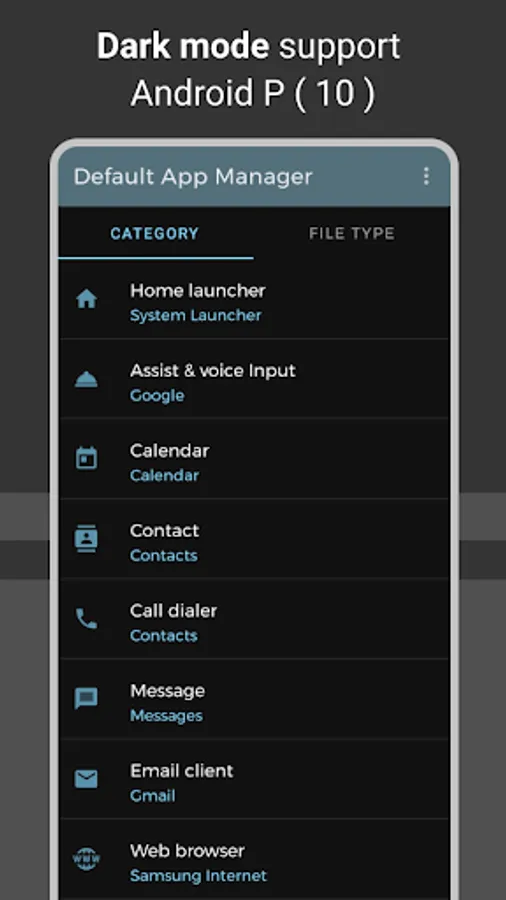
• List of the default applications.
• View and open the default apps.
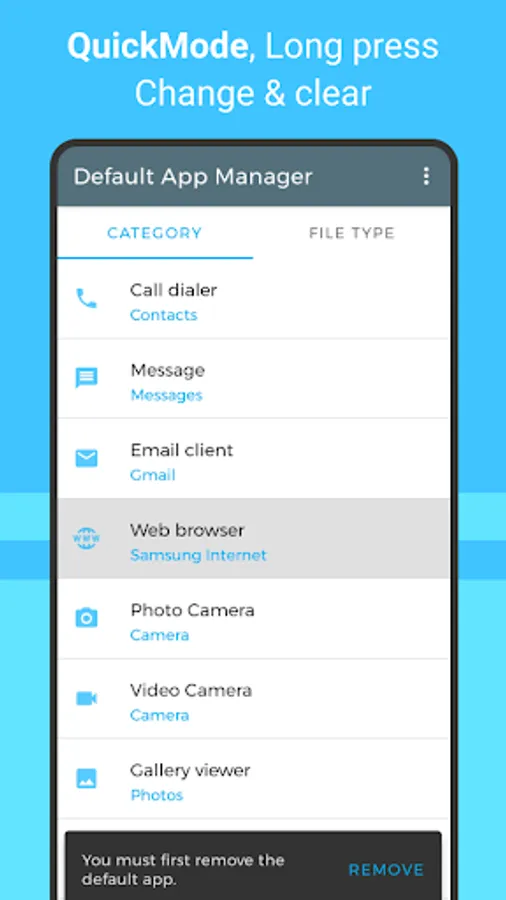
• Clear the default values of a particular category.
• Reset the default app.
• View and set the app associated with a file type.
• See the deep links.
►Remember:
Depending on the version of Android that we have on our device, more categories will appear.
As of Android M google has added management of predetermined apps, an option of difficult access, use the direct access of the menu of the application
Categories of the default applications
• Home screen
• Device assistant
• Handling of calls and messages
• Contacts agenda
• Web navigator
• Email client
• Clock, Calendar
• Camera and video application
• Image viewer
• Music player
• Navigation and map viewer
• Apps store
• Input method
Languages
Translate to: English and spanish
This application solves the following frequently asked questions:
How to remove the default application?
Clicking on the remove action will open the application settings page, where you can delete the default values.
How to change the default application?
First, the current default application must be removed.
When there is no default application, tap to select an application from the list.
Why removing the default application even shows it?
If there is only one compatible app for a default action, Android will always use it directly.
As of Android M Google added that when requesting the opening of an App for the first time, it lets you choose "only this time" or "always" to set the app as default you must select "Always". Make sure the application is established.
Where to find the default application manager in Android?
As of Android M, there is a section for managing predetermined applications, although it is still difficult to access.
Use the Go Default Apps Settings menu to directly open the Default Apps window.
Manage default applications when launch an action or opening a file.
With Defaul App Manager, it facilitates the management of the default apps established on your Android device.
Default Action Apps:
Set the default application to send or receive emails, surf the internet, app to take photos, view the photos of the gallery, music player, etc ...
File Association:
Manage file association, set which app will start by default when opening a file type.
Deep links: (coming soon)
Visualize the deep links and their direct connection to the app.
Features:
• List of the default applications.
• View and open the default apps.
• Clear the default values of a particular category.
• Reset the default app.
• View and set the app associated with a file type.
• See the deep links.
►Remember:
Depending on the version of Android that we have on our device, more categories will appear.
As of Android M google has added management of predetermined apps, an option of difficult access, use the direct access of the menu of the application
Categories of the default applications
• Home screen
• Device assistant
• Handling of calls and messages
• Contacts agenda
• Web navigator
• Email client
• Clock, Calendar
• Camera and video application
• Image viewer
• Music player
• Navigation and map viewer
• Apps store
• Input method
Languages
Translate to: English and spanish
FAQ
This application solves the following frequently asked questions:
How to remove the default application?
Clicking on the remove action will open the application settings page, where you can delete the default values.
How to change the default application?
First, the current default application must be removed.
When there is no default application, tap to select an application from the list.
Why removing the default application even shows it?
If there is only one compatible app for a default action, Android will always use it directly.
Android M and later
As of Android M Google added that when requesting the opening of an App for the first time, it lets you choose "only this time" or "always" to set the app as default you must select "Always". Make sure the application is established.
Where to find the default application manager in Android?
As of Android M, there is a section for managing predetermined applications, although it is still difficult to access.
Use the Go Default Apps Settings menu to directly open the Default Apps window.
Default App Manager Screenshots
Tap to Rate:
Reviews for Default App Manager
Nitin Sethi
8/14/2025
useful ✌️
Geo Franklin
2/18/2025
An essential app