With this app, you can add customizable back, home, and recent buttons that can be moved or styled freely. Includes button shape options, color customization, and display on the navigation bar.
AppRecs review analysis
AppRecs rating 4.1. Trustworthiness 76 out of 100. Review manipulation risk 41 out of 100. Based on a review sample analyzed.
★★★★☆
4.1
AppRecs Rating
Ratings breakdown
5 star
67%
4 star
6%
3 star
11%
2 star
3%
1 star
13%
What to know
✓
Authentic reviews
Natural distribution, no red flags
⚠
Questionable review patterns
41% review manipulation risk - some review patterns appear unusual
⚠
Review quality concerns
87% of sampled 5-star reviews are very short
About Back Button
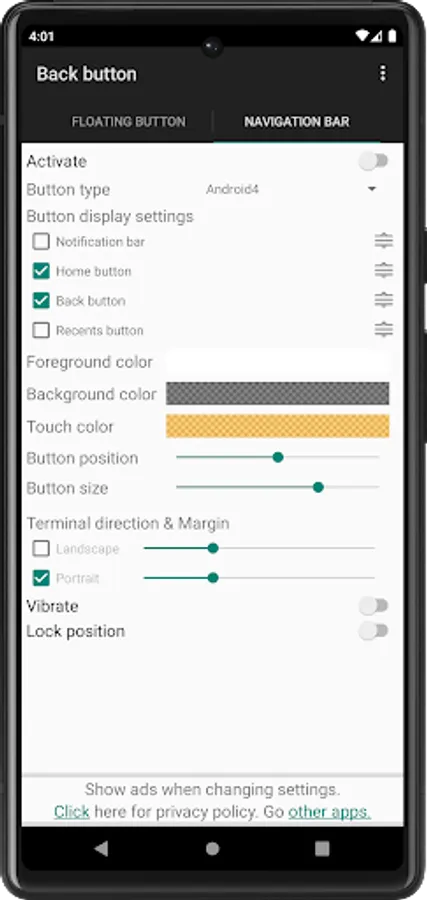
This app solves the problem that your finger cannot reach the "Back button".
[Features]
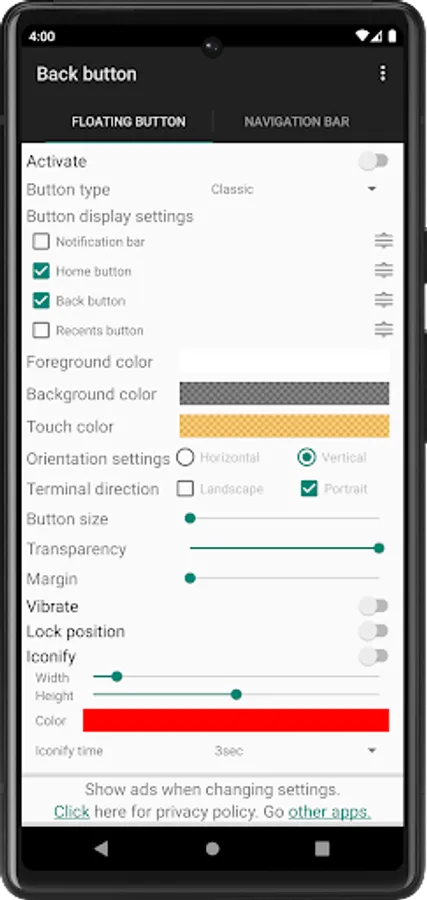
- Press and hold the button to move.
- "Home button", "Resents button" and "Notification bar" can also be displayed.
- Order of buttons can be changed.
- Multiple types of button shapes.
- Button colors can be customized freely.
- Very simple to use!
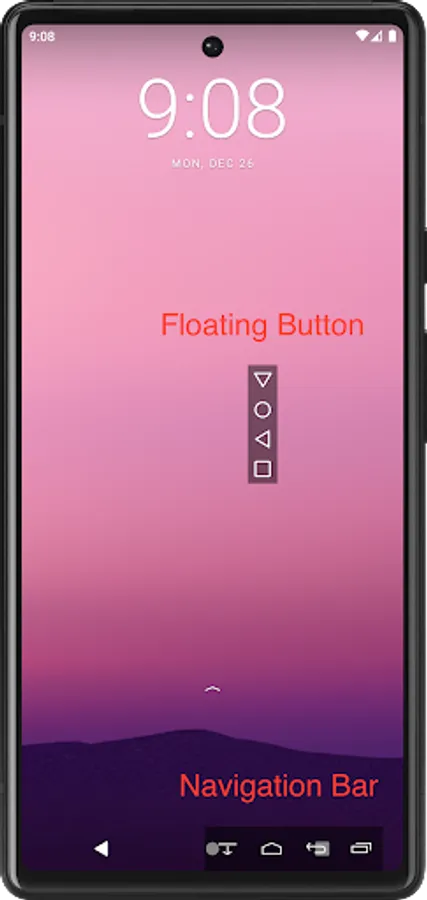
From version 2.00, buttons can also be displayed on the "Navigation Bar".
(Floating buttons on the "Navigation Bar")
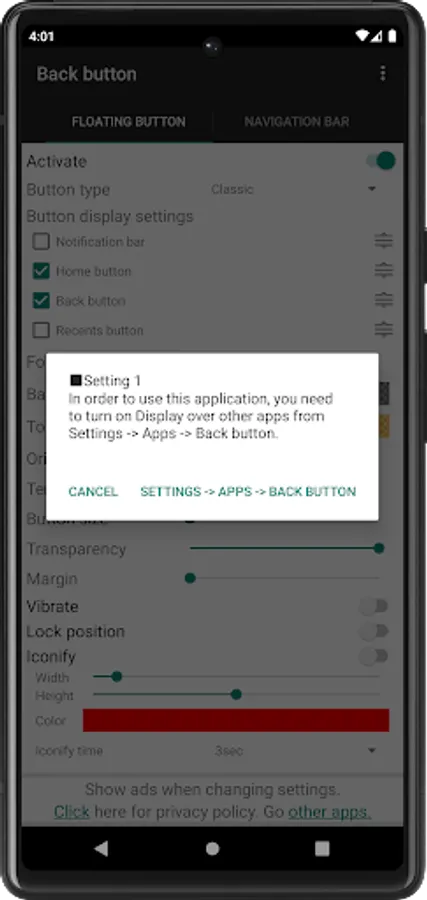
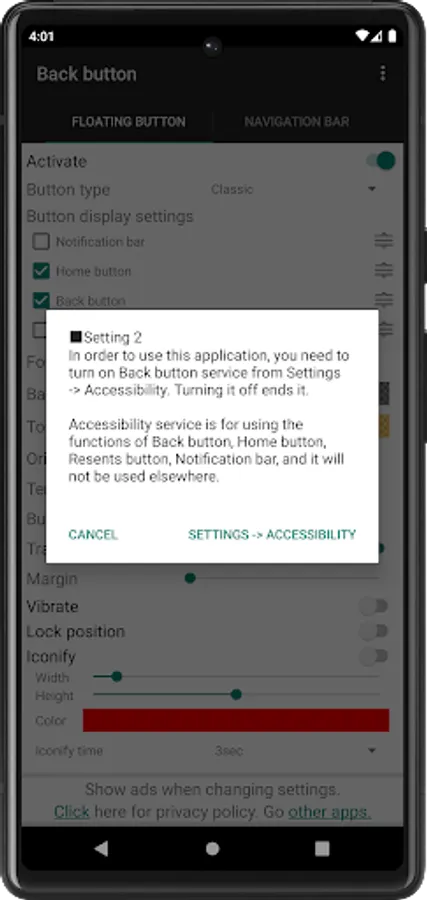
To use this app, you need to turn on "Activate" and make the following settings.
- Turn on "Back button" service from "Settings -> Accessibility"
- Turn on "Display over other apps" from "Settings -> Apps -> Back button"
*This app uses Accessibility Services.
Accessibility service is to use the functions of "Back button", "Home button", "Resents button" and "Notification bar", and it will not be used elsewhere.
[Features]
- Press and hold the button to move.
- "Home button", "Resents button" and "Notification bar" can also be displayed.
- Order of buttons can be changed.
- Multiple types of button shapes.
- Button colors can be customized freely.
- Very simple to use!
From version 2.00, buttons can also be displayed on the "Navigation Bar".
(Floating buttons on the "Navigation Bar")
To use this app, you need to turn on "Activate" and make the following settings.
- Turn on "Back button" service from "Settings -> Accessibility"
- Turn on "Display over other apps" from "Settings -> Apps -> Back button"
*This app uses Accessibility Services.
Accessibility service is to use the functions of "Back button", "Home button", "Resents button" and "Notification bar", and it will not be used elsewhere.
Back Button Screenshots
Tap to Rate:
Reviews for Back Button
Wycliffe Rugangila
12/28/2025
Good
A Google user
12/20/2025
okok thanks