
In this email management app, you can organize your inbox with customizable filters and workflows. Includes features like contact notes and flexible notification controls.
AppRecs review analysis
AppRecs rating 4.4. Trustworthiness 83 out of 100. Review manipulation risk 16 out of 100. Based on a review sample analyzed.
★★★★☆
4.4
AppRecs Rating
Ratings breakdown
5 star
88%
4 star
5%
3 star
3%
2 star
1%
1 star
3%
What to know
✓
Low review manipulation risk
16% review manipulation risk
✓
Credible reviews
83% trustworthiness score from analyzed reviews
✓
High user satisfaction
88% of sampled ratings are 5 stars
About HEY Email
Full of features you didn’t know you needed, but you won’t be able to live without.
Screen emails like you screen calls
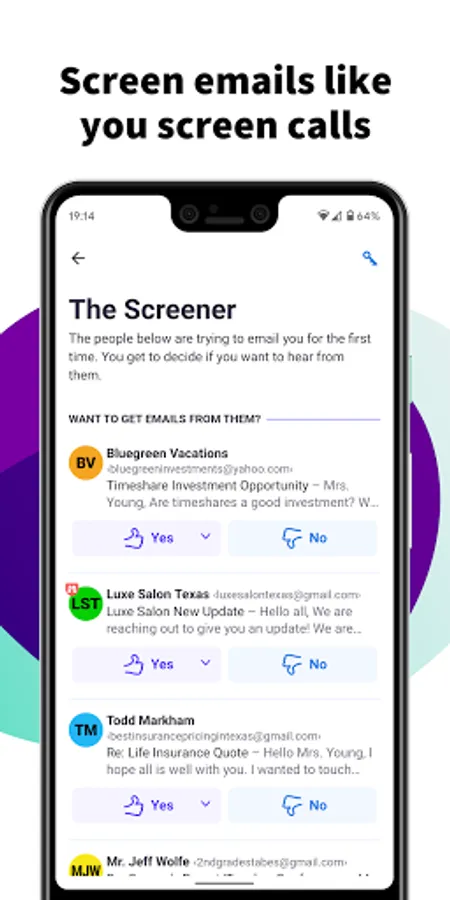
You screen your calls, so why can’t you screen your emails? With HEY, you can. HEY puts you in complete control of who’s allowed to email you. The first time someone emails you, you get to decide if you want to hear from them again.
Send an email to the web
Personal publishing has never been easier. Send an email to world@hey.com from your personal HEY account to publish it on a webpage that the whole world can see. People can subscribe via email, or follow along via RSS.
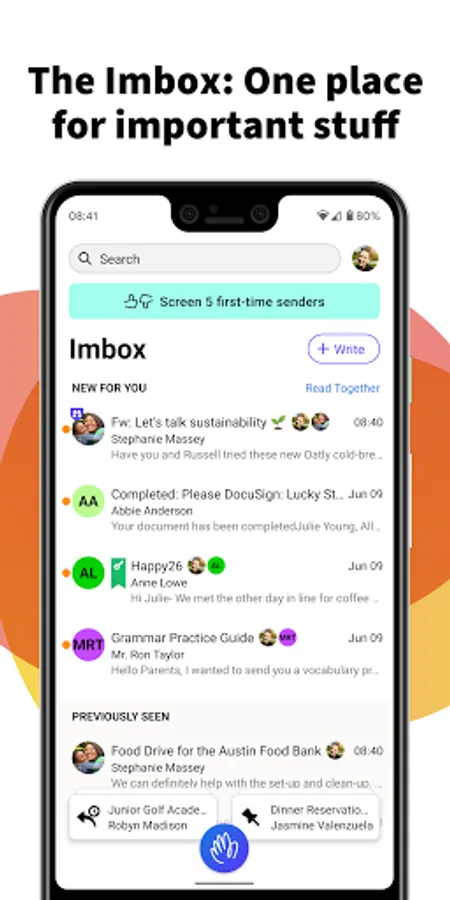
The Imbox: It’s not a typo
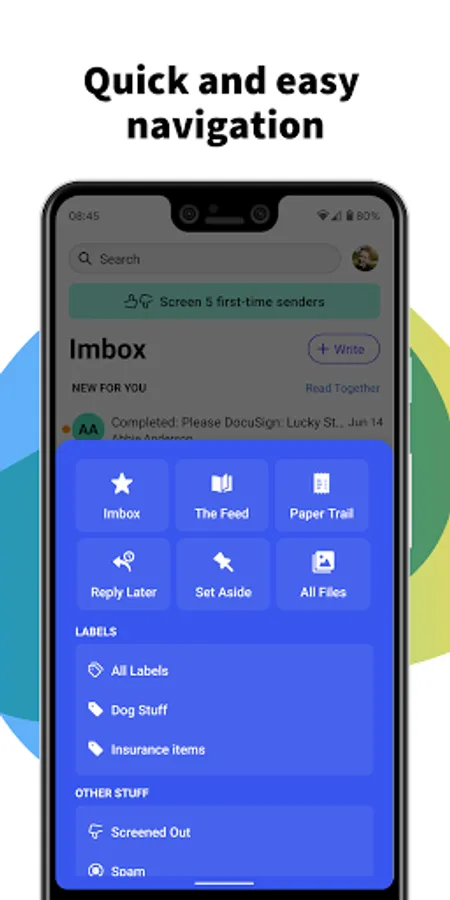
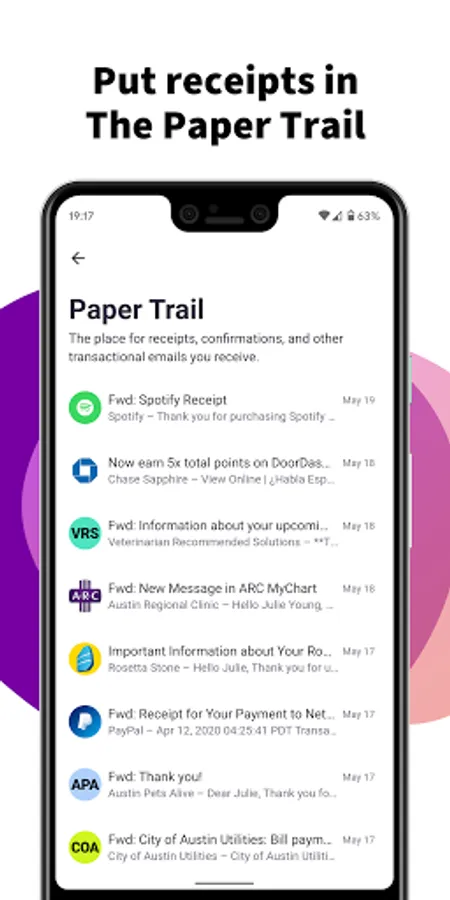
Everyone hates their bloated inbox, so HEY has a focused Imbox instead. Your Imbox is where important, immediate emails go from people or services you care about. No random receipts, no “I rarely read these” newsletters, and no special offers crowding out the stuff you really care about.
Track an email’s progress through stages
Things get messy when you’re handling a situation with numerous email threads and multiple steps. With HEY, you can use Workflows to define stages and visually track an email’s progress through a multi-step process.
Add a simple, searchable note to any contact
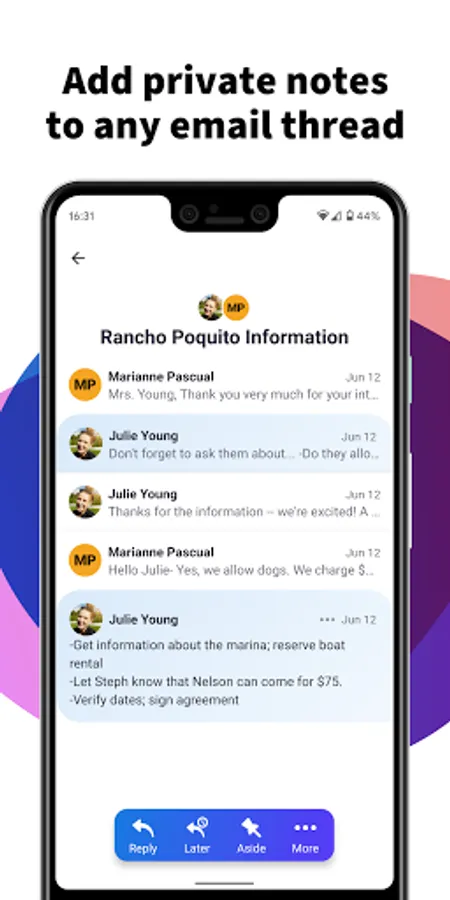
Need to remember details about a contact? Where you met, their phone number, when to follow-up, etc. Contact Notes are a great way to document details about a contact without having to go digging through your emails.
Quiet by default, loud at your discretion
HEY push notifications are off by default so your phone doesn’t steal your attention every time an inconsequential email hits your Imbox. However, HEY lets you selectively turn them on for specific contacts or threads so you don’t miss the things you really care about.
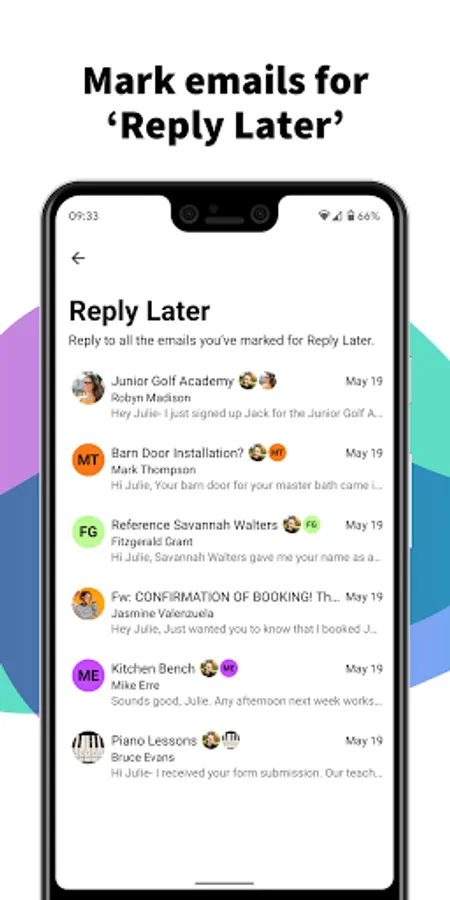
A built-in “Reply Later” workflow
What if you need to reply, but you don’t have time right now? With HEY, just click the “Reply Later” button to move an email to a dedicated ‘Reply Later’ pile at the bottom of the screen so you don’t lose or forget it.
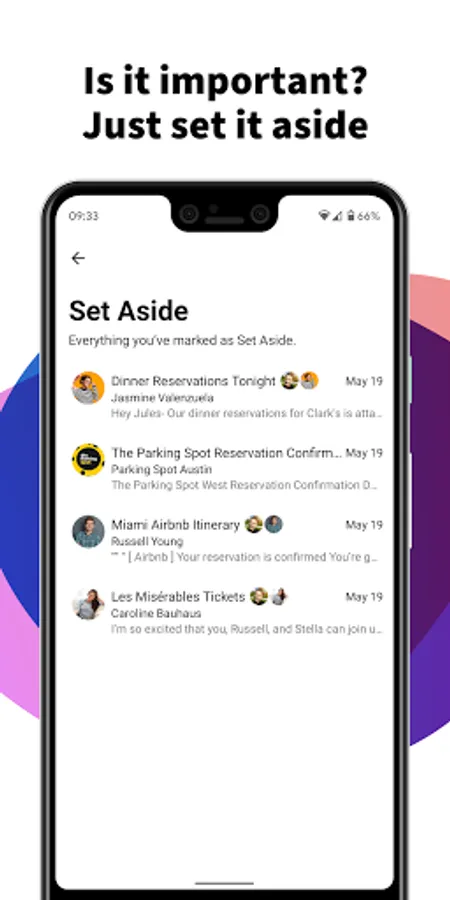
Just set it aside
Sometimes you get emails you need to reference later - travel info, handy links, numbers you need, etc. With HEY, you can ‘Set Aside’ any email in a neat little pile for easy access whenever you need it. At hand, but out of your face.
Blocking email spies 24-7-365
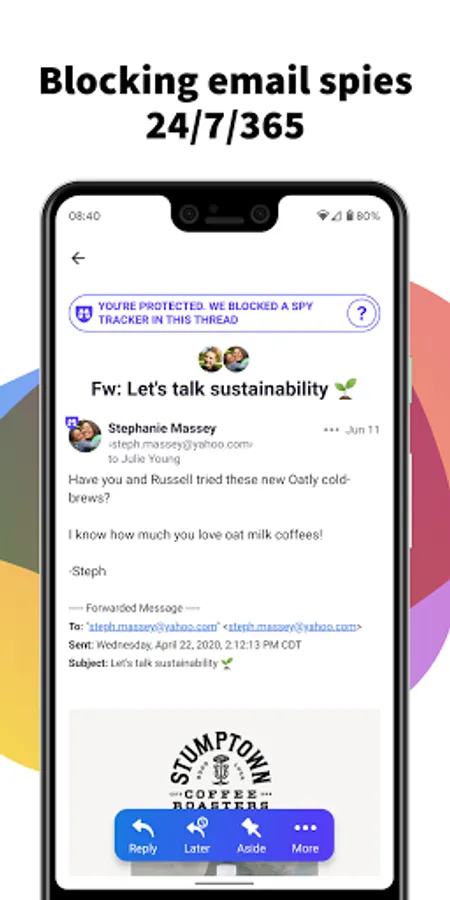
Many companies track which emails you open, how often you open them, and even where you were when you opened them. It’s a massive invasion of your privacy. HEY blocks these trackers and tells you who’s spying on you.
E pluribus unum
Doesn’t it suck when someone emails you separate threads about the same thing? Yup! With HEY, you can merge separate emails into one so you can keep everything together on a single page. No more dealing with fragmented conversations across separate threads.
Add some style to your Imbox with Cover Art
HEY is all about letting it flow, but some folks prefer an “out of sight, out of mind” approach. That’s where Cover Art comes in. Choose a style or upload your own image, and a cover will slide up over your previously seen emails. It’s a great way to add some life to your Imbox.
Link accounts and see all your email in one place
If you have multiple HEY accounts — like one for personal use and one for work — you can view them together without having to log in and out.
Spread ’em out, read ’em together
Let’s say you have 7 unread emails. Why do you have to open one, close one, open one, close one, open one, close one, and so on. It’s ridiculously inefficient. With HEY, you can open multiple emails at once and just scroll through them, just like you would a newsfeed. It’s a revolutionary way to read your emails. You’ll never go back to the old way.
And much more... Visit hey.com to learn more.
Screen emails like you screen calls
You screen your calls, so why can’t you screen your emails? With HEY, you can. HEY puts you in complete control of who’s allowed to email you. The first time someone emails you, you get to decide if you want to hear from them again.
Send an email to the web
Personal publishing has never been easier. Send an email to world@hey.com from your personal HEY account to publish it on a webpage that the whole world can see. People can subscribe via email, or follow along via RSS.
The Imbox: It’s not a typo
Everyone hates their bloated inbox, so HEY has a focused Imbox instead. Your Imbox is where important, immediate emails go from people or services you care about. No random receipts, no “I rarely read these” newsletters, and no special offers crowding out the stuff you really care about.
Track an email’s progress through stages
Things get messy when you’re handling a situation with numerous email threads and multiple steps. With HEY, you can use Workflows to define stages and visually track an email’s progress through a multi-step process.
Add a simple, searchable note to any contact
Need to remember details about a contact? Where you met, their phone number, when to follow-up, etc. Contact Notes are a great way to document details about a contact without having to go digging through your emails.
Quiet by default, loud at your discretion
HEY push notifications are off by default so your phone doesn’t steal your attention every time an inconsequential email hits your Imbox. However, HEY lets you selectively turn them on for specific contacts or threads so you don’t miss the things you really care about.
A built-in “Reply Later” workflow
What if you need to reply, but you don’t have time right now? With HEY, just click the “Reply Later” button to move an email to a dedicated ‘Reply Later’ pile at the bottom of the screen so you don’t lose or forget it.
Just set it aside
Sometimes you get emails you need to reference later - travel info, handy links, numbers you need, etc. With HEY, you can ‘Set Aside’ any email in a neat little pile for easy access whenever you need it. At hand, but out of your face.
Blocking email spies 24-7-365
Many companies track which emails you open, how often you open them, and even where you were when you opened them. It’s a massive invasion of your privacy. HEY blocks these trackers and tells you who’s spying on you.
E pluribus unum
Doesn’t it suck when someone emails you separate threads about the same thing? Yup! With HEY, you can merge separate emails into one so you can keep everything together on a single page. No more dealing with fragmented conversations across separate threads.
Add some style to your Imbox with Cover Art
HEY is all about letting it flow, but some folks prefer an “out of sight, out of mind” approach. That’s where Cover Art comes in. Choose a style or upload your own image, and a cover will slide up over your previously seen emails. It’s a great way to add some life to your Imbox.
Link accounts and see all your email in one place
If you have multiple HEY accounts — like one for personal use and one for work — you can view them together without having to log in and out.
Spread ’em out, read ’em together
Let’s say you have 7 unread emails. Why do you have to open one, close one, open one, close one, open one, close one, and so on. It’s ridiculously inefficient. With HEY, you can open multiple emails at once and just scroll through them, just like you would a newsfeed. It’s a revolutionary way to read your emails. You’ll never go back to the old way.
And much more... Visit hey.com to learn more.
HEY Email Screenshots
Tap to Rate:
Reviews for HEY Email
Kevin Schlenker
12/22/2025
excellent email, saves so much time. feature request: when I put a sender in my imbox that was previously in the feed, there should be an option to say I don't want to include all past emails
Soham Sen
11/12/2025
first real improvement for email as a concept on what gmail did in 2006. search is weaker though relative to gmail.