
BlackBerry Hub+ Notes
BlackBerry Limited
3.3 ★
3K ratings
1,000,000+
downloads
Free
With this note-taking app, you can create, organize, and format notes using rich text and tags. It also supports syncing with email providers and customizing categories. Includes note management, email sync, and tagging features.
AppRecs review analysis
AppRecs rating 3.2. Trustworthiness 85 out of 100. Review manipulation risk 19 out of 100. Based on a review sample analyzed.
★★★☆☆
3.2
AppRecs Rating
Ratings breakdown
5 star
40%
4 star
9%
3 star
13%
2 star
13%
1 star
25%
What to know
✓
Low review manipulation risk
19% review manipulation risk
✓
Credible reviews
85% trustworthiness score from analyzed reviews
⚠
High negative review ratio
38% of sampled ratings are 1–2 stars
About BlackBerry Hub+ Notes
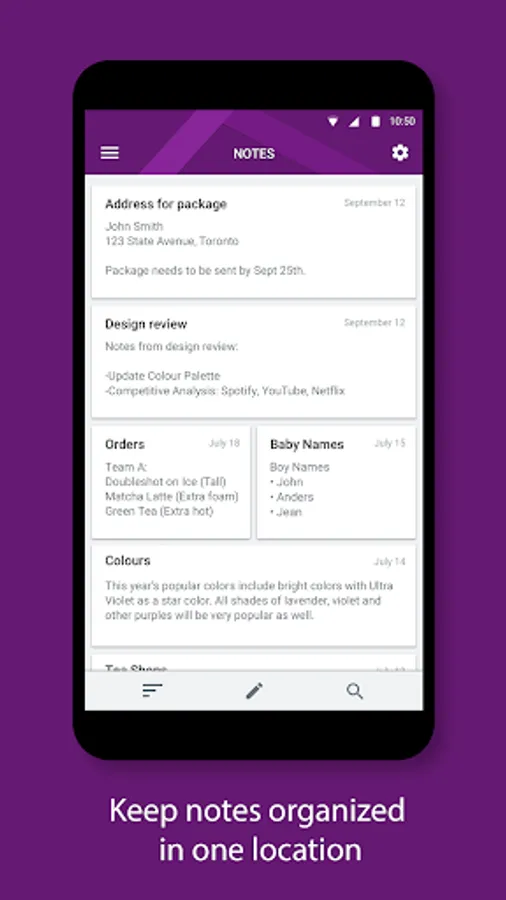
BlackBerry® Hub+ Notes is a place to keep track of to-do lists, your bucket list, notes for a presentation, or action items from a meeting.
Stay organized by managing all your important notes, from family gift ideas to your weekly shopping list.
Major Features:
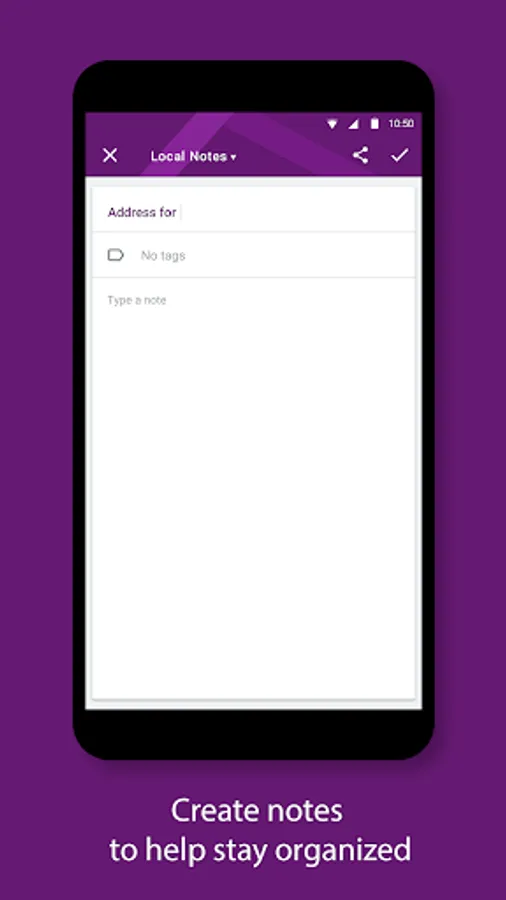
• Rich text editor lets you format your notes and organize your lists with bullet points, numbered bullets, and check boxes
• Sync your notes with email providers such as Outlook.com, based on Microsoft Exchange ActiveSync 14.1 or later
• Organize your notes into categories by adding custom tags
• Dark theme option gives your BlackBerry Hub+ Notes a fresh new look and feel
• Fully supports Android Enterprise deployment and, when allowed by your administrator, supports unifying your personal and work notes while maintaining strict data storage separation
BlackBerry Hub+ Notes requires the BlackBerry® Hub+ Services app to deliver a consistent experience across all BlackBerry® applications, and to manage your subscriptions
Enjoy Notes for free on your BlackBerry® device!
If you don't have a BlackBerry device:
• Enjoy full functionality of the app for 30 days
• Purchase a monthly subscription to get full functionality of BlackBerry Hub+ Notes.
This grants you access to all the BlackBerry Hub+ apps, including Calendar, Contacts, Inbox, Tasks, and Launcher.
• Enterprise Customers, please visit: http://web.blackberry.com/forms/enterprise/contact-us
For support, visit docs.blackberry.com/en/apps-for-android/notes/
Stay organized by managing all your important notes, from family gift ideas to your weekly shopping list.
Major Features:
• Rich text editor lets you format your notes and organize your lists with bullet points, numbered bullets, and check boxes
• Sync your notes with email providers such as Outlook.com, based on Microsoft Exchange ActiveSync 14.1 or later
• Organize your notes into categories by adding custom tags
• Dark theme option gives your BlackBerry Hub+ Notes a fresh new look and feel
• Fully supports Android Enterprise deployment and, when allowed by your administrator, supports unifying your personal and work notes while maintaining strict data storage separation
BlackBerry Hub+ Notes requires the BlackBerry® Hub+ Services app to deliver a consistent experience across all BlackBerry® applications, and to manage your subscriptions
Enjoy Notes for free on your BlackBerry® device!
If you don't have a BlackBerry device:
• Enjoy full functionality of the app for 30 days
• Purchase a monthly subscription to get full functionality of BlackBerry Hub+ Notes.
This grants you access to all the BlackBerry Hub+ apps, including Calendar, Contacts, Inbox, Tasks, and Launcher.
• Enterprise Customers, please visit: http://web.blackberry.com/forms/enterprise/contact-us
For support, visit docs.blackberry.com/en/apps-for-android/notes/
BlackBerry Hub+ Notes Screenshots

Tap to Rate:
Reviews for BlackBerry Hub+ Notes
Brian Bergman
12/14/2025
the app will not save notes unless I retype them several times
Sparker
9/25/2025
How can you make software for saving notes which half of the time does not save changes in the note? Otherwise it's pretty good, but this annoying bug makes it unusable for me.