
BlackBerry Hub+ Tasks
BlackBerry Limited
3.9 ★
2K ratings
1,000,000+
downloads
Free
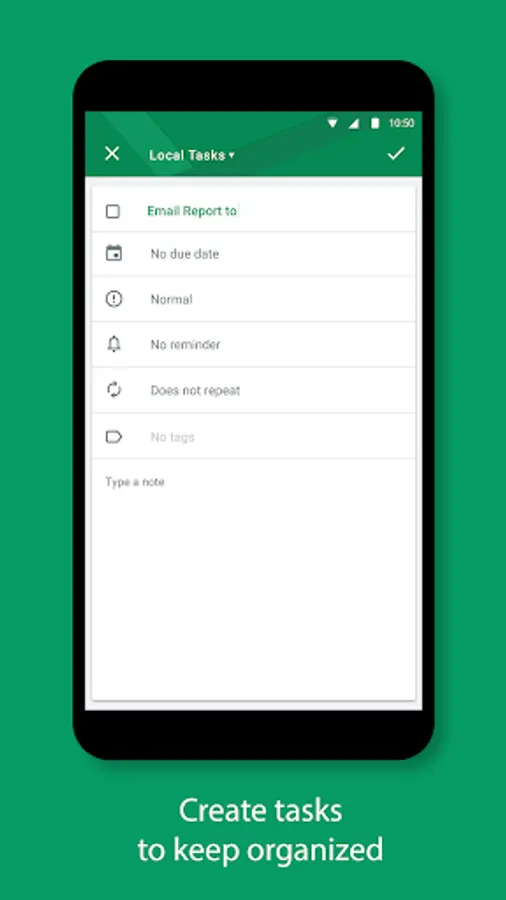
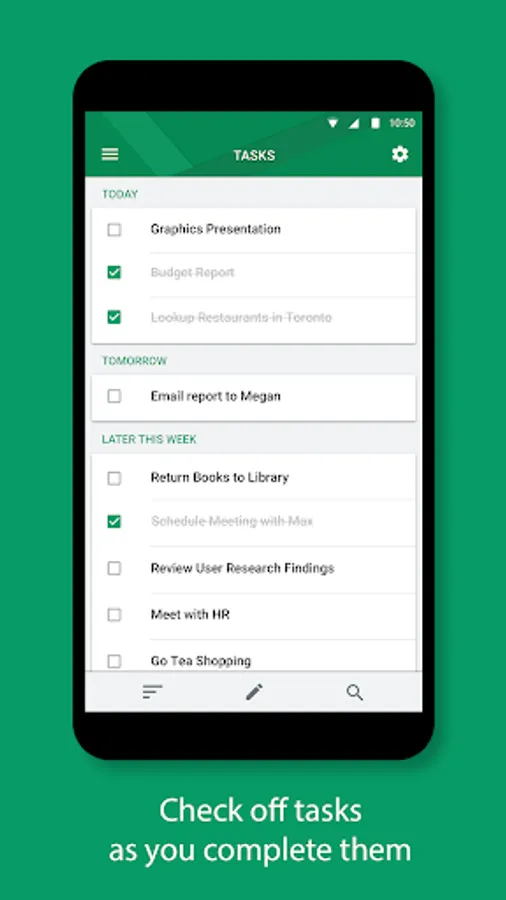
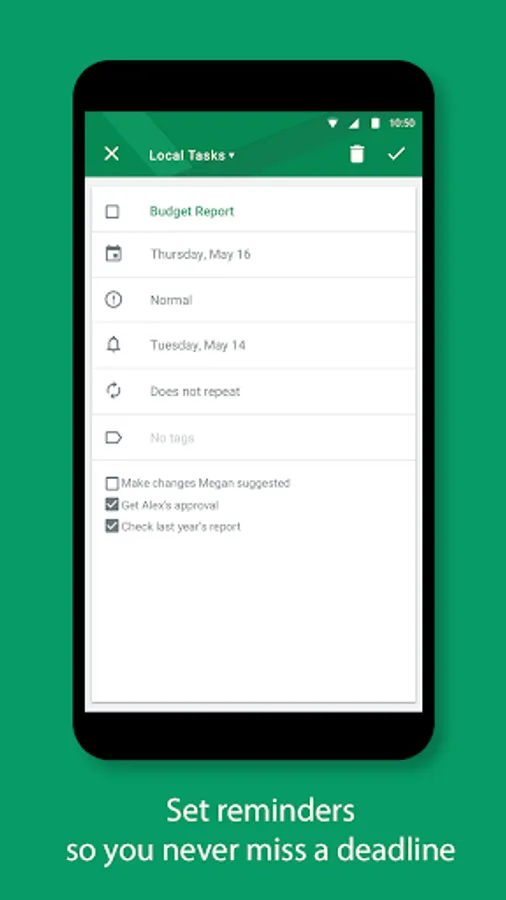
With this task management app, you can create, organize, and set reminders for tasks and to-do lists. Includes task categorization, synchronization with email providers, and customizable notifications.
AppRecs review analysis
AppRecs rating 3.9. Trustworthiness 77 out of 100. Review manipulation risk 28 out of 100. Based on a review sample analyzed.
★★★☆☆
3.9
AppRecs Rating
Ratings breakdown
5 star
55%
4 star
19%
3 star
3%
2 star
6%
1 star
17%
What to know
✓
Low review manipulation risk
28% review manipulation risk
✓
Credible reviews
77% trustworthiness score from analyzed reviews
✓
Good user ratings
74% positive sampled reviews
About BlackBerry Hub+ Tasks
Increase your efficiency and productivity with BlackBerry® Hub+ Tasks.
Create tasks and to-do lists with due dates, and receive reminders to help you meet your deadlines.
Major Features:
• Effortlessly create one-time or recurring tasks with due dates and reminders, and receive notifications for upcoming tasks
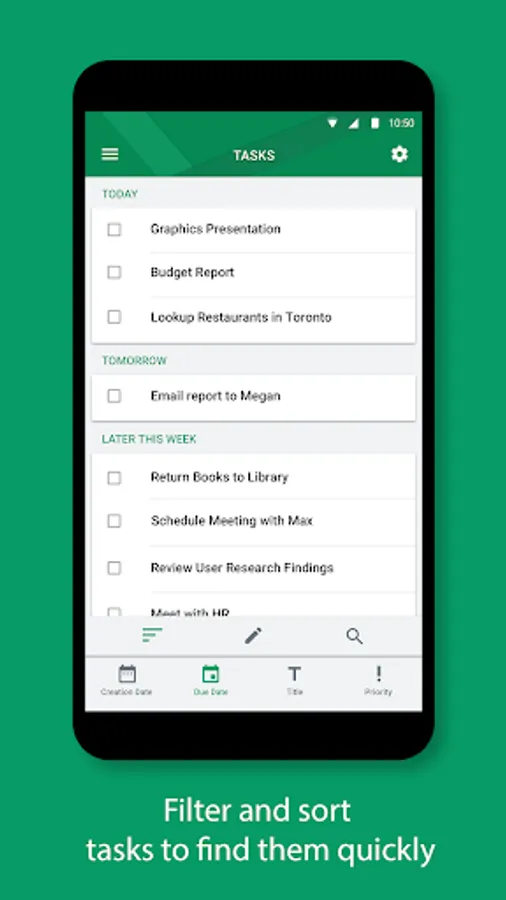
• Sort your tasks by due date, priority, or creation date
• Sync your tasks with email providers such as Outlook.com, based on Microsoft Exchange ActiveSync 12.x or later
• Dark theme option gives your BlackBerry Hub+ Tasks a fresh new look and feel
• Organize your tasks into categories by adding custom tags
• Fully supports Android Enterprise deployment and, when allowed by your administrator, supports unifying your personal and work tasks while maintaining strict data storage separation
BlackBerry Hub+ Tasks requires the BlackBerry® Hub+ Services app to deliver a consistent experience across all BlackBerry® applications, and to manage your subscriptions
Enjoy BlackBerry Hub+ Tasks for free on your BlackBerry® device!
If you don't have a BlackBerry device:
• Enjoy full functionality of the app for 30 days
• Purchase a monthly subscription to enjoy BlackBerry Hub+ Tasks without ads.
This grants you access to all the BlackBerry Hub+ apps, including Calendar, Contacts, Inbox, Notes, Tasks, and Launcher
• Enterprise Customers, please visit: http://web.blackberry.com/forms/enterprise/contact-us
For support, visit docs.blackberry.com/en/apps-for-android/tasks/
Create tasks and to-do lists with due dates, and receive reminders to help you meet your deadlines.
Major Features:
• Effortlessly create one-time or recurring tasks with due dates and reminders, and receive notifications for upcoming tasks
• Sort your tasks by due date, priority, or creation date
• Sync your tasks with email providers such as Outlook.com, based on Microsoft Exchange ActiveSync 12.x or later
• Dark theme option gives your BlackBerry Hub+ Tasks a fresh new look and feel
• Organize your tasks into categories by adding custom tags
• Fully supports Android Enterprise deployment and, when allowed by your administrator, supports unifying your personal and work tasks while maintaining strict data storage separation
BlackBerry Hub+ Tasks requires the BlackBerry® Hub+ Services app to deliver a consistent experience across all BlackBerry® applications, and to manage your subscriptions
Enjoy BlackBerry Hub+ Tasks for free on your BlackBerry® device!
If you don't have a BlackBerry device:
• Enjoy full functionality of the app for 30 days
• Purchase a monthly subscription to enjoy BlackBerry Hub+ Tasks without ads.
This grants you access to all the BlackBerry Hub+ apps, including Calendar, Contacts, Inbox, Notes, Tasks, and Launcher
• Enterprise Customers, please visit: http://web.blackberry.com/forms/enterprise/contact-us
For support, visit docs.blackberry.com/en/apps-for-android/tasks/
BlackBerry Hub+ Tasks Screenshots
Tap to Rate:
Reviews for BlackBerry Hub+ Tasks
Youngwan Choi
10/22/2025
Cannot sync other accounts than the default one. Please update the app asap
C W
5/2/2025
great