Brain Tutor 3D icon

Brain Tutor 3D

Rainer Goebel, Brain Innovation

Free

(in-app purchases)

rated 4.1 stars

100,000+

downloads

About Brain Tutor 3D

Explore the brain from the palm of your hand! Learn about the structure and function of the human brain by interacting with high-resolution rotatable 3D models in real-time like you've never experienced it before!
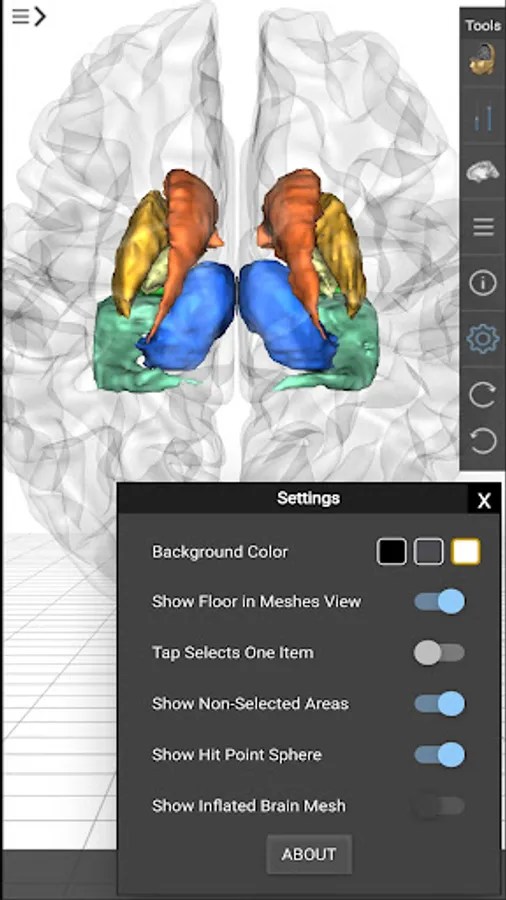
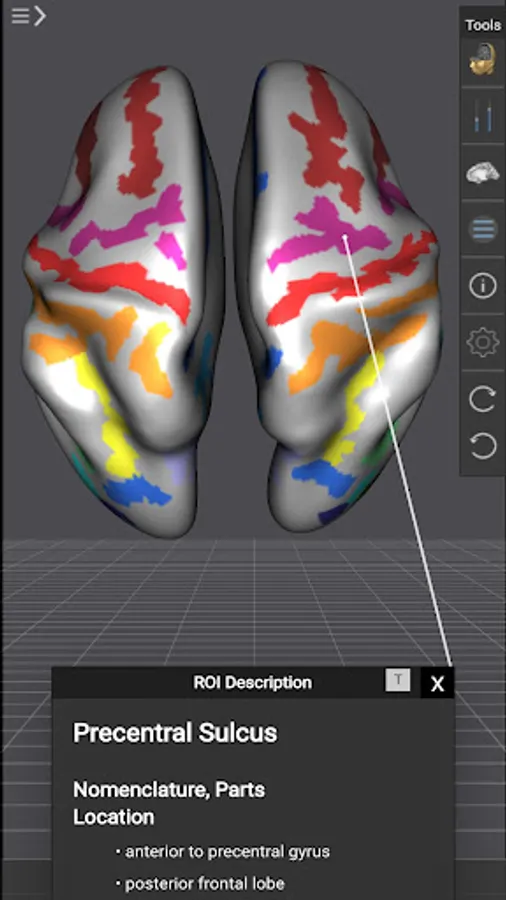
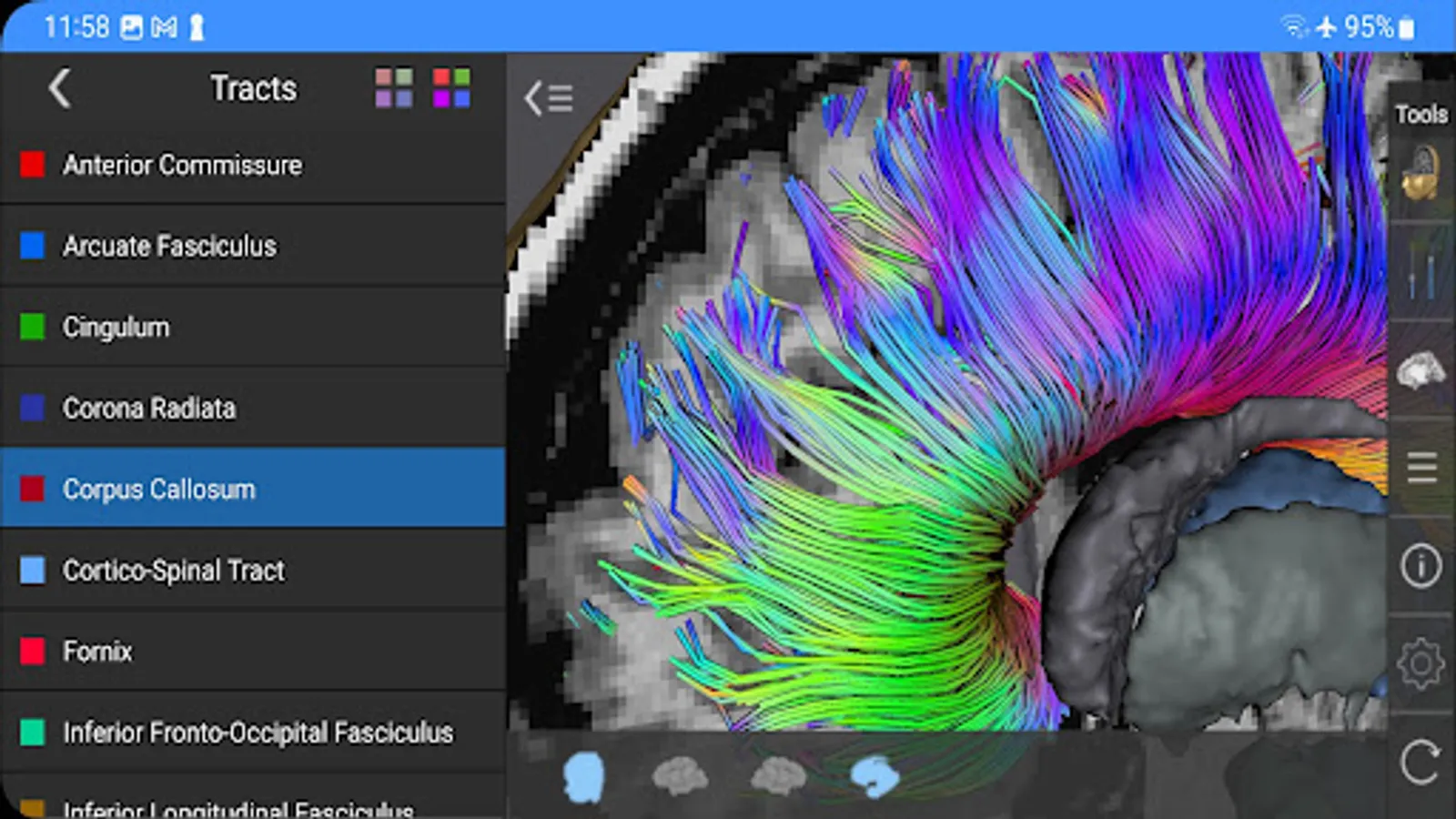
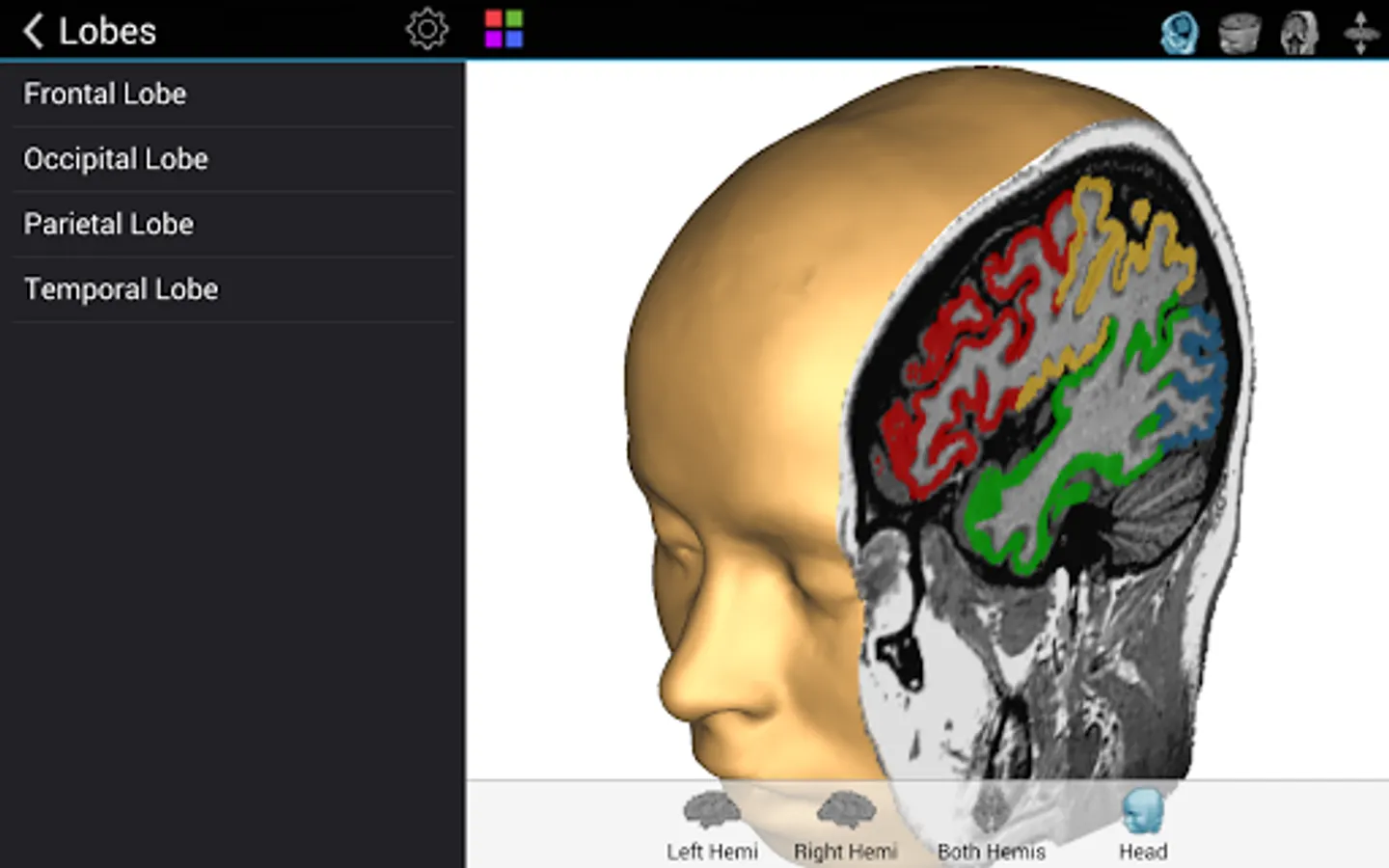
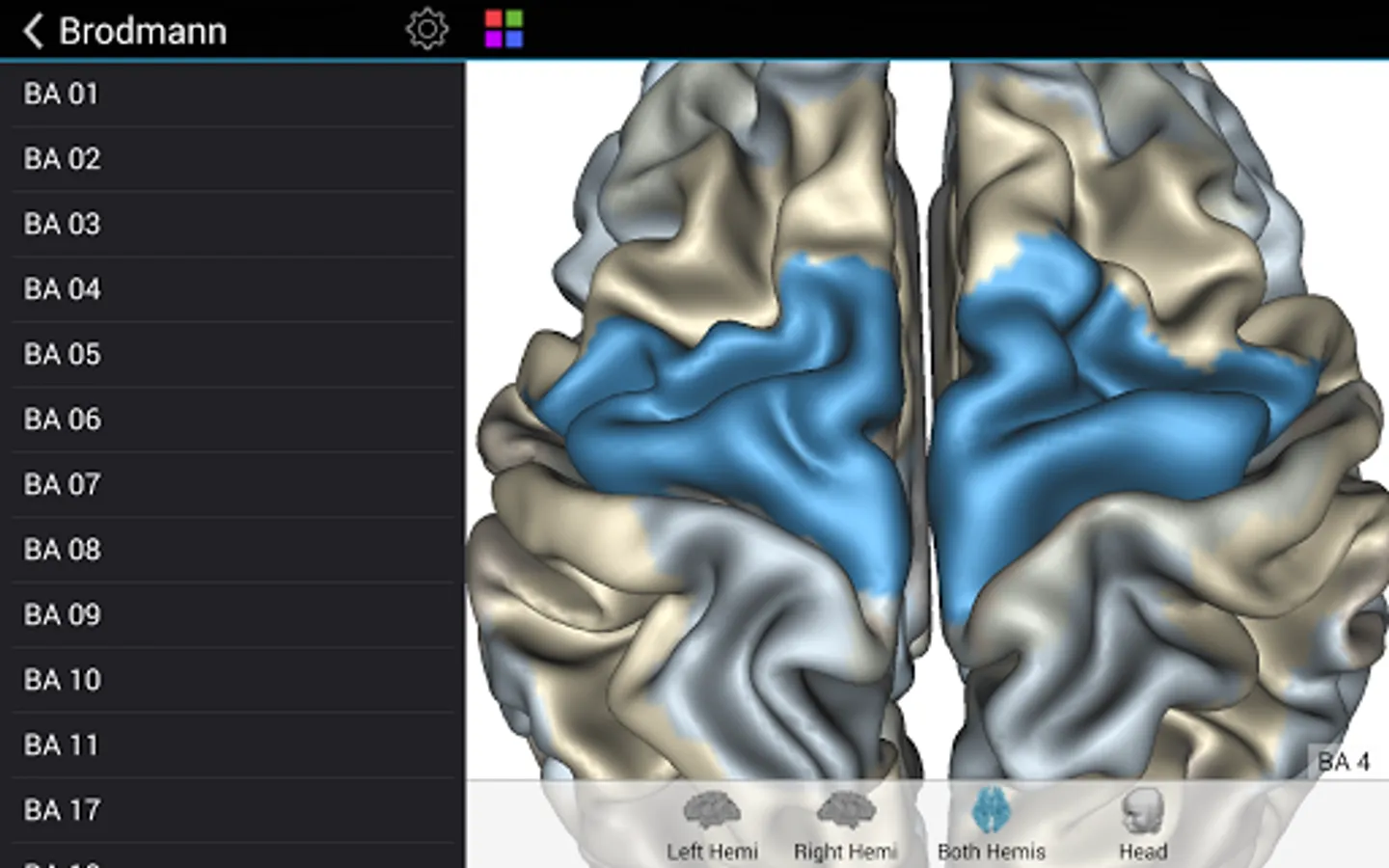
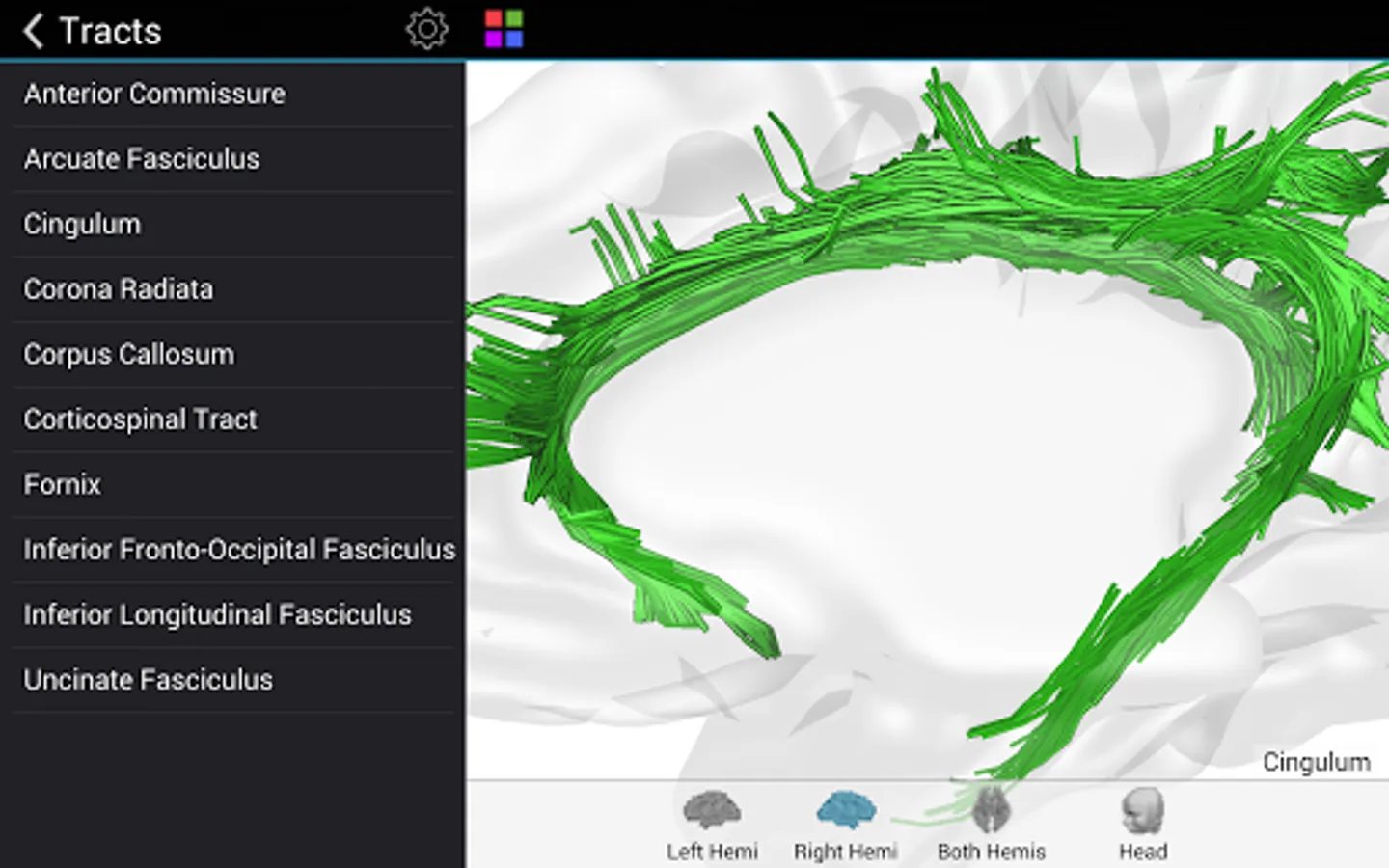
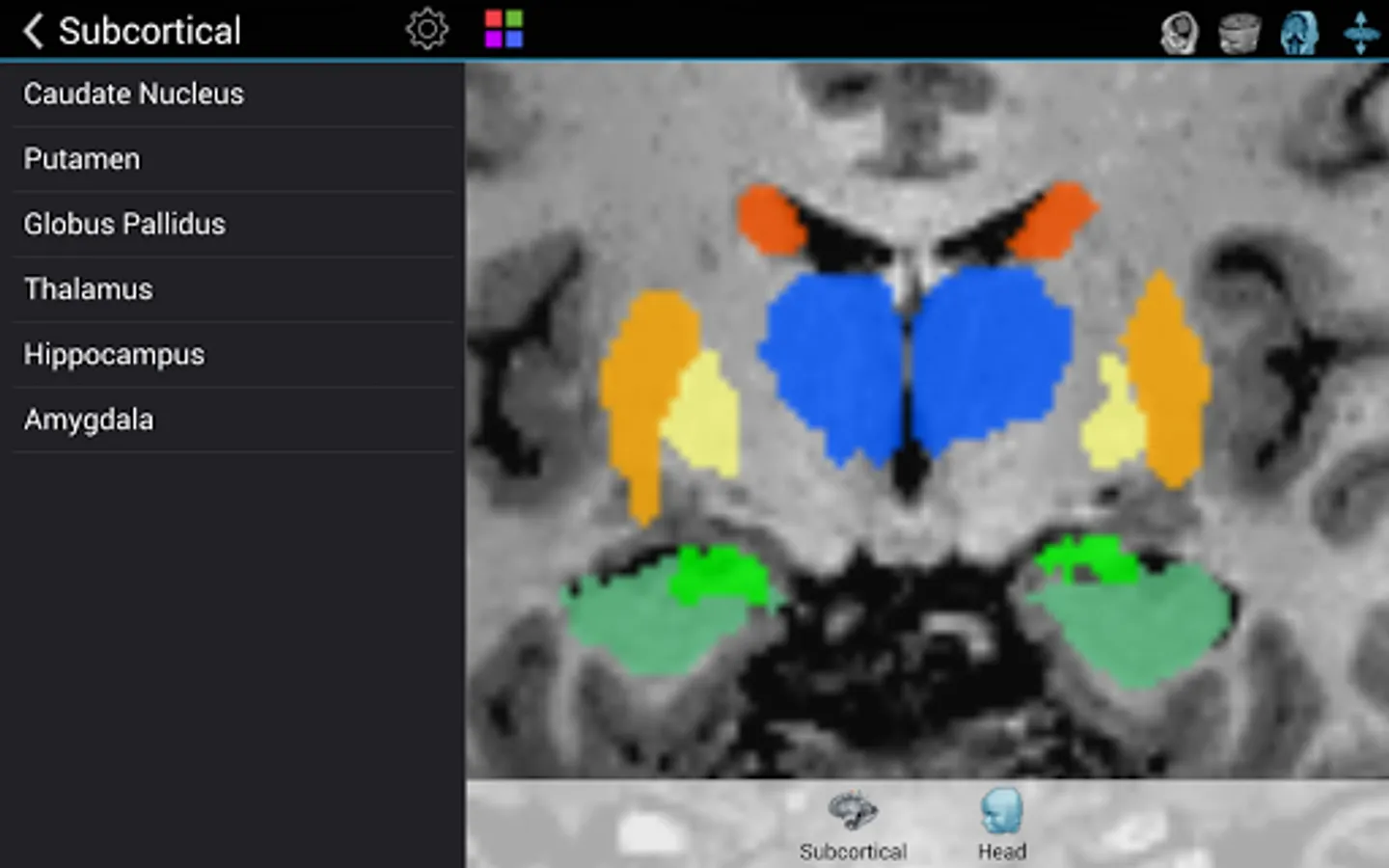
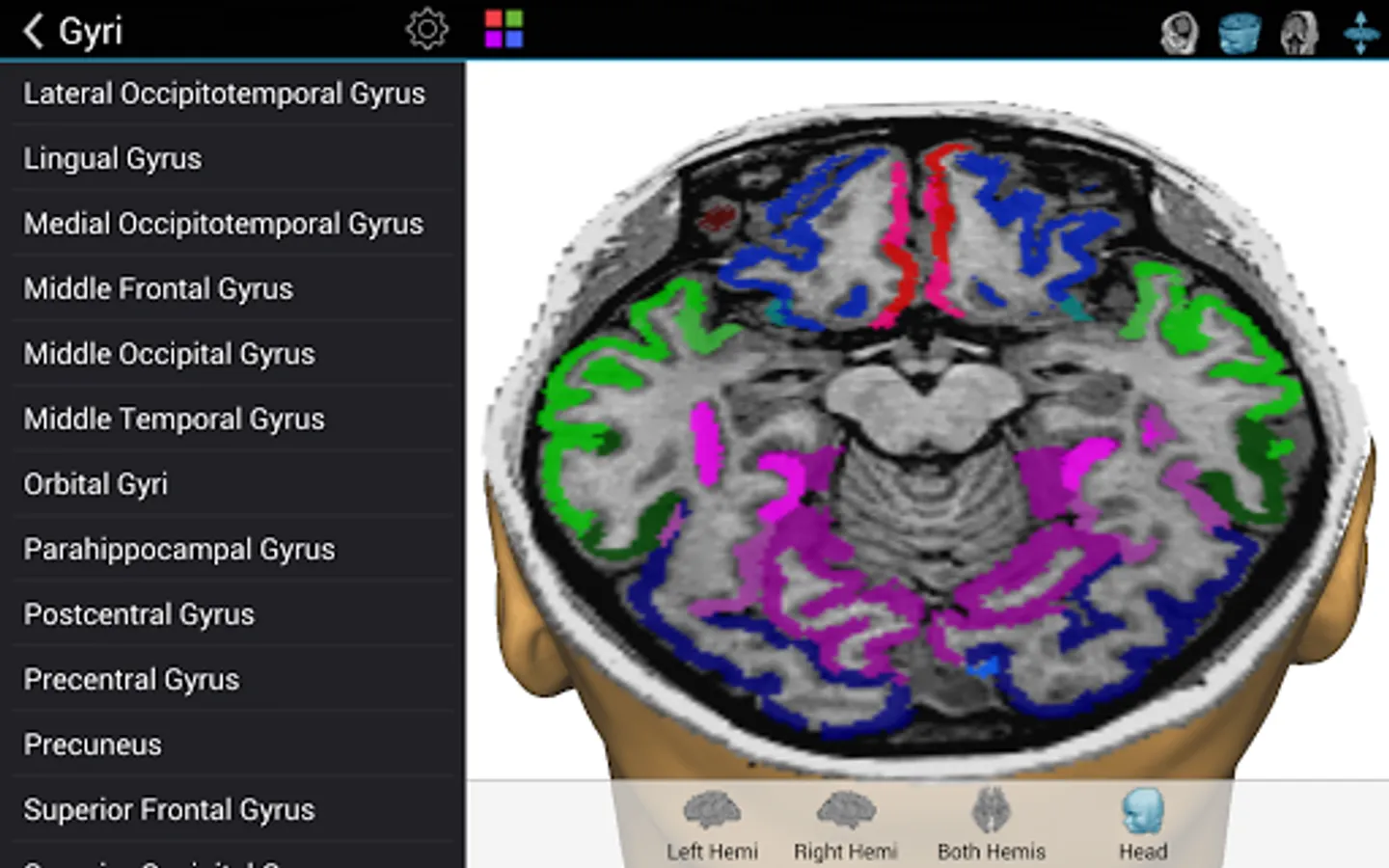
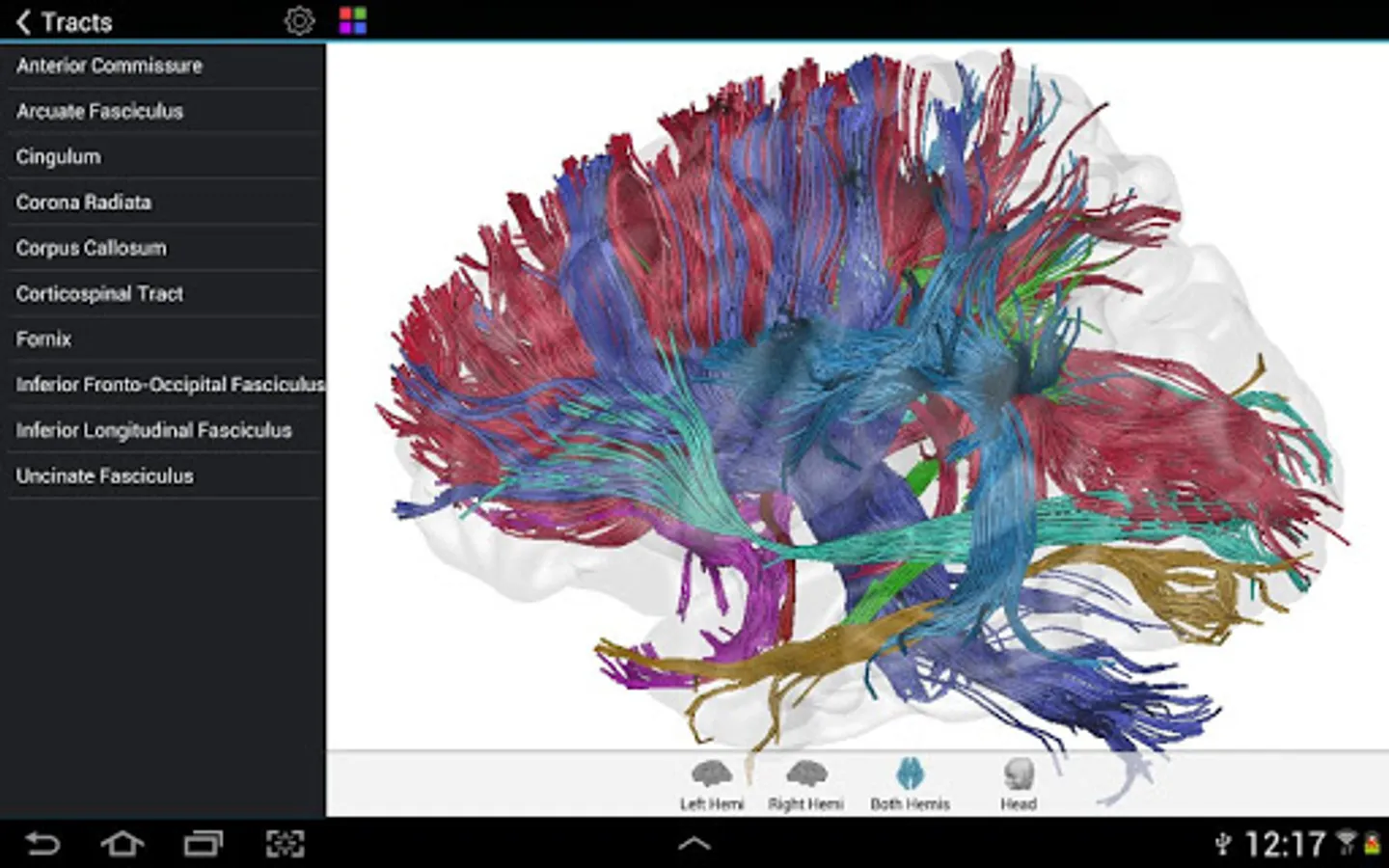
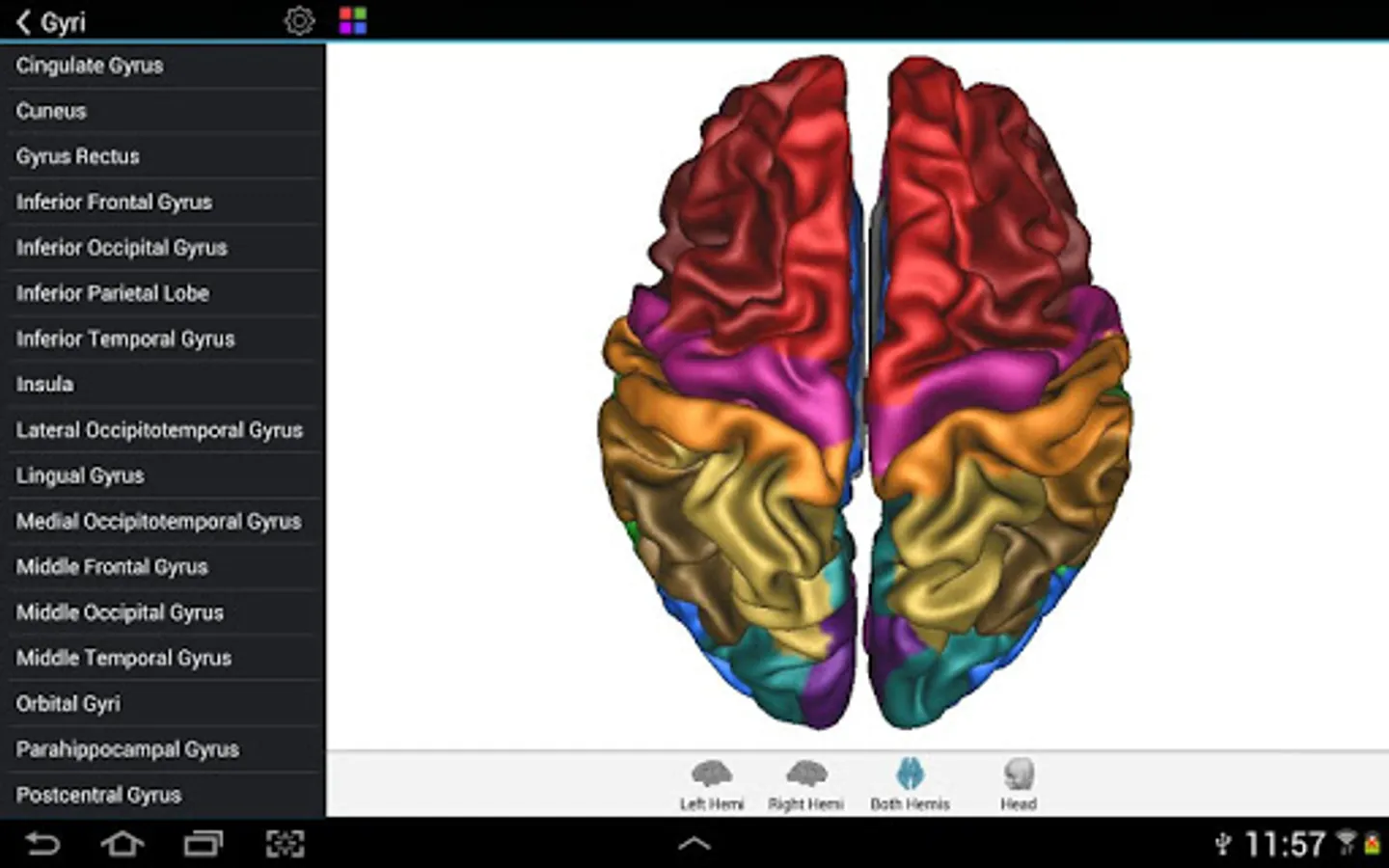
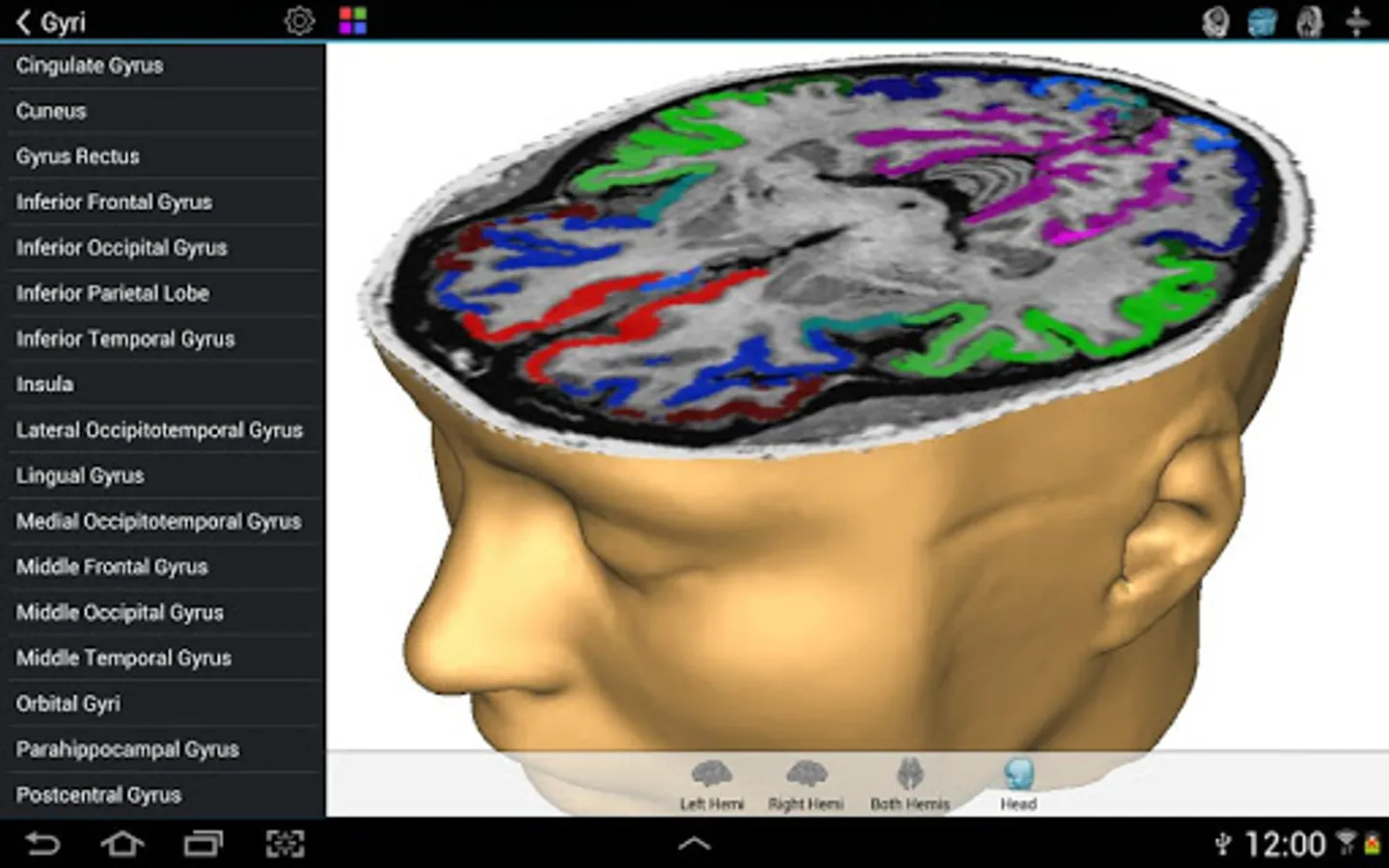
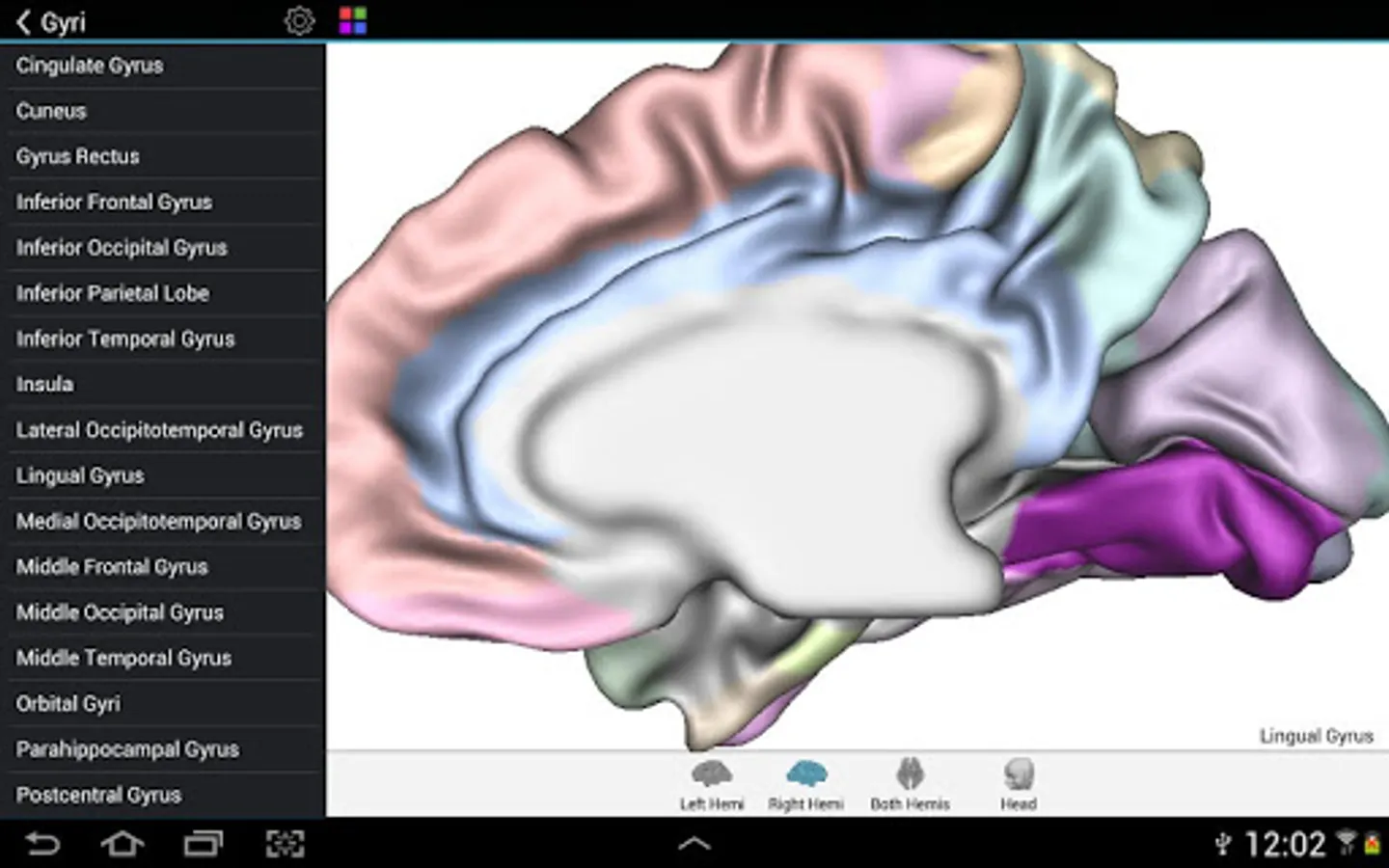
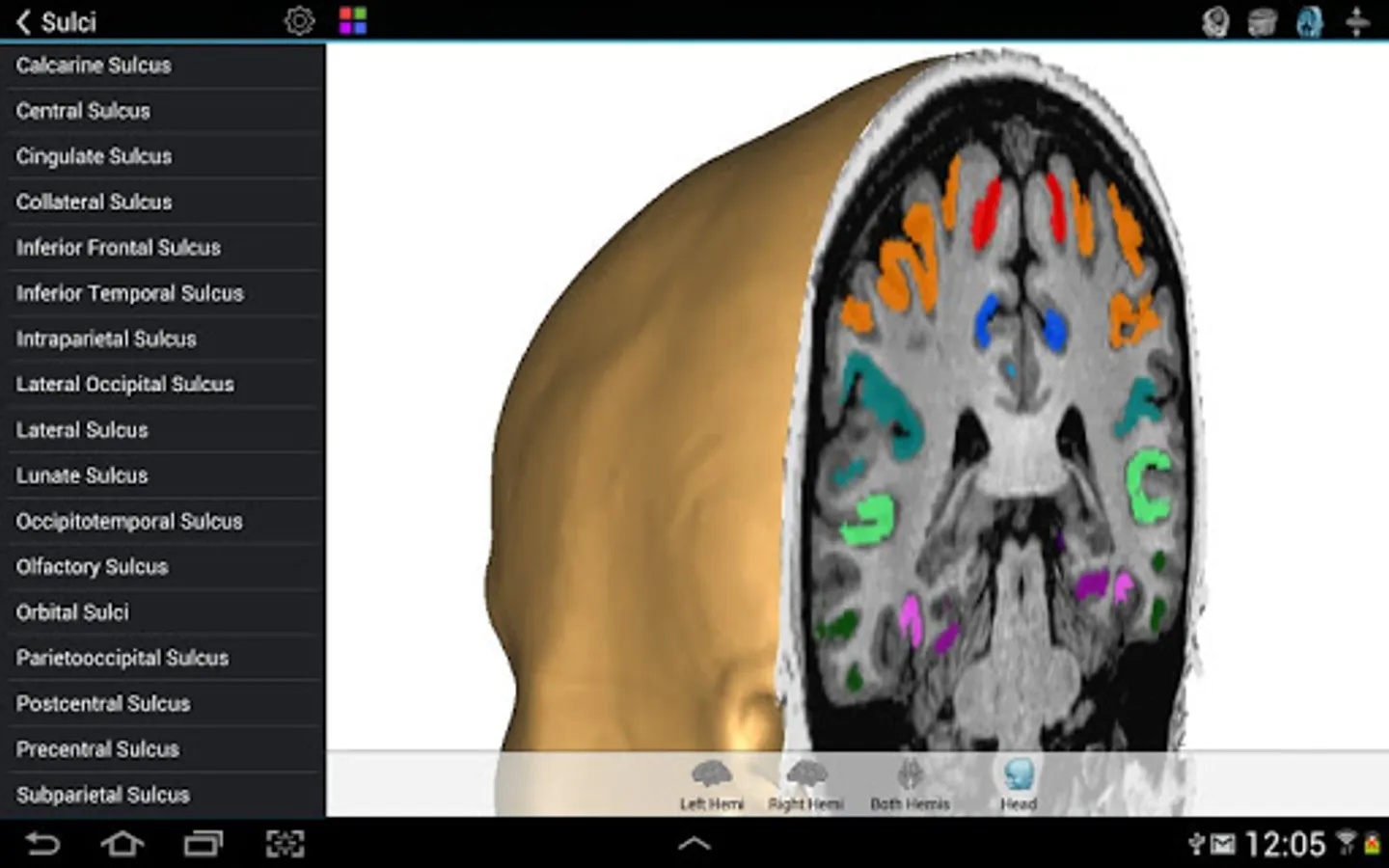
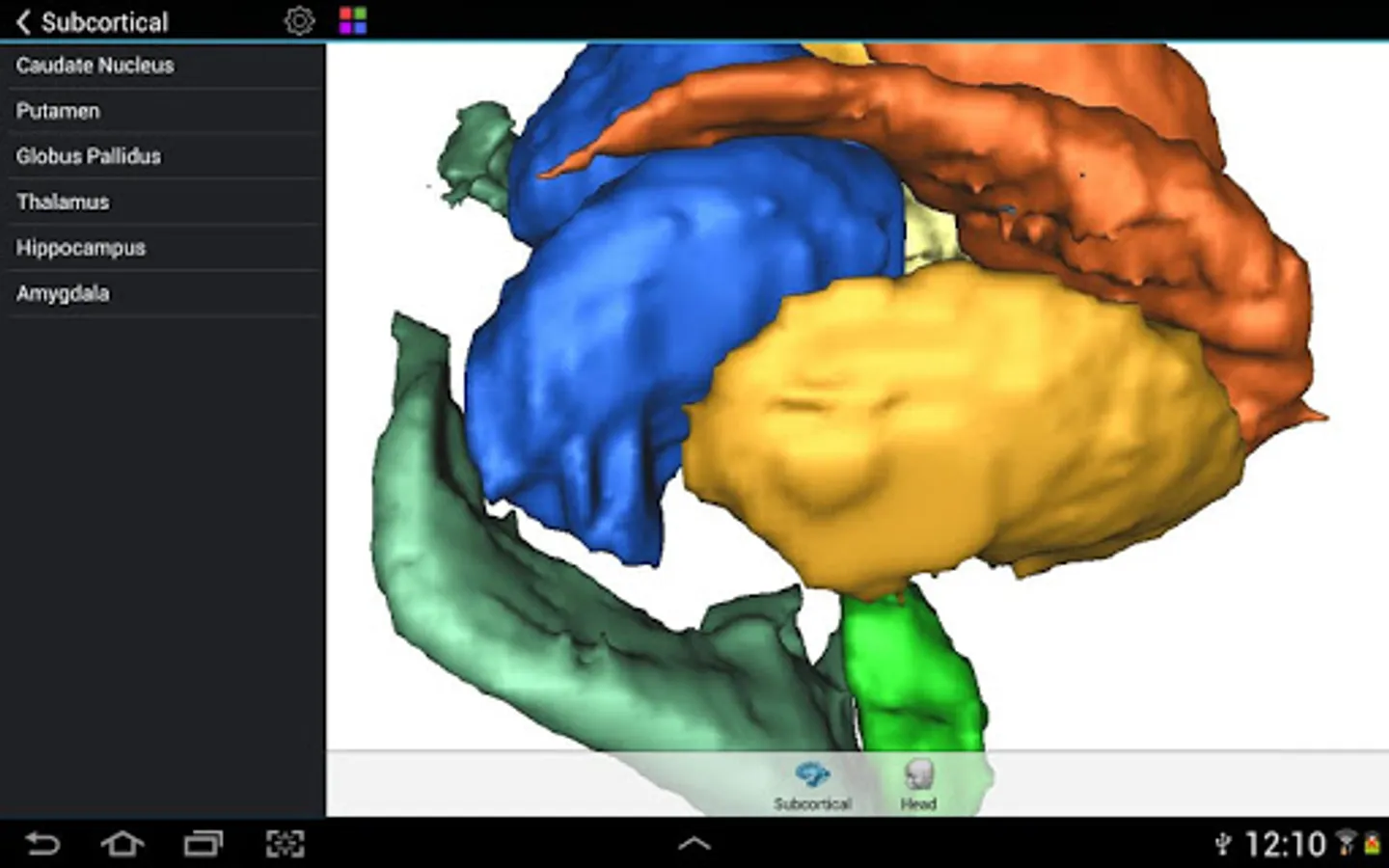
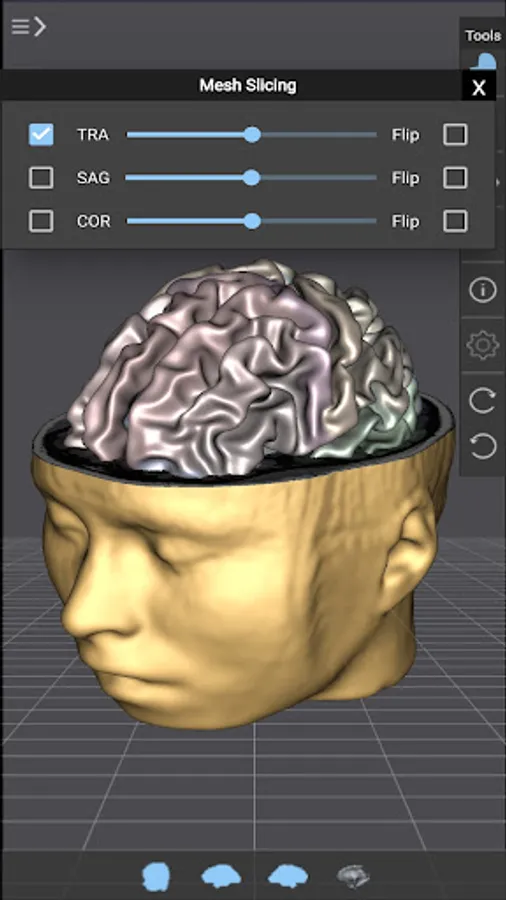
Brain Tutor uses rendered head and brain models as well as fiber tracts that were created from magnetic resonance imaging (MRI) scans of a study volunteer. The MRI data allows to look "inside" the brain using real-time slicing at millimeter resolution. For students, cognitive neuroscientists, medical professionals and everyone interested in the brain, the program provides information about the anatomy and function of the human brain with various atlases describing and visualizing lobes, gyri, sulci, Brodmann areas, subcortical structures, selected specialized functional areas and major fiber tracts.

With Brain Tutor you can:
* Explore high-resolution 3D models of the head and brain in real-time.
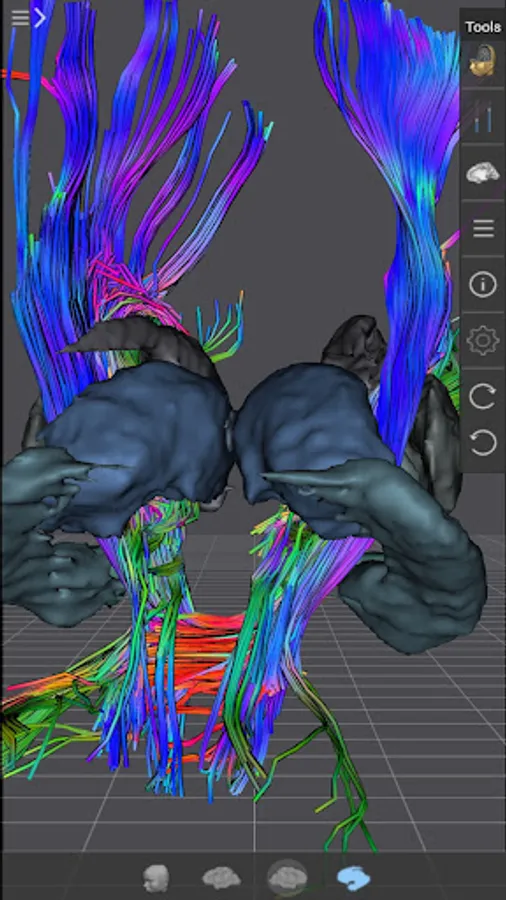
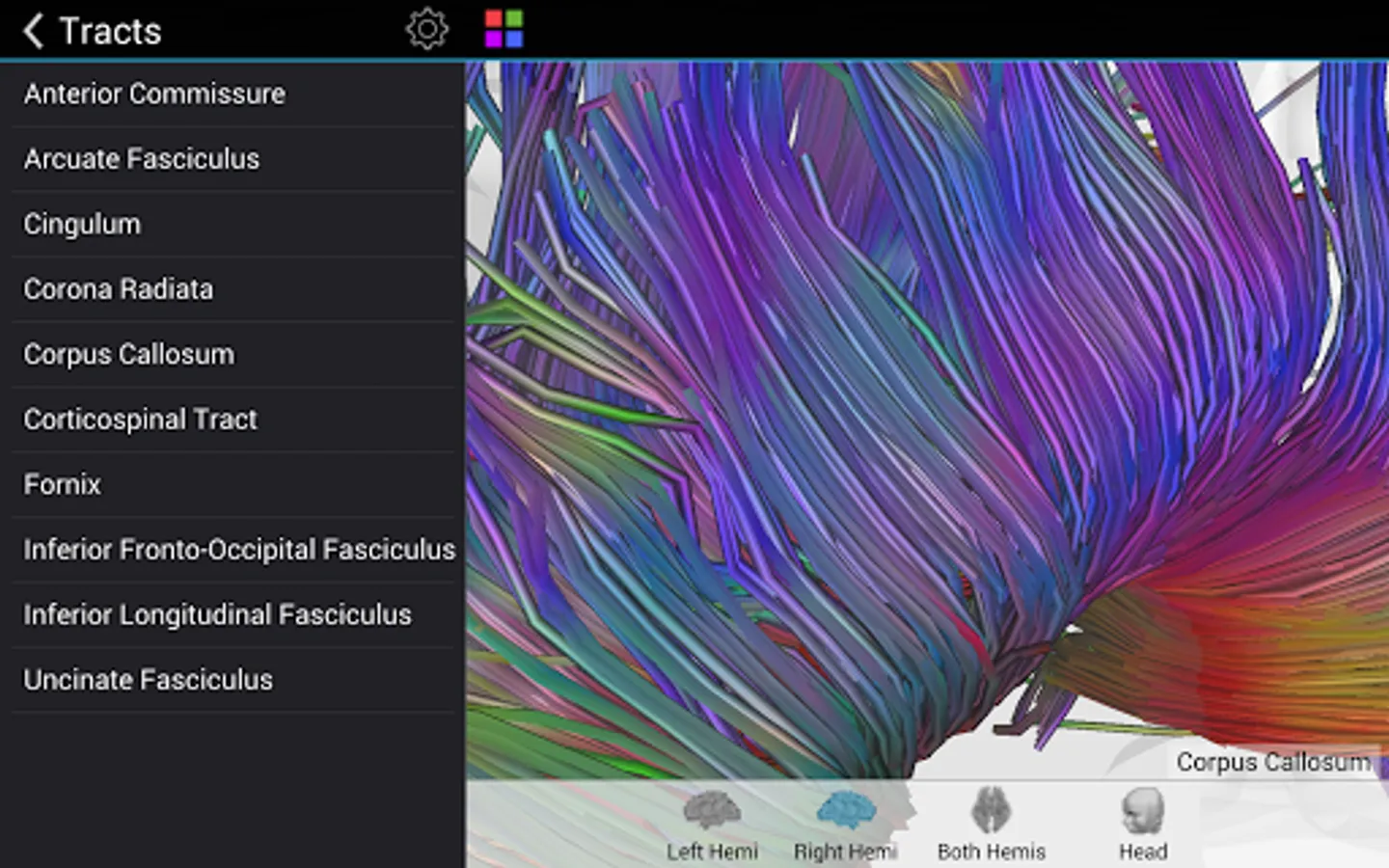
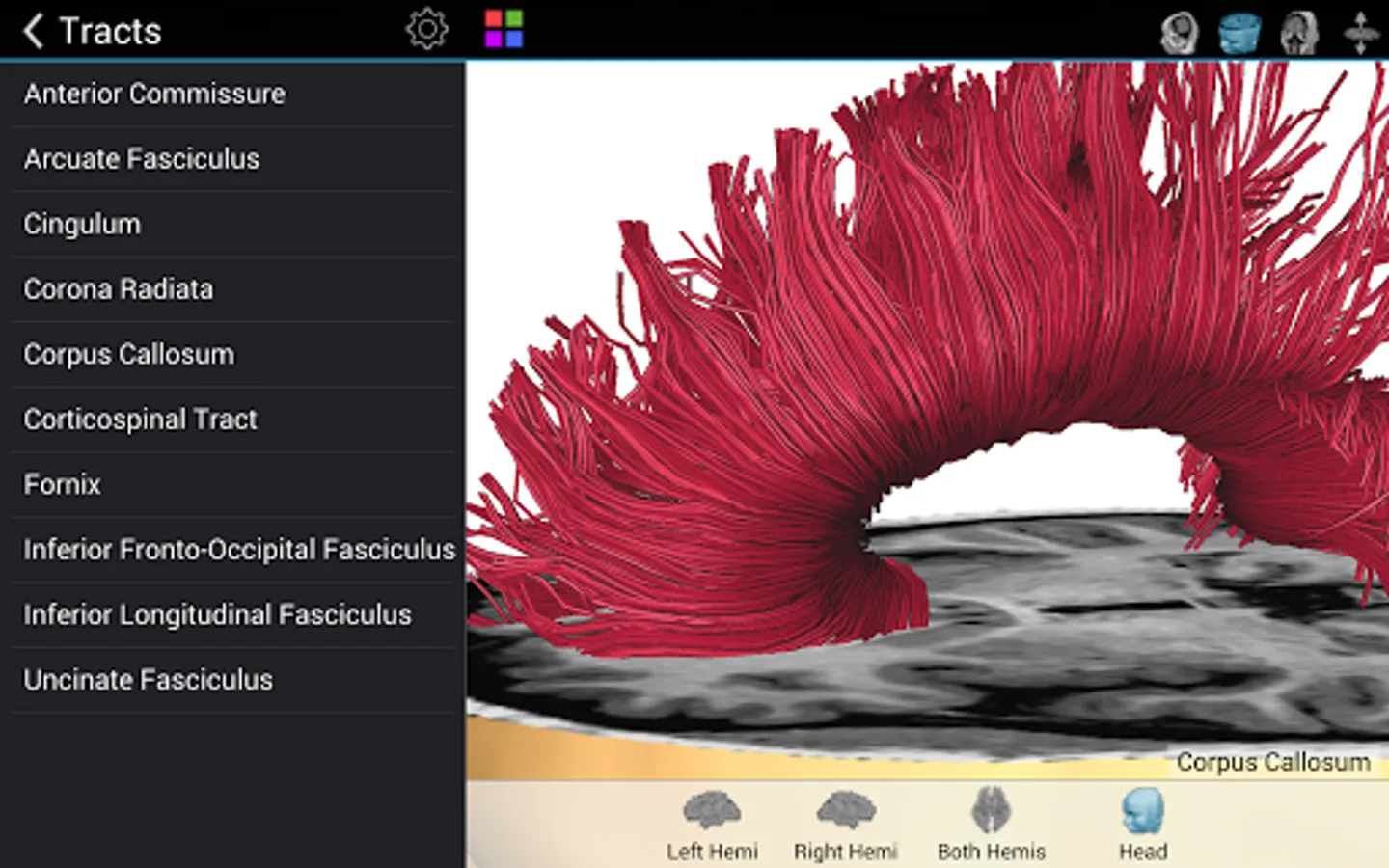
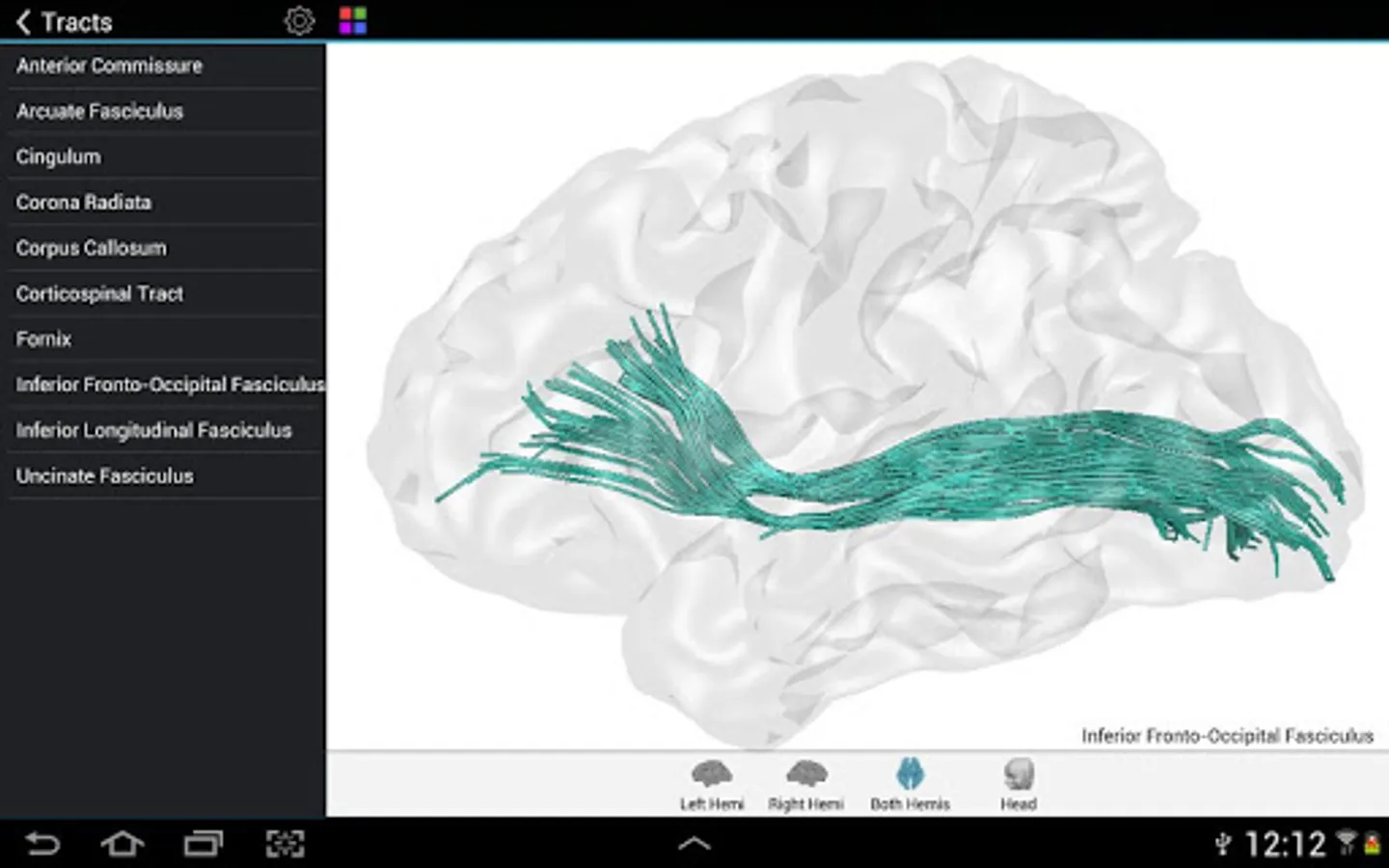
* Visualize major white matter fiber tracts.
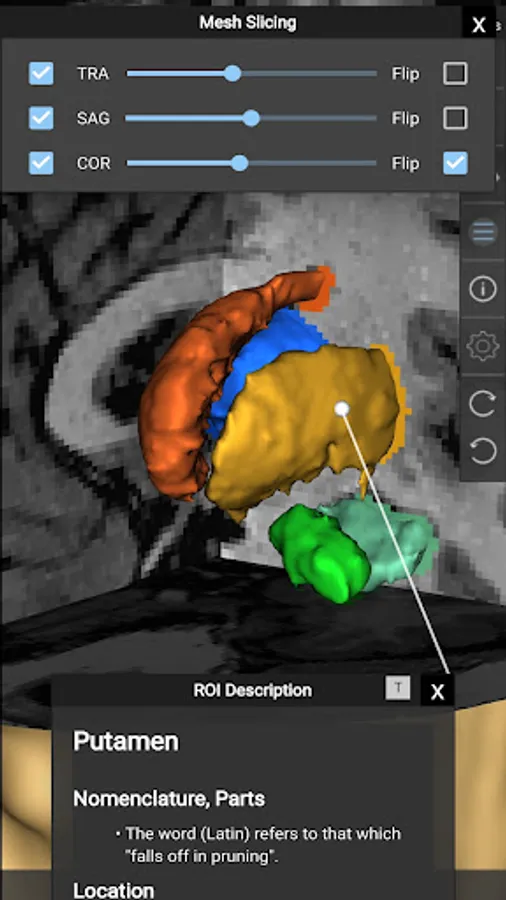
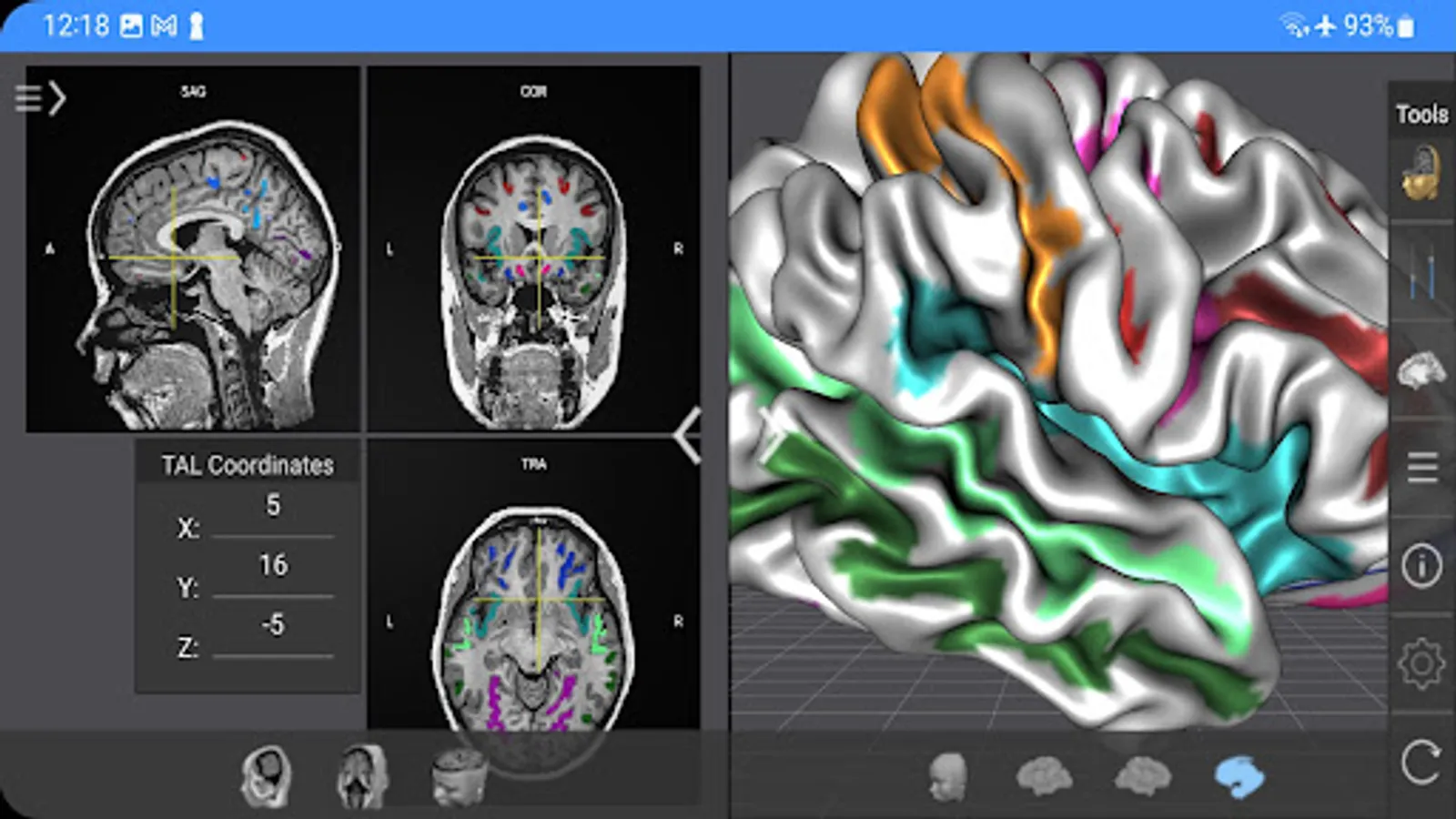
* Slice the brain along three axes (sagittal, axial and coronal).
* View MRI brain slices at millimeter resolution.
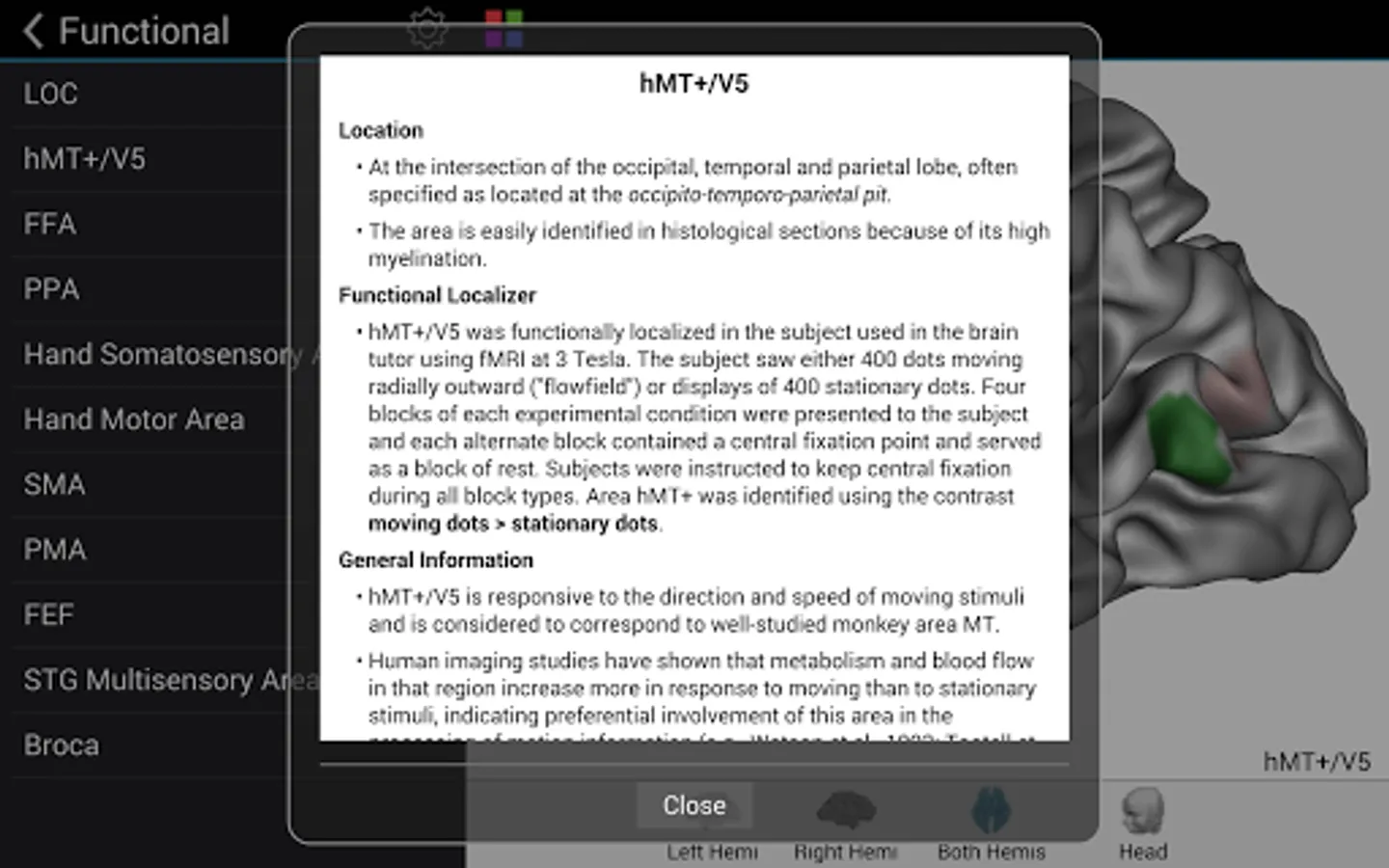
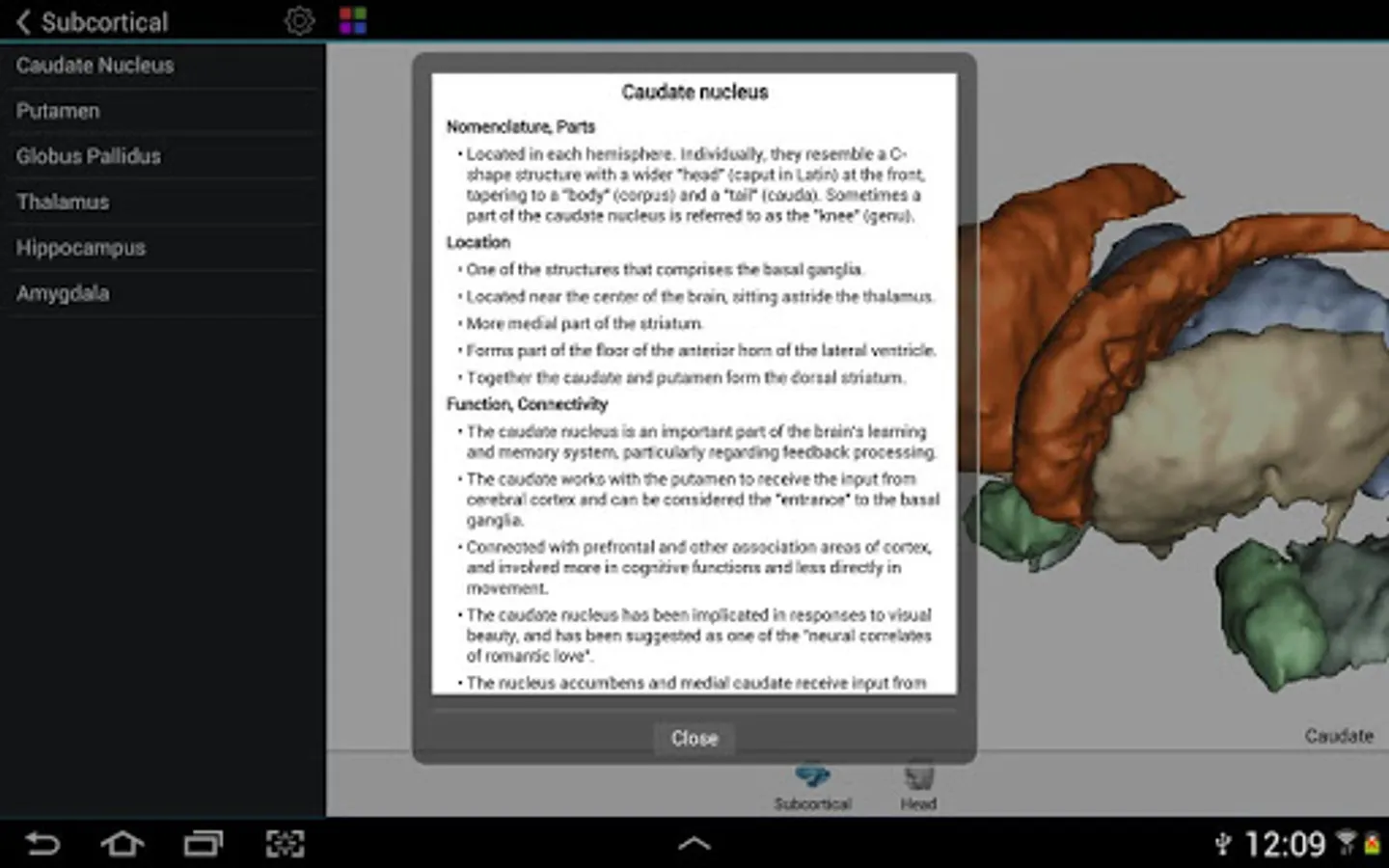
* Learn from text information about the functions of selected lobes, gyri, sulci, subcortical structures, Brodmann areas, functional areas and fiber tracts.
* Learn where brain structures are located both within 3D brain models as well as in MRI slices.

To get started:
* Tap on a 3D brain model to reveal a brain area at that location.
* Switch to another atlas and a specific brain area or fiber tract using the navigation tables.
* Select a 3D model (left/right/both brain hemispheres, head) from the tab bar buttons at the bottom.
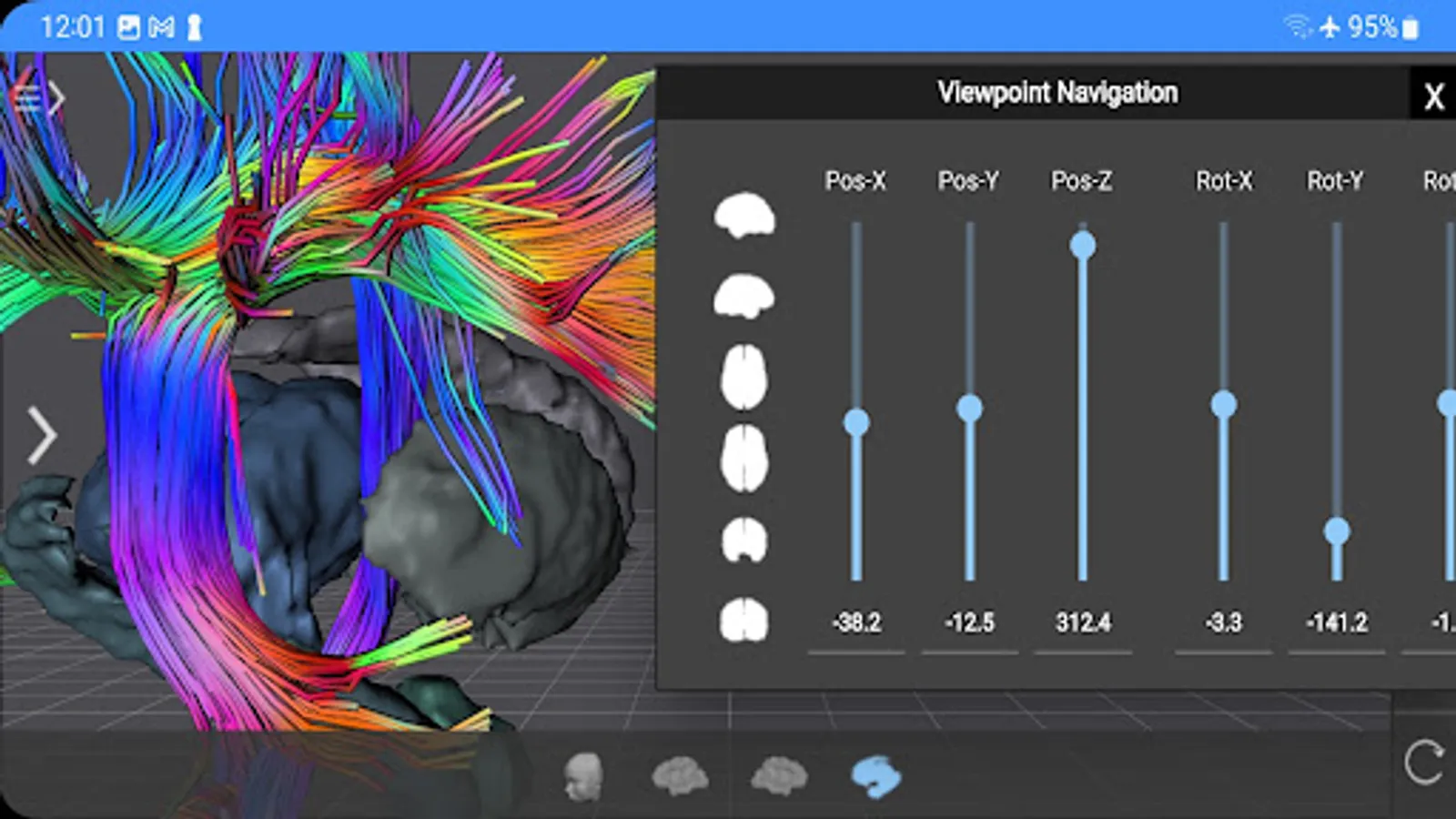
* Pan with one finger to rotate a brain model.
* Pan with two fingers to move a brain model.
* Use pinch gesture to zoom a brain model.
* Select the head model to switch to head slicing mode.
* Toggle between navigation and slicing mode by tapping the slicing icon at the top right.
* In head slicing mode, pan with one finger to move the slicing plane through the head.
* Tap on a slicing direction icon in the top bar to switch between three orthogonal slice planes.
* Tap on the displayed name of a selected brain structure to read text information in a popup dialog.

This app has been designed and programmed by Prof. Rainer Goebel, a leading expert in anatomical and functional brain imaging and award-winning developer of scientific software. For more information about his work, see http://www.brainvoyager.com/RainerGoebel.html.
Brain Tutor 3D Screenshots
https://apprecs.org/gp/img/screenshots/webp/900/com.brainvoyager.android.BrainTutor/nFK2VBTqQuhE9sJiGeQmjMuNaqR6drfZXcCMG8v3W-E-screenshot-0https://apprecs.org/gp/img/screenshots/webp/900/com.brainvoyager.android.BrainTutor/nFK2VBTqQuhE9sJiGeQmjMuNaqR6drfZXcCMG8v3W-E-screenshot-1https://apprecs.org/gp/img/screenshots/webp/900/com.brainvoyager.android.BrainTutor/nFK2VBTqQuhE9sJiGeQmjMuNaqR6drfZXcCMG8v3W-E-screenshot-2https://apprecs.org/gp/img/screenshots/webp/900/com.brainvoyager.android.BrainTutor/nFK2VBTqQuhE9sJiGeQmjMuNaqR6drfZXcCMG8v3W-E-screenshot-3https://apprecs.org/gp/img/screenshots/webp/900/com.brainvoyager.android.BrainTutor/nFK2VBTqQuhE9sJiGeQmjMuNaqR6drfZXcCMG8v3W-E-screenshot-4https://apprecs.org/gp/img/screenshots/webp/900/com.brainvoyager.android.BrainTutor/nFK2VBTqQuhE9sJiGeQmjMuNaqR6drfZXcCMG8v3W-E-screenshot-5https://apprecs.org/gp/img/screenshots/webp/900/com.brainvoyager.android.BrainTutor/nFK2VBTqQuhE9sJiGeQmjMuNaqR6drfZXcCMG8v3W-E-screenshot-6https://apprecs.org/gp/img/screenshots/webp/900/com.brainvoyager.android.BrainTutor/nFK2VBTqQuhE9sJiGeQmjMuNaqR6drfZXcCMG8v3W-E-screenshot-7https://apprecs.org/gp/img/screenshots/webp/900/com.brainvoyager.android.BrainTutor/nFK2VBTqQuhE9sJiGeQmjMuNaqR6drfZXcCMG8v3W-E-screenshot-8https://apprecs.org/gp/img/screenshots/webp/900/com.brainvoyager.android.BrainTutor/nFK2VBTqQuhE9sJiGeQmjMuNaqR6drfZXcCMG8v3W-E-screenshot-9https://apprecs.org/gp/img/screenshots/webp/900/com.brainvoyager.android.BrainTutor/nFK2VBTqQuhE9sJiGeQmjMuNaqR6drfZXcCMG8v3W-E-screenshot-10https://apprecs.org/gp/img/screenshots/webp/900/com.brainvoyager.android.BrainTutor/nFK2VBTqQuhE9sJiGeQmjMuNaqR6drfZXcCMG8v3W-E-screenshot-11https://apprecs.org/gp/img/screenshots/webp/900/com.brainvoyager.android.BrainTutor/nFK2VBTqQuhE9sJiGeQmjMuNaqR6drfZXcCMG8v3W-E-screenshot-12https://apprecs.org/gp/img/screenshots/webp/900/com.brainvoyager.android.BrainTutor/nFK2VBTqQuhE9sJiGeQmjMuNaqR6drfZXcCMG8v3W-E-screenshot-13https://apprecs.org/gp/img/screenshots/webp/900/com.brainvoyager.android.BrainTutor/nFK2VBTqQuhE9sJiGeQmjMuNaqR6drfZXcCMG8v3W-E-screenshot-14https://apprecs.org/gp/img/screenshots/webp/900/com.brainvoyager.android.BrainTutor/nFK2VBTqQuhE9sJiGeQmjMuNaqR6drfZXcCMG8v3W-E-screenshot-15https://apprecs.org/gp/img/screenshots/webp/900/com.brainvoyager.android.BrainTutor/nFK2VBTqQuhE9sJiGeQmjMuNaqR6drfZXcCMG8v3W-E-screenshot-16https://apprecs.org/gp/img/screenshots/webp/900/com.brainvoyager.android.BrainTutor/nFK2VBTqQuhE9sJiGeQmjMuNaqR6drfZXcCMG8v3W-E-screenshot-17https://apprecs.org/gp/img/screenshots/webp/900/com.brainvoyager.android.BrainTutor/nFK2VBTqQuhE9sJiGeQmjMuNaqR6drfZXcCMG8v3W-E-screenshot-18https://apprecs.org/gp/img/screenshots/webp/900/com.brainvoyager.android.BrainTutor/nFK2VBTqQuhE9sJiGeQmjMuNaqR6drfZXcCMG8v3W-E-screenshot-19https://apprecs.org/gp/img/screenshots/webp/900/com.brainvoyager.android.BrainTutor/nFK2VBTqQuhE9sJiGeQmjMuNaqR6drfZXcCMG8v3W-E-screenshot-20https://apprecs.org/gp/img/screenshots/webp/900/com.brainvoyager.android.BrainTutor/nFK2VBTqQuhE9sJiGeQmjMuNaqR6drfZXcCMG8v3W-E-screenshot-21https://apprecs.org/gp/img/screenshots/webp/900/com.brainvoyager.android.BrainTutor/nFK2VBTqQuhE9sJiGeQmjMuNaqR6drfZXcCMG8v3W-E-screenshot-22https://apprecs.org/gp/img/screenshots/webp/900/com.brainvoyager.android.BrainTutor/nFK2VBTqQuhE9sJiGeQmjMuNaqR6drfZXcCMG8v3W-E-screenshot-23

Reviews for Brain Tutor 3D

Datheny Chanel

10/19/2024

Very thorough in the anatomy of the brain. Even FMRI scans are available. It's also some visual lagging thoogh, for one side of the brains and some angles in the axial plane.

Yvonne Wong

2/16/2024

I have been recommending this app to my undergraduate students for YEARS - and it has been by far the most beautiful and easy to access for my students. It shows structures that I refer to in my 100-, 200- and 300- level classes, all in the free version - because we don't even touch much of the sub cortical. As a grad student, I used the fully licensed version of Brain Voyaguer for analysis, so I am really glad this free version is so accessible.

Z Vak

8/19/2022

Dissapointing, very old, hasn't been updated in many, many years, crude and omissive, no search, export, or configurations, basically is just a cashflow for the author, i never actually use it for anything, isn't very handy.

Nanet De Chavez

2/23/2022

Gud app only prob is i die

Markus M

9/25/2021

I thought i live in 21 century ) Thanks anyway

Tap to Rate:

More from Rainer Goebel, Brain Innovation
Similar to Brain Tutor 3D
More from Rainer Goebel, Brain Innovation

©2023 Verdant Labs LLC. All rights reserved.

Privacy PolicyContact