OCEANUS Connected
CASIO COMPUTER CO., LTD.
4.2 ★
468 ratings
10,000+
downloads
Free
In this app, you can connect a Bluetooth-enabled Casio watch and perform functions via your smartphone. Includes watch pairing, remote operation, and device management features.
AppRecs review analysis
AppRecs rating 4.1. Trustworthiness 78 out of 100. Review manipulation risk 29 out of 100. Based on a review sample analyzed.
★★★★☆
4.1
AppRecs Rating
Ratings breakdown
5 star
72%
4 star
10%
3 star
2%
2 star
2%
1 star
14%
What to know
✓
Low review manipulation risk
29% review manipulation risk
✓
Credible reviews
78% trustworthiness score from analyzed reviews
✓
High user satisfaction
82% of sampled ratings are 4+ stars (4.2★ average)
About OCEANUS Connected
This is the basic application for connecting and communicating with a Bluetooth(R) v4.0 enabled CASIO watch.
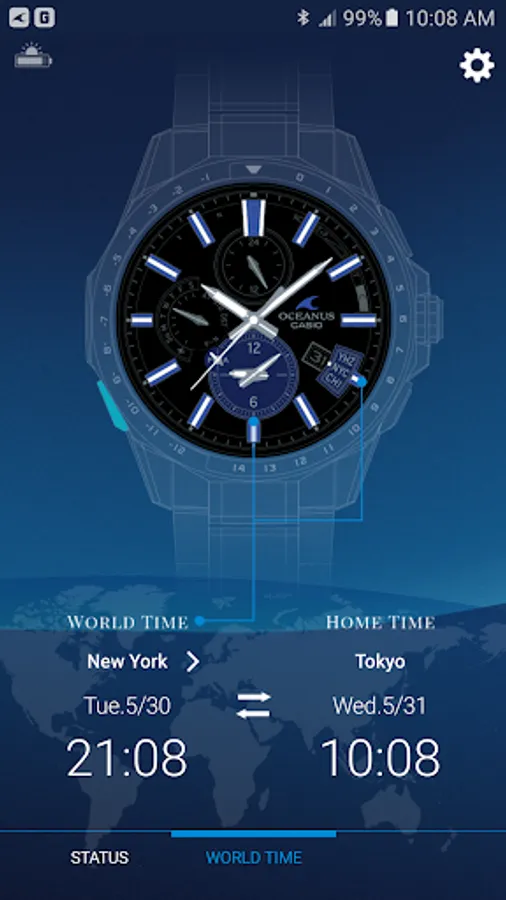
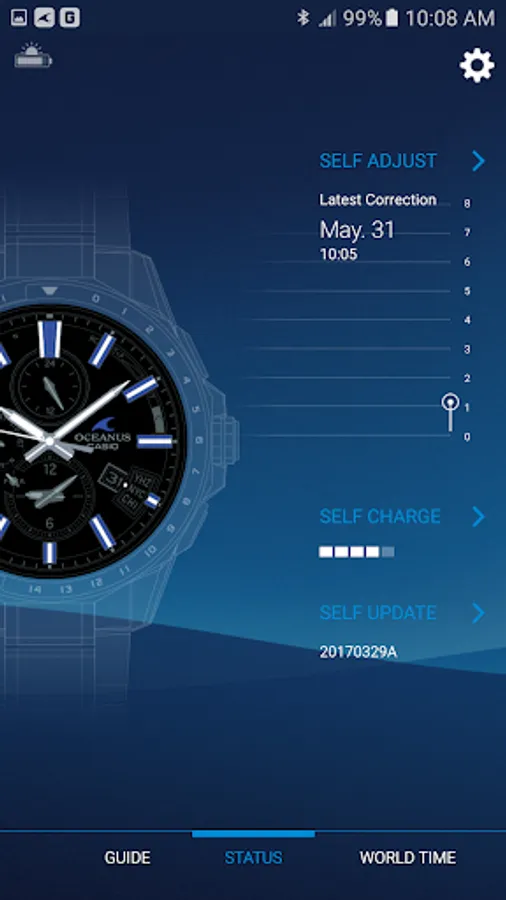
Pairing your watch with a smartphone enables use of a variety of different Mobile Link functions that greatly enhance the smartphone experience.
The OCEANUS Connected app also simplifies certain watch operations by letting you perform them on your phone screen.
Visit the website below for details.
http://www.casio-watches.com/oceanus/
We recommend using OCEANUS Connected on the following operating systems.
Operation is not guaranteed for any operating system not listed below.
Even if an operating system has been confirmed as compatible, software updates or display specifications may prevent proper display and/or operation.
OCEANUS Connected cannot be used on Android feature phones with arrow keys.
If the smartphone is set to power saving mode, the app may not operate properly. If the app does not operate properly with the smartphone in power saving mode, please turn off power saving mode before use.
Please refer to the FAQ link below to resolve problems such as being unable to connect or operate the watch.
https://support.casio.com/en/support/faqlist.php?cid=009001019
⋅ Android 6.0 or later.
* Bluetooth installed smartphone only.
Applicable Watches: OCW-G2000, OCW-S4000, OCW-T3000, OCW-T200, OCW-S5000, OCW-P2000, OCW-T4000
*Some watches unavailable in your region may be displayed in the application.
OCEANUS Connected Screenshots
Tap to Rate:
Reviews for OCEANUS Connected
Richi Baby
4/9/2025
good app..most watches what I love ❤️
Rod Kendall
7/23/2023
The app works just fine, but I do have to ask why is the app being phased out and replaced with an inferior product (Casio Watches which is nothing but a load of tracking an advertising bloatware)? I will therefore keep using the Oceanus app as long as it works and then my lovely watch goes into the bin! Thanks Casio.