
Lyric Creator
CASIO COMPUTER CO., LTD.
3.4 ★
129 ratings
50,000+
downloads
Free
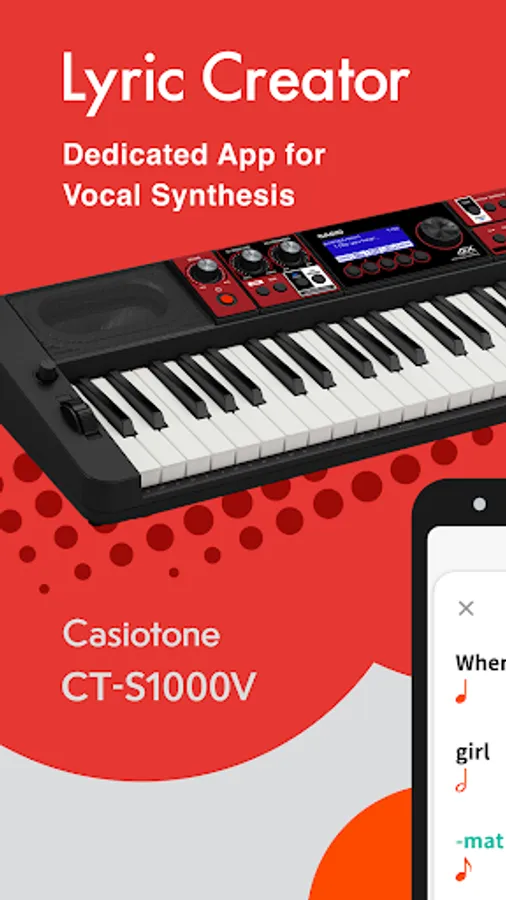
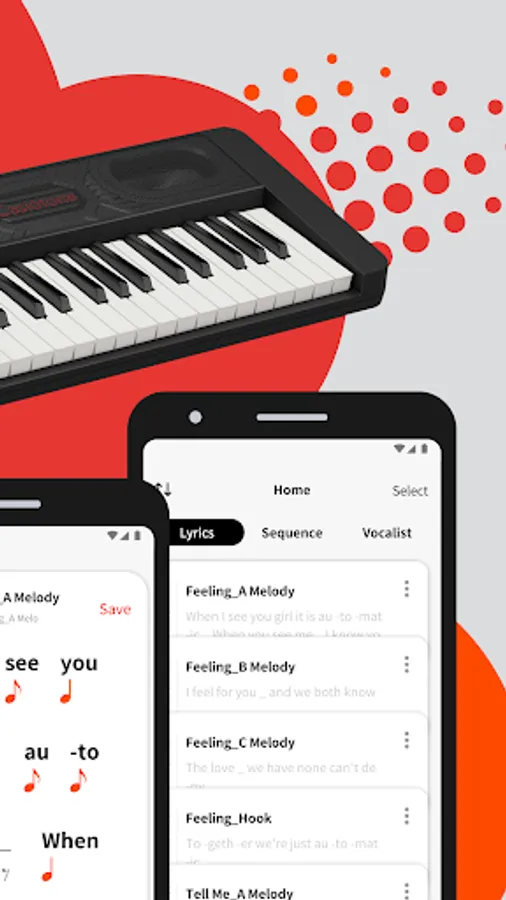
In this music app, users can create and edit song lyrics in English and Japanese, assign note values, and preview phrases. Includes lyric input, meter setting, phoneme editing, and playback features.
AppRecs review analysis
AppRecs rating 3.3. Trustworthiness 85 out of 100. Review manipulation risk 20 out of 100. Based on a review sample analyzed.
★★★☆☆
3.3
AppRecs Rating
Ratings breakdown
5 star
52%
4 star
2%
3 star
10%
2 star
5%
1 star
30%
What to know
✓
Low review manipulation risk
20% review manipulation risk
✓
Credible reviews
85% trustworthiness score from analyzed reviews
⚠
High negative review ratio
35% of sampled ratings are 1–2 stars
About Lyric Creator
* If a USB-MIDI incompatibility warning appears when you install the app on your smart device, you cannot connect to a musical instrument.
Enter Your Lyrics
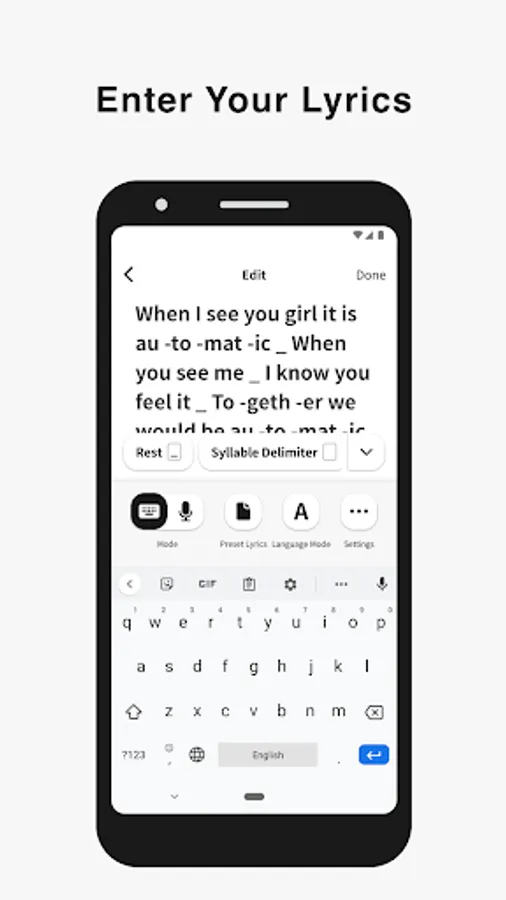
Favorite song lyrics and original creations alike can be entered in English and Japanese using your Android device via Casio’s own Lyric Creator app. This text is automatically divided into syllable units (though you can also assign divisions manually and group multiple syllables together), and after exporting the resulting data to your CT-S1000V, you’re ready to play.
Set the Meter
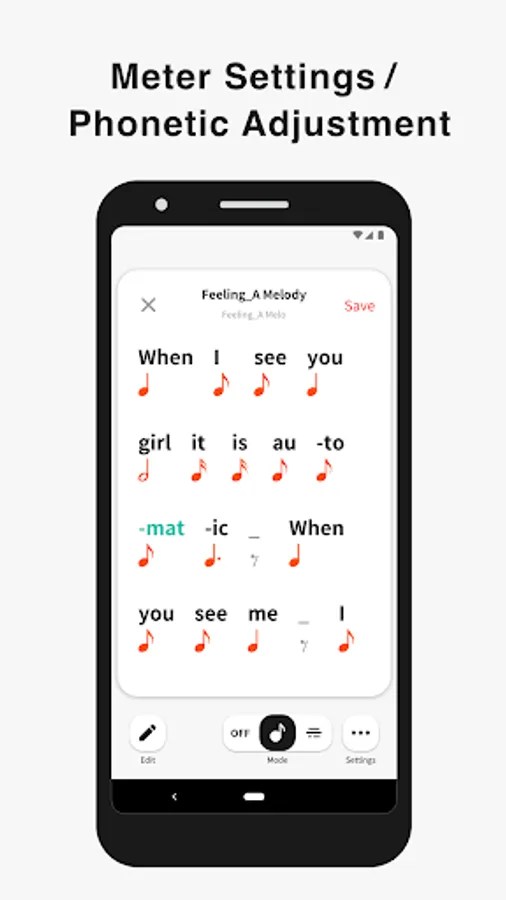
In Phrase Mode, the playback meter of the lyrics is determined by assigning note values (8th notes, quarter notes, etc.) to the individual syllable units and inserting rests. In addition to the traditional input of note symbols, you can now also edit the note values by visually dragging boxes along grid lines for more intuitive control. Individual lyric tones include tempo data, which can be adjusted both during the playback of singing phrases in the app as well as when playing on the CT-S1000V. Tempo can also be synced to the MIDI clock from your DAW or other external MIDI device to ensure that your vocal phrasing always remains in time regardless of how adventurous you get.
Get Granular with Phrasing and Diction
Users with the appetite for a truly granular approach can go even deeper and edit the phonemes that comprise individual syllables. And besides crafting clearer vocal diction, this process can be used to approximate regional accents or mimic the pronunciation of words in languages other than English and Japanese. (Note that the available phoneme library consists only of sounds that occur in standard English and Japanese.)
Playback Singing Phrases
Preview lyrics phrases directly in the app, in any tempo. Instantly check the rhythm and how the lyric phrase will sound before transferring the lyric data to an instrument.
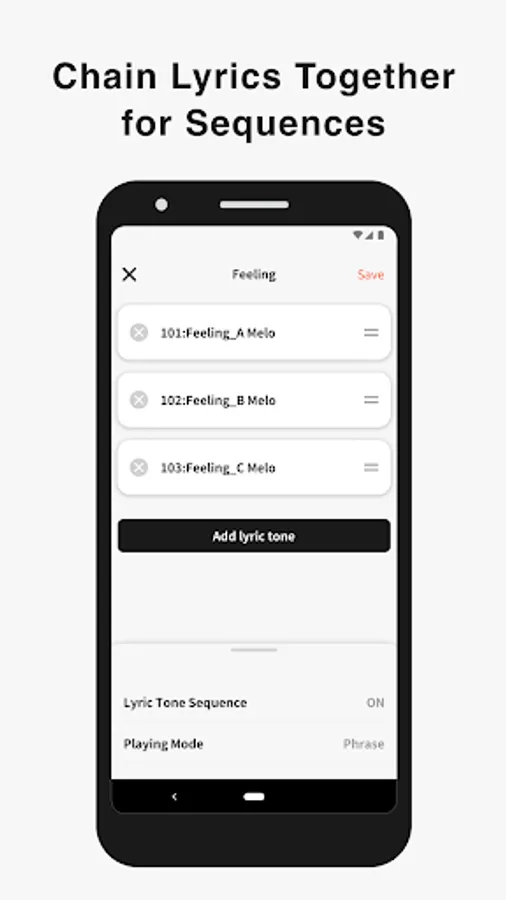
Chain Lyrics Together for Longer Sequences
While Lyric Creator places a limit on the length of lyric that can be entered (up to 100 eighth-note syllables), once uploaded to your CT-S1000V, individual lyrics can be chained together into much longer sequences. This function allows you to fine tune individual sections at the input stage before combining them within your CT-S1000V to create a complete song.
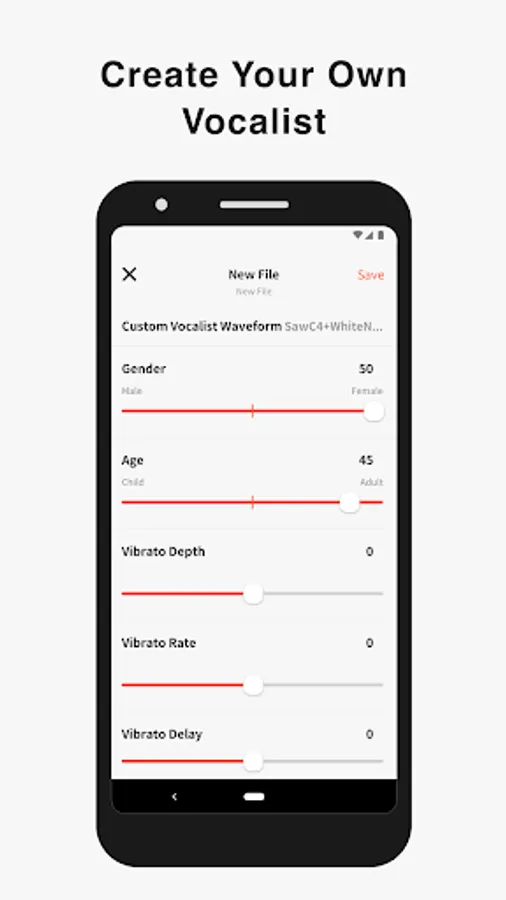
Create Your Own Vocalists
The Lyric Creator app can also be used to transform a WAV audio sample (16bit/44.1kHz, mono/stereo, max. 10 seconds in length) stored within your mobile device into an original Vocalist patch that can then be loaded into the CT-S1000V. The editing interface allows you to set characteristics such as age, gender, vocal range, and vibrato.
The CT-S1000V’s 22 Vocalist presets have each been designed for maximum clarity of enunciation by blending different waveforms with elements such as white noise, and as such User Vocalist waveforms may not achieve the same level of articulation.
Connecting the CT-S1000V to Your Smart Device
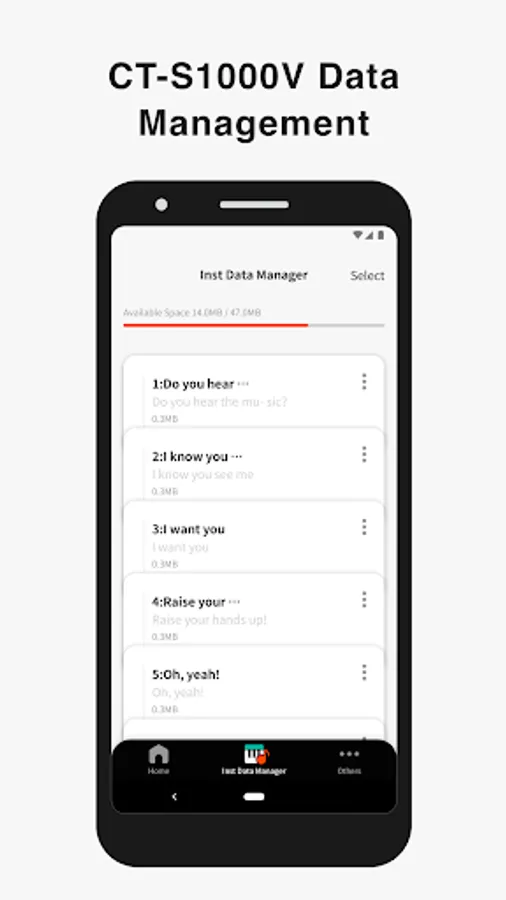
Once the Lyric Creator app is installed on your smartphone or tablet, you can start transferring lyrics, sequences, vocal samples, etc., by connecting your device to your CT-S1000V via a USB cable.
----------
★System Requirements(Information current as of January 2025)
Android 8.0 or later required.
Recommended RAM: 2 GB or more
*To use while connected to a supported Casio digital piano, an OTG-compatible smartphone/tablet running Android 8.0 or later is required. (Some smartphones/tablets may not be supported.)
Operation is not guaranteed on smartphones/tablets not included in the list.
Smartphones/tablets for which operation has been confirmed will be progressively added to the list.
Note that smartphones/tablets for which operation is confirmed may still fail to display or operate correctly following updates to the smartphone/tablet software or Android OS version.
[Supported smartphones/tablets]
https://support.casio.com/en/support/osdevicePage.php?cid=008003003
Enter Your Lyrics
Favorite song lyrics and original creations alike can be entered in English and Japanese using your Android device via Casio’s own Lyric Creator app. This text is automatically divided into syllable units (though you can also assign divisions manually and group multiple syllables together), and after exporting the resulting data to your CT-S1000V, you’re ready to play.
Set the Meter
In Phrase Mode, the playback meter of the lyrics is determined by assigning note values (8th notes, quarter notes, etc.) to the individual syllable units and inserting rests. In addition to the traditional input of note symbols, you can now also edit the note values by visually dragging boxes along grid lines for more intuitive control. Individual lyric tones include tempo data, which can be adjusted both during the playback of singing phrases in the app as well as when playing on the CT-S1000V. Tempo can also be synced to the MIDI clock from your DAW or other external MIDI device to ensure that your vocal phrasing always remains in time regardless of how adventurous you get.
Get Granular with Phrasing and Diction
Users with the appetite for a truly granular approach can go even deeper and edit the phonemes that comprise individual syllables. And besides crafting clearer vocal diction, this process can be used to approximate regional accents or mimic the pronunciation of words in languages other than English and Japanese. (Note that the available phoneme library consists only of sounds that occur in standard English and Japanese.)
Playback Singing Phrases
Preview lyrics phrases directly in the app, in any tempo. Instantly check the rhythm and how the lyric phrase will sound before transferring the lyric data to an instrument.
Chain Lyrics Together for Longer Sequences
While Lyric Creator places a limit on the length of lyric that can be entered (up to 100 eighth-note syllables), once uploaded to your CT-S1000V, individual lyrics can be chained together into much longer sequences. This function allows you to fine tune individual sections at the input stage before combining them within your CT-S1000V to create a complete song.
Create Your Own Vocalists
The Lyric Creator app can also be used to transform a WAV audio sample (16bit/44.1kHz, mono/stereo, max. 10 seconds in length) stored within your mobile device into an original Vocalist patch that can then be loaded into the CT-S1000V. The editing interface allows you to set characteristics such as age, gender, vocal range, and vibrato.
The CT-S1000V’s 22 Vocalist presets have each been designed for maximum clarity of enunciation by blending different waveforms with elements such as white noise, and as such User Vocalist waveforms may not achieve the same level of articulation.
Connecting the CT-S1000V to Your Smart Device
Once the Lyric Creator app is installed on your smartphone or tablet, you can start transferring lyrics, sequences, vocal samples, etc., by connecting your device to your CT-S1000V via a USB cable.
----------
★System Requirements(Information current as of January 2025)
Android 8.0 or later required.
Recommended RAM: 2 GB or more
*To use while connected to a supported Casio digital piano, an OTG-compatible smartphone/tablet running Android 8.0 or later is required. (Some smartphones/tablets may not be supported.)
Operation is not guaranteed on smartphones/tablets not included in the list.
Smartphones/tablets for which operation has been confirmed will be progressively added to the list.
Note that smartphones/tablets for which operation is confirmed may still fail to display or operate correctly following updates to the smartphone/tablet software or Android OS version.
[Supported smartphones/tablets]
https://support.casio.com/en/support/osdevicePage.php?cid=008003003
Lyric Creator Screenshots
Tap to Rate:
Reviews for Lyric Creator
Adrhy Drive
12/20/2025
Can't opened the app..
John David Sumner
12/2/2025
lyric Creator is The Best...