PDF to Presentation Converter
Castle-apps
4.2 ★
134 ratings
10,000+
downloads
Free
Convert PDFs to PowerPoint presentations in two easy steps by selecting a file and clicking convert. Includes real-time progress tracking, easy access to converted files, and sharing options.
AppRecs review analysis
AppRecs rating 4.2. Trustworthiness 75 out of 100. Review manipulation risk 36 out of 100. Based on a review sample analyzed.
★★★★☆
4.2
AppRecs Rating
Ratings breakdown
5 star
80%
4 star
0%
3 star
0%
2 star
0%
1 star
20%
What to know
✓
Credible reviews
75% trustworthiness score from analyzed reviews
✓
High user satisfaction
80% of sampled ratings are 4+ stars (4.2★ average)
✓
Authentic reviews
No red flags detected
About PDF to Presentation Converter
PDF to Powerpoint Converter (PPTX file) Presentation
PDF to PowerPoint (pptx file)
🌟Steps to convert🌟
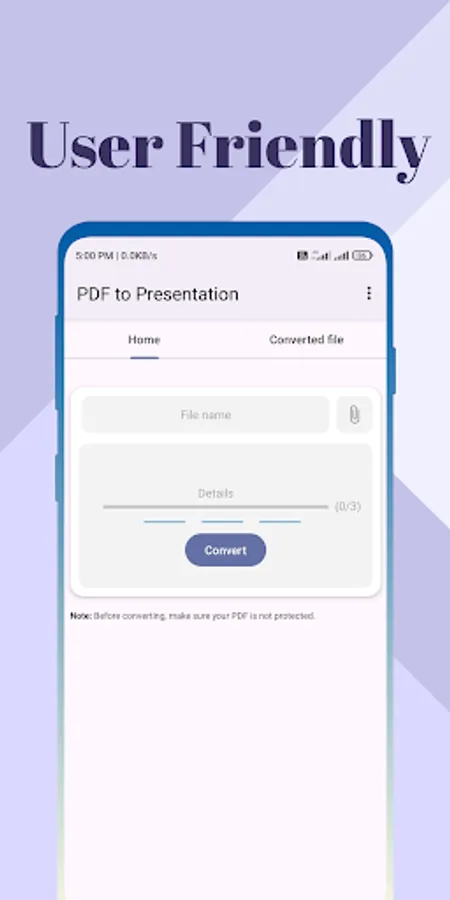
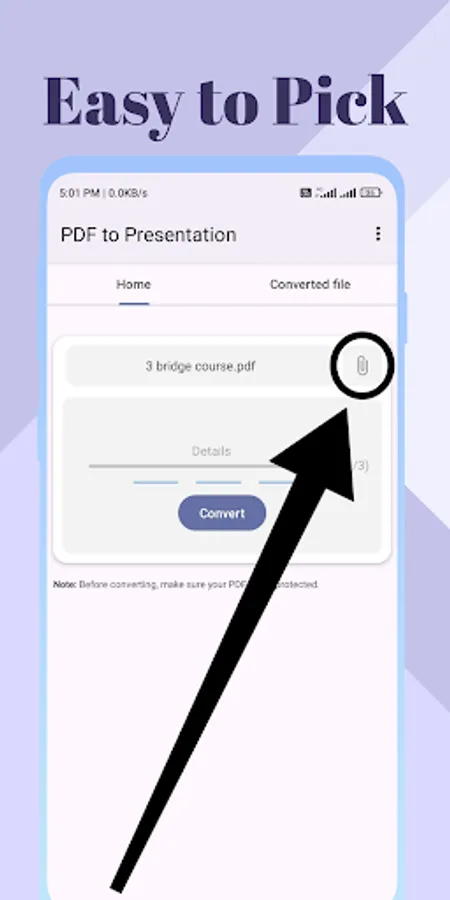
This app makes it easy to convert PDFs into Presentation(PPTX) in just 2 steps.
Step 1: Choose your PDF file.
Step 2: Click convert button.
These steps will convert your PDFs into PowerPoint and automatically download your presentation file in your phone.
Compact Size: Our app weighs in at under 3 MB, ensuring it won't take up much space on your device while still offering powerful functionality.
Fast Conversion: Experience lightning-fast conversion speed, allowing you to convert PDFs to PowerPoint(pptx) documents quickly and efficiently.
Safe to Use: Your security is our top priority. We employ HTTPS connection to guarantee the safety of your data during all interactions with PDF to PowerPoint Converter.
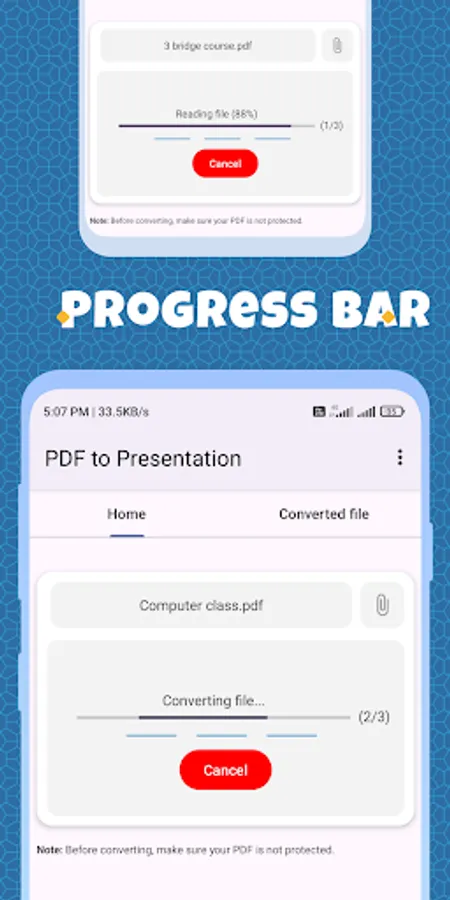
Real-time Progress: Track the progress of your conversions with real-time percentage indicators. You'll always know exactly how far along the conversion process of your PDF to PowerPoint, or .pptx files is.
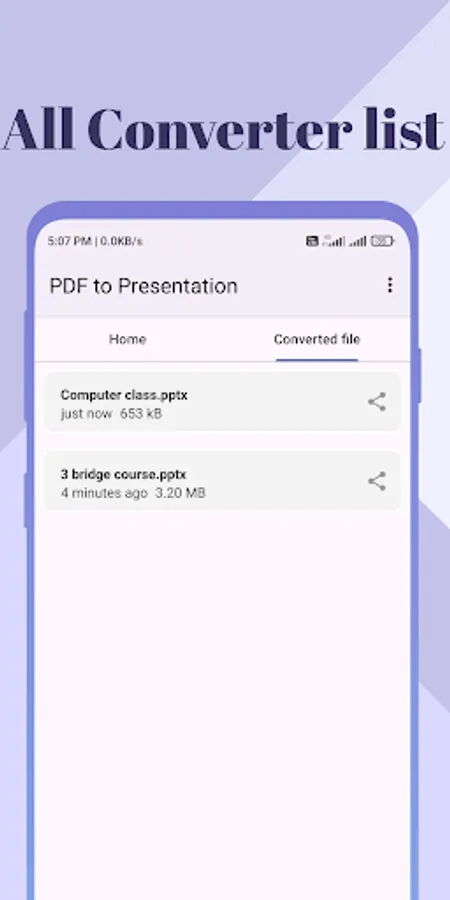
Converted List Fragment: Easily access all your converted documents in one place with the converted list fragment feature. This makes it simple to find and manage your converted Presentation or PPTX files.
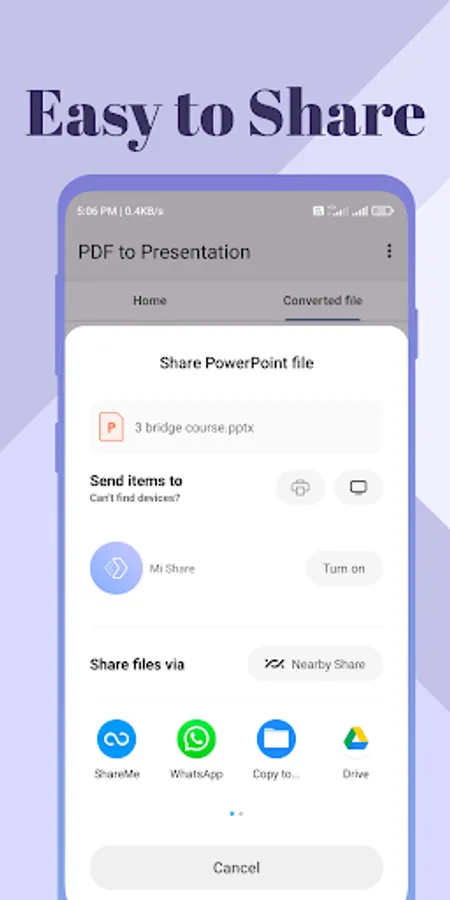
Share Option: Share your converted Word documents effortlessly. With just a one taps, you can distribute your files to colleagues, friends, or anyone else who needs them.
With "PDF to Presentation Converter," you'll enjoy a seamless and efficient conversion experience, backed by a commitment to speed, safety, and user convenience.
PDF to PowerPoint (pptx file)
🌟Steps to convert🌟
This app makes it easy to convert PDFs into Presentation(PPTX) in just 2 steps.
Step 1: Choose your PDF file.
Step 2: Click convert button.
These steps will convert your PDFs into PowerPoint and automatically download your presentation file in your phone.
Compact Size: Our app weighs in at under 3 MB, ensuring it won't take up much space on your device while still offering powerful functionality.
Fast Conversion: Experience lightning-fast conversion speed, allowing you to convert PDFs to PowerPoint(pptx) documents quickly and efficiently.
Safe to Use: Your security is our top priority. We employ HTTPS connection to guarantee the safety of your data during all interactions with PDF to PowerPoint Converter.
Real-time Progress: Track the progress of your conversions with real-time percentage indicators. You'll always know exactly how far along the conversion process of your PDF to PowerPoint, or .pptx files is.
Converted List Fragment: Easily access all your converted documents in one place with the converted list fragment feature. This makes it simple to find and manage your converted Presentation or PPTX files.
Share Option: Share your converted Word documents effortlessly. With just a one taps, you can distribute your files to colleagues, friends, or anyone else who needs them.
With "PDF to Presentation Converter," you'll enjoy a seamless and efficient conversion experience, backed by a commitment to speed, safety, and user convenience.