With this binary calculator, you can perform arithmetic operations on binary numbers and view step-by-step solutions. Includes an in-app binary keyboard, calculation history, and basic or advanced modes.
AppRecs review analysis
AppRecs rating 4.0. Trustworthiness 82 out of 100. Review manipulation risk 28 out of 100. Based on a review sample analyzed.
★★★★☆
4.0
AppRecs Rating
Ratings breakdown
5 star
67%
4 star
0%
3 star
11%
2 star
0%
1 star
22%
What to know
✓
Low review manipulation risk
28% review manipulation risk
✓
Credible reviews
82% trustworthiness score from analyzed reviews
✓
Good user ratings
67% positive sampled reviews
About Binary Calculator
Calculations of binary numbers can be tricky sometimes, but you can do it with a single click by using this binary calculator.
Are you tired of manually adding or subtracting binary numbers?
Welcome to our binary calculator, a calculator that can perform all the arithmetic operations on binary numbers and provide results in a couple of seconds.
Binary numbers consist of 0s and 1s, and sometimes, it gets hectic to solve this number system.
You can simply get into our online binary calculator and perform various arithmetic operations on binary numbers.
How to use this free binary calculator?
Follow the below-mentioned steps to get your results.
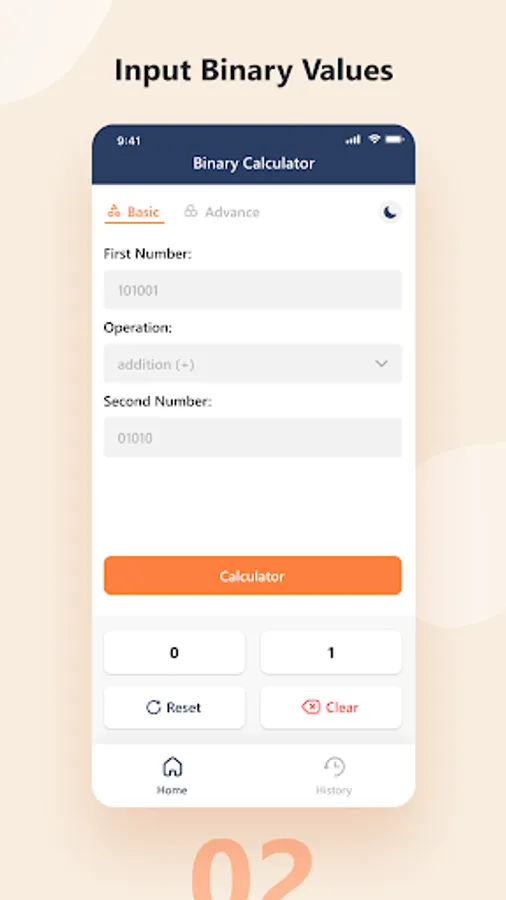
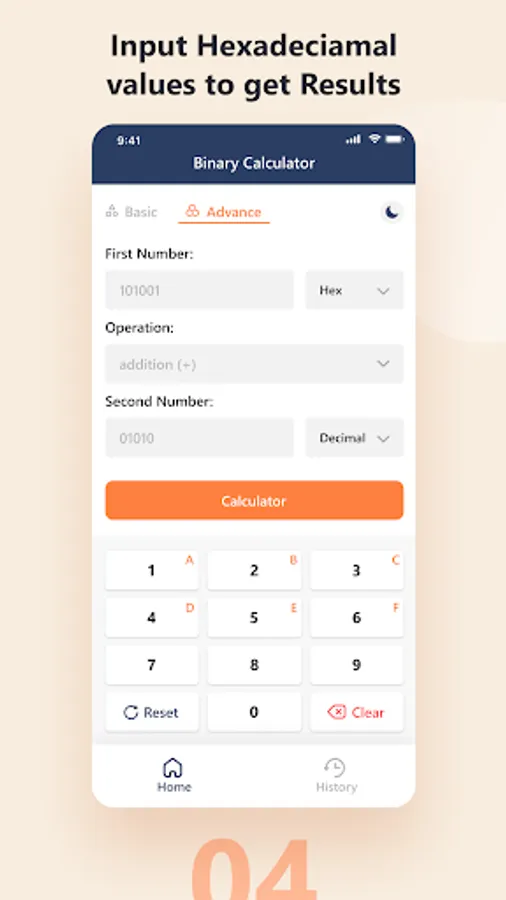
1. Enter the first and the second number.
2. Select the operation from the dropdown list.
3. Hit the “Calculate” button.
Features of our binary calculator.
Have a look at some features of this calculator.
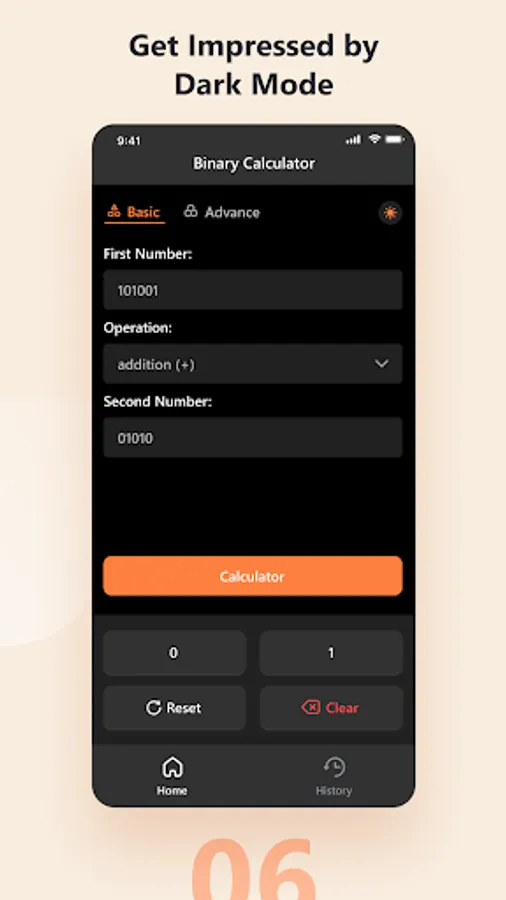
1. Two different modes; Basic and Advance.
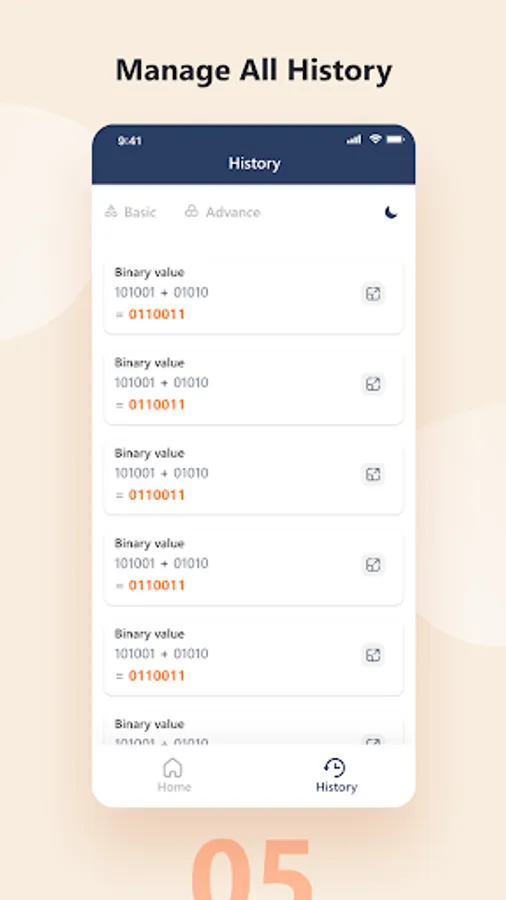
2. You can see your past calculations in the history.
3. In-app binary keyboard.
4. Multiple operations are available.
5. In advance mode, it converts decimal or other numbers to binary before applying any operation.
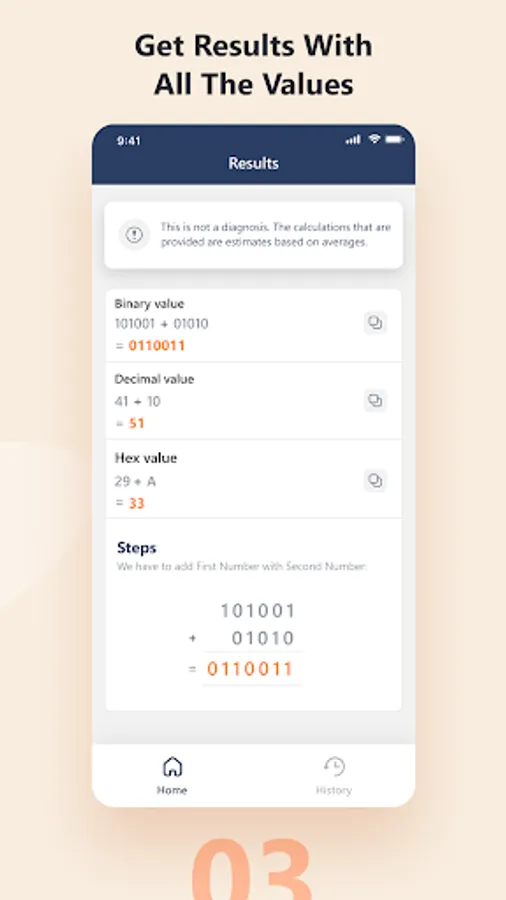
6. Shows step-wise solution.
Are you tired of manually adding or subtracting binary numbers?
Welcome to our binary calculator, a calculator that can perform all the arithmetic operations on binary numbers and provide results in a couple of seconds.
Binary numbers consist of 0s and 1s, and sometimes, it gets hectic to solve this number system.
You can simply get into our online binary calculator and perform various arithmetic operations on binary numbers.
How to use this free binary calculator?
Follow the below-mentioned steps to get your results.
1. Enter the first and the second number.
2. Select the operation from the dropdown list.
3. Hit the “Calculate” button.
Features of our binary calculator.
Have a look at some features of this calculator.
1. Two different modes; Basic and Advance.
2. You can see your past calculations in the history.
3. In-app binary keyboard.
4. Multiple operations are available.
5. In advance mode, it converts decimal or other numbers to binary before applying any operation.
6. Shows step-wise solution.
Binary Calculator Screenshots
Tap to Rate:
Reviews for Binary Calculator
Aman Kumar Thakur
12/25/2025
Awesome 😎
firoj vai
11/13/2024
Dest salculiter