Mathematical keyboard D
hosinoatusi
4.9 ★
41 ratings
1,000+
downloads
$0.99
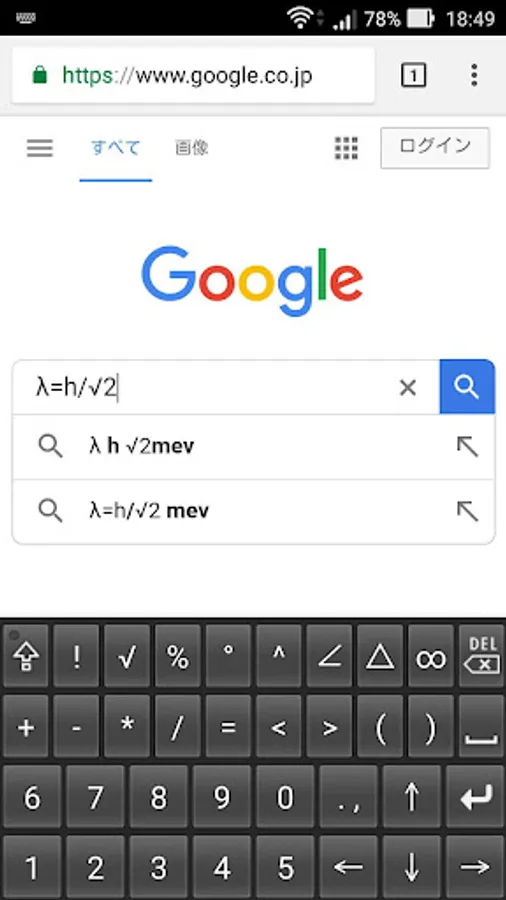
With this mathematical keyboard, you can input numbers, symbols, Greek letters, and variables quickly and easily. Includes support for switching between lowercase and uppercase letters, mathematical symbols, and special characters.
AppRecs review analysis
AppRecs rating 4.5. Trustworthiness 70 out of 100. Review manipulation risk 42 out of 100. Based on a review sample analyzed.
★★★★☆
4.5
AppRecs Rating
Ratings breakdown
5 star
90%
4 star
10%
3 star
0%
2 star
0%
1 star
0%
What to know
⚠
Questionable review patterns
42% review manipulation risk - some review patterns appear unusual
⚠
Rating authenticity concerns
High rating concentration (90% 5-star) in sampled ratings
About Mathematical keyboard D
Numbers, symbols, all alphabets and Greek letters can be entered without conversion.
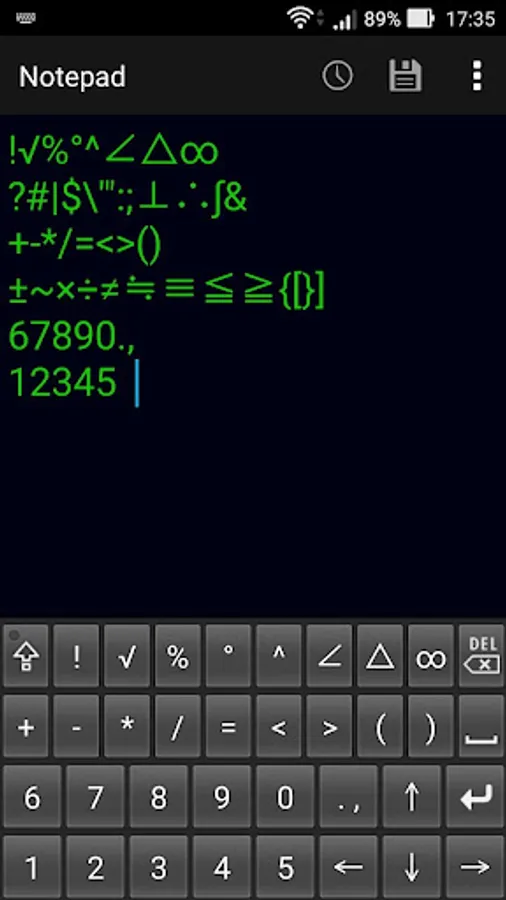
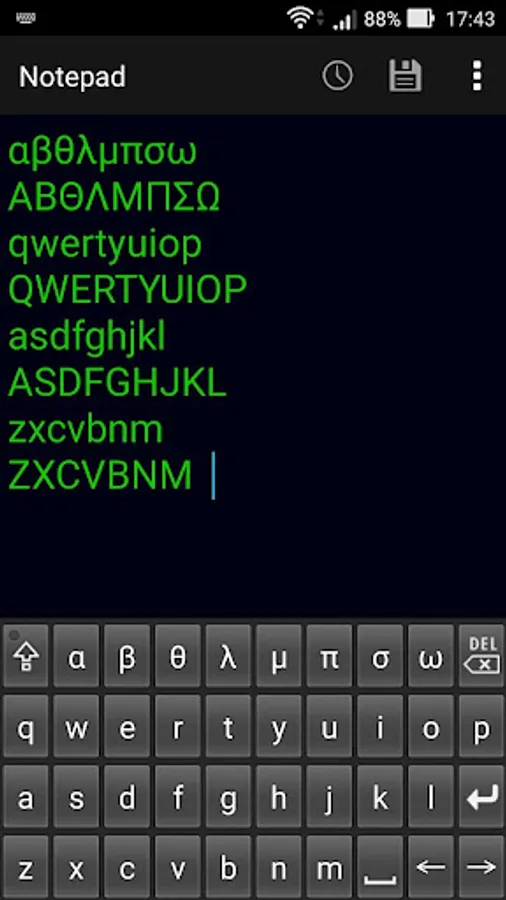
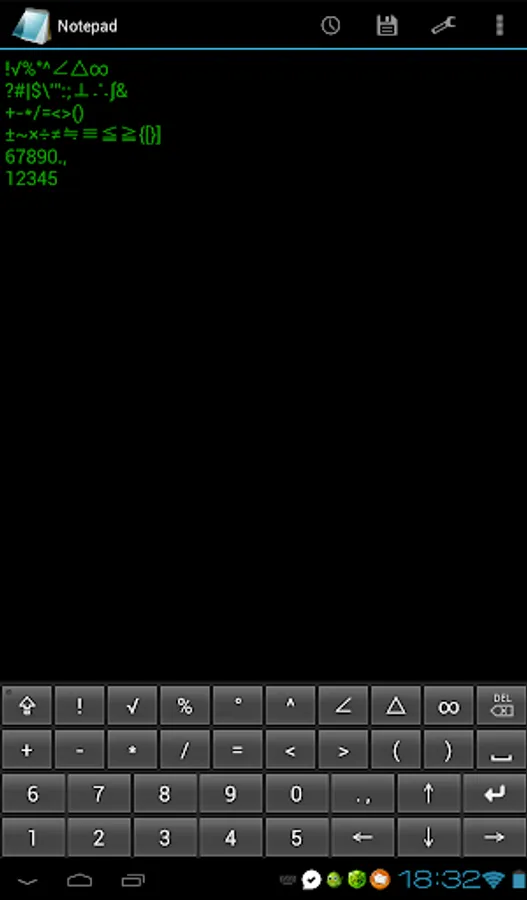
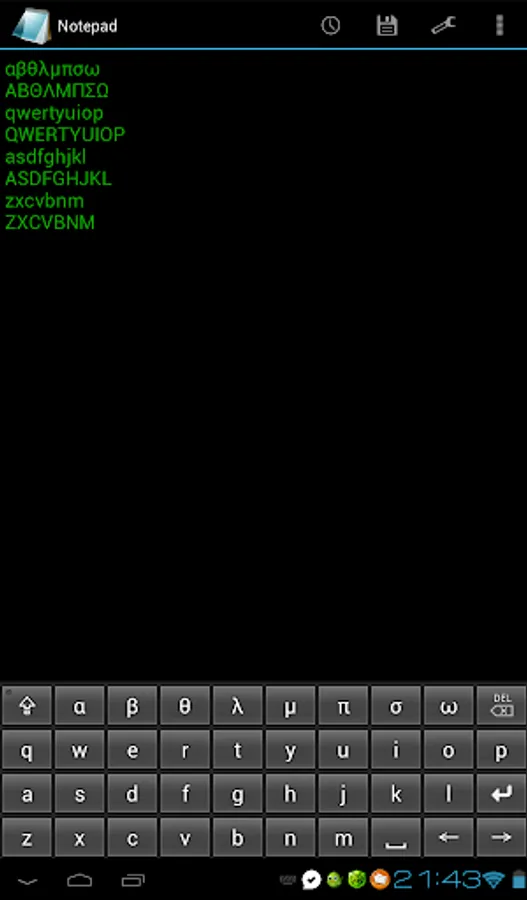
You can enter digits from 0 to 9 and all alphabets, Greek letters "α, β, θ, λ, μ, π, σ, ω" and mathematical symbols "!?√#|%$°'"^:;∠⊥△∴∞∫&+±-~*×/÷=≠≒≡<≦>≧({[)}].,".
If you press the key of the symbol continuously, it switches to a different symbol.
If you press the key of the alphabet and Greek letters continuously, it switches from lowercase letters to uppercase letters.
The alphabet is a QWERTY array.
Enabling Keyboards
01
Go to Settings > System > Languages & input > and tap Virtual keyboard in the Keyboard & inputs section.
02
You'll see a list of each keyboard you've installed.
Tap "Manage keyboards".
03
Toggle on the new keyboard.
You might see a warning that this input method may collect the text you type including personal information.
But this app does not collect any input content.
This is not a warning specific to this application, it will always be displayed if you select a character input application other than the keyboard that is standard on the device.
If you're satisfied with the explanation, tap OK.
Note: Instructions will vary depending on your Android OS.
Switching Keyboards
01
Launch the app you want to type in.
02
Tap to bring up the keyboard.
03
Tap the keyboard icon on the bottom right.
(On some devices this icon isn't present, in that case pull down the notification bar when a keyboard is active.)
04
Choose the keyboard from the list that pops up.
Mathematical keyboard D Screenshots
Tap to Rate:
Reviews for Mathematical keyboard D
K. Purnachandar
5/11/2021
It does nor working in my phone (samsung A30)........ After installing in play store, it show only one option that is 'uninstall ' It is not showing the option to open .. So, fix this problem 😄😄
sioson
5/11/2021
good enough. simple, but needs update for a lot more mathematical symbols. symbols for the likes of integral, congruence, similarity, inequality, and even the bracket which is most common in math operations.