Spendy - Smart Expense Tracker
FireShotApps
1,000+
downloads
Free
+ in-app
AppRecs review analysis
AppRecs rating 4.8. Trustworthiness 75 out of 100. Review manipulation risk 21 out of 100. Based on a review sample analyzed.
★★★★☆
4.8
AppRecs Rating
Ratings breakdown
5 star
100%
4 star
0%
3 star
0%
2 star
0%
1 star
0%
What to know
✓
Low review manipulation risk
21% review manipulation risk
✓
Credible reviews
75% trustworthiness score from analyzed reviews
✓
High user satisfaction
100% of sampled ratings are 5 stars
About Spendy - Smart Expense Tracker
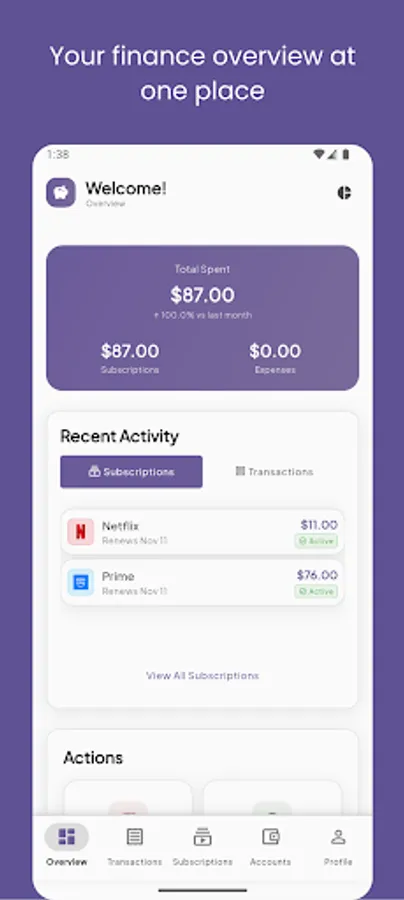
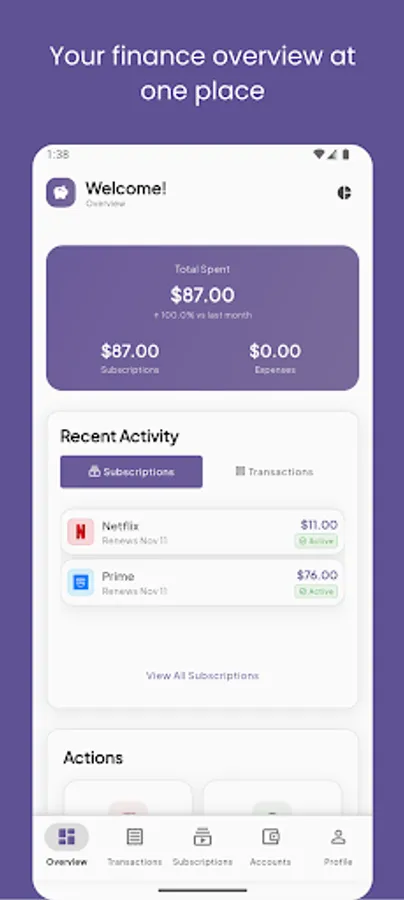
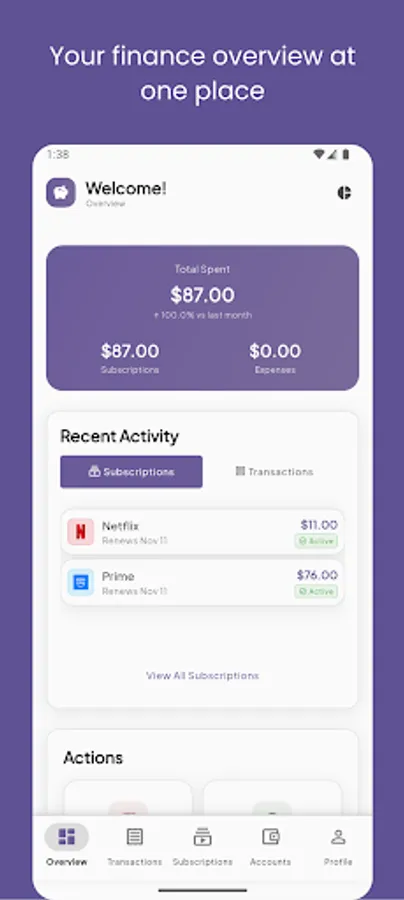
Spendy is a smart money manager that helps you track daily expenses, recurring subscriptions, and account balances in one clean, fast app. Get clear insights, timely reminders before renewals, and stay on budget—online or offline. Sign in with Google to sync and back up securely across devices, or use it fully offline with local storage.
Why Spendy:
Clean, fast, and privacy-first (your data is yours)
Offline-first with reliable sync when you sign in
Actionable insights and reminders that prevent surprises
Key features:
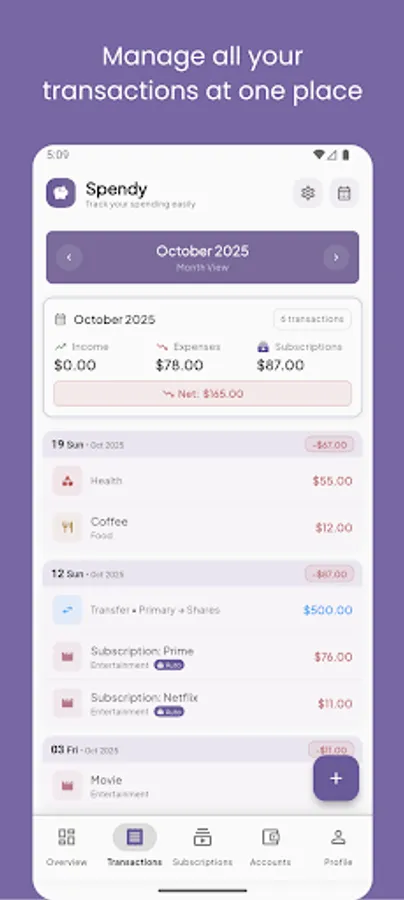
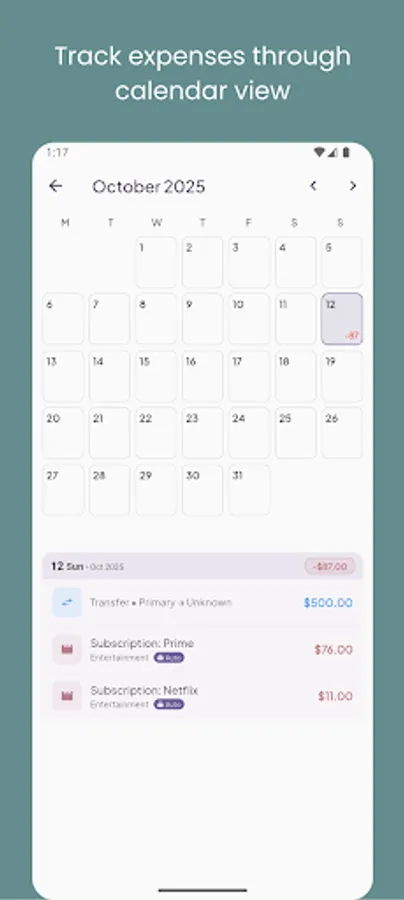
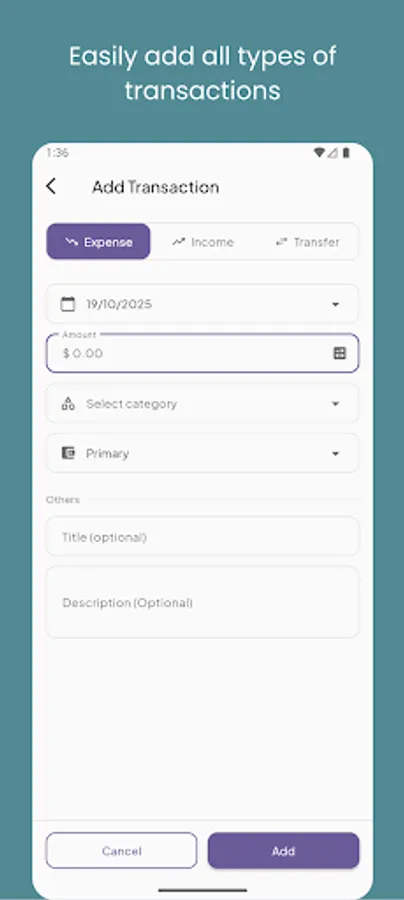
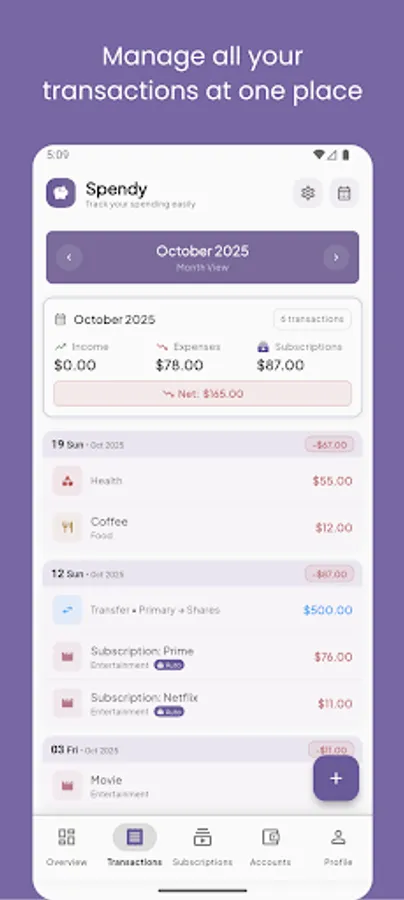
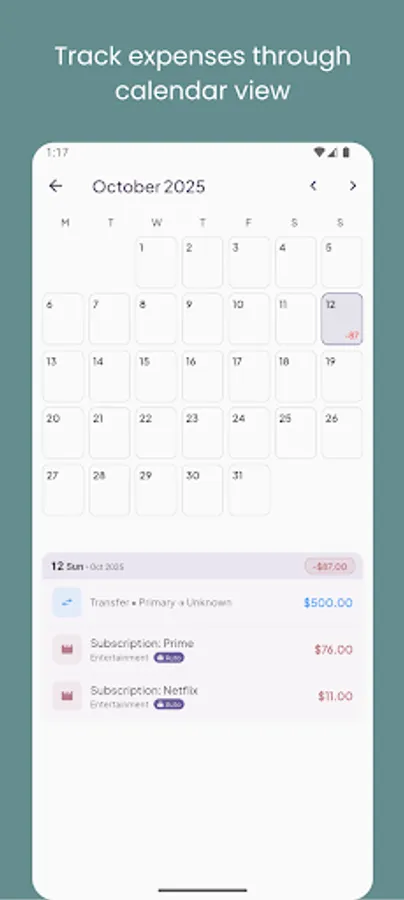
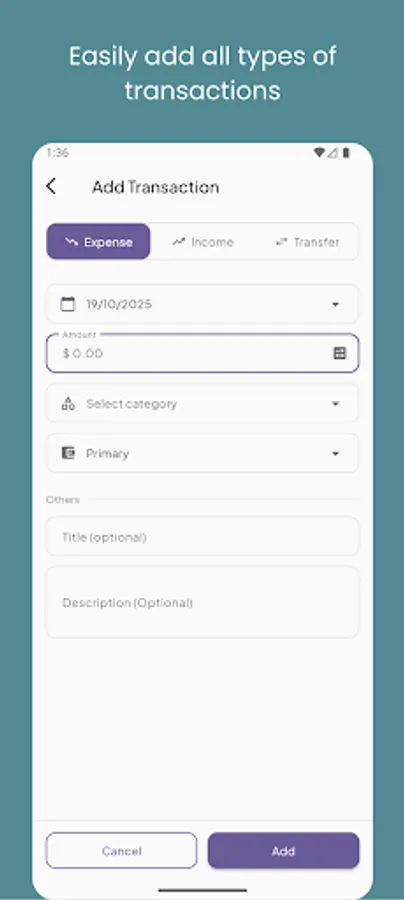
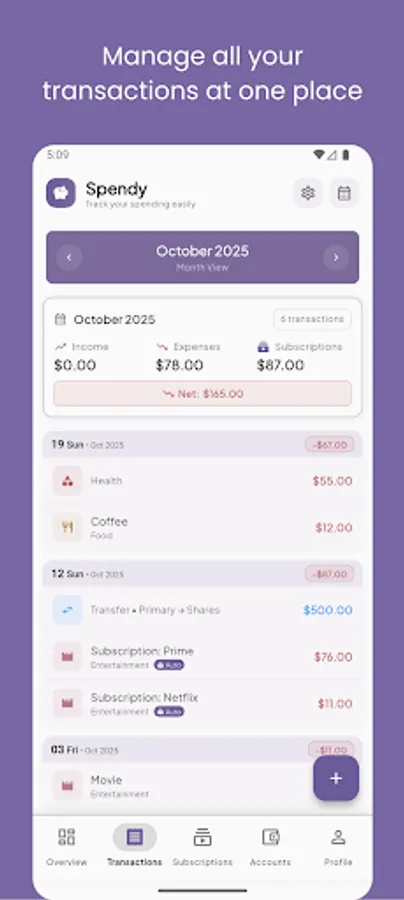
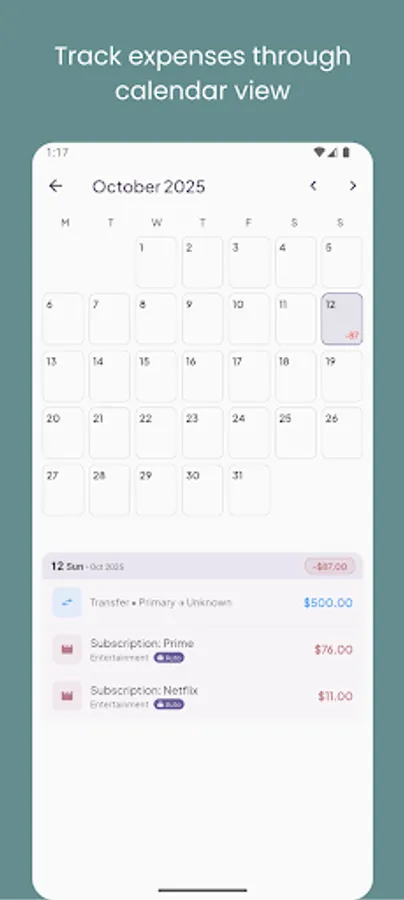
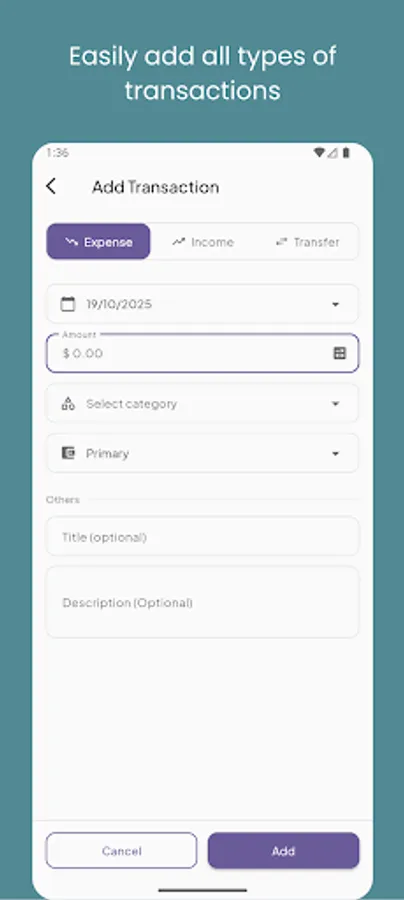
Expense tracking: Add expenses and incomes with customizable categories and notes
Accounts: Track balances across cash, bank, investment, and loan/debt accounts
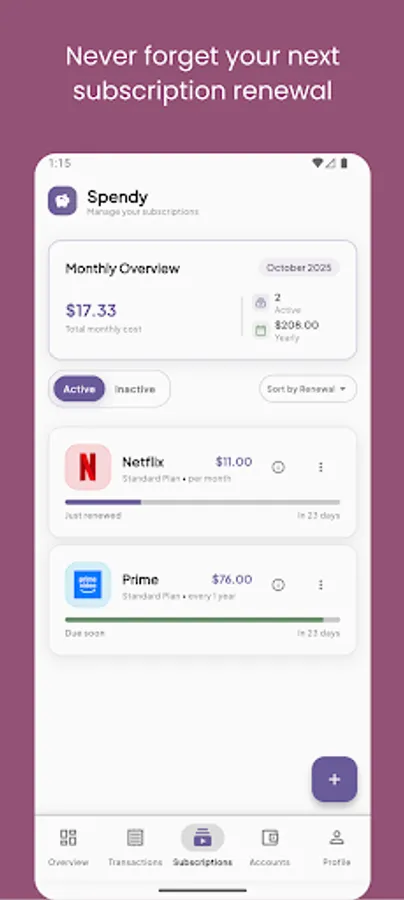
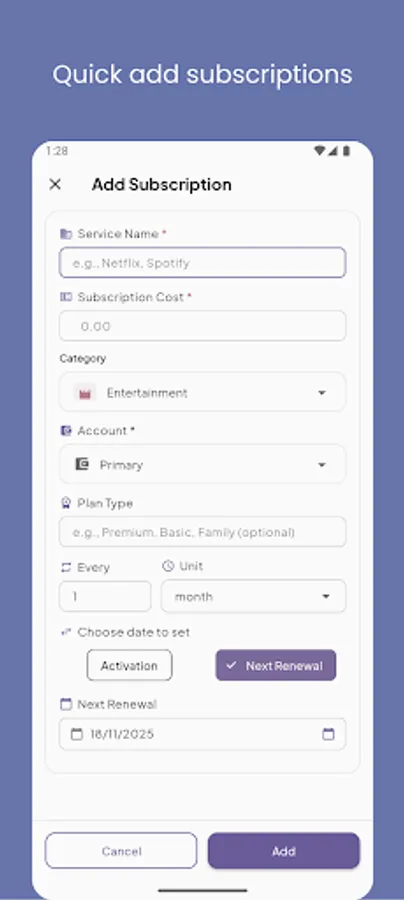
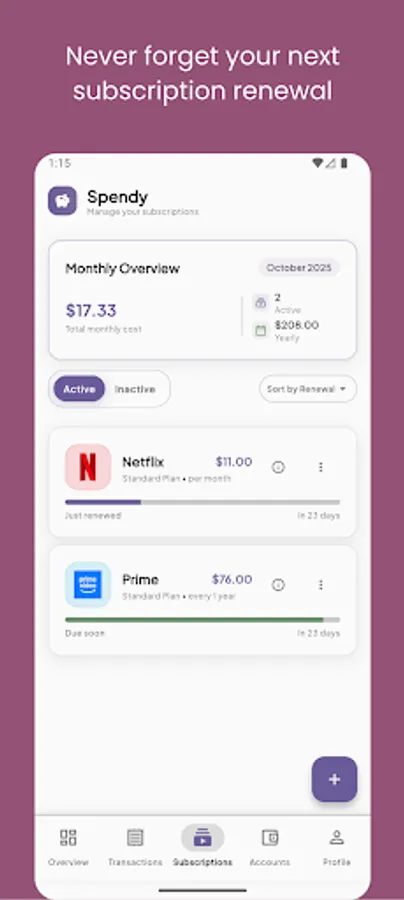
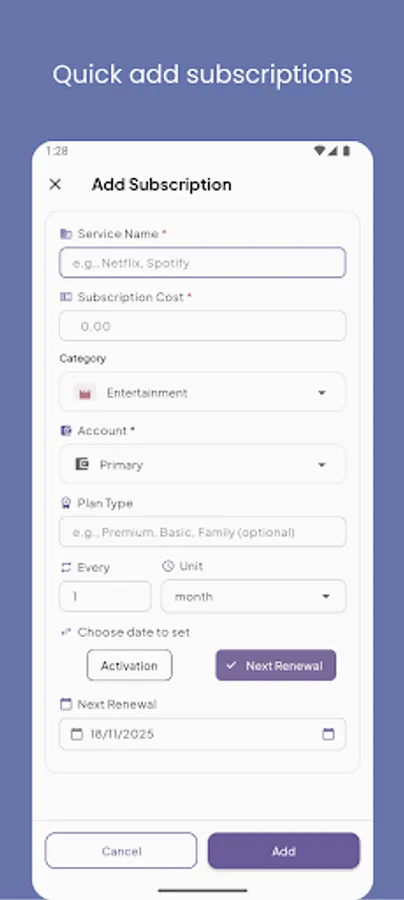
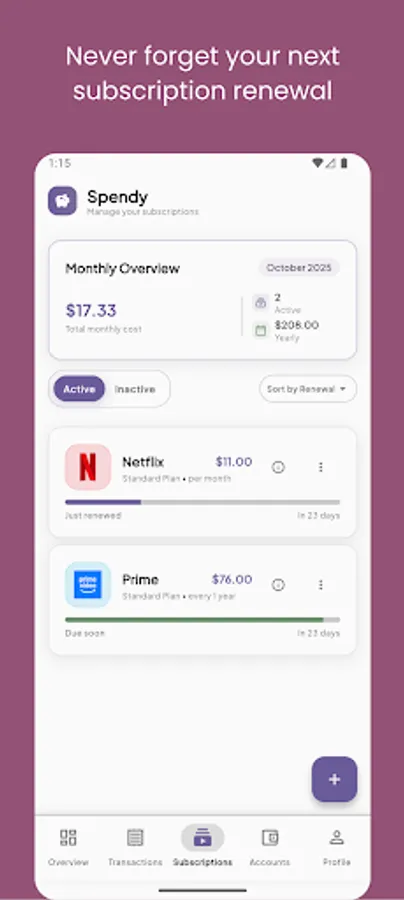
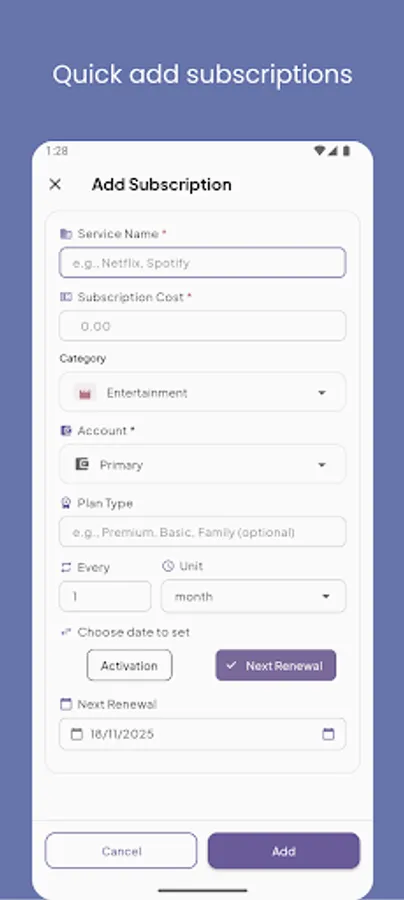
Subscriptions: Manage recurring services with renewal reminders and monthly cost overview
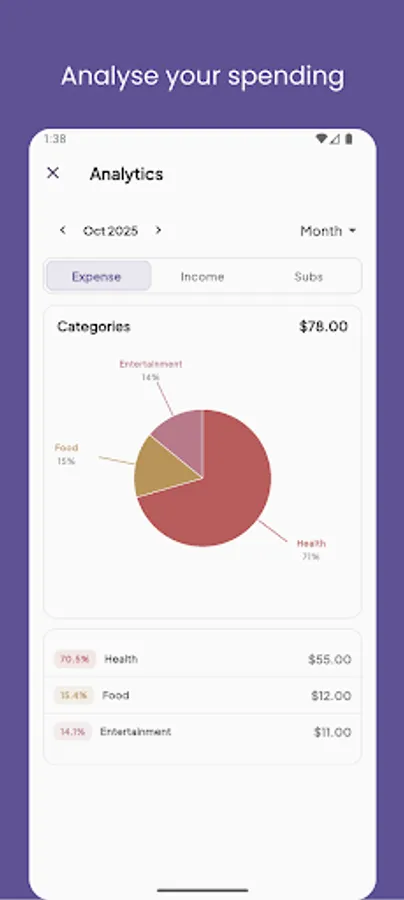
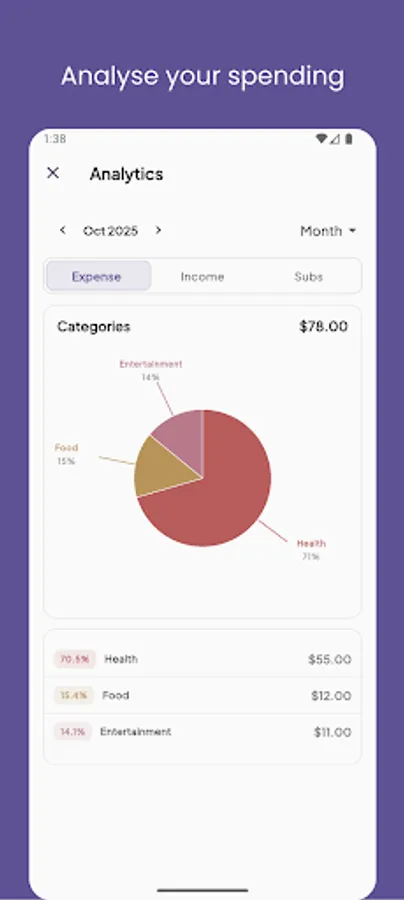
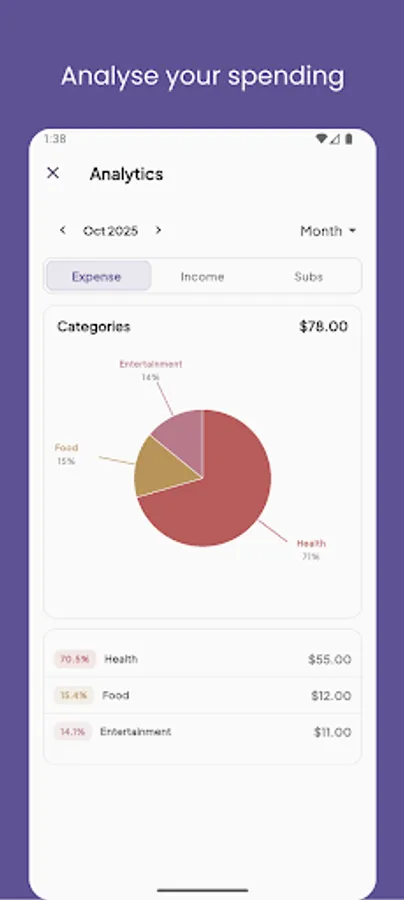
Smart insights: Category breakdowns, trends, and spending analytics
Notifications: Renewal alerts, budget alerts, weekly summaries, and deal alerts (opt-in)
Categories: Flexible, color-coded categories with sensible defaults
Data control: Export your data anytime, delete account/data from the app
Sync & backup: Optional Google sign-in to back up and sync via secure cloud
Works offline: Your data is stored locally and syncs when you’re online
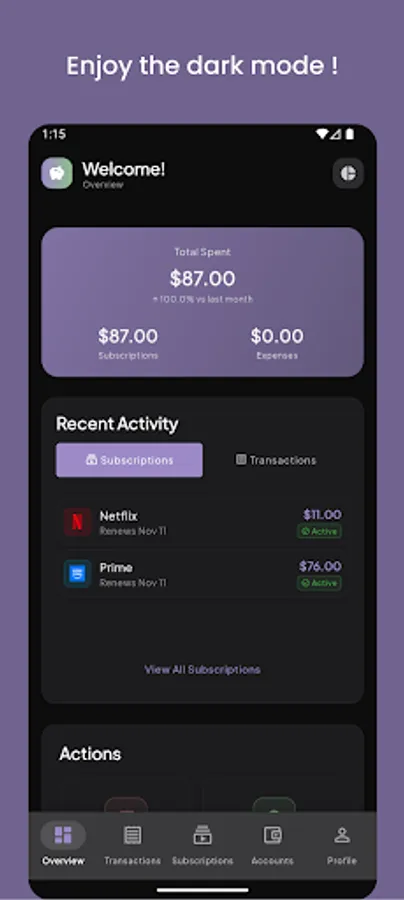
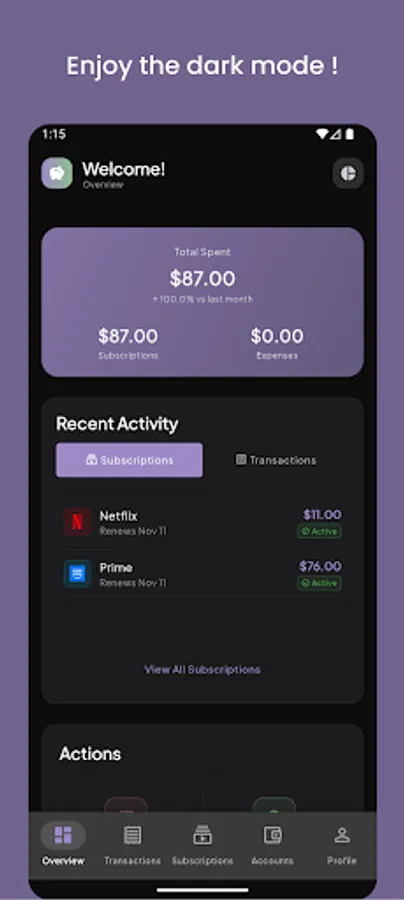
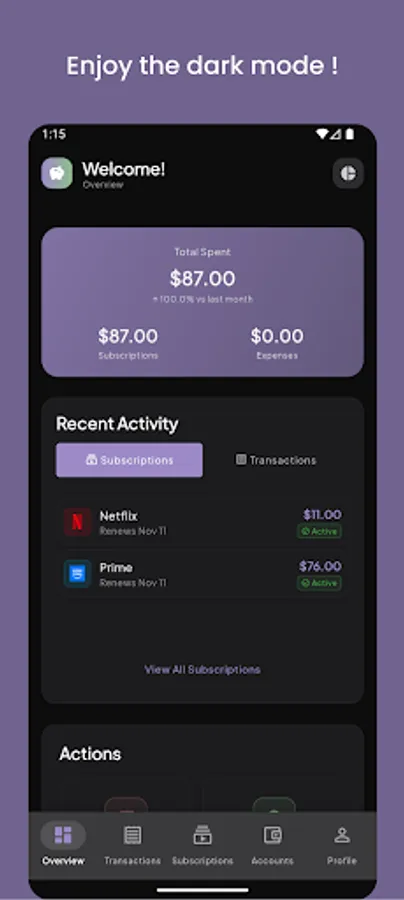
Theme & localization: Light/Dark/System theme; multiple languages supported
Premium (one-time lifetime):
Remove all ads
Advanced analytics and insights
Priority notifications
Data export features
Premium support
Lifetime updates
Privacy & security:
You own your data. Export or delete it anytime from Settings
Optional sign-in: the app works without an account
Secure cloud sync via Firebase when signed in
No shady trackers; ads are non-intrusive and disabled for premium
Supported languages:
English, German, Spanish, French, Hindi, Japanese, Nepali, Russian, Chinese
Permissions:
Notifications: For reminders and alerts (optional)
Network: For sync, backups, and retrieving ads (when enabled)
Storage: For data export (when you choose to export)
Notes:
Banking connections and email receipt parsing are planned future features
Deals module is being prepared; ads are centralized and minimal
Contact & support:
In-app: Settings → Support & About → Send Feedback
Docs: Terms of Service and Privacy Policy available in-app and on our site
FAQ:
Q: Do I need an account?
A: No. Spendy works fully offline. Sign in with Google only if you want cloud backup and multi-device sync.
Q: How does sync/backup work?
A: When signed in, your data syncs with secure cloud storage (Firebase). Offline changes are saved locally and sync when you’re online.
Q: Can I export my data?
A: Yes. Go to Settings → Privacy & Security → Export My Data to download your information.
Q: How do I delete my data/account?
A: Go to Settings → Privacy & Security → Delete Account to permanently delete your cloud account and data. Local data can be removed by uninstalling.
Q: Will I get renewal reminders for subscriptions?
A: Yes. Enable notifications to receive alerts before renewal dates and optional weekly summaries.
Q: What’s included in Premium?
A: One-time lifetime purchase removes ads and unlocks premium benefits like advanced insights, priority notifications, data export features, premium support, and lifetime updates.
Q: Do ads show up for premium users?
A: No. Ads are automatically disabled when you upgrade to Premium.
Q: Does Spendy connect to my bank?
A: Not yet. Bank connections and email integration are planned. You can still track balances and transactions manually.
Q: Is my data private?
A: Yes. You own your data. You can export or delete it anytime. Sync is optional and uses secure infrastructure.
Q: What languages are supported?
A: English, German, Spanish, French, Hindi, Japanese, Nepali, Russian, and Chinese.
Q: Can I use Spendy without internet?
A: Yes. It’s offline-first. Your data is stored locally and syncs when you’re back online (if signed in).
Why Spendy:
Clean, fast, and privacy-first (your data is yours)
Offline-first with reliable sync when you sign in
Actionable insights and reminders that prevent surprises
Key features:
Expense tracking: Add expenses and incomes with customizable categories and notes
Accounts: Track balances across cash, bank, investment, and loan/debt accounts
Subscriptions: Manage recurring services with renewal reminders and monthly cost overview
Smart insights: Category breakdowns, trends, and spending analytics
Notifications: Renewal alerts, budget alerts, weekly summaries, and deal alerts (opt-in)
Categories: Flexible, color-coded categories with sensible defaults
Data control: Export your data anytime, delete account/data from the app
Sync & backup: Optional Google sign-in to back up and sync via secure cloud
Works offline: Your data is stored locally and syncs when you’re online
Theme & localization: Light/Dark/System theme; multiple languages supported
Premium (one-time lifetime):
Remove all ads
Advanced analytics and insights
Priority notifications
Data export features
Premium support
Lifetime updates
Privacy & security:
You own your data. Export or delete it anytime from Settings
Optional sign-in: the app works without an account
Secure cloud sync via Firebase when signed in
No shady trackers; ads are non-intrusive and disabled for premium
Supported languages:
English, German, Spanish, French, Hindi, Japanese, Nepali, Russian, Chinese
Permissions:
Notifications: For reminders and alerts (optional)
Network: For sync, backups, and retrieving ads (when enabled)
Storage: For data export (when you choose to export)
Notes:
Banking connections and email receipt parsing are planned future features
Deals module is being prepared; ads are centralized and minimal
Contact & support:
In-app: Settings → Support & About → Send Feedback
Docs: Terms of Service and Privacy Policy available in-app and on our site
FAQ:
Q: Do I need an account?
A: No. Spendy works fully offline. Sign in with Google only if you want cloud backup and multi-device sync.
Q: How does sync/backup work?
A: When signed in, your data syncs with secure cloud storage (Firebase). Offline changes are saved locally and sync when you’re online.
Q: Can I export my data?
A: Yes. Go to Settings → Privacy & Security → Export My Data to download your information.
Q: How do I delete my data/account?
A: Go to Settings → Privacy & Security → Delete Account to permanently delete your cloud account and data. Local data can be removed by uninstalling.
Q: Will I get renewal reminders for subscriptions?
A: Yes. Enable notifications to receive alerts before renewal dates and optional weekly summaries.
Q: What’s included in Premium?
A: One-time lifetime purchase removes ads and unlocks premium benefits like advanced insights, priority notifications, data export features, premium support, and lifetime updates.
Q: Do ads show up for premium users?
A: No. Ads are automatically disabled when you upgrade to Premium.
Q: Does Spendy connect to my bank?
A: Not yet. Bank connections and email integration are planned. You can still track balances and transactions manually.
Q: Is my data private?
A: Yes. You own your data. You can export or delete it anytime. Sync is optional and uses secure infrastructure.
Q: What languages are supported?
A: English, German, Spanish, French, Hindi, Japanese, Nepali, Russian, and Chinese.
Q: Can I use Spendy without internet?
A: Yes. It’s offline-first. Your data is stored locally and syncs when you’re back online (if signed in).