
FreeStyle LibreLink - IT
Abbott Diabetes Care Inc.
4.2 ★
3K ratings
500,000+
downloads
Free
In this glucose monitoring app, users can scan sensors to check their current glucose levels, view history, and receive alerts for high or low readings. Includes glucose trend analysis, data sharing, and report generation features.
AppRecs review analysis
AppRecs rating 4.1. Trustworthiness 79 out of 100. Review manipulation risk 35 out of 100. Based on a review sample analyzed.
★★★★☆
4.1
AppRecs Rating
Ratings breakdown
5 star
60%
4 star
20%
3 star
0%
2 star
20%
1 star
0%
What to know
✓
Credible reviews
79% trustworthiness score from analyzed reviews
✓
High user satisfaction
80% of sampled ratings are 4+ stars (4.2★ average)
✓
Authentic reviews
Natural distribution, no red flags
About FreeStyle LibreLink - IT
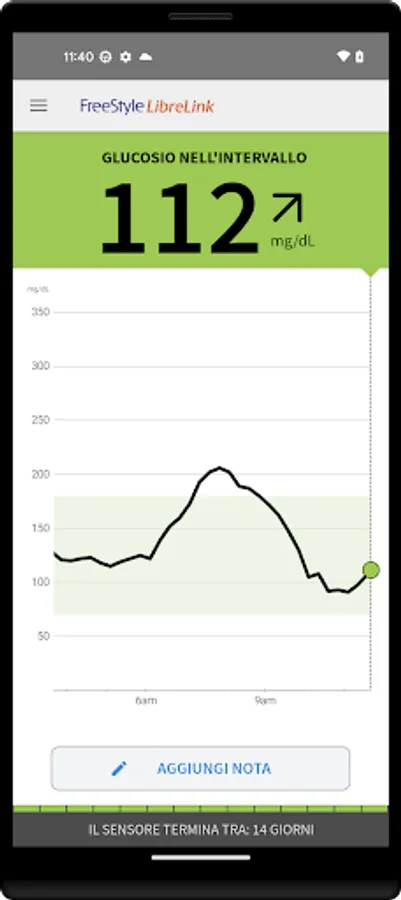
The FreeStyle LibreLink app is approved for use with FreeStyle Libre and FreeStyle Libre 2 system sensors. You can monitor your glucose by scanning your sensor with your phone. Now, FreeStyle Libre 2 system sensor users can automatically capture glucose readings in the FreeStyle LibreLink app, updated every minute, and also receive alerts when their glucose level is low or high. [1][2]
You can use the FreeStyle LibreLink app to:
* View your current glucose value, trend arrow, and glucose history
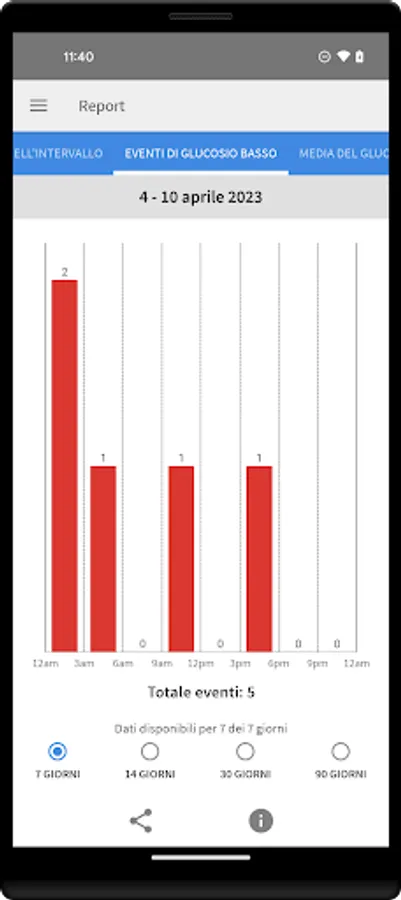
* Receive alerts when your glucose level is low or high using FreeStyle Libre 2 system sensors [2]
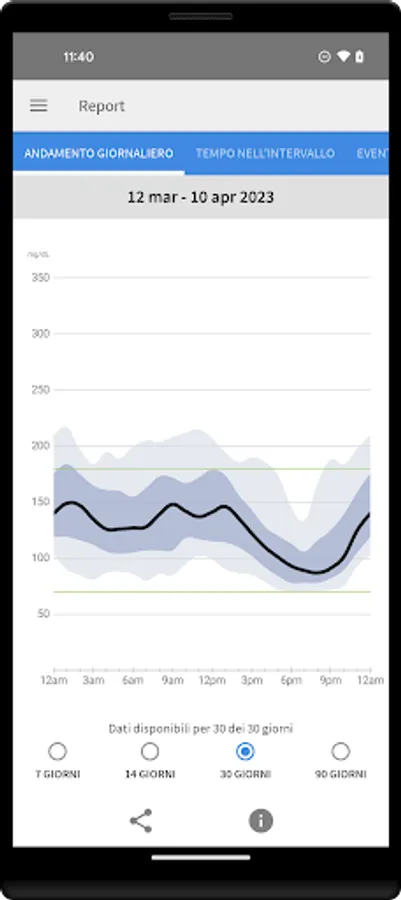
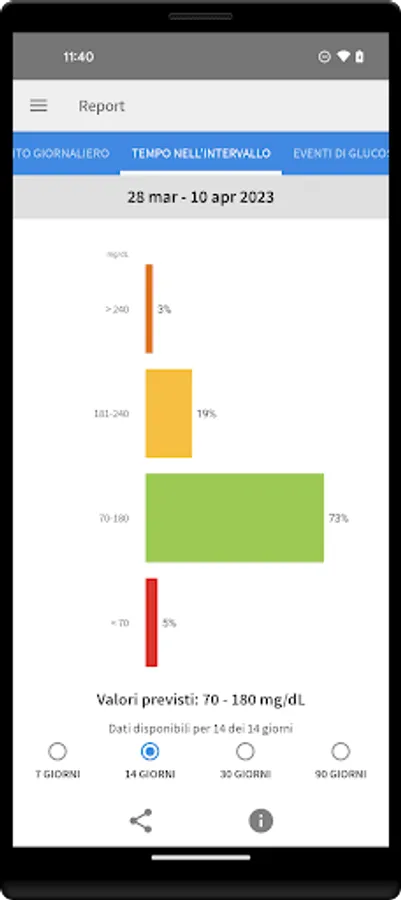
* View reports, including time in range and daily trend
* Share data with your doctor and family with your permission [3]
SMARTPHONE COMPATIBILITY
Compatibility may vary by phone and operating system. For more information on compatible phones, visit http://FreeStyleLibre.com.
USING THE APP AND READER WITH THE SAME SENSOR
Alerts can only be sent to the FreeStyle Libre 2 reader or your phone (not both). To receive alerts on your phone, you must start the sensor using the app. To receive alerts on the FreeStyle Libre 2 reader, you must start the sensor with the reader. Once the sensor is started with the reader, you can also scan the same sensor with your phone.
Please note that the app and reader do not share data with each other. For complete information on a device, scan the sensor every 8 hours with that device; otherwise, reports will not include all data. You can upload and view data from all devices on LibreView.com.
ABOUT THE APP
FreeStyle LibreLink is intended for measuring glucose levels in people with diabetes when used with a sensor. For more information on how to use FreeStyle LibreLink, please refer to the user guide, available through the app. To request a printed version of the user guide, please contact Abbott Diabetes Care Customer Support.
Please consult a healthcare professional to confirm that this product is right for you or if you have questions about using this product to make treatment decisions.
For more information, visit http://FreeStyleLibre.com.
[1] If you use the FreeStyle LibreLink app, you must also have access to a blood glucose monitoring system, as the app does not offer this functionality.
[2] The alerts you receive do not include your glucose reading; therefore, you must scan your sensor to check your glucose.
[3] Use of FreeStyle LibreLink and LibreLinkUp requires registration with LibreView.
The sensor housing, FreeStyle, Libre, and related brand marks are trademarks of Abbott. Other trademarks are the property of their respective owners.
For additional legal notices and terms of use, please visit http://FreeStyleLibre.com.
========
To resolve any technical or customer support issues regarding a FreeStyle Libre product, please contact FreeStyle Libre customer support directly.
You can use the FreeStyle LibreLink app to:
* View your current glucose value, trend arrow, and glucose history
* Receive alerts when your glucose level is low or high using FreeStyle Libre 2 system sensors [2]
* View reports, including time in range and daily trend
* Share data with your doctor and family with your permission [3]
SMARTPHONE COMPATIBILITY
Compatibility may vary by phone and operating system. For more information on compatible phones, visit http://FreeStyleLibre.com.
USING THE APP AND READER WITH THE SAME SENSOR
Alerts can only be sent to the FreeStyle Libre 2 reader or your phone (not both). To receive alerts on your phone, you must start the sensor using the app. To receive alerts on the FreeStyle Libre 2 reader, you must start the sensor with the reader. Once the sensor is started with the reader, you can also scan the same sensor with your phone.
Please note that the app and reader do not share data with each other. For complete information on a device, scan the sensor every 8 hours with that device; otherwise, reports will not include all data. You can upload and view data from all devices on LibreView.com.
ABOUT THE APP
FreeStyle LibreLink is intended for measuring glucose levels in people with diabetes when used with a sensor. For more information on how to use FreeStyle LibreLink, please refer to the user guide, available through the app. To request a printed version of the user guide, please contact Abbott Diabetes Care Customer Support.
Please consult a healthcare professional to confirm that this product is right for you or if you have questions about using this product to make treatment decisions.
For more information, visit http://FreeStyleLibre.com.
[1] If you use the FreeStyle LibreLink app, you must also have access to a blood glucose monitoring system, as the app does not offer this functionality.
[2] The alerts you receive do not include your glucose reading; therefore, you must scan your sensor to check your glucose.
[3] Use of FreeStyle LibreLink and LibreLinkUp requires registration with LibreView.
The sensor housing, FreeStyle, Libre, and related brand marks are trademarks of Abbott. Other trademarks are the property of their respective owners.
For additional legal notices and terms of use, please visit http://FreeStyleLibre.com.
========
To resolve any technical or customer support issues regarding a FreeStyle Libre product, please contact FreeStyle Libre customer support directly.
FreeStyle LibreLink - IT Screenshots
Tap to Rate:
Reviews for FreeStyle LibreLink - IT
SYLVESTER OBETOH
12/6/2025
good 👍
Zallium Mukhiya
11/25/2025
please fix your app every time I open the it shows sensor error and tells me how to scam but when force stop the app and reopen it scan it properly and it happens every time