SMS Forwarder
Zerogic Inc.
3.9 ★
14K ratings
1,000,000+
downloads
Free
+ in-app
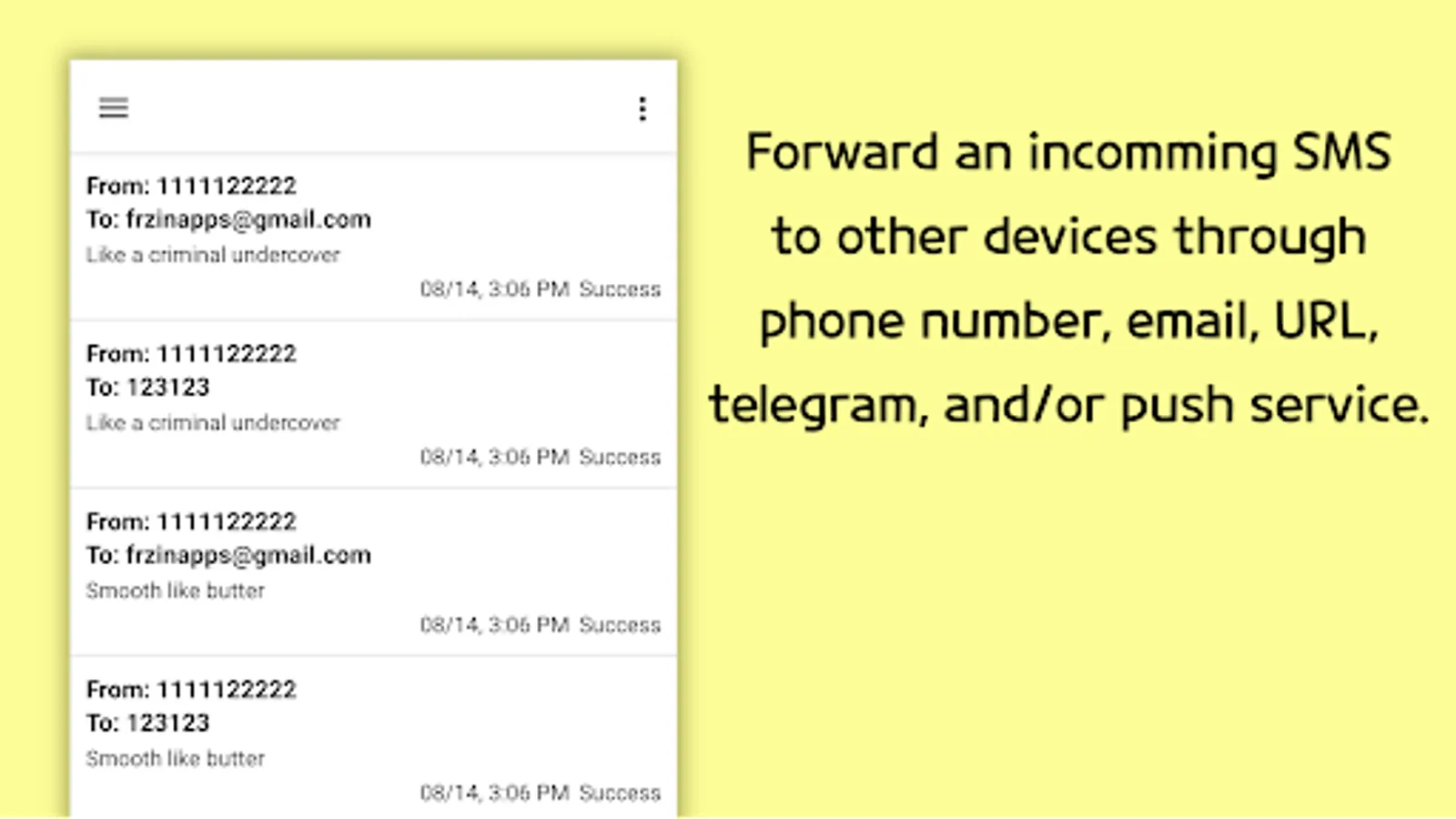
In this SMS forwarding app, users can synchronize messages between devices and configure filters for selective forwarding. Includes support for multiple notification channels and customizable message templates.
AppRecs review analysis
AppRecs rating 3.4. Trustworthiness 84 out of 100. Review manipulation risk 24 out of 100. Based on a review sample analyzed.
★★★☆☆
3.4
AppRecs Rating
Ratings breakdown
5 star
62%
4 star
11%
3 star
4%
2 star
4%
1 star
18%
What to know
✓
Low review manipulation risk
24% review manipulation risk
⚠
Ad complaints
Many low ratings mention excessive ads
⚠
Pricing complaints
Many low ratings mention paywalls or pricing
About SMS Forwarder
This is an app that can synchronize SMS or Notification between multiple devices(PC, Phone).
Caution!
If someone else has asked you to install this app, be careful since he/she may be a fraud.
How to use
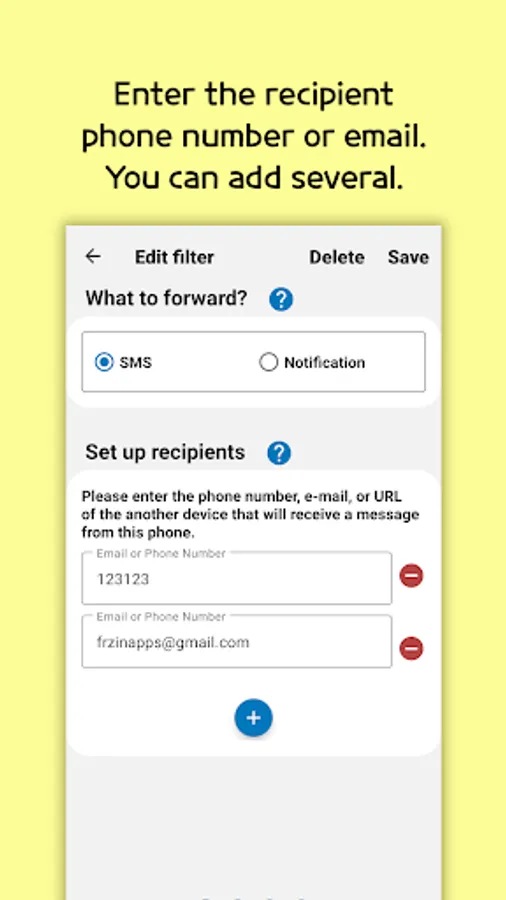
1. First, add a filter to set up recipients.
2. Enter the recipient phone number, email, URL, Telegram, Push Service ID. You can add several.
3. You can set keywords present in the phonenumber or message body as conditions, or leave it blank if you just want to forward everything.
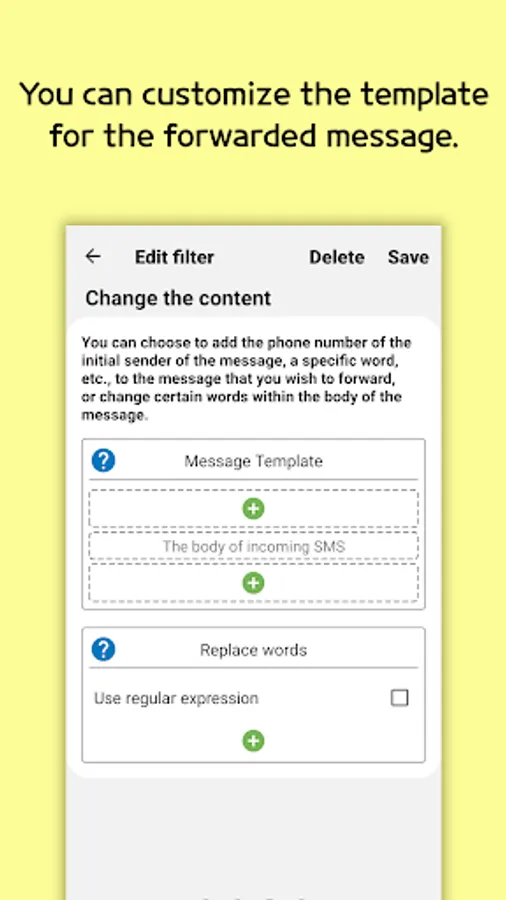
4. You can customize the template for the forwarded message.
Features
- Forward SMS or Notification to Email, Phone, URL, Telegram, Push Service.
- Add filters to various options.
- Supports Gmail and SMTP.
- Supports Dual SIM setting.
- Supports setting of operation time.
- Supports filter backup/restore.
This app does not provide feature to get messages from devices that do not have the app installed.
Requested permissions
All permissions are requested only when using the function.
1.RECEIVE_SMS, RECEIVE_MMS, READ_SMS, SEND_SMS
This is required for reading and sending SMS.
2. READ_CONTACTS
This is required to read your Gmail account and read your contact's name.
Privacy
- This app requires permission to read or send SMS.
- This app does not save SMS or contacts on a server.
- When you delete this app, all data will be deleted unconditionally.
(However, please delete the push service account from the app before deleting this app.)
Caution!
If someone else has asked you to install this app, be careful since he/she may be a fraud.
How to use
1. First, add a filter to set up recipients.
2. Enter the recipient phone number, email, URL, Telegram, Push Service ID. You can add several.
3. You can set keywords present in the phonenumber or message body as conditions, or leave it blank if you just want to forward everything.
4. You can customize the template for the forwarded message.
Features
- Forward SMS or Notification to Email, Phone, URL, Telegram, Push Service.
- Add filters to various options.
- Supports Gmail and SMTP.
- Supports Dual SIM setting.
- Supports setting of operation time.
- Supports filter backup/restore.
This app does not provide feature to get messages from devices that do not have the app installed.
Requested permissions
All permissions are requested only when using the function.
1.RECEIVE_SMS, RECEIVE_MMS, READ_SMS, SEND_SMS
This is required for reading and sending SMS.
2. READ_CONTACTS
This is required to read your Gmail account and read your contact's name.
Privacy
- This app requires permission to read or send SMS.
- This app does not save SMS or contacts on a server.
- When you delete this app, all data will be deleted unconditionally.
(However, please delete the push service account from the app before deleting this app.)
SMS Forwarder Screenshots

Tap to Rate:
Reviews for SMS Forwarder
Sushant Tyagi
3/3/2026
very easy and reliable 👌
Pungky Ninaber
3/2/2026
till now working very well.. no issue