
StepCounter Pedometer
furusawa326
3.6 ★
131 ratings
10,000+
downloads
Free
In this pedometer app, you can track your steps, view total daily counts, and record walk start and end times. Includes integration with Google Fit, task automation controls, and trip counter functionality.
AppRecs review analysis
AppRecs rating 3.6. Trustworthiness 49 out of 100. Review manipulation risk 30 out of 100. Based on a review sample analyzed.
★★★☆☆
3.6
AppRecs Rating
Ratings breakdown
5 star
60%
4 star
0%
3 star
0%
2 star
20%
1 star
20%
What to know
✓
Authentic reviews
Natural distribution, no red flags
⚠
High negative review ratio
40% of sampled ratings are 1–2 stars
About StepCounter Pedometer
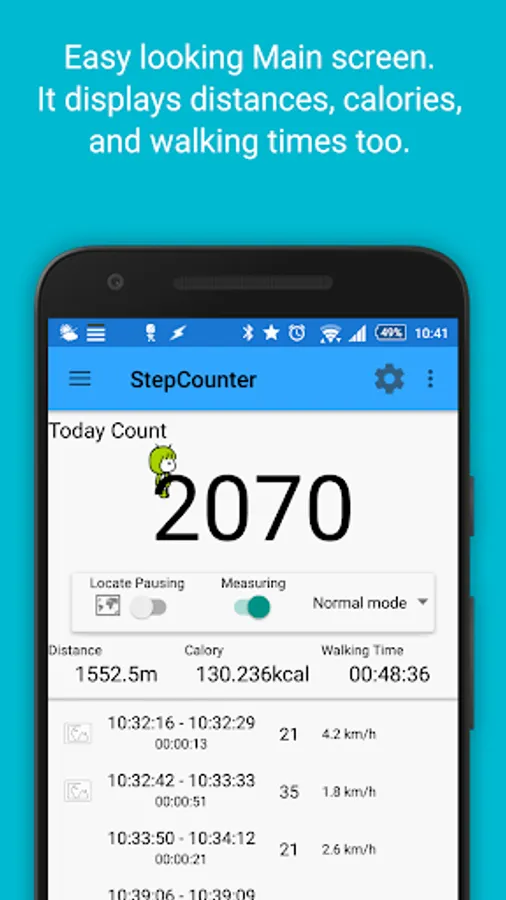
It is a pedometer using the acceleration sensor. It will continue to count in the back when you exit the app. If a model acceleration sensor is activated during sleep, it will continue to count even in sleep.
Along with the total number of steps of the day, and record together with the time of the walk start and the end of gait (up to arrive at the station from out of the house, for example) small number of steps.
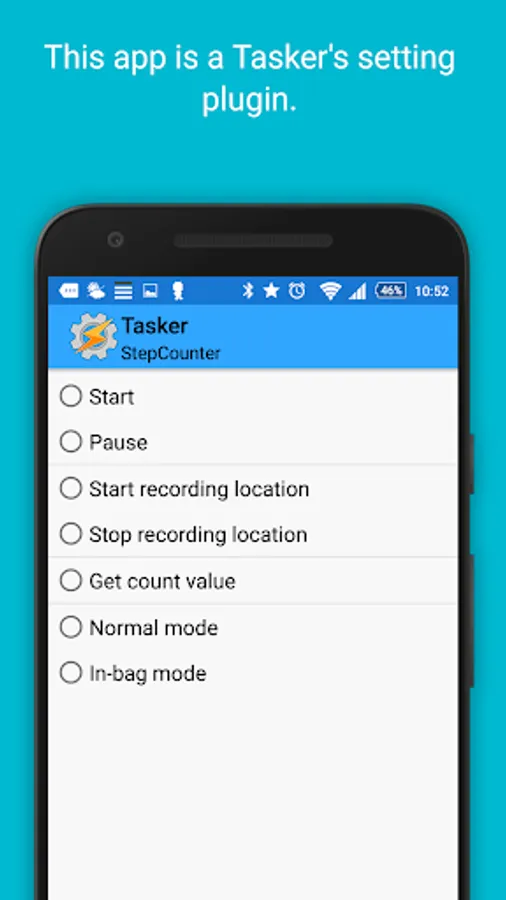
Plug-in as of Tasker, I can control the on-off of step counting from Tasker. By the notification start walking, walking the end, I can measure the cooperation with Tasker further. For example, if you lose your connection off the pedometer, and car navigation systems and aim to connect with car navigation system to turn on the BT it is determined that stops after walking 100 steps or more out of the house, and got to the parking lot, if it is connected to the car navigation system I can create a profile and resume, a pedometer.
From Ver1.80, this app can now also act as Event plugin of Tasker. When walking at the start of the walking end you will be able to generate an event to. In walking the end events, stores the counter value to the following local variables. %stepcounter_count → it up to the total number of steps of the day. %stepcounter_dist_count → number of steps from the end to walk the last time.
From Ver1.80, this app can now get the counter value at any time from Tasker. When you run the acquisition of the counter value in the action, will be stored counter value to a local variable %stepcounter_count.
From Ver1.90, I have added the trip counter function. By to flick the counter part to the left or right, you can switch today's counter and trip counter. Trip counter is a counter that can be reset at any time.
From Ver1.90, I've added the integration with Google fit. When you walked more than a certain number of steps at a time, and record the number of steps as walking to Google fit. Please specify the number of steps from the settings to enable the function. It should be noted that with this app, this app only records to Google fit. To verify the data recorded on the Google fit, please visit the Google fit in such as a web browser.
You can also use the widget.
It has been certified to Androidar official app.
https://androider.jp/official/app/4f09663c2b0d2b66/
Distance display
By setting the stride, you can view the distance walked.
Calories
By setting the weight and stride, you can see the calories burned.
Editing of walking data
I can edit the details walking data. Press and hold for more data, you can choose to edit, insert, delete, and join. For example, it like to be in one of the data binding, data of walking while you go to work from home from being divided by the signal waiting, etc. can be.
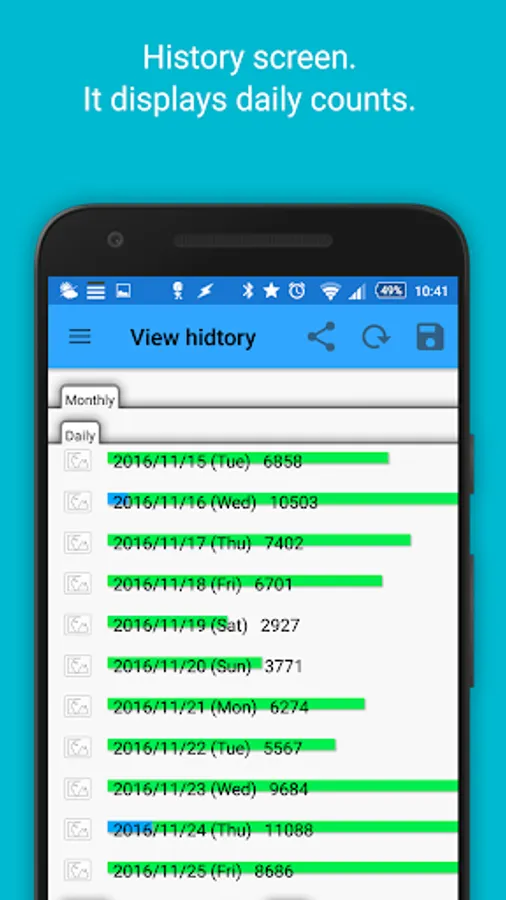
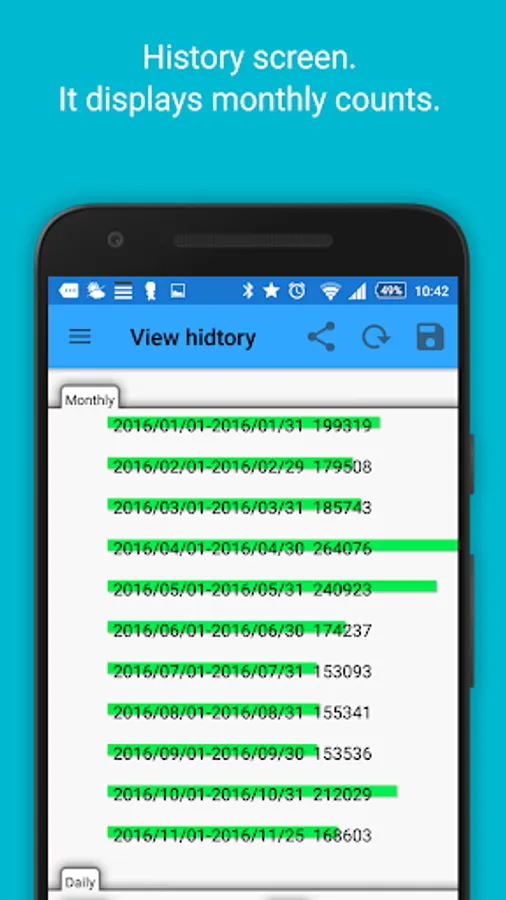
History display
On-screen half to display the fine number of steps the 1st total number of steps in the day, bottom half of the screen. If you tap any day of the half on the screen, and displayed in the lower half of the small number of steps that day.
Setting items
Notify sensor senses a walk, when you enter count: walking start notification. It is useful in cooperation with Tasker mainly. Please uncheck if notification is not required.
Notifies along with the number of steps from the start sensor once it is no longer senses the walking: walking termination notification. It is useful in cooperation with Tasker mainly. Please uncheck if notification is not required.
Count the number of steps beginning: that you do not count the number of steps as the impact of the one-off, and then start the count When you detect a number of steps to some extent. False positives noise will not reduce If you set a little too much, but walking start notification is delayed.
Sensor rate: You can count more accurately if short, but it will drain the battery. Battery power will be suppressed and long, but accuracy
Along with the total number of steps of the day, and record together with the time of the walk start and the end of gait (up to arrive at the station from out of the house, for example) small number of steps.
Plug-in as of Tasker, I can control the on-off of step counting from Tasker. By the notification start walking, walking the end, I can measure the cooperation with Tasker further. For example, if you lose your connection off the pedometer, and car navigation systems and aim to connect with car navigation system to turn on the BT it is determined that stops after walking 100 steps or more out of the house, and got to the parking lot, if it is connected to the car navigation system I can create a profile and resume, a pedometer.
From Ver1.80, this app can now also act as Event plugin of Tasker. When walking at the start of the walking end you will be able to generate an event to. In walking the end events, stores the counter value to the following local variables. %stepcounter_count → it up to the total number of steps of the day. %stepcounter_dist_count → number of steps from the end to walk the last time.
From Ver1.80, this app can now get the counter value at any time from Tasker. When you run the acquisition of the counter value in the action, will be stored counter value to a local variable %stepcounter_count.
From Ver1.90, I have added the trip counter function. By to flick the counter part to the left or right, you can switch today's counter and trip counter. Trip counter is a counter that can be reset at any time.
From Ver1.90, I've added the integration with Google fit. When you walked more than a certain number of steps at a time, and record the number of steps as walking to Google fit. Please specify the number of steps from the settings to enable the function. It should be noted that with this app, this app only records to Google fit. To verify the data recorded on the Google fit, please visit the Google fit in such as a web browser.
You can also use the widget.
It has been certified to Androidar official app.
https://androider.jp/official/app/4f09663c2b0d2b66/
Distance display
By setting the stride, you can view the distance walked.
Calories
By setting the weight and stride, you can see the calories burned.
Editing of walking data
I can edit the details walking data. Press and hold for more data, you can choose to edit, insert, delete, and join. For example, it like to be in one of the data binding, data of walking while you go to work from home from being divided by the signal waiting, etc. can be.
History display
On-screen half to display the fine number of steps the 1st total number of steps in the day, bottom half of the screen. If you tap any day of the half on the screen, and displayed in the lower half of the small number of steps that day.
Setting items
Notify sensor senses a walk, when you enter count: walking start notification. It is useful in cooperation with Tasker mainly. Please uncheck if notification is not required.
Notifies along with the number of steps from the start sensor once it is no longer senses the walking: walking termination notification. It is useful in cooperation with Tasker mainly. Please uncheck if notification is not required.
Count the number of steps beginning: that you do not count the number of steps as the impact of the one-off, and then start the count When you detect a number of steps to some extent. False positives noise will not reduce If you set a little too much, but walking start notification is delayed.
Sensor rate: You can count more accurately if short, but it will drain the battery. Battery power will be suppressed and long, but accuracy
StepCounter Pedometer Screenshots
Tap to Rate:
Reviews for StepCounter Pedometer
Steven Bare
1/13/2023
App is poorly written, bad spelling. Will not record distance, if it does it is hard to figure out.
A Google user
11/16/2017
Love this app works great with tasker! Set a night mode to turn off for when I wake and start moving because only a robot wakes up at the same time everyday!