Gaminik: Auto Screen Translate
LangBag
4.4 ★
7K ratings
500,000+
downloads
Free
+ in-app
In this translation app, you can instantly translate screen content using advanced recognition technology. Includes real-time translation, screenshot capture, and support for 76 languages.
AppRecs review analysis
AppRecs rating 4.1. Trustworthiness 78 out of 100. Review manipulation risk 32 out of 100. Based on a review sample analyzed.
★★★★☆
4.1
AppRecs Rating
Ratings breakdown
5 star
77%
4 star
10%
3 star
2%
2 star
2%
1 star
9%
What to know
✓
Credible reviews
78% trustworthiness score from analyzed reviews
✓
High user satisfaction
87% of sampled ratings are 4+ stars (4.4★ average)
⚠
Pricing complaints
Many low ratings mention paywalls or pricing
About Gaminik: Auto Screen Translate
Ad-Free Forever! Get Free Unlimited Translation Points Upon Login!
Has supported DeepL, ChatGPT, Claude, Gemini and other advanced translation engines
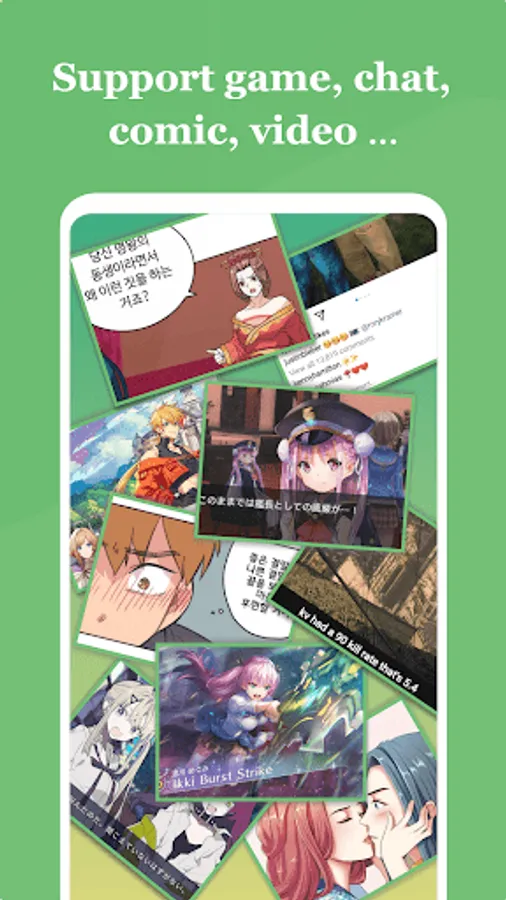
Gaminik provides the most realistic real-time translation of screen. Support translation of content such as Game, Chat, Comics, News, APP interface, Photo, etc. Support translation from 76 languages (including English, Chinese, Japanese, Korean, etc.) to 105 languages.
********
Advantage:
👍 Ad-Free experience, uninterrupted gameplay.
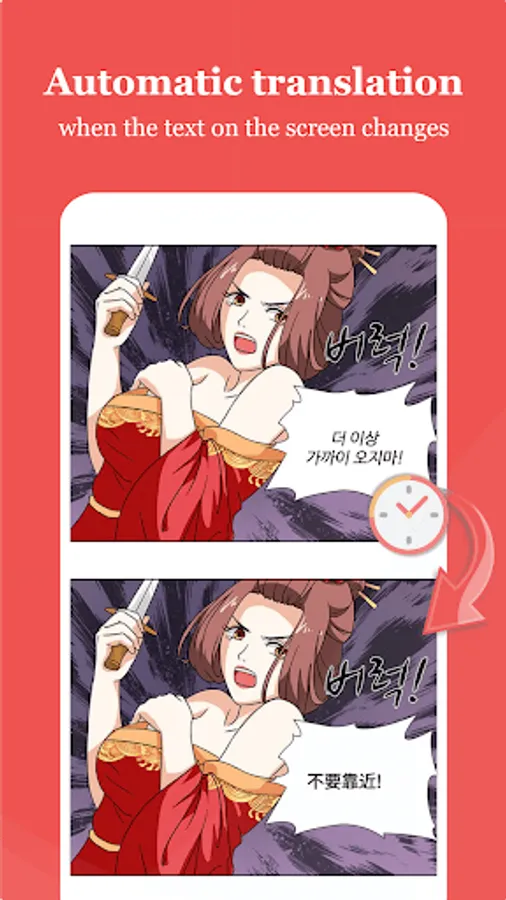
👍 Better yet, it's smarter and supports Automatic translation.
👍 More natural, the translation is integrated into the game screen, as if the game is natively supported.
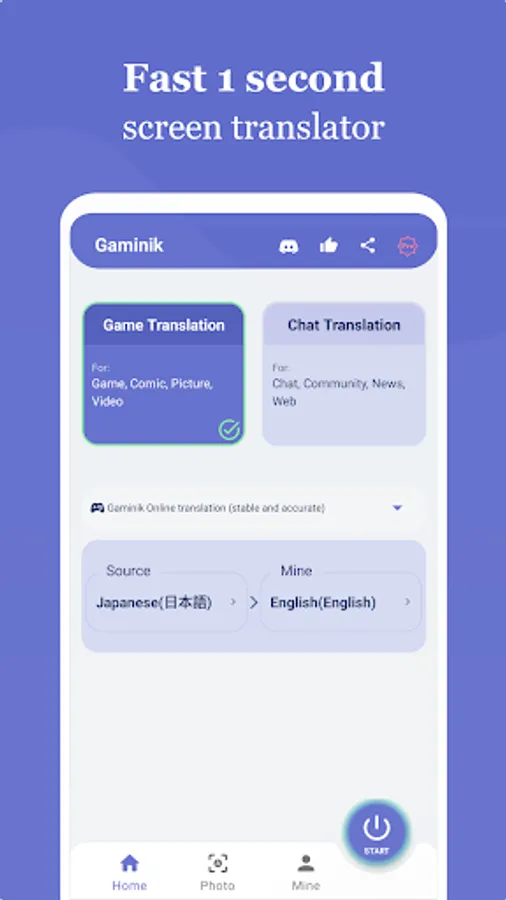
👍 Faster, the translation displayed as fast as 1 second.
👍 More accurate, with the most advanced technology used for text in screen recognition and translation.
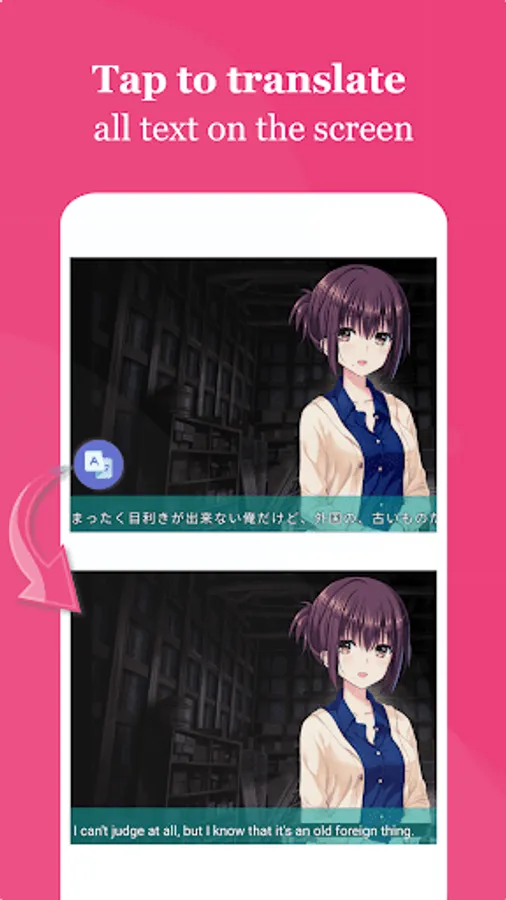
👍 Easier to use, double-tap the floating window to translate the entire screen. Translate text in input box with one tap.
👍 More versatile, supports automatic translation, partial screen translation, chat translation, photo translation, translation history, text copy, screenshot, etc.
👍 More flexible, supports adding private translation engines, cloud-based text recognition (OCR), and connection to Windows OCR.
********
More Features:
✔️ Floating Window: Double-tap for instant full-screen translation;
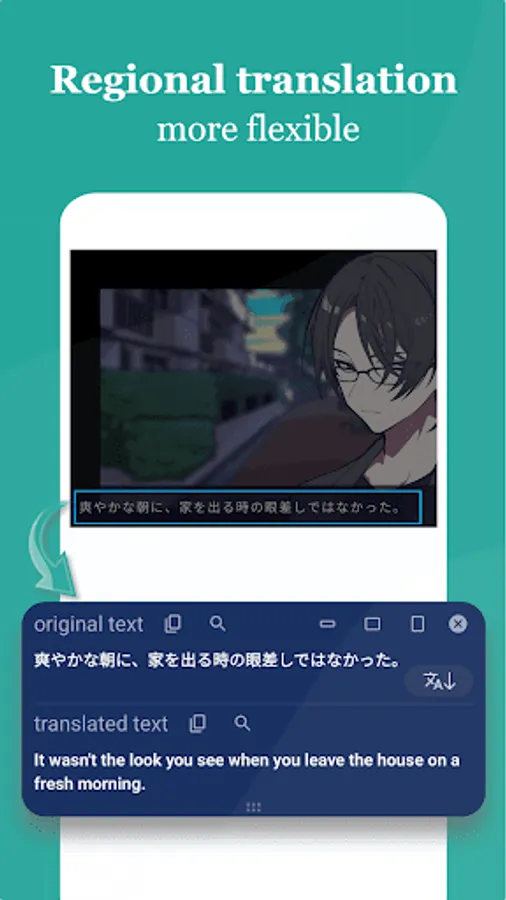
✔️ Area Selection: Translate selected screen areas for faster and more precise results;
✔️ Drag-to-Translate Icon: Supports dragging the icon onto text for quick translation;
✔️ Chat Translation: Real-time messaging translation + input box quick-translate;
✔️ Photo/Camera Translation: Scan physical text via camera or gallery images;
✔️ Offline Mode: Translation without internet connection;
✔️ 76 Language Support: Game text recognition (including Chinese, Japanese, Korean and other East Asian languages) → 105 Output Languages;
✔️ Default Local OCR: Screenshot text recognition without uploading to the internet, consumes minimal data traffic;;
✔️ Cloud & Windows OCR: Cloud-based + Windows-connected OCR for superior manga/comic text accuracy;
✔️ Private AI Translation Engines: Custom translators + private LLMs (Qwen-Turbo, Gemma 3, etc.)
********
This app uses AccessibilityService API: (android.permission.BIND_ACCESSIBILITY_SERVICE to access the text displayed on your screen to be able to translate it)
When you select "Chat Translation Mode" the app uses the AccessibilityService: (android.permission.BIND_ACCESSIBILITY_SERVICE is required to access text on the screen for translation). By default, it runs in "Universal Translation Mode" which does not use the AccessibilityService.
********
Translation support for the source languages:
English(English)
Spanish(español)
Portuguese(Português)
Chinese(中文)
French(français)
German(Deutsch)
Italian(italiano)
Russian(русский)
Japanese(日本語)
Korean(한국어)
Turkish(Türkçe)
Dutch(Nederlands)
Polish(polski)
Indonesian(Bahasa Indonesia)
Vietnamese(Tiếng Việt)
Hindi(हिंदी)
Swedish(svenska)
Czech(čeština)
Danish(dansk)
Romanian(română)
Hungarian(magyar)
Finnish(suomi)
Malay(Bahasa Malaysia)
Slovak(slovenčina)
Croatian(hrvatski)
Catalan(català)
Lithuanian(lietuvių)
Slovenian(slovenski)
Marathi(मराठी)
Latvian(latviešu)
...
and more 40+ languages
Has supported DeepL, ChatGPT, Claude, Gemini and other advanced translation engines
Gaminik provides the most realistic real-time translation of screen. Support translation of content such as Game, Chat, Comics, News, APP interface, Photo, etc. Support translation from 76 languages (including English, Chinese, Japanese, Korean, etc.) to 105 languages.
********
Advantage:
👍 Ad-Free experience, uninterrupted gameplay.
👍 Better yet, it's smarter and supports Automatic translation.
👍 More natural, the translation is integrated into the game screen, as if the game is natively supported.
👍 Faster, the translation displayed as fast as 1 second.
👍 More accurate, with the most advanced technology used for text in screen recognition and translation.
👍 Easier to use, double-tap the floating window to translate the entire screen. Translate text in input box with one tap.
👍 More versatile, supports automatic translation, partial screen translation, chat translation, photo translation, translation history, text copy, screenshot, etc.
👍 More flexible, supports adding private translation engines, cloud-based text recognition (OCR), and connection to Windows OCR.
********
More Features:
✔️ Floating Window: Double-tap for instant full-screen translation;
✔️ Area Selection: Translate selected screen areas for faster and more precise results;
✔️ Drag-to-Translate Icon: Supports dragging the icon onto text for quick translation;
✔️ Chat Translation: Real-time messaging translation + input box quick-translate;
✔️ Photo/Camera Translation: Scan physical text via camera or gallery images;
✔️ Offline Mode: Translation without internet connection;
✔️ 76 Language Support: Game text recognition (including Chinese, Japanese, Korean and other East Asian languages) → 105 Output Languages;
✔️ Default Local OCR: Screenshot text recognition without uploading to the internet, consumes minimal data traffic;;
✔️ Cloud & Windows OCR: Cloud-based + Windows-connected OCR for superior manga/comic text accuracy;
✔️ Private AI Translation Engines: Custom translators + private LLMs (Qwen-Turbo, Gemma 3, etc.)
********
This app uses AccessibilityService API: (android.permission.BIND_ACCESSIBILITY_SERVICE to access the text displayed on your screen to be able to translate it)
When you select "Chat Translation Mode" the app uses the AccessibilityService: (android.permission.BIND_ACCESSIBILITY_SERVICE is required to access text on the screen for translation). By default, it runs in "Universal Translation Mode" which does not use the AccessibilityService.
********
Translation support for the source languages:
English(English)
Spanish(español)
Portuguese(Português)
Chinese(中文)
French(français)
German(Deutsch)
Italian(italiano)
Russian(русский)
Japanese(日本語)
Korean(한국어)
Turkish(Türkçe)
Dutch(Nederlands)
Polish(polski)
Indonesian(Bahasa Indonesia)
Vietnamese(Tiếng Việt)
Hindi(हिंदी)
Swedish(svenska)
Czech(čeština)
Danish(dansk)
Romanian(română)
Hungarian(magyar)
Finnish(suomi)
Malay(Bahasa Malaysia)
Slovak(slovenčina)
Croatian(hrvatski)
Catalan(català)
Lithuanian(lietuvių)
Slovenian(slovenski)
Marathi(मराठी)
Latvian(latviešu)
...
and more 40+ languages
Gaminik: Auto Screen Translate Screenshots
Tap to Rate:
Reviews for Gaminik: Auto Screen Translate
Kingshuk Jana
2/20/2026
This app has been detected as potential keylogger app by various mobile banking apps.
Kent Vasquezzz
2/16/2026
enable a one-time purchase