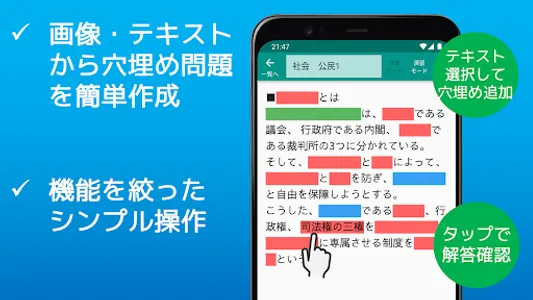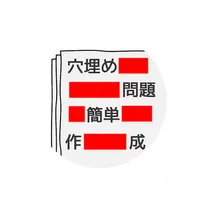
This is an app that allows you to easily create fill-in-the-blank questions by simply selecting and hiding text data from printouts and teaching materials taken with a camera.
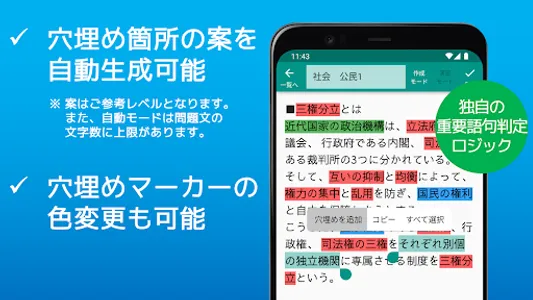
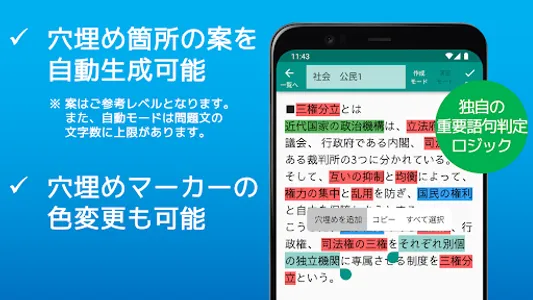
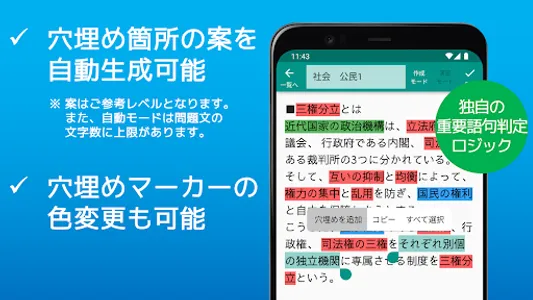
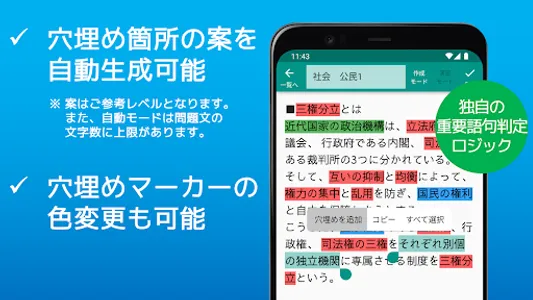
It is also possible to automatically generate a proposal for filling in the blanks by determining important words and phrases using our own logic.
It was developed from the desire to reduce the time to create memorization tools as much as possible and to allow more time to be used for memorization training.
*The automatically generated hole-filling plan is for reference only. You can also manually modify the automatically generated results. Also, in automatic creation mode, there is an upper limit to the number of characters in the question text. If you change the setting to manual creation mode, the number of characters can be unlimited.
You can use it to memorize school tests and qualification exams by making use of your free time while traveling. It is convenient because you don't need to write and you can create memorization problems without soiling the materials.
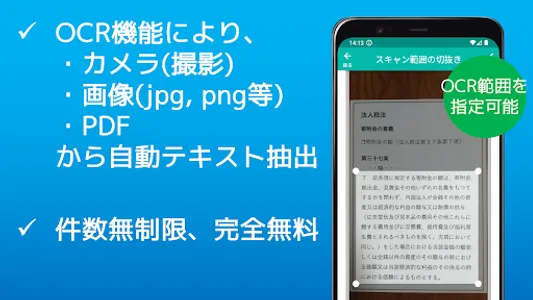
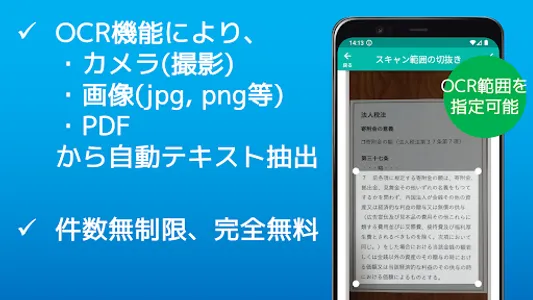
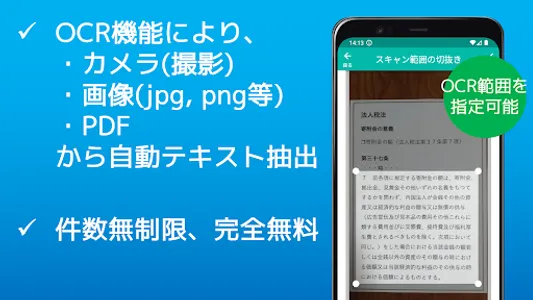
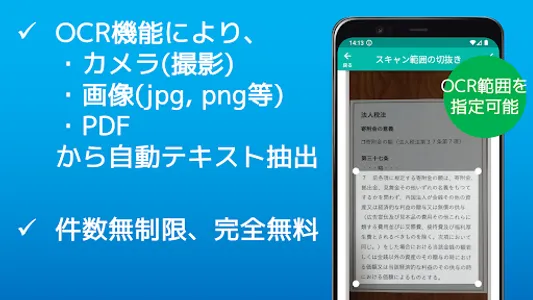
It can be used completely free of charge, and the question data can be read in four ways: taking a picture, image file, PDF file, and inputting/pasting existing text data.
Text data is extracted by the OCR function when reading a photograph, an image, and PDF.
*Conditions of use
When extracting text from images with the OCR function, you need to sign in to Google Drive with your own Google account (*).
Image data is only sent to your own Google Drive and is not sent to the developer's external server, so you can use it with confidence.
* Google and Google Drive are trademarks or registered trademarks of Google Inc.
(1) Shoot → (2) Hide (automatically possible) → (3) Remember! Since it focuses on a simple function (opening and closing the fill-in marker), there are no complicated scoring functions or setting functions, but it is very easy to operate.
Additional features include:
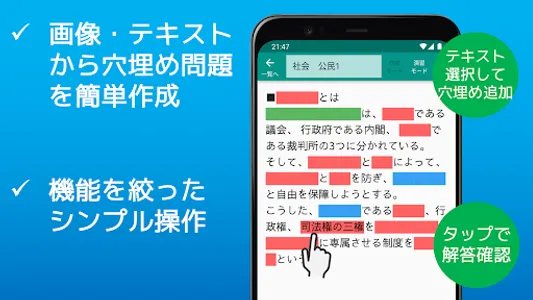
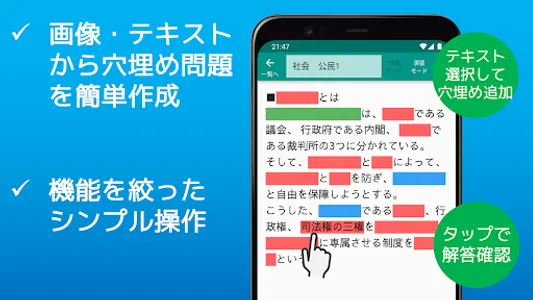
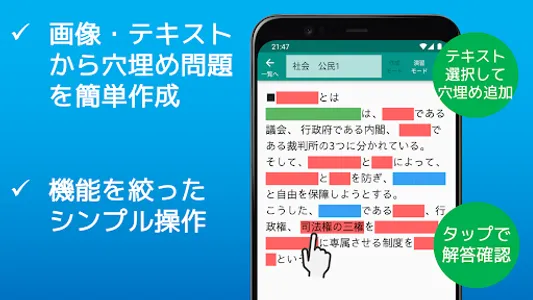
●Fill-in-the-blank markers can be easily added by selecting the question text.
- The hole-filling marker can be opened and closed with a tap, making it an intuitive operation.
●There are two modes, practice mode and creation mode, and markers cannot be edited during practice mode, so there is no fear of accidentally adding or deleting them.
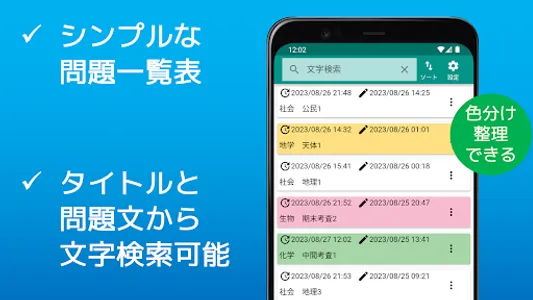
●Because the color of the marker can be changed, it is possible to distinguish depending on the situation, such as questions that have been answered correctly and questions that you want to review.
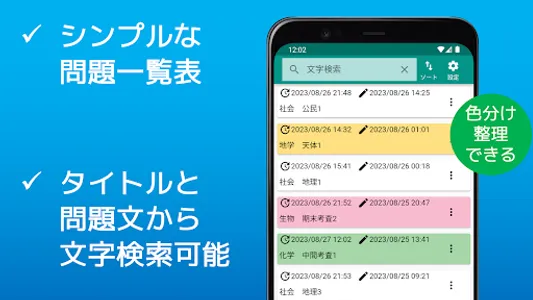
●You can give a title to each question. By default, the first 20 characters of the question text are automatically entered.
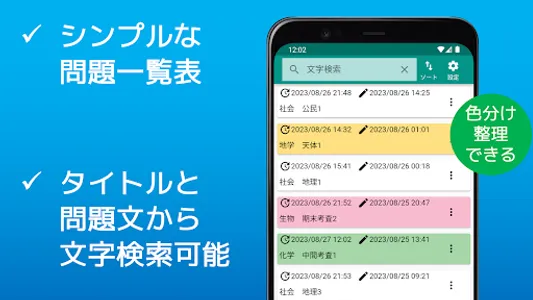
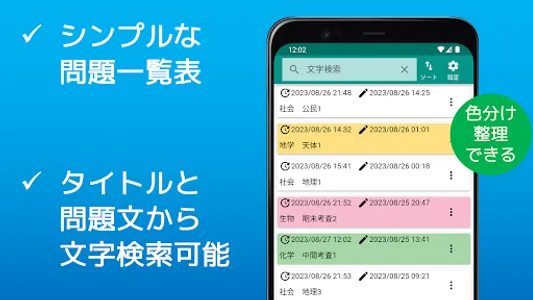
Since there is no character limit, it can also be used as a memo field. The characters entered in the title column will be subject to character search on the list screen along with the text of the problem statement.
●You can save the captured image in the gallery folder of the terminal.
●On the question card list screen, you can change the color of the card to distinguish the types of questions.
●Question cards can be sorted by creation date, update date, and title character code order.
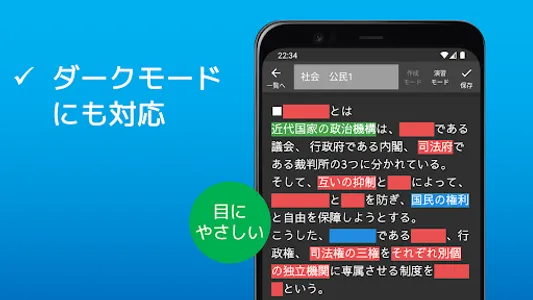
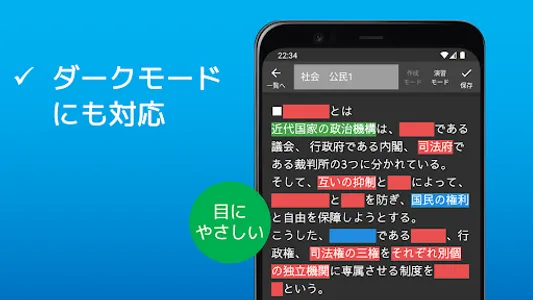
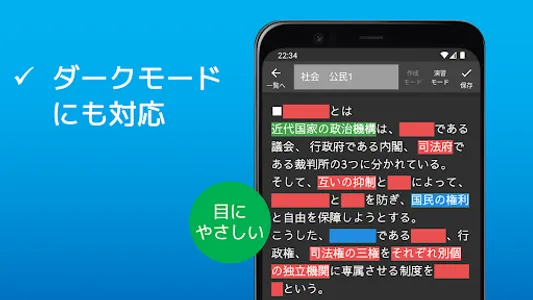
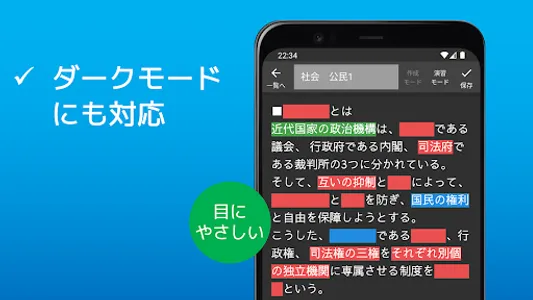
● You can also switch to dark mode.
◎It is recommended for such people.
・ Those who want to save as much time as possible to create a memorization tool
・ Those who are looking for an app that automatically creates fill-in-the-blank questions
・ Those who want to spend more time on memorizing than creating a memorization tool
・ Those who want a memorization tool for studying for school tests
・ Those who want a memorization tool for qualification exams
・ Those who want to study while commuting to work or school
・ Those who want to easily create and solve problems even when they are out
・ Those who find it troublesome to hide the marker with a red sheet
・ Those who want to make memorization problems for children
・ Those who want to create original fill-in-the-blank questions that suit them
・ Those who want to create memorization problems from PDFs and images
・ Those who want to search the text of the problem sentence
・ Those who want to learn memorization only with a smartphone
・People who want simple functions with simple operation
・ Those who want to memorize school prints without soiling them
・Those who want to quickly create a fill-in-the-blank problem
・ Those who want to use a completely free memorization tool
It is also possible to automatically generate a proposal for filling in the blanks by determining important words and phrases using our own logic.
It was developed from the desire to reduce the time to create memorization tools as much as possible and to allow more time to be used for memorization training.
*The automatically generated hole-filling plan is for reference only. You can also manually modify the automatically generated results. Also, in automatic creation mode, there is an upper limit to the number of characters in the question text. If you change the setting to manual creation mode, the number of characters can be unlimited.
You can use it to memorize school tests and qualification exams by making use of your free time while traveling. It is convenient because you don't need to write and you can create memorization problems without soiling the materials.
It can be used completely free of charge, and the question data can be read in four ways: taking a picture, image file, PDF file, and inputting/pasting existing text data.
Text data is extracted by the OCR function when reading a photograph, an image, and PDF.
*Conditions of use
When extracting text from images with the OCR function, you need to sign in to Google Drive with your own Google account (*).
Image data is only sent to your own Google Drive and is not sent to the developer's external server, so you can use it with confidence.
* Google and Google Drive are trademarks or registered trademarks of Google Inc.
(1) Shoot → (2) Hide (automatically possible) → (3) Remember! Since it focuses on a simple function (opening and closing the fill-in marker), there are no complicated scoring functions or setting functions, but it is very easy to operate.
Additional features include:
●Fill-in-the-blank markers can be easily added by selecting the question text.
- The hole-filling marker can be opened and closed with a tap, making it an intuitive operation.
●There are two modes, practice mode and creation mode, and markers cannot be edited during practice mode, so there is no fear of accidentally adding or deleting them.
●Because the color of the marker can be changed, it is possible to distinguish depending on the situation, such as questions that have been answered correctly and questions that you want to review.
●You can give a title to each question. By default, the first 20 characters of the question text are automatically entered.
Since there is no character limit, it can also be used as a memo field. The characters entered in the title column will be subject to character search on the list screen along with the text of the problem statement.
●You can save the captured image in the gallery folder of the terminal.
●On the question card list screen, you can change the color of the card to distinguish the types of questions.
●Question cards can be sorted by creation date, update date, and title character code order.
● You can also switch to dark mode.
◎It is recommended for such people.
・ Those who want to save as much time as possible to create a memorization tool
・ Those who are looking for an app that automatically creates fill-in-the-blank questions
・ Those who want to spend more time on memorizing than creating a memorization tool
・ Those who want a memorization tool for studying for school tests
・ Those who want a memorization tool for qualification exams
・ Those who want to study while commuting to work or school
・ Those who want to easily create and solve problems even when they are out
・ Those who find it troublesome to hide the marker with a red sheet
・ Those who want to make memorization problems for children
・ Those who want to create original fill-in-the-blank questions that suit them
・ Those who want to create memorization problems from PDFs and images
・ Those who want to search the text of the problem sentence
・ Those who want to learn memorization only with a smartphone
・People who want simple functions with simple operation
・ Those who want to memorize school prints without soiling them
・Those who want to quickly create a fill-in-the-blank problem
・ Those who want to use a completely free memorization tool
Show More