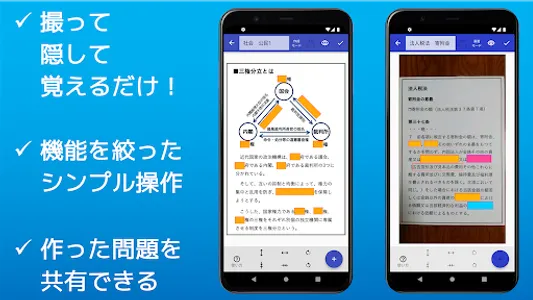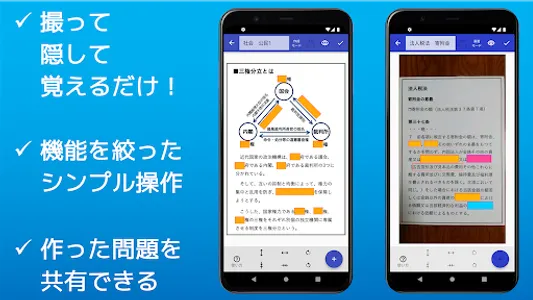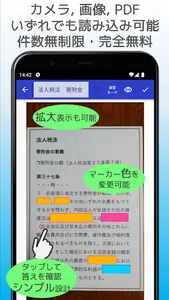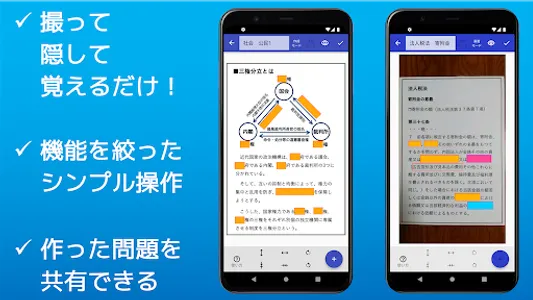
This is an app that allows you to create fill-in-the-blank questions by taking a picture of a printout or teaching material with a camera and hiding the part you want to memorize with a marker.
You can use it for memorization learning of school tests and qualification exams. It is convenient because you don't need to write anything and you can create memorization problems without soiling the materials.
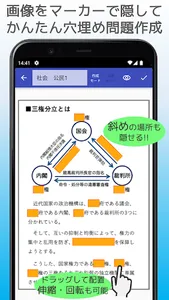
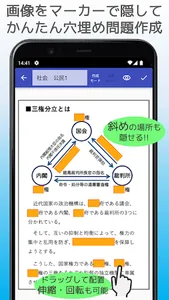
It is completely free to use, and you can import images and PDF files saved on your smartphone, and you can place up to 100 markers per image.
Anyway, ① Take a picture → ② Hide (place a marker) → ③ Remember! Since we focused on a simple function (opening and closing the marker), there are no complicated scoring functions or setting functions, but the operation is very easy.
Additional features include:
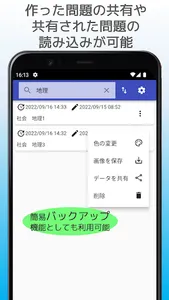
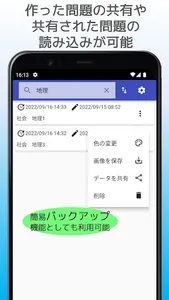
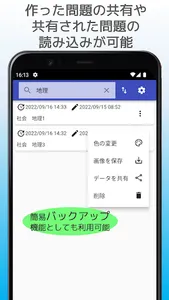
●There is a sharing function, and you can compress the created question into a compressed file and send it to other users. You can also import issues shared by other users.
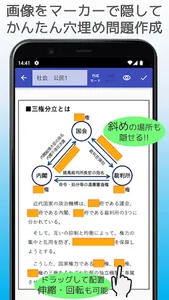
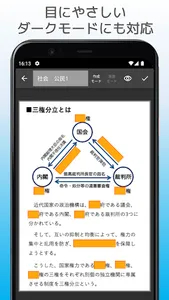
●Because the marker can be freely rotated, oblique characters and figures can also be hidden. Therefore, you can hide even photos taken at an angle without worrying about it.
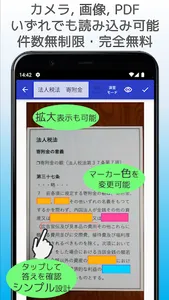
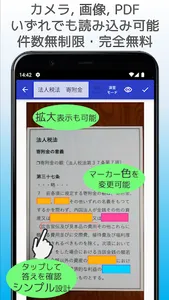
- The marker can be opened and closed by tapping, and it is designed to be operated intuitively.
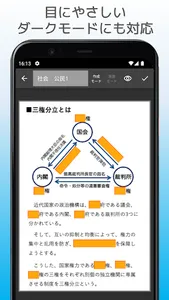
●There are two modes, practice mode and creation mode, and markers cannot be edited during practice mode, so there is no fear of accidentally moving or deleting them.
●Pinch in and pinch out to enlarge/reduce the image. This is useful for fine-tuning the range to hide when the characters in the image are small.
●Since the size and rotation of the marker can be changed using the buttons at the bottom of the screen, you can easily make subtle adjustments.
●Because the color of the marker can be changed, it is possible to distinguish depending on the situation, such as questions that have been answered correctly and questions that you want to review.
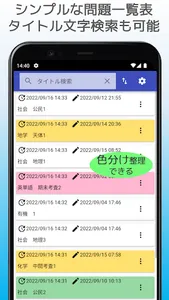
●You can give a title to each question. Since there is no character limit, it can also be used as a memo field. You can search for the characters entered in the title field using the character search on the list screen described later.
●You can save the captured image in the gallery folder of the terminal.
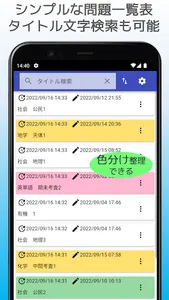
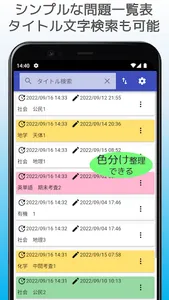
●On the question card list screen, you can change the color of the card to distinguish the types of questions.
●You can search for characters in the title column.
●Question cards can be sorted by creation date, update date, and title character code order.
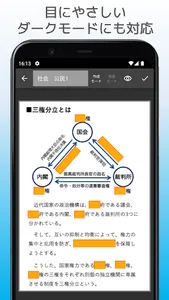
● You can also switch to dark mode.
◎It is recommended for such people.
・ Those who want a memorization tool for studying for school tests
・ Those who want a memorization tool for qualification exams
・ Those who want to study while commuting to work or school
・ Those who want to easily create and solve problems even when they are out
・ Those who find it troublesome to hide the marker with a red sheet
・ Those who want to make memorization problems for children
・ Those who want to create original fill-in-the-blank questions that suit them
・Those who want to make and exchange fill-in-the-blank problems with friends
・ Those who want to create memorization problems from PDFs and images
・ Those who want to learn memorization only with a smartphone
・People who want simple functions with simple operation
・ Those who want to memorize school prints without soiling them
・Those who want to quickly create a fill-in-the-blank problem
・Those who want to use without limit to the number of hiding places
・ Those who want to share the created problem with friends
・ Those who want to make subtle adjustments to the position and size of the marker
・ Those who want to use a completely free memorization tool
・Those who want to create problems while enlarging/reducing images
You can use it for memorization learning of school tests and qualification exams. It is convenient because you don't need to write anything and you can create memorization problems without soiling the materials.
It is completely free to use, and you can import images and PDF files saved on your smartphone, and you can place up to 100 markers per image.
Anyway, ① Take a picture → ② Hide (place a marker) → ③ Remember! Since we focused on a simple function (opening and closing the marker), there are no complicated scoring functions or setting functions, but the operation is very easy.
Additional features include:
●There is a sharing function, and you can compress the created question into a compressed file and send it to other users. You can also import issues shared by other users.
●Because the marker can be freely rotated, oblique characters and figures can also be hidden. Therefore, you can hide even photos taken at an angle without worrying about it.
- The marker can be opened and closed by tapping, and it is designed to be operated intuitively.
●There are two modes, practice mode and creation mode, and markers cannot be edited during practice mode, so there is no fear of accidentally moving or deleting them.
●Pinch in and pinch out to enlarge/reduce the image. This is useful for fine-tuning the range to hide when the characters in the image are small.
●Since the size and rotation of the marker can be changed using the buttons at the bottom of the screen, you can easily make subtle adjustments.
●Because the color of the marker can be changed, it is possible to distinguish depending on the situation, such as questions that have been answered correctly and questions that you want to review.
●You can give a title to each question. Since there is no character limit, it can also be used as a memo field. You can search for the characters entered in the title field using the character search on the list screen described later.
●You can save the captured image in the gallery folder of the terminal.
●On the question card list screen, you can change the color of the card to distinguish the types of questions.
●You can search for characters in the title column.
●Question cards can be sorted by creation date, update date, and title character code order.
● You can also switch to dark mode.
◎It is recommended for such people.
・ Those who want a memorization tool for studying for school tests
・ Those who want a memorization tool for qualification exams
・ Those who want to study while commuting to work or school
・ Those who want to easily create and solve problems even when they are out
・ Those who find it troublesome to hide the marker with a red sheet
・ Those who want to make memorization problems for children
・ Those who want to create original fill-in-the-blank questions that suit them
・Those who want to make and exchange fill-in-the-blank problems with friends
・ Those who want to create memorization problems from PDFs and images
・ Those who want to learn memorization only with a smartphone
・People who want simple functions with simple operation
・ Those who want to memorize school prints without soiling them
・Those who want to quickly create a fill-in-the-blank problem
・Those who want to use without limit to the number of hiding places
・ Those who want to share the created problem with friends
・ Those who want to make subtle adjustments to the position and size of the marker
・ Those who want to use a completely free memorization tool
・Those who want to create problems while enlarging/reducing images
Show More