With this communication app, you can answer and end calls using gestures like shaking or flipping, and control the speakerphone automatically. Includes gesture settings, language options, and customizable sensitivity.
AppRecs review analysis
AppRecs rating 2.7. Trustworthiness 0 out of 100. Review manipulation risk 0 out of 100. Based on a review sample analyzed.
★★☆☆☆
2.7
AppRecs Rating
Ratings breakdown
5 star
38%
4 star
0%
3 star
6%
2 star
6%
1 star
50%
What to know
✓
Authentic reviews
No red flags detected
⚠
Mixed user feedback
Average 2.7★ rating suggests room for improvement
⚠
High negative review ratio
56% of sampled ratings are 1–2 stars
About Easy Answer
Easy Answer allows you to easily answer phone calls and intelligently control the speaker phone.
Easy Answer supports the following features:
--New Features--
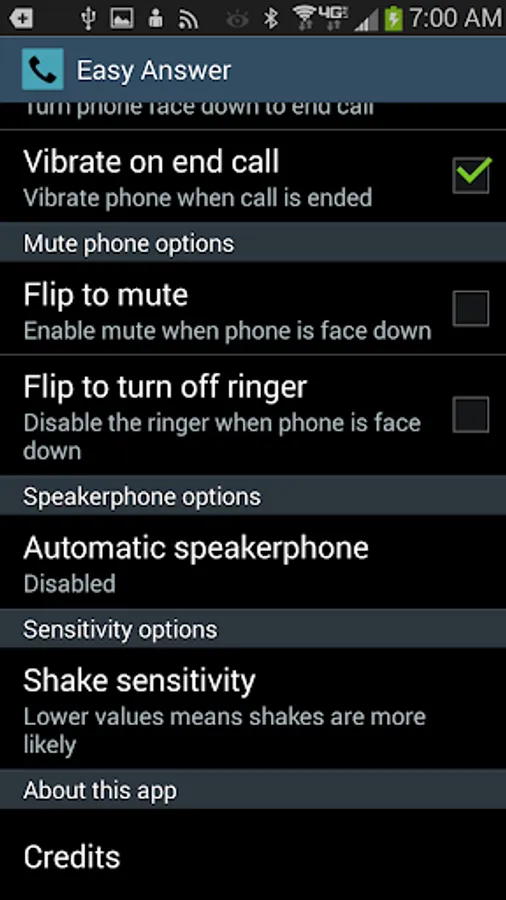
Flip to mute.
Flip to turn off ringer for an incoming call.
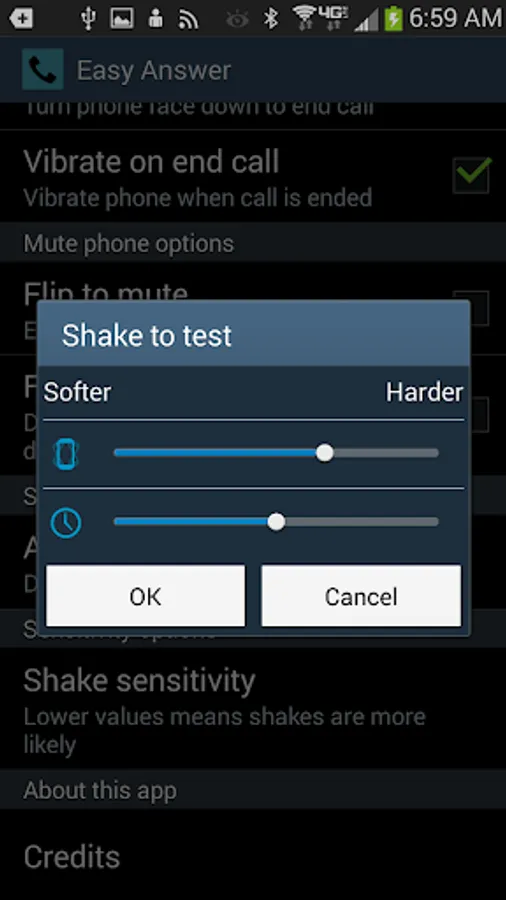
Shake test.
Russian translation.
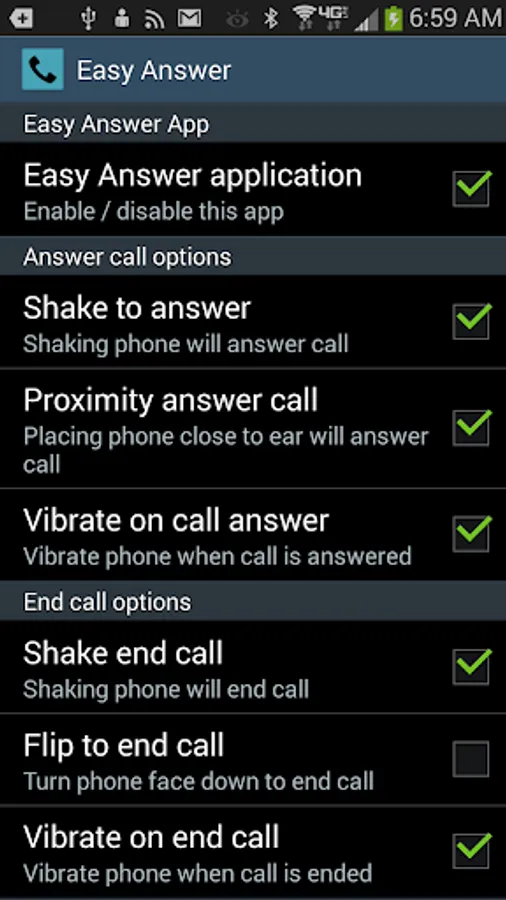
• Answer incoming phone call by shaking device.
• Answer incoming phone call by placing device close to ear.
• End call by shaking device.
• End call by placing phone upside down.
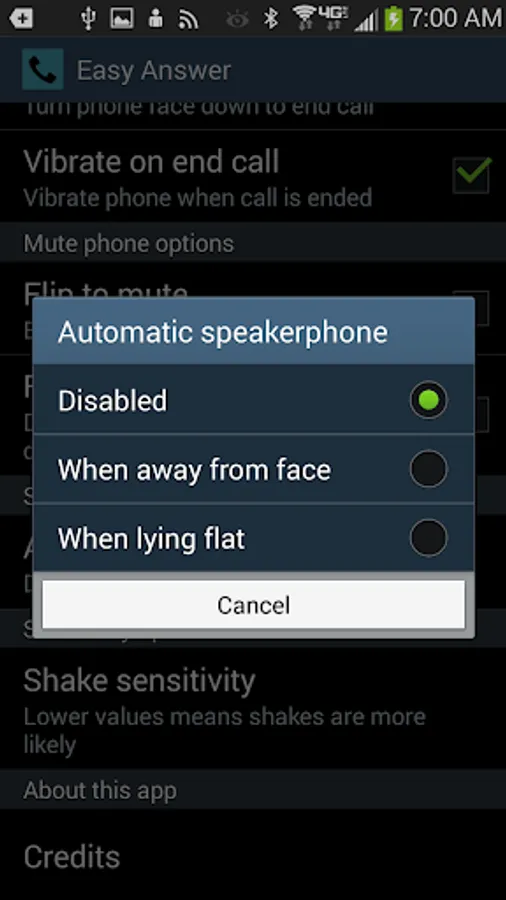
• Automatically enable the speaker phone when phone lies flat.
• Automatically disable the speaker phone when phone is not flat.
• Automatically enable the speaker phone when phone is away from your ear.
• Automatically disable the speaker phone when phone is close to your ear.
• Adjust the amount of shaking required to answer / end calls.
• All features can be enabled or disabled.
Yes, there are other apps on the market that do the same thing so why choose mine?
• This application has been carefully tested and works.
• Efficient. It will not burn through your battery.
• Easy answer is only active on phone calls and will not be silently running in the background at other times.
• Does NOT require internet access or access to your contacts.
If you like my app, please rate it. I love the feedback.
Enjoy.
Please note that shake to end call may not work if device is asleep. It depends on the phone manufacturer.
Easy Answer supports the following features:
--New Features--
Flip to mute.
Flip to turn off ringer for an incoming call.
Shake test.
Russian translation.
• Answer incoming phone call by shaking device.
• Answer incoming phone call by placing device close to ear.
• End call by shaking device.
• End call by placing phone upside down.
• Automatically enable the speaker phone when phone lies flat.
• Automatically disable the speaker phone when phone is not flat.
• Automatically enable the speaker phone when phone is away from your ear.
• Automatically disable the speaker phone when phone is close to your ear.
• Adjust the amount of shaking required to answer / end calls.
• All features can be enabled or disabled.
Yes, there are other apps on the market that do the same thing so why choose mine?
• This application has been carefully tested and works.
• Efficient. It will not burn through your battery.
• Easy answer is only active on phone calls and will not be silently running in the background at other times.
• Does NOT require internet access or access to your contacts.
If you like my app, please rate it. I love the feedback.
Enjoy.
Please note that shake to end call may not work if device is asleep. It depends on the phone manufacturer.