With this note organizer app, you can create, categorize, and protect notes with tags, folders, and passcodes. Includes features like reminders, attachments, and customizable themes.
AppRecs review analysis
AppRecs rating 4.6. Trustworthiness 48 out of 100. Review manipulation risk 42 out of 100. Based on a review sample analyzed.
★★★★☆
4.6
AppRecs Rating
Ratings breakdown
5 star
84%
4 star
3%
3 star
3%
2 star
0%
1 star
10%
What to know
⚠
Questionable review patterns
42% review manipulation risk - some review patterns appear unusual
⚠
Rating authenticity concerns
High rating concentration (84% 5-star) in sampled ratings
⚠
Review quality concerns
41% of sampled 5-star reviews are very short
About Amazing Note
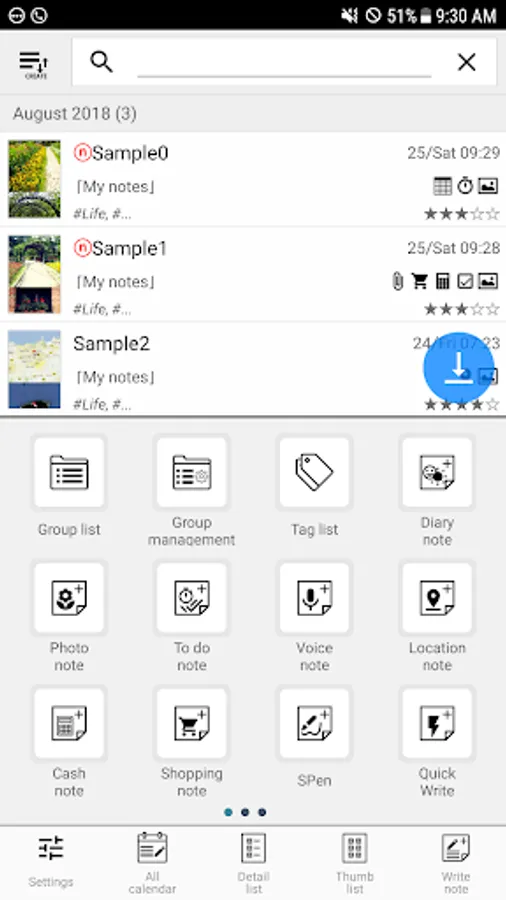
Amazing Note is an integrated organizer of your life.
The smarter, faster, powerful, easier way to Note!
Amazing Notes is the most convenient note app for android.
Experience Amazing Note. Your life will be smart.
[Main features]
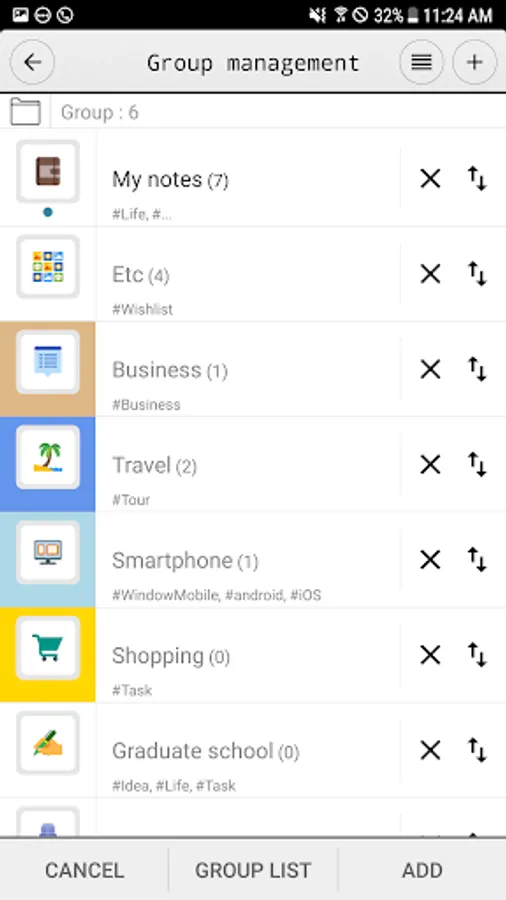
- Group(Folder)
- Tags for each note / Group
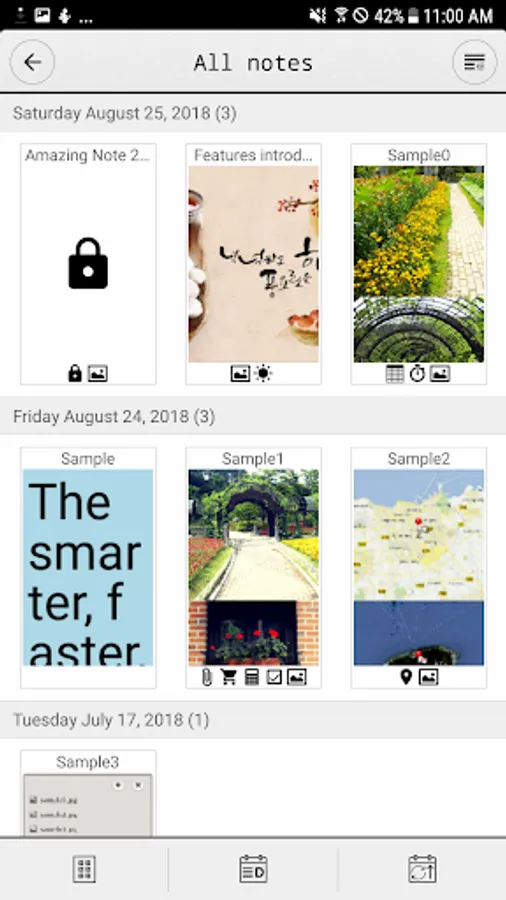
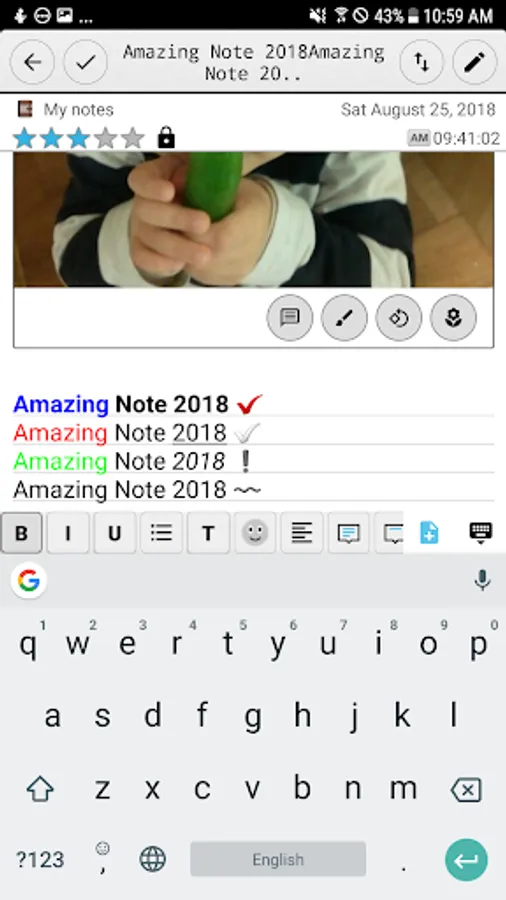
- Passcode protection in start-up screen and for each Group
- Clickable links (web / email address / phone number) in read-only mode
- Insert data/time/phone number
- Lunar date
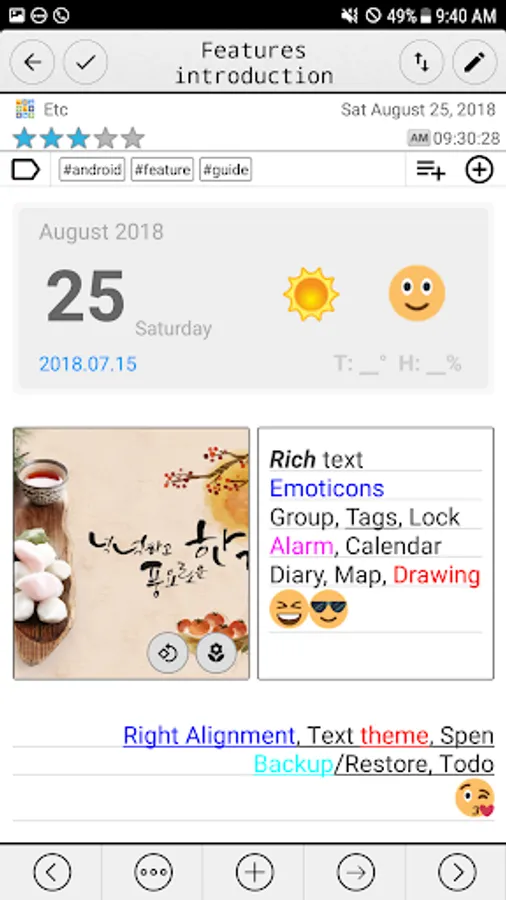
- Theme (customize text size, color, style, line spacing)
- Multiple various notes (photo, audio, table, map, attachment, shopping, cash, ..)
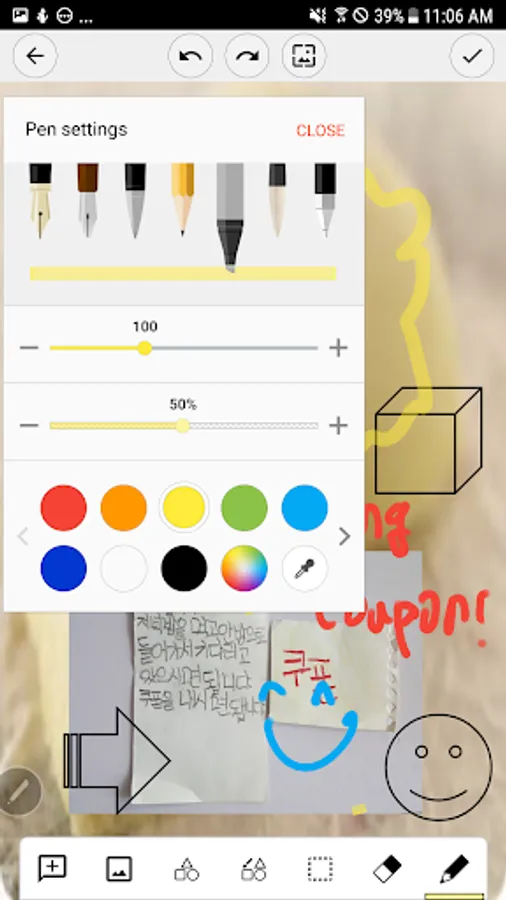
- Paint notes - Draw notes using your finger
- Attach multiple note files
- Todo / To-do
- Table style note
- Auto-save note
- Send notes via text(image) message
- Powerful Reminder : Time Alarm, All day, Repetition.(lunar calendar)
- Anniversary, D-day
- Reminder on status bar
- Template
- Shortcuts to home screen
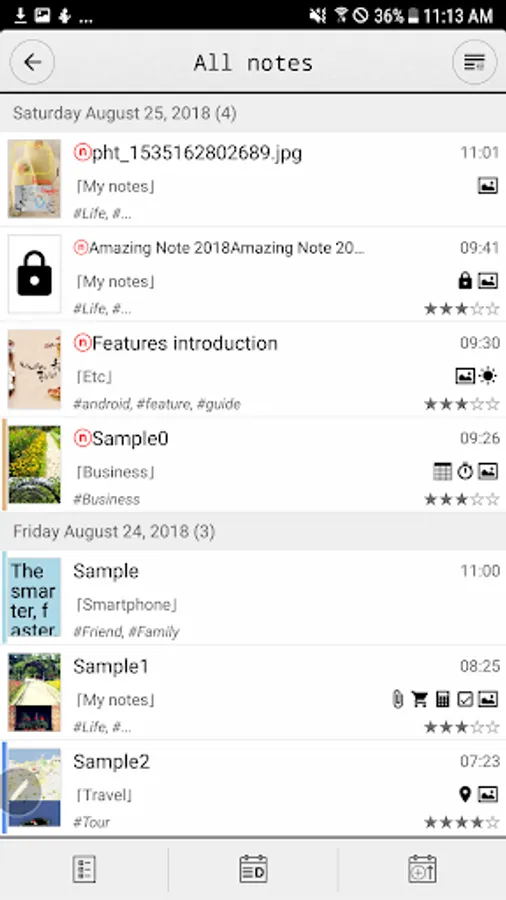
- Switch between list view and thumbnail view
- Various list view
- Sort by creation time/modify time, alphabetical, priority
- Sort notes for easier filtering
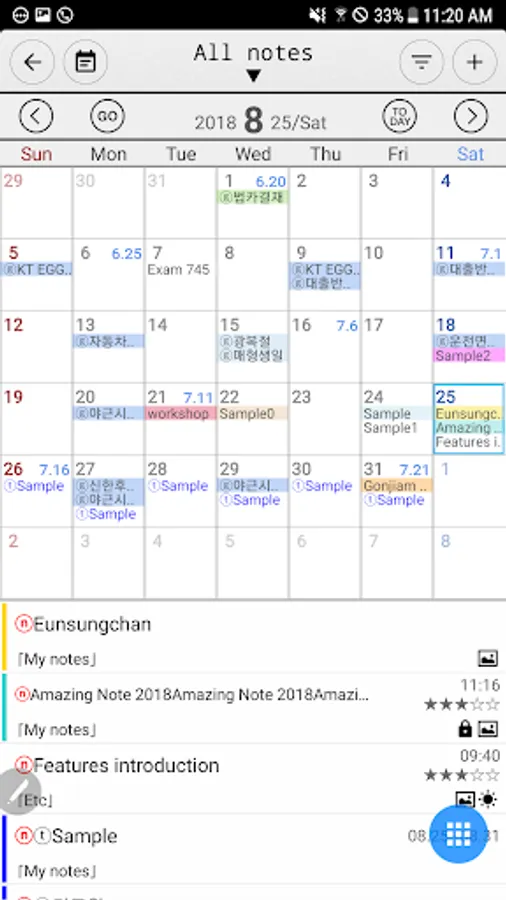
- Display To-dos, Notes, Events, Photos, Voices, Etc in Calendar
- Visibility filter for calendar and note list
- Image Export (Calendar)
- Support Anniversary Note(lunar) & Diary Note
- Expenses for congratulations and condolence
- Mission statement
- Backup/Restore
- Search all notes contents
- Advanced Search (full text, date, priority, tag, group)
[Guidance on Permissions]
1. Use the MANAGE_EXTERNAL_STORAGE permission to access files such as photos/voices attached to backup/restore and notes on devices with Android 12 or higher. (all file access rights)
2. Use READ_CONTACTS permission to get and add user's contact information to notes.
3. Use the CAMERA permission to take a picture and attach it to a memo.
4. Use the RECORD_AUDIO permission to record voices and attach them to notes.
5. Use READ_CALENDAR, WRITE_CALENDAR privileges to display, add or change the user's calendar (calendar).
6. Use the GET_ACCOUNTS permission to access the user's Google account and get schedules, etc.
7. Access the external memory to attach files such as photos and documents to the memo. Use READ_EXTERNAL_STORAGE, WRITE_EXTERNAL_STORAGE permissions.
8. Access external memory to back up and restore data. Use READ_EXTERNAL_STORAGE, WRITE_EXTERNAL_STORAGE permissions.
9. Use the ACCESS_COARSE_LOCATION and ACCESS_FINE_LOCATION permissions to attach the user's location information (latitude/longitude, address, map) to the memo.
※ We do not collect, process, or transmit any data after obtaining permission (1-9).
The smarter, faster, powerful, easier way to Note!
Amazing Notes is the most convenient note app for android.
Experience Amazing Note. Your life will be smart.
[Main features]
- Group(Folder)
- Tags for each note / Group
- Passcode protection in start-up screen and for each Group
- Clickable links (web / email address / phone number) in read-only mode
- Insert data/time/phone number
- Lunar date
- Theme (customize text size, color, style, line spacing)
- Multiple various notes (photo, audio, table, map, attachment, shopping, cash, ..)
- Paint notes - Draw notes using your finger
- Attach multiple note files
- Todo / To-do
- Table style note
- Auto-save note
- Send notes via text(image) message
- Powerful Reminder : Time Alarm, All day, Repetition.(lunar calendar)
- Anniversary, D-day
- Reminder on status bar
- Template
- Shortcuts to home screen
- Switch between list view and thumbnail view
- Various list view
- Sort by creation time/modify time, alphabetical, priority
- Sort notes for easier filtering
- Display To-dos, Notes, Events, Photos, Voices, Etc in Calendar
- Visibility filter for calendar and note list
- Image Export (Calendar)
- Support Anniversary Note(lunar) & Diary Note
- Expenses for congratulations and condolence
- Mission statement
- Backup/Restore
- Search all notes contents
- Advanced Search (full text, date, priority, tag, group)
[Guidance on Permissions]
1. Use the MANAGE_EXTERNAL_STORAGE permission to access files such as photos/voices attached to backup/restore and notes on devices with Android 12 or higher. (all file access rights)
2. Use READ_CONTACTS permission to get and add user's contact information to notes.
3. Use the CAMERA permission to take a picture and attach it to a memo.
4. Use the RECORD_AUDIO permission to record voices and attach them to notes.
5. Use READ_CALENDAR, WRITE_CALENDAR privileges to display, add or change the user's calendar (calendar).
6. Use the GET_ACCOUNTS permission to access the user's Google account and get schedules, etc.
7. Access the external memory to attach files such as photos and documents to the memo. Use READ_EXTERNAL_STORAGE, WRITE_EXTERNAL_STORAGE permissions.
8. Access external memory to back up and restore data. Use READ_EXTERNAL_STORAGE, WRITE_EXTERNAL_STORAGE permissions.
9. Use the ACCESS_COARSE_LOCATION and ACCESS_FINE_LOCATION permissions to attach the user's location information (latitude/longitude, address, map) to the memo.
※ We do not collect, process, or transmit any data after obtaining permission (1-9).
Amazing Note Screenshots
Tap to Rate:
Reviews for Amazing Note
Anthony Isaacs
2/5/2024
Great app!! Love it..
Masta Rage
11/9/2023
Best app ever had everything PLUS......Deserves 5 BUT need hold 1 in reserve 4 update