Petrol Widget
Lensoft
5+
downloads
Free
AppRecs review analysis
AppRecs rating 1.0. Trustworthiness 55 out of 100. Review manipulation risk 20 out of 100. Based on a review sample analyzed.
★☆☆☆☆
1.0
AppRecs Rating
Ratings breakdown
5 star
0%
4 star
0%
3 star
0%
2 star
0%
1 star
100%
What to know
⚠
Mixed user feedback
Average 1.0★ rating suggests room for improvement
About Petrol Widget
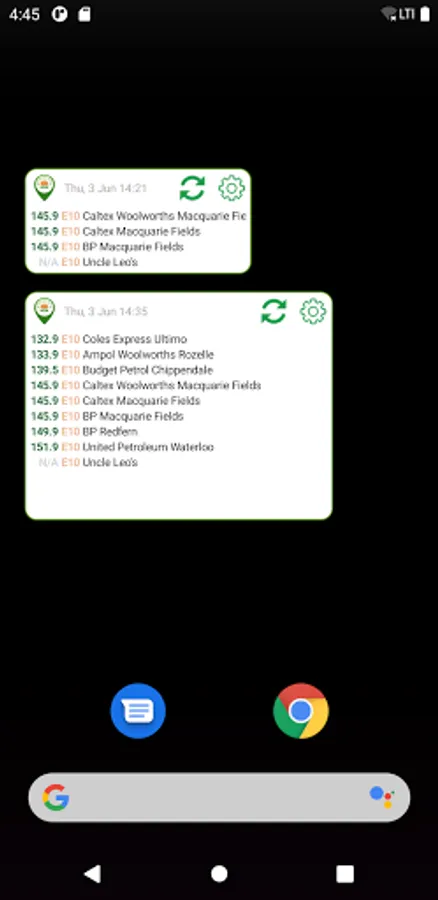
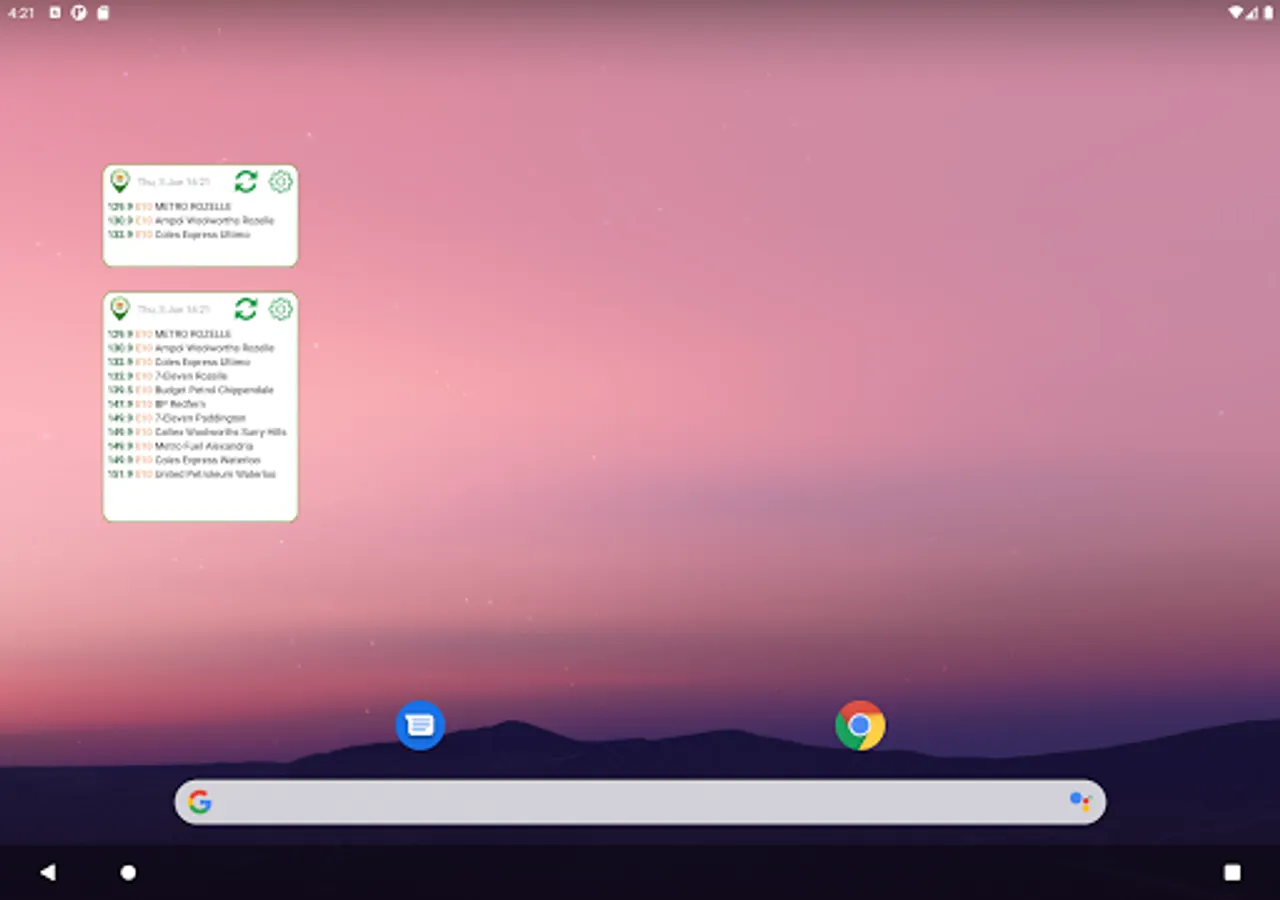
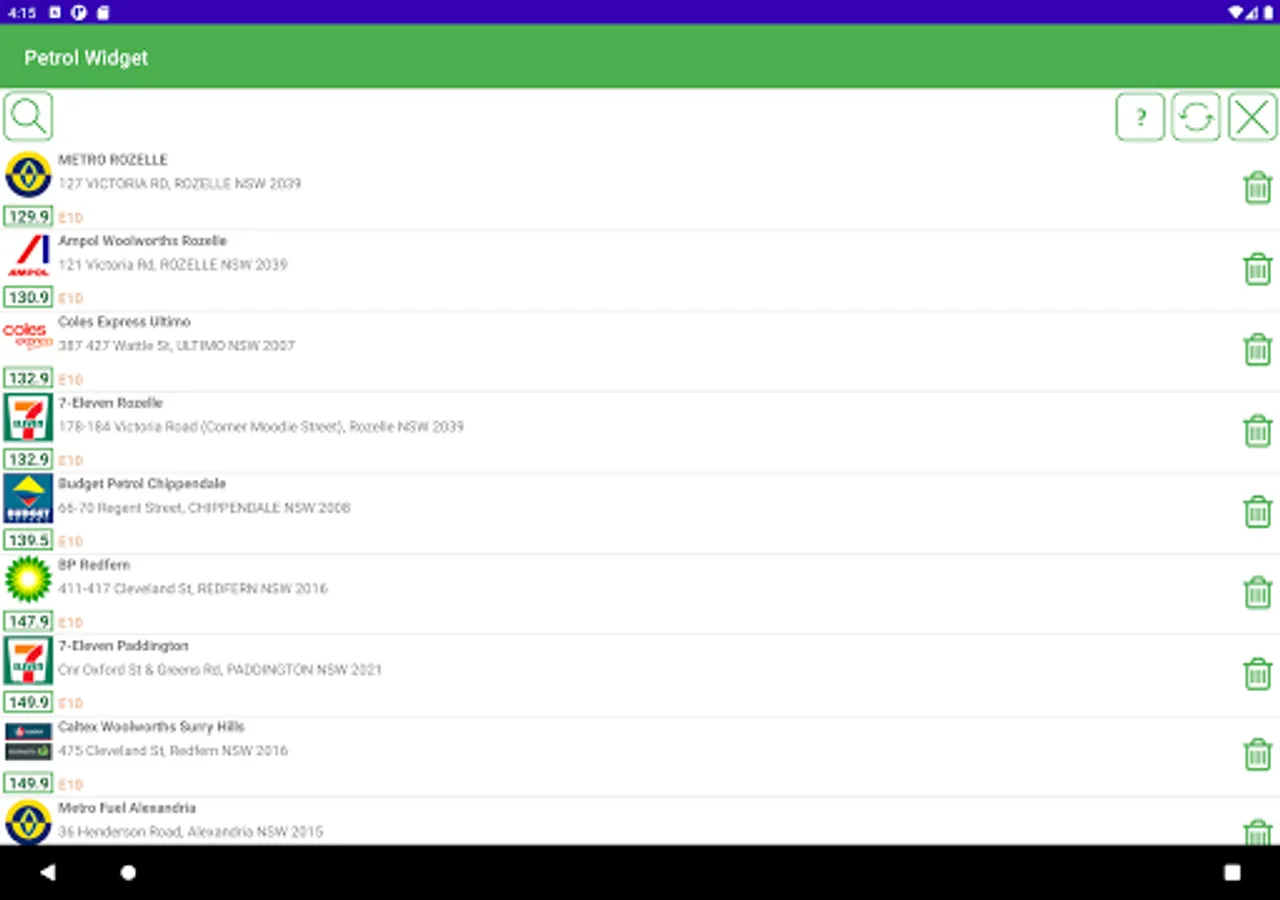
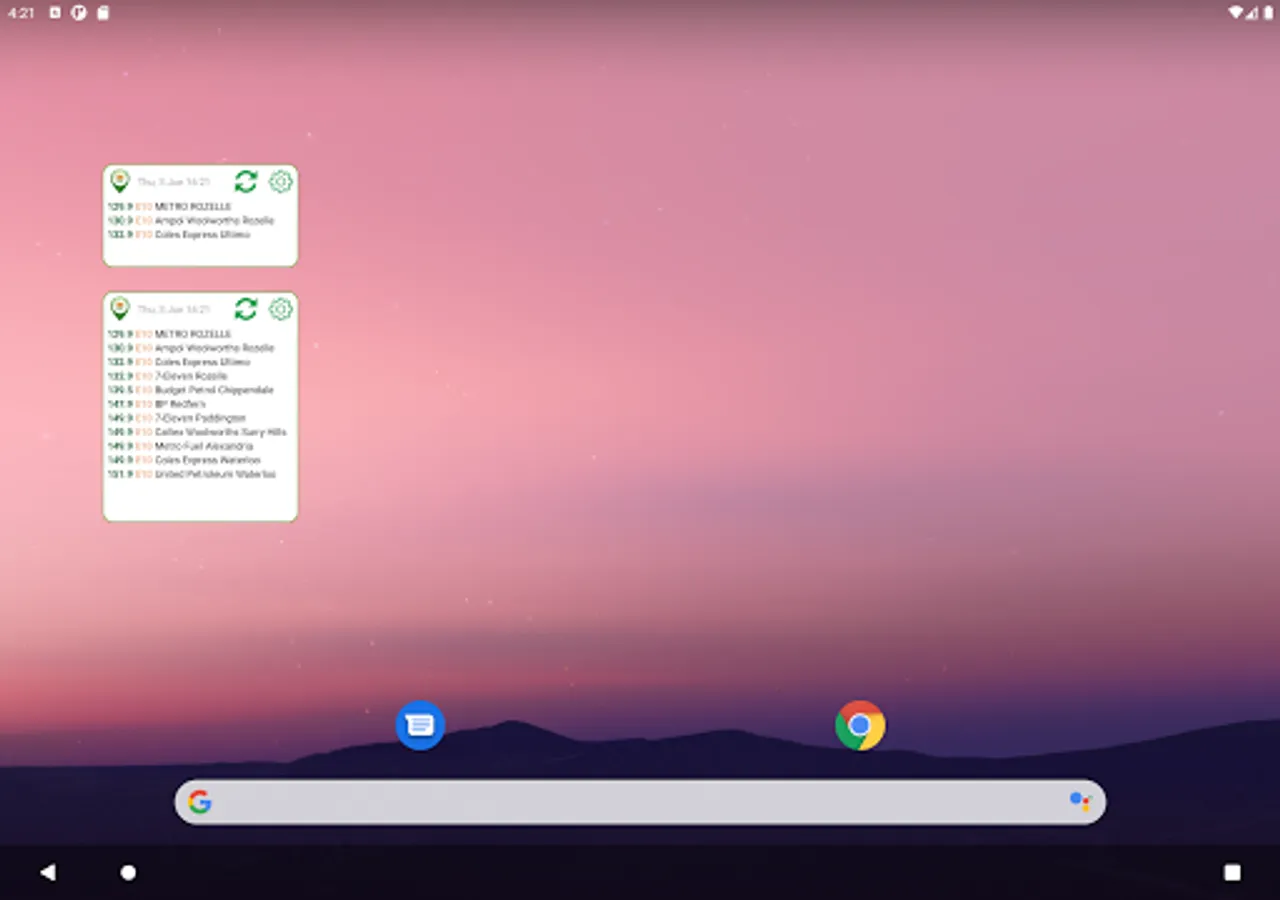
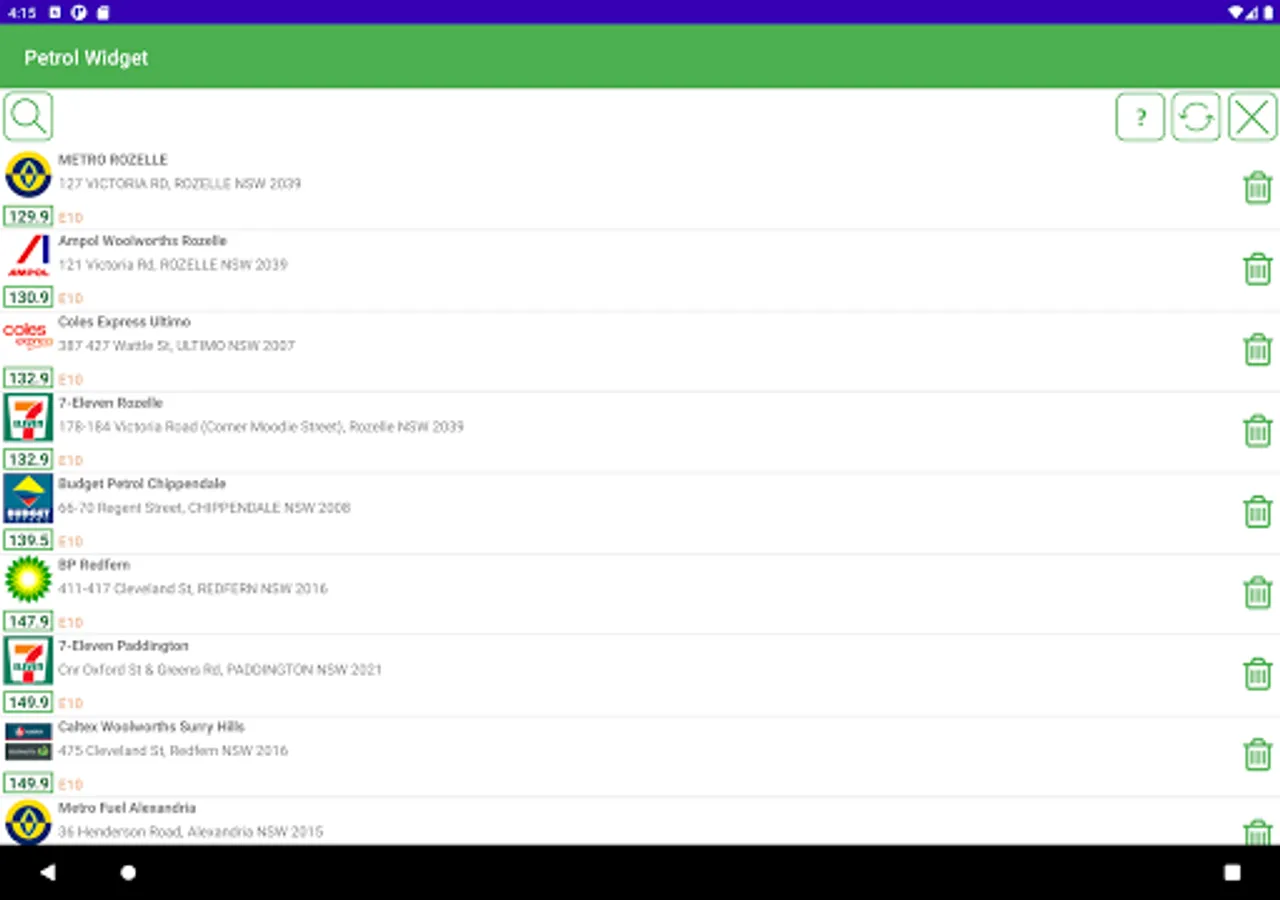
Now you can see the real time fuel price directly on the home screen, just select your favourite station! You can spy prices daily to reduce petrol costs. The widget is updating every 6 hours.
Adding Stations To The List
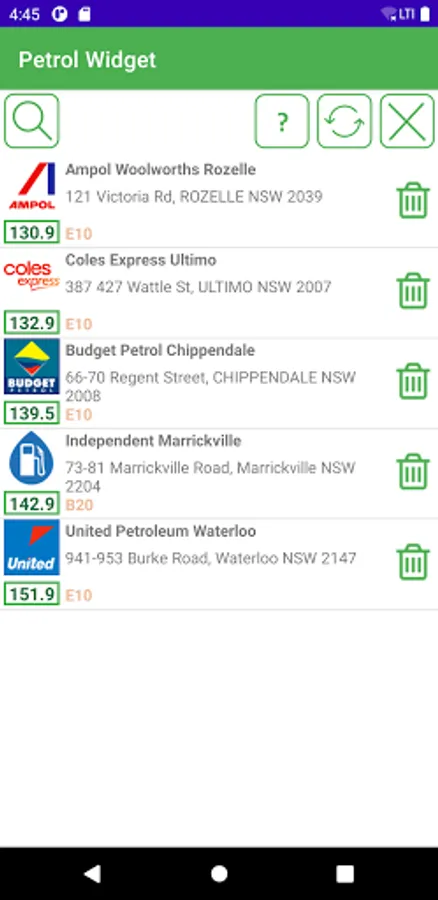
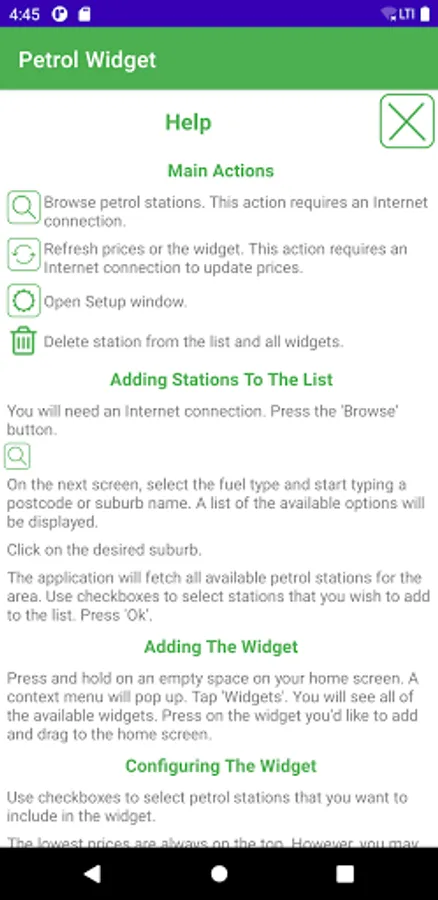
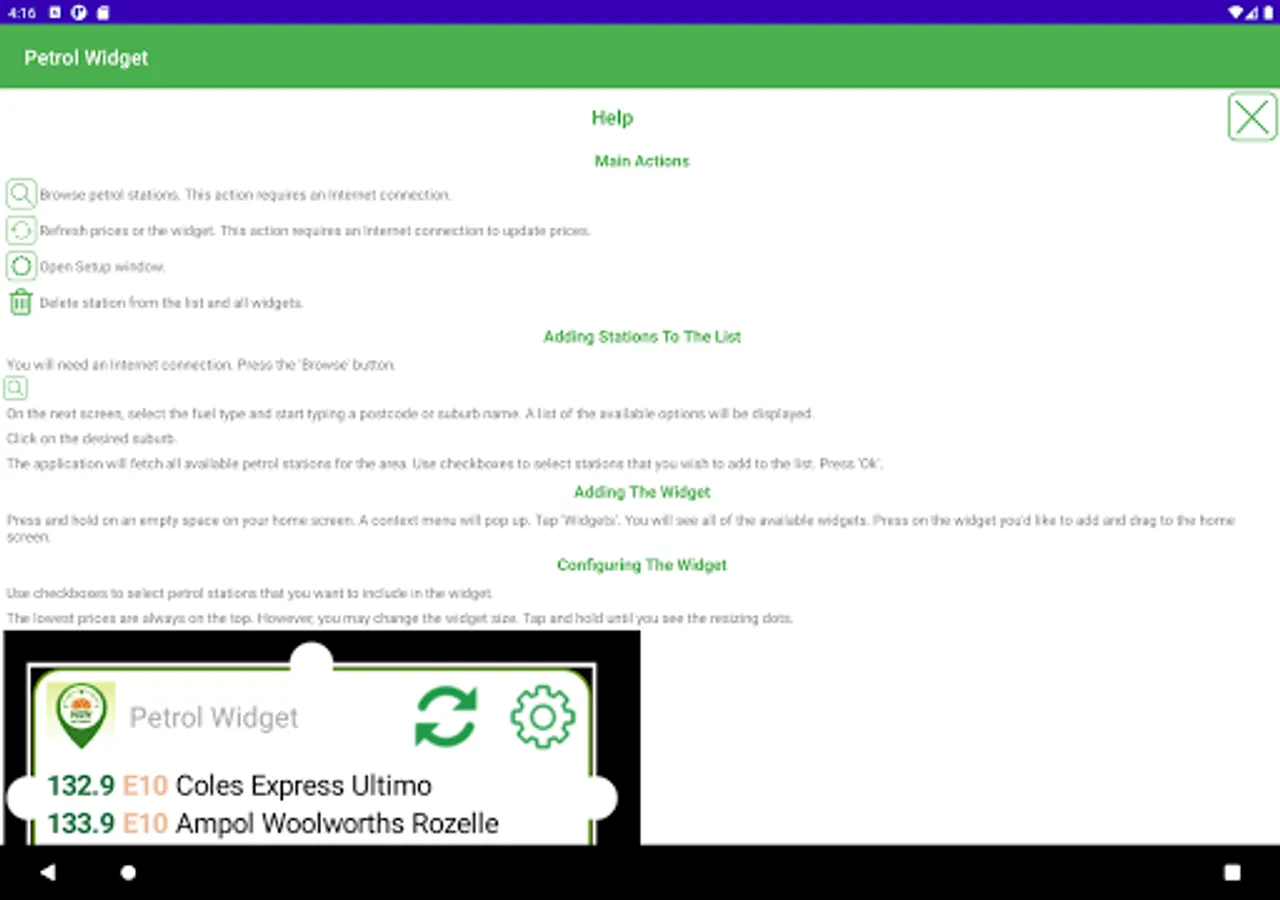
You will need an Internet connection. Press the 'Browse' button.
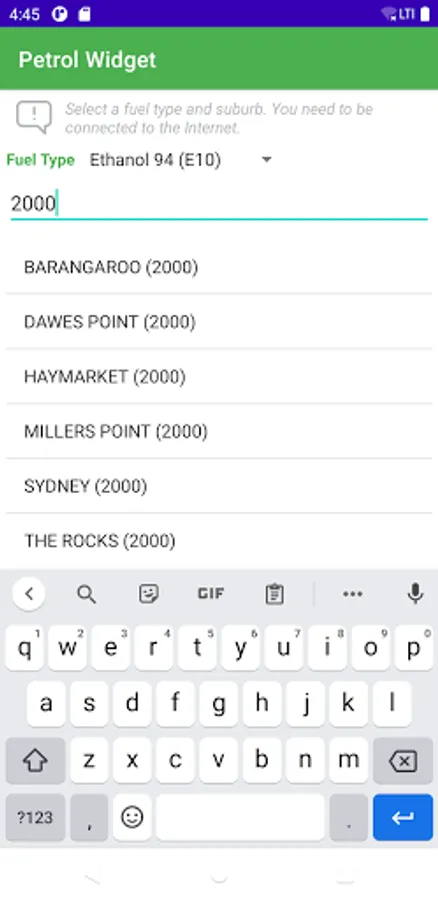
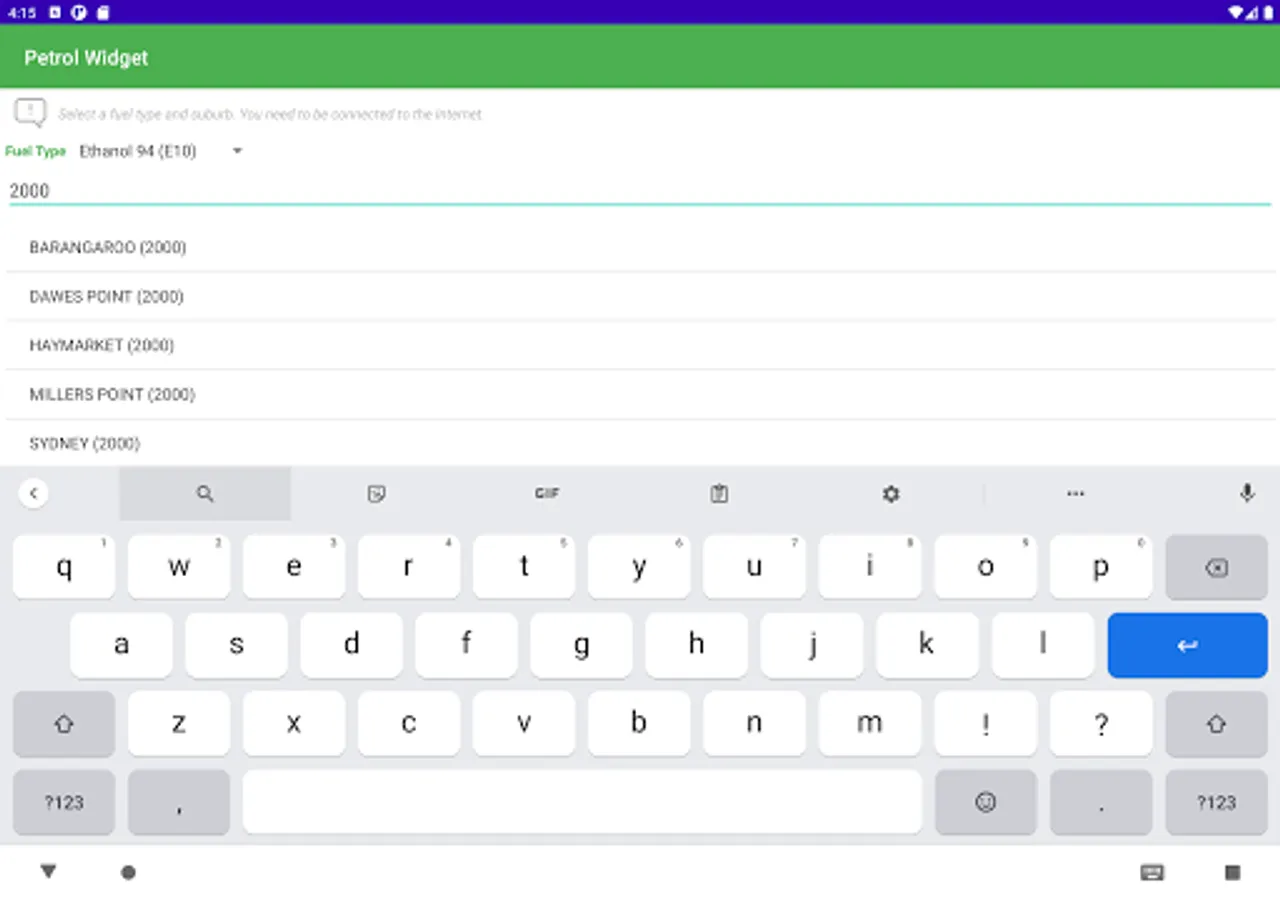
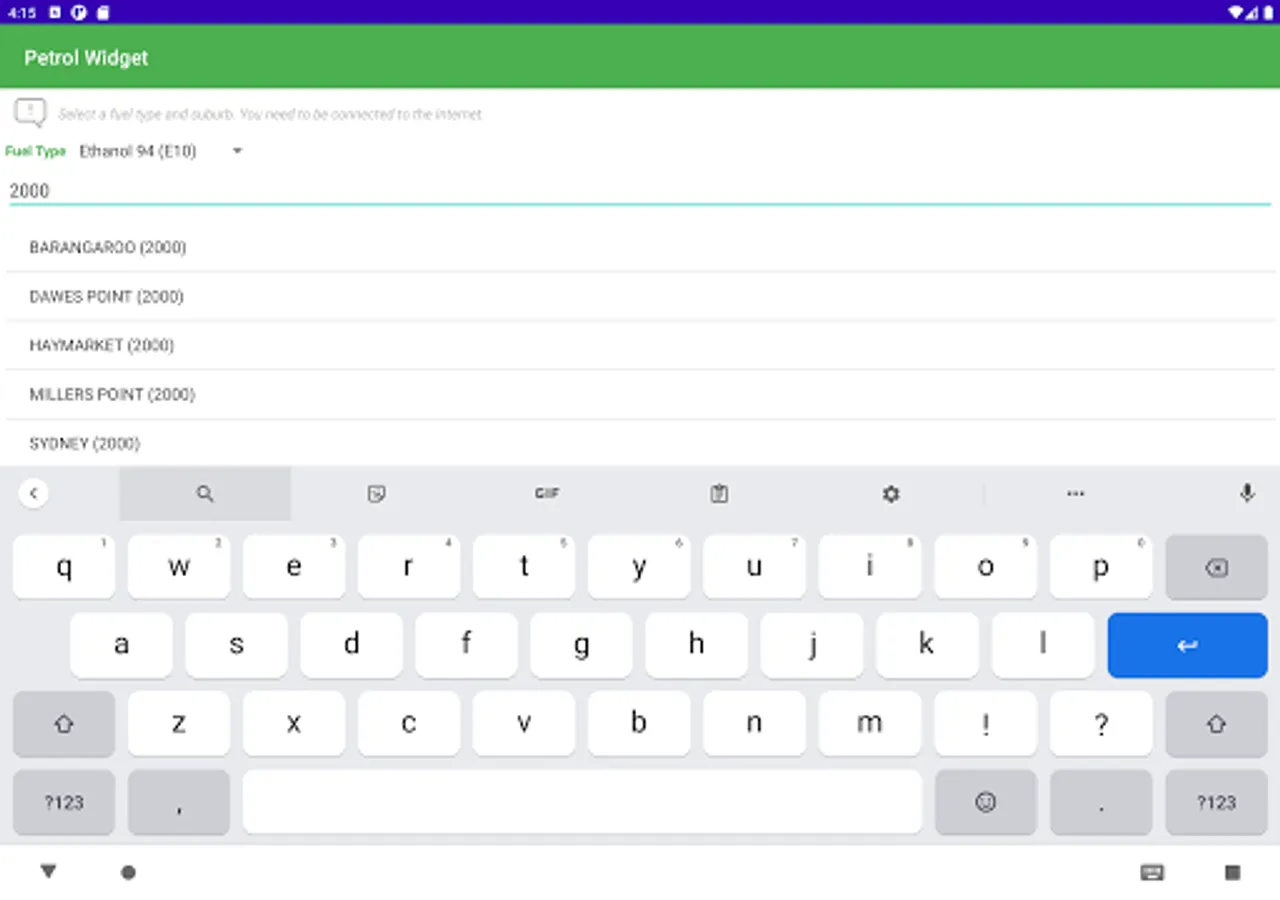
On the next screen, select the fuel type and start typing a postcode or suburb name. A list of the available options will be displayed.
Click on the desired suburb.
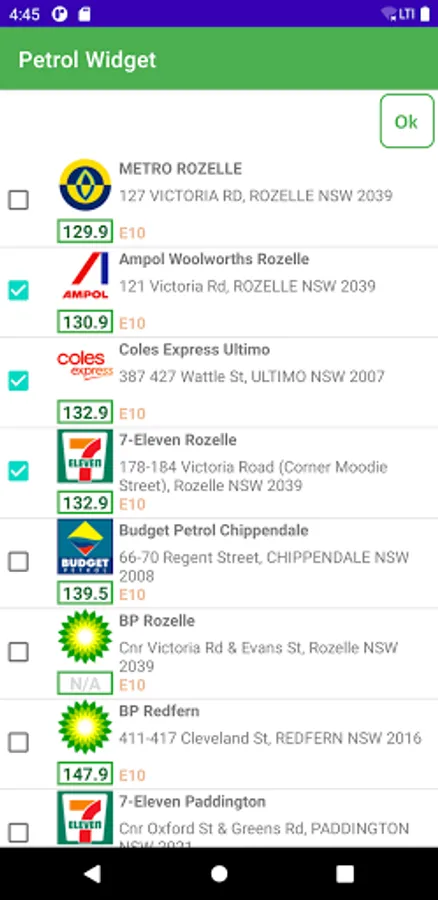
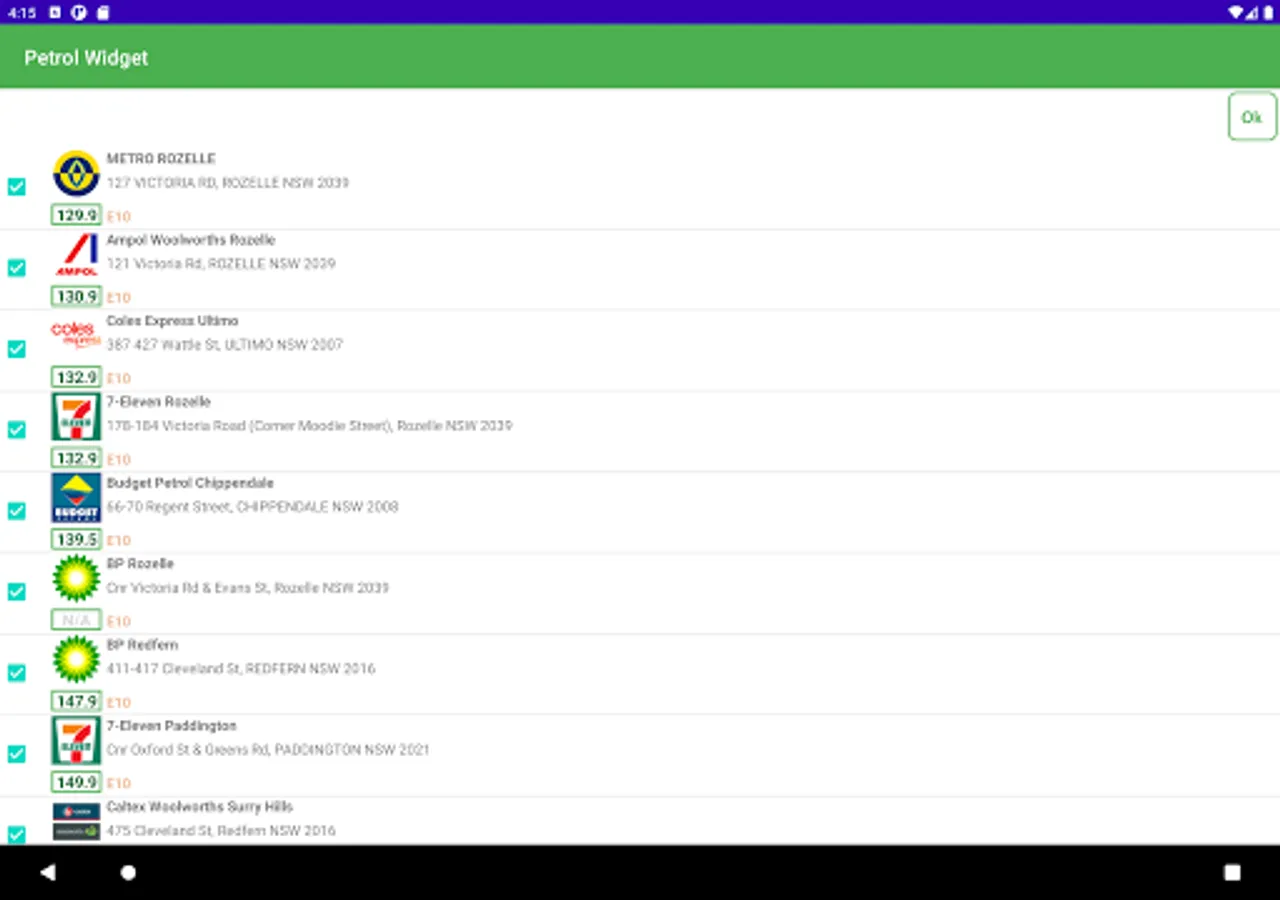
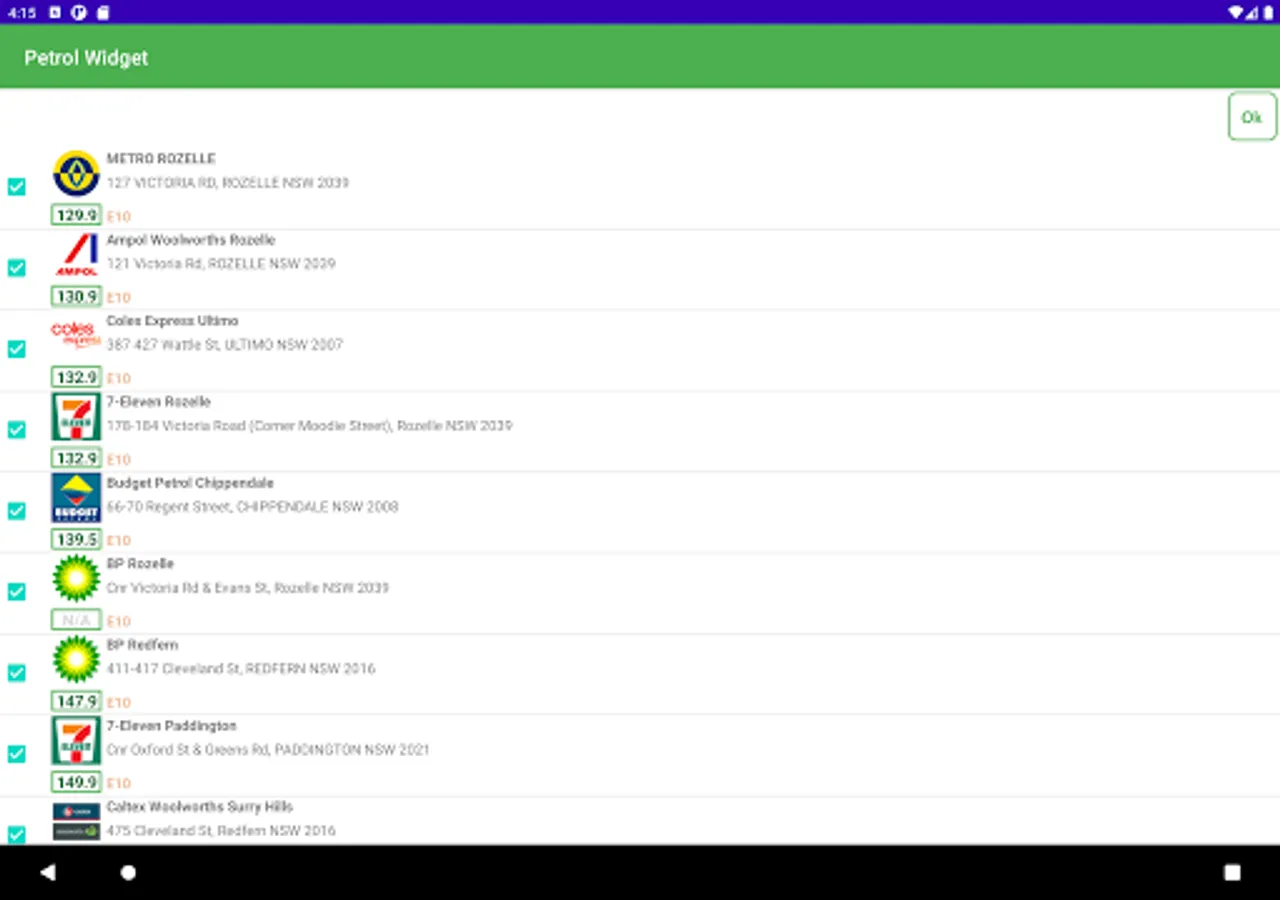
The application will fetch all available petrol stations for the area. Use checkboxes to select stations that you wish to add to the list. Press 'Ok'.
Adding The Widget
- On a Home screen, touch and hold an empty space.
- Tap Widgets .
- Touch and hold a widget. Slide the widget to where you want it. Lift your finger.
Configuring The Widget
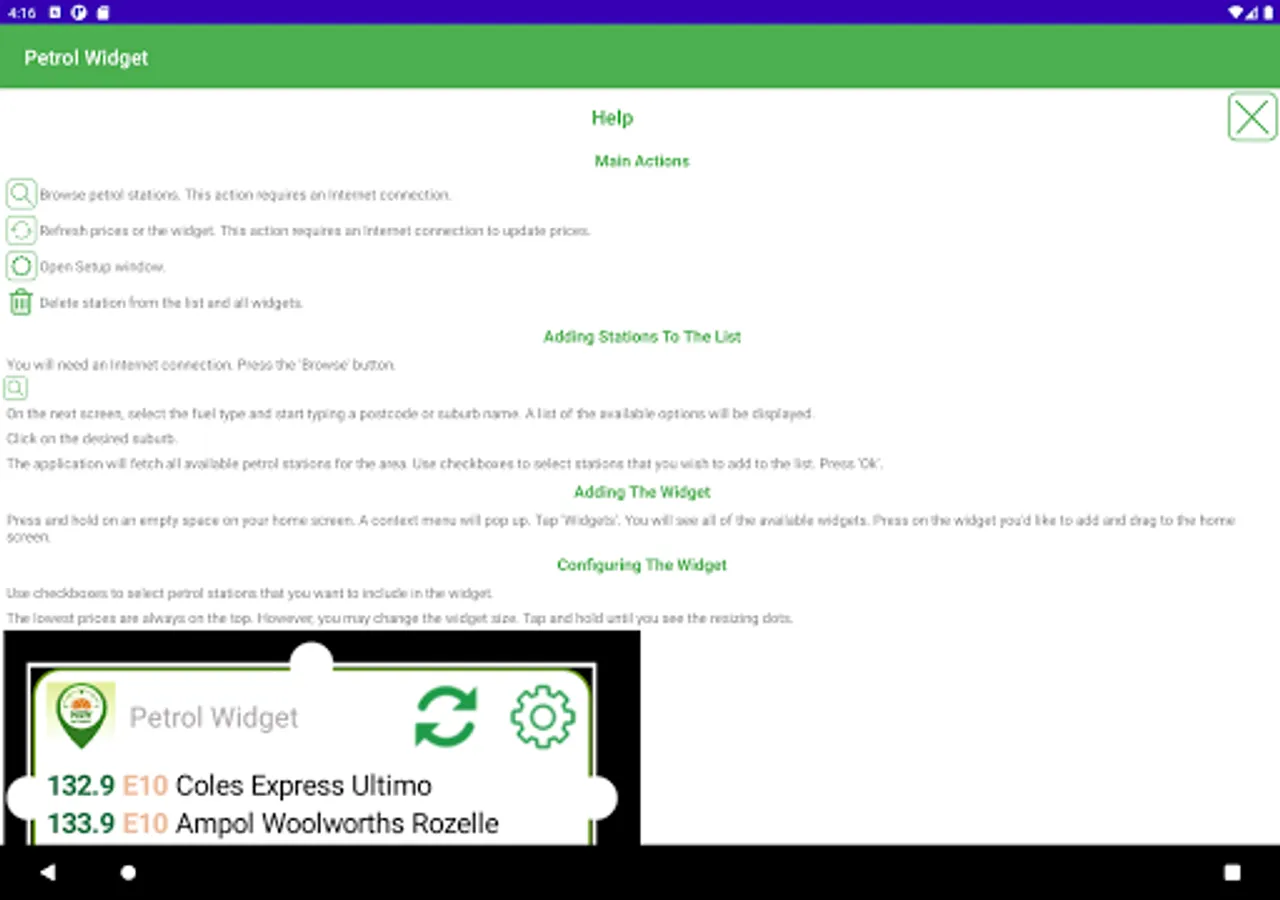
Use checkboxes to select petrol stations that you want to include in the widget.
The lowest prices are always on the top. However, you may change the widget size. Tap and hold until you see the resizing dots.
Drag the widget sides until it is resized.
Adding Stations To The List
You will need an Internet connection. Press the 'Browse' button.
On the next screen, select the fuel type and start typing a postcode or suburb name. A list of the available options will be displayed.
Click on the desired suburb.
The application will fetch all available petrol stations for the area. Use checkboxes to select stations that you wish to add to the list. Press 'Ok'.
Adding The Widget
- On a Home screen, touch and hold an empty space.
- Tap Widgets .
- Touch and hold a widget. Slide the widget to where you want it. Lift your finger.
Configuring The Widget
Use checkboxes to select petrol stations that you want to include in the widget.
The lowest prices are always on the top. However, you may change the widget size. Tap and hold until you see the resizing dots.
Drag the widget sides until it is resized.