AppRecs review analysis
AppRecs rating . Trustworthiness 75 out of 100. Review manipulation risk 21 out of 100. Based on a review sample analyzed.
★
AppRecs Rating
Ratings breakdown
5 star
100%
4 star
0%
3 star
0%
2 star
0%
1 star
0%
What to know
✓
Low review manipulation risk
21% review manipulation risk
✓
Credible reviews
75% trustworthiness score from analyzed reviews
✓
High user satisfaction
100% of sampled ratings are 5 stars
About T Downloader
T Downloader helps you download any video clips very fast from T network using part splitting mechanics, the same as some downloaders on PC.
Allowing resume stopped/error downloads if the link is still available.
Main screen features:
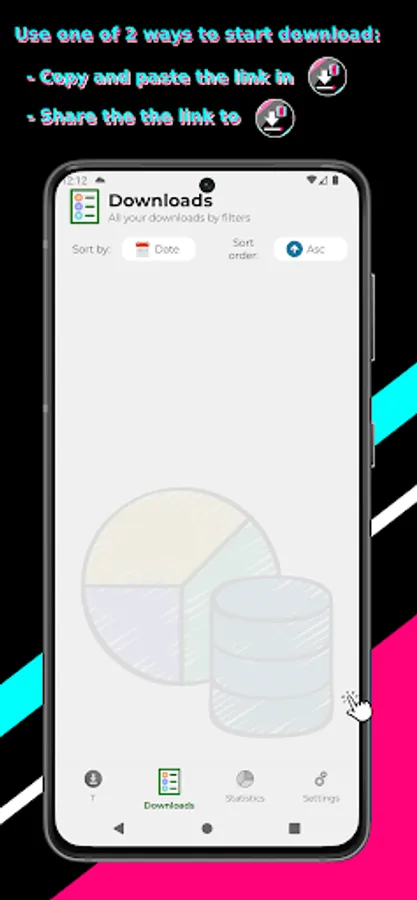
1. Download List Page: listing all added downloads, with different status: Queued, Downloading, Downloaded, Stopped, Error.
Sort downloads by Name, Date or Progress with Ascending or Descending order.
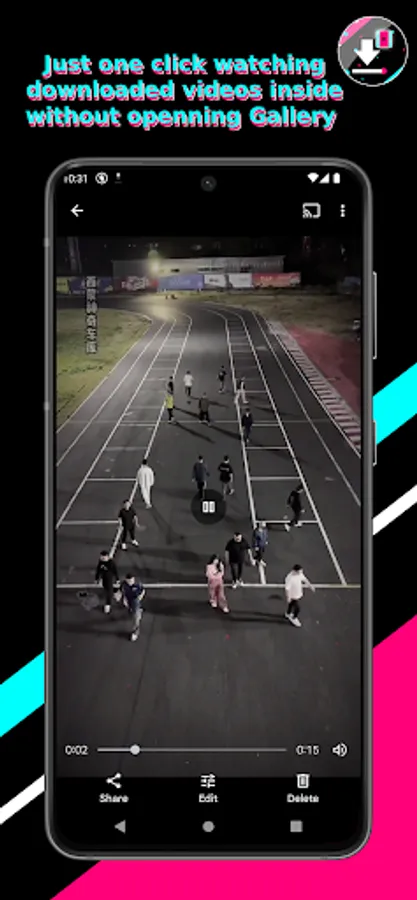
2. Downloaded Detail Page: to see full details of a download, it also has a preview frame to check the thumbnail if the download is video type, make it easy for users to open the right downloaded one and see what it contains.
3. T Tab: Add video downloading from T network, with no watermark.
4. Statistics tab: to collect all report on your downloads over time.
5. Settings Tab: configure downloads including concurrent downloads and concurrent threads. Light/Dark themes supported.
You can use one of the following ways to begin a new download from any web/app sources:
1. Open T Downloader, press + and input the direct download URL manually to begin.
2. Open browsers (Chrome, Opera, Firefox, …) or T app, share the video clips, choose T Downloader in the app chooser popup and let it do the rest. The T's video clips will be downloaded very fast with no watermark logo on the them.
No features need purchases in the app, they are completely free. T Downloader will never have intrusive full-screen ads after each action, as in other applications, but just the open time ad and a smooth, un-annoy ad banner at the bottom.
We never collect any personal data, and the only permission we need is to write to storage permission for only devices below android 10.
App is still in heavy development, any issues or suggestions please contact me via email luong.x91@gmail.com. I will reply and make app fixes/modification as soon as possible.
Thank you for using this application :D
Allowing resume stopped/error downloads if the link is still available.
Main screen features:
1. Download List Page: listing all added downloads, with different status: Queued, Downloading, Downloaded, Stopped, Error.
Sort downloads by Name, Date or Progress with Ascending or Descending order.
2. Downloaded Detail Page: to see full details of a download, it also has a preview frame to check the thumbnail if the download is video type, make it easy for users to open the right downloaded one and see what it contains.
3. T Tab: Add video downloading from T network, with no watermark.
4. Statistics tab: to collect all report on your downloads over time.
5. Settings Tab: configure downloads including concurrent downloads and concurrent threads. Light/Dark themes supported.
You can use one of the following ways to begin a new download from any web/app sources:
1. Open T Downloader, press + and input the direct download URL manually to begin.
2. Open browsers (Chrome, Opera, Firefox, …) or T app, share the video clips, choose T Downloader in the app chooser popup and let it do the rest. The T's video clips will be downloaded very fast with no watermark logo on the them.
No features need purchases in the app, they are completely free. T Downloader will never have intrusive full-screen ads after each action, as in other applications, but just the open time ad and a smooth, un-annoy ad banner at the bottom.
We never collect any personal data, and the only permission we need is to write to storage permission for only devices below android 10.
App is still in heavy development, any issues or suggestions please contact me via email luong.x91@gmail.com. I will reply and make app fixes/modification as soon as possible.
Thank you for using this application :D
T Downloader Screenshots
Tap to Rate:
Reviews for T Downloader
Đức Hoàng Phạm
6/19/2024
App xài ổn, tải được video tiktok, nhưng mà phần thống kê thì chưa xem được gì nhiều ngoài trạng tái tải mấy cái video, nếu đuosc làm thêm mâi cái đó nữa là ok :D