
Timesheet PDF -Track your time
Mobile and Database Solutions
3.8 ★
379 ratings
100,000+
downloads
Free
+ in-app
In this app, you can create, sign, and share PDF timesheets with options to add expenses and overtime. Includes features like multiple report formats, automatic pay calculations, and secure PDF signing.
AppRecs review analysis
AppRecs rating 3.7. Trustworthiness 81 out of 100. Review manipulation risk 22 out of 100. Based on a review sample analyzed.
★★★☆☆
3.7
AppRecs Rating
Ratings breakdown
5 star
61%
4 star
5%
3 star
7%
2 star
5%
1 star
20%
What to know
✓
Low review manipulation risk
22% review manipulation risk
✓
Credible reviews
81% trustworthiness score from analyzed reviews
⚠
Pricing complaints
Many low ratings mention paywalls or pricing
About Timesheet PDF -Track your time
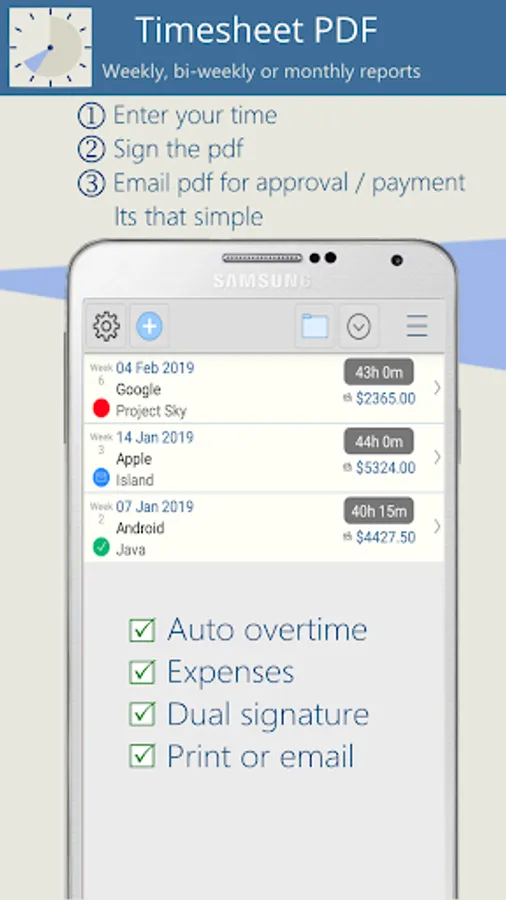
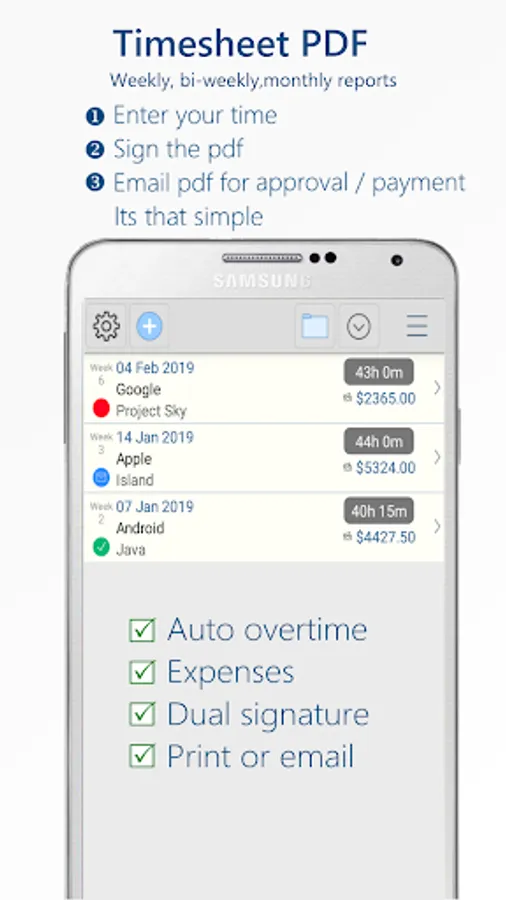
Create weekly or bi-weekly or monthly time sheets.
1.Enter your time.
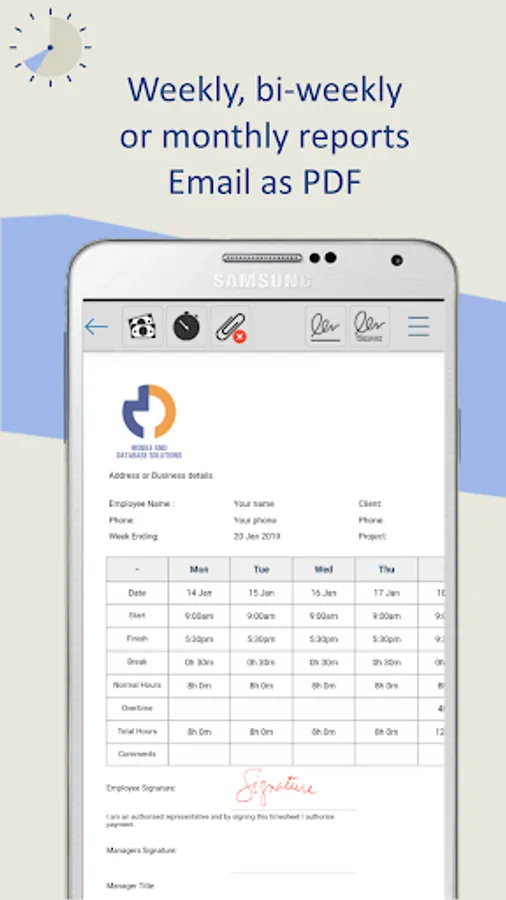
2.Sign (and counter-sign) the PDF.
3.Email /MMS /Print for payment....It's that simple.
**NOTE: Timesheet PDF is free to trial, then subscription is required.
Feature list:
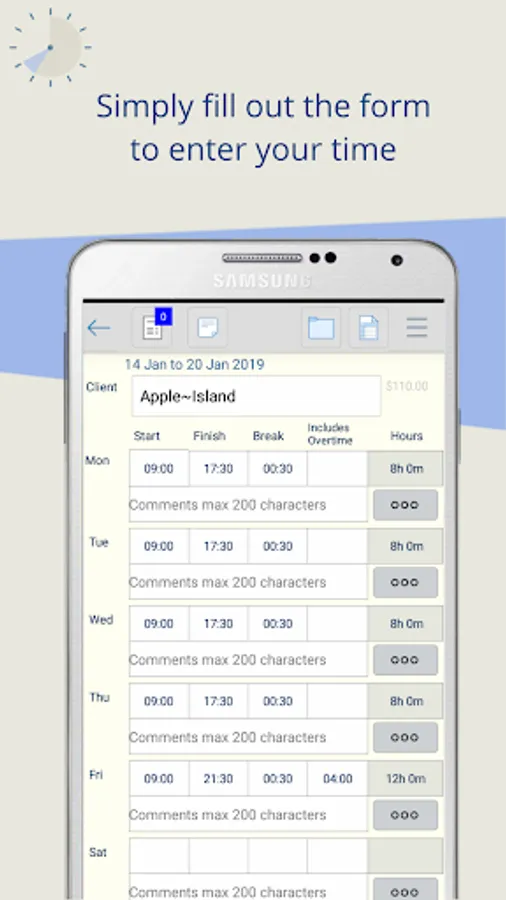
•Quick time entry - simply tap hours to pre-fill times with your defaults.
•Multiple shifts per day.
•Automatically calculate pay based on inputs.
•Three time sheet reports to choose from
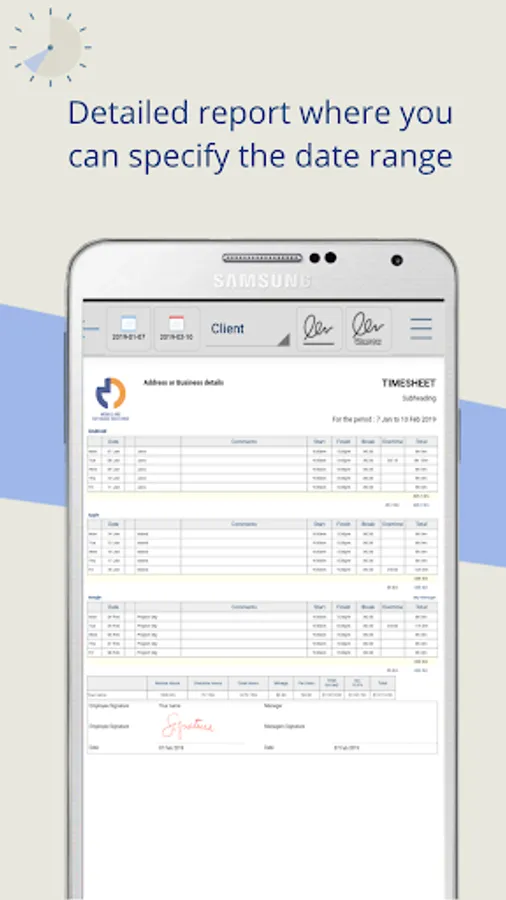
-Detailed PDF - you specify the date range (monthly, yearly...)
-Single Page Weekly PDF
-Single Page Bi-Weekly PDF (2 weeks)
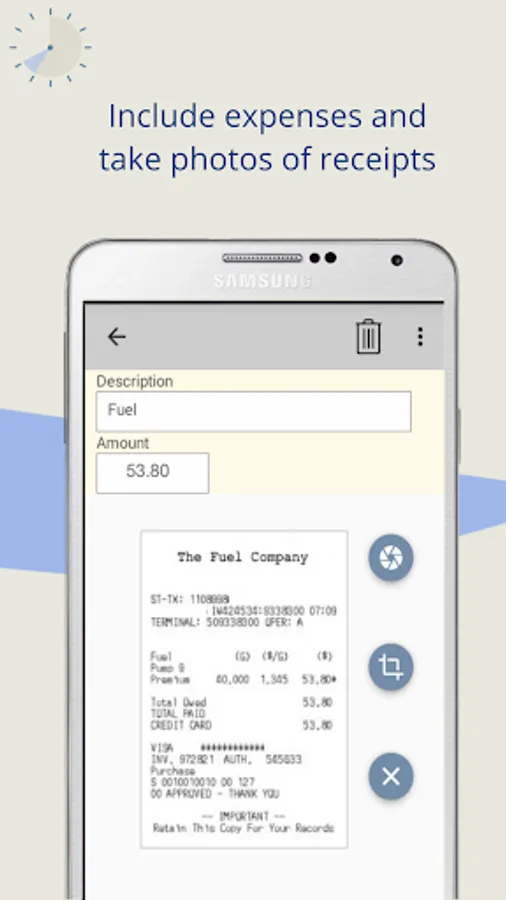
•Add expenses or additional payments.
•Per diem / allowance amounts.
•Annual and Sick Leave.
•Overtime options to choose from
-Daily. Set your normal work hours each day. Any hours worked over are paid as overtime.
-Weekly. Set you normal work hours for the week. Any hours worked over the weekly limit are paid as overtime.
-Manual overtime entry - you enter the overtime hours.
-Weekly or Daily Accrue. Any overtime hours worked over the limits you set are accrued or banked and can be paid out later.
•Set hourly rate and travel rate for each client.
•Change the overtime rate for individual days or public holidays.
•Custom logo from device photo library.
•Sign and send timesheet as PDF email attachment or upload to google drive.
•MMS time sheet as an image.
•Password protect PDF.
•Optional comments for each day.
•Optional mileage or trips entry.
•Display time durations as decimal or hr/min.
•Tax Label and % option.
•Time sheet / timecard reporting job hours for selected criteria.
and more...
NOTE:Timesheet PDF is free to trial, then subscription is required.
Timesheet PDF automatically calculates your daily hours and total rates.
Keep track of your daily log with Timesheet PDF.
In accordance with our fair use policy this app is limited to 1 user per licence.
The app contains hours validation per week.
Data Safety
--------------------
Please note when you subscribe your device id is stored along with the subscription end date..
1.Enter your time.
2.Sign (and counter-sign) the PDF.
3.Email /MMS /Print for payment....It's that simple.
**NOTE: Timesheet PDF is free to trial, then subscription is required.
Feature list:
•Quick time entry - simply tap hours to pre-fill times with your defaults.
•Multiple shifts per day.
•Automatically calculate pay based on inputs.
•Three time sheet reports to choose from
-Detailed PDF - you specify the date range (monthly, yearly...)
-Single Page Weekly PDF
-Single Page Bi-Weekly PDF (2 weeks)
•Add expenses or additional payments.
•Per diem / allowance amounts.
•Annual and Sick Leave.
•Overtime options to choose from
-Daily. Set your normal work hours each day. Any hours worked over are paid as overtime.
-Weekly. Set you normal work hours for the week. Any hours worked over the weekly limit are paid as overtime.
-Manual overtime entry - you enter the overtime hours.
-Weekly or Daily Accrue. Any overtime hours worked over the limits you set are accrued or banked and can be paid out later.
•Set hourly rate and travel rate for each client.
•Change the overtime rate for individual days or public holidays.
•Custom logo from device photo library.
•Sign and send timesheet as PDF email attachment or upload to google drive.
•MMS time sheet as an image.
•Password protect PDF.
•Optional comments for each day.
•Optional mileage or trips entry.
•Display time durations as decimal or hr/min.
•Tax Label and % option.
•Time sheet / timecard reporting job hours for selected criteria.
and more...
NOTE:Timesheet PDF is free to trial, then subscription is required.
Timesheet PDF automatically calculates your daily hours and total rates.
Keep track of your daily log with Timesheet PDF.
In accordance with our fair use policy this app is limited to 1 user per licence.
The app contains hours validation per week.
Data Safety
--------------------
Please note when you subscribe your device id is stored along with the subscription end date..
Timesheet PDF -Track your time Screenshots
Tap to Rate:
Reviews for Timesheet PDF -Track your time
Andrew Parr
10/11/2025
is there a problem tried to do updates not working
V P
10/4/2025
cost money.