JUMP PAINT by MediBang
MediBang Inc.
3.5 ★
6K ratings
1,000,000+
downloads
Free
With this drawing app, you can create manga and illustrations using a variety of brushes, tones, and backgrounds. Includes free brushes, tones, backgrounds, and tutorials on manga creation.
AppRecs review analysis
AppRecs rating 3.6. Trustworthiness 83 out of 100. Review manipulation risk 19 out of 100. Based on a review sample analyzed.
★★★☆☆
3.6
AppRecs Rating
Ratings breakdown
5 star
48%
4 star
12%
3 star
7%
2 star
8%
1 star
25%
What to know
✓
Low review manipulation risk
19% review manipulation risk
✓
Credible reviews
83% trustworthiness score from analyzed reviews
⚠
High negative review ratio
33% of sampled ratings are 1–2 stars
About JUMP PAINT by MediBang
■A completely free app for creating official Weekly Shonen Jump manga and illustrations!!
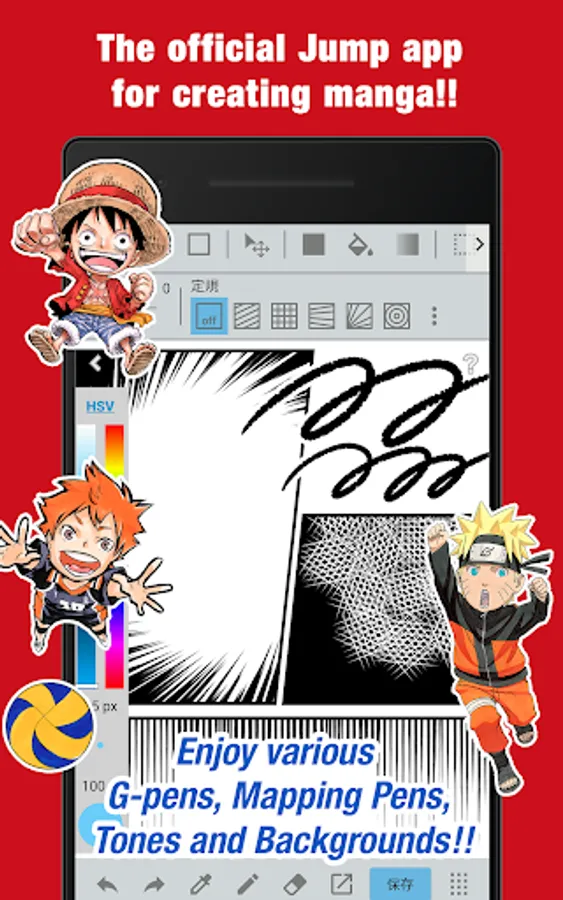
G-pens, Mapping Pens, Tones and Backgrounds are all free to use!!
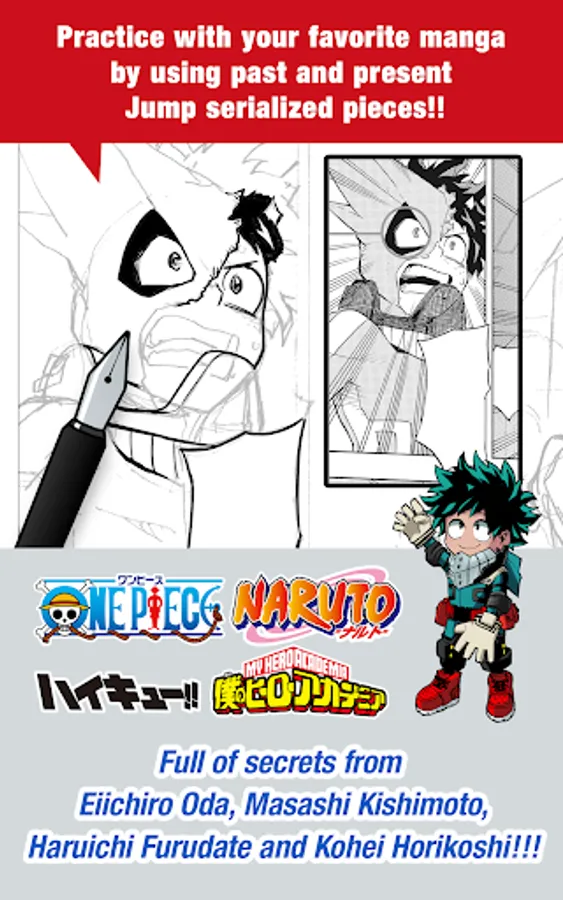
■Practice with your favorite manga by using past and present Jump serialized pieces!!
Full of secrets from past and present Jump authors like One Piece's Eiichiro Oda and My Hero Academia's Kohei Horikoshi!!
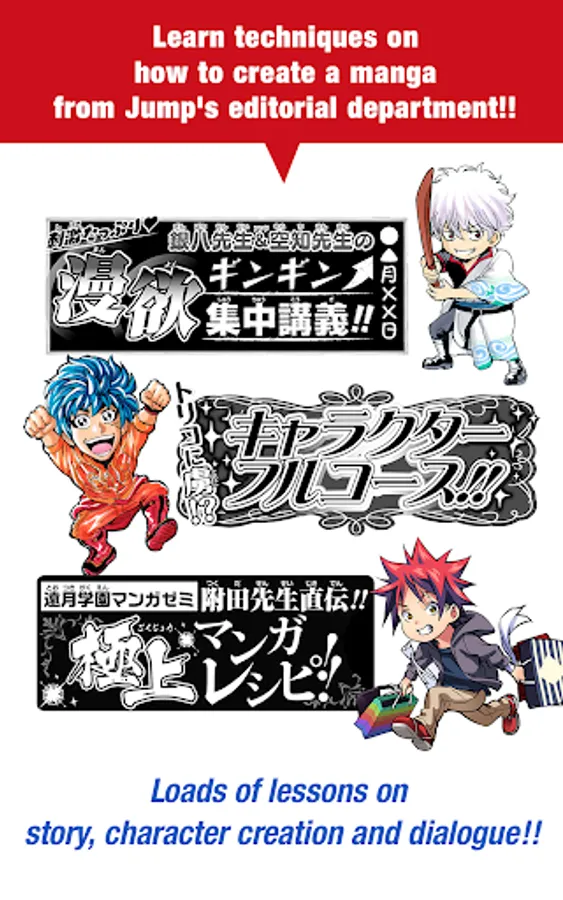
■Learn techniques on how to create a manga from Jump's editorial department!!
Loads of lessons on story, character creation and dialogue!!
■You can also enter Jump contests!!
The app will give you information on each contest. Don't miss out!!
What is JUMP PAINT?
It's the ultimate app for creating manga and illustrations -- a collaboration between MediBang Paint (12 million downloads) and Weekly Shonen Jump.
JUMP PAINT was developed to provide an environment for creators to draw anytime and anywhere using MediBang Paint's features.
JUMP PAINT is the perfect paint software for creating illustrations and manga. It comes with many features to enjoy drawing illustrations and manga, like a multitude of brushes, materials and manga fonts.
■ Draw Anywhere!
・With JUMP PAINT you can have almost all the features of a desktop painting program in your pocket.
・Despite being packed with so many features, the interface of JUMP PAINT has been designed especially for the iPhone in mind.
・The UI can be closed and opened in one touch.
・The sleek interface allows users to change brush sizes or color modes with ease.
■ Painting Tools
・90 free brushes!!
・In addition to the Pen, Pencil, Watercolor, Blur, Smudge, G Pen, Mapping Pen, Rotation Symmetry and Edge Pens, we have added over 50 different kinds of brushes, including the Brush, Flat Brush, Round Brush, Acrylic, School Pen, and Soft Pastel.
・Force Fade In and Out make your lines sharp even if you’re drawing with your fingers.
・Users can create their own custom brushes.
■ Free Resources
・800 different types of free tones and backgrounds.
・Premade clouds, buildings, and vehicles are included.
・Tones can be added with one simple touch.
■ Layers
・Comes with layers complete with blending modes.
・Can be used to preserves different elements of you work.
■ Comic Fonts
・Use them to change the atmosphere of your comics.
・Use them to define your character’s moods or personalities.
・50 fonts used by industry professionals available.
■ Comic Creation
・Just drag across the screen to create comic panels.
・Freely transform their shape.
■ User Friendly
・Includes customizable shortcuts
・Geared towards first time users.
・Has an interface designed to give artists room to draw.
・One touch to access full-screen mode.
■ Other Tools
・Guides for drawing in perspective, or creating lines, and curves.
・Correction to stabilize your line strokes.
■ Photo Reference
・You can take photos in the app and use them as references on a different layer.
・Use them for reference or learning how to draw new things.
■ Cloud Storage
・You can backup and manage your data safely.
・Easily transfer your work.
■ Manage Project
・Save and manage multipage documents.
■ Syncability
・You can sync your preset settings with the PC version of JUMP PAINT.
■ Team Creation
・You can collaborate on work with friends no matter where you are.
■ Auto Recovery
・Your data is automatically backed up if your device crashes.
IMPORTANT
In order to use the app’s cloud features a MediBang account is required(https://medibang.com/).
G-pens, Mapping Pens, Tones and Backgrounds are all free to use!!
■Practice with your favorite manga by using past and present Jump serialized pieces!!
Full of secrets from past and present Jump authors like One Piece's Eiichiro Oda and My Hero Academia's Kohei Horikoshi!!
■Learn techniques on how to create a manga from Jump's editorial department!!
Loads of lessons on story, character creation and dialogue!!
■You can also enter Jump contests!!
The app will give you information on each contest. Don't miss out!!
What is JUMP PAINT?
It's the ultimate app for creating manga and illustrations -- a collaboration between MediBang Paint (12 million downloads) and Weekly Shonen Jump.
JUMP PAINT was developed to provide an environment for creators to draw anytime and anywhere using MediBang Paint's features.
JUMP PAINT is the perfect paint software for creating illustrations and manga. It comes with many features to enjoy drawing illustrations and manga, like a multitude of brushes, materials and manga fonts.
■ Draw Anywhere!
・With JUMP PAINT you can have almost all the features of a desktop painting program in your pocket.
・Despite being packed with so many features, the interface of JUMP PAINT has been designed especially for the iPhone in mind.
・The UI can be closed and opened in one touch.
・The sleek interface allows users to change brush sizes or color modes with ease.
■ Painting Tools
・90 free brushes!!
・In addition to the Pen, Pencil, Watercolor, Blur, Smudge, G Pen, Mapping Pen, Rotation Symmetry and Edge Pens, we have added over 50 different kinds of brushes, including the Brush, Flat Brush, Round Brush, Acrylic, School Pen, and Soft Pastel.
・Force Fade In and Out make your lines sharp even if you’re drawing with your fingers.
・Users can create their own custom brushes.
■ Free Resources
・800 different types of free tones and backgrounds.
・Premade clouds, buildings, and vehicles are included.
・Tones can be added with one simple touch.
■ Layers
・Comes with layers complete with blending modes.
・Can be used to preserves different elements of you work.
■ Comic Fonts
・Use them to change the atmosphere of your comics.
・Use them to define your character’s moods or personalities.
・50 fonts used by industry professionals available.
■ Comic Creation
・Just drag across the screen to create comic panels.
・Freely transform their shape.
■ User Friendly
・Includes customizable shortcuts
・Geared towards first time users.
・Has an interface designed to give artists room to draw.
・One touch to access full-screen mode.
■ Other Tools
・Guides for drawing in perspective, or creating lines, and curves.
・Correction to stabilize your line strokes.
■ Photo Reference
・You can take photos in the app and use them as references on a different layer.
・Use them for reference or learning how to draw new things.
■ Cloud Storage
・You can backup and manage your data safely.
・Easily transfer your work.
■ Manage Project
・Save and manage multipage documents.
■ Syncability
・You can sync your preset settings with the PC version of JUMP PAINT.
■ Team Creation
・You can collaborate on work with friends no matter where you are.
■ Auto Recovery
・Your data is automatically backed up if your device crashes.
IMPORTANT
In order to use the app’s cloud features a MediBang account is required(https://medibang.com/).
JUMP PAINT by MediBang Screenshots

Tap to Rate:
Reviews for JUMP PAINT by MediBang
Adriano Calderon
12/12/2025
I really like it to do single panels and One-shots translations!
Moist
9/8/2025
Best app for me though I love manga and had the urge to create one this app made it TRUE!!!! but the thing is i am still new to drawing the characters so it would take time