About OOS PureWhite UI - Substratrum
This theme currently supports OxygenOS 11 (OOS 11)
Dark theme for the same is also available here
https://play.google.com/store/apps/details?id=com.mkadpsubs.pureblackuioos
Features:
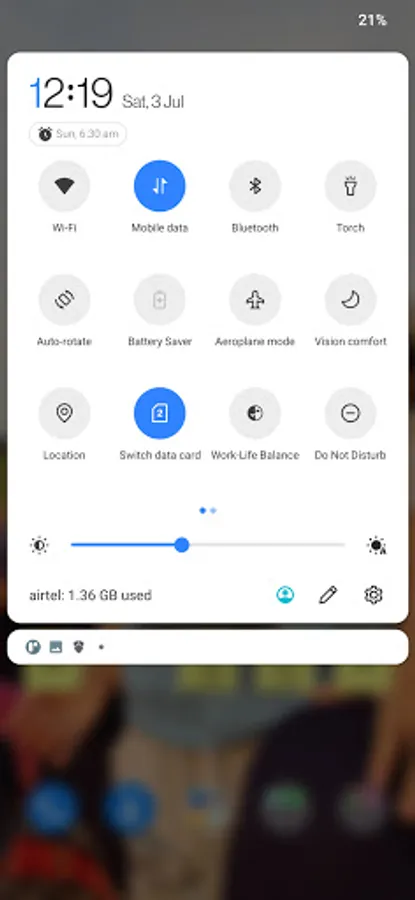
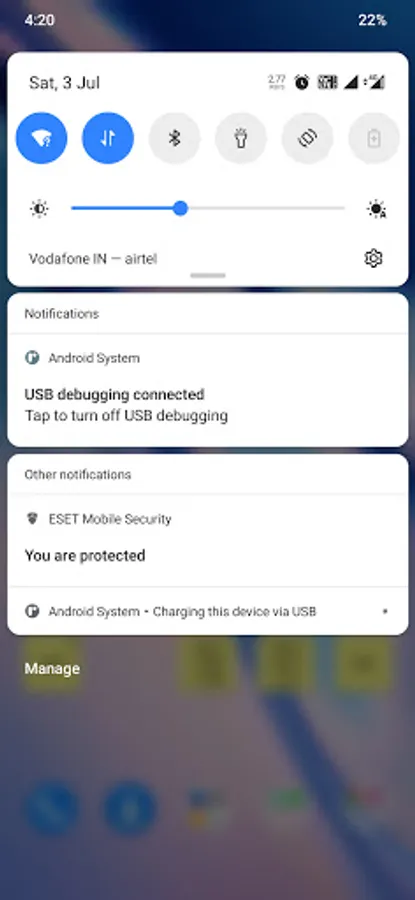
- PureWhite UI and Notifications
- Transparent StatusBar when pull down QS Panel/Notifications
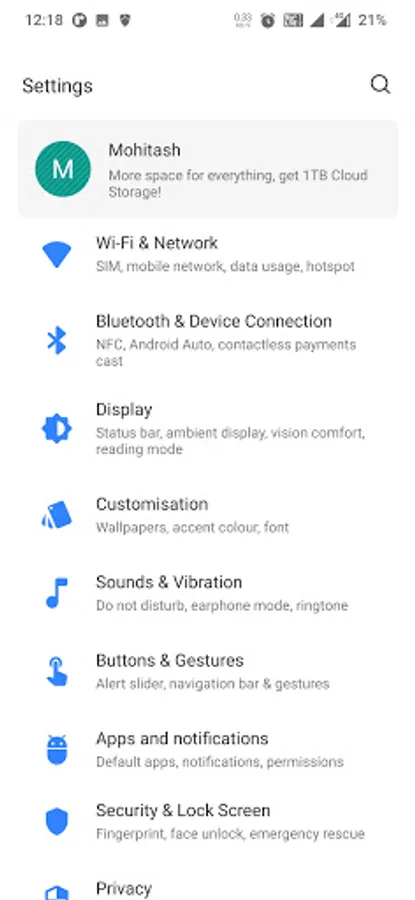
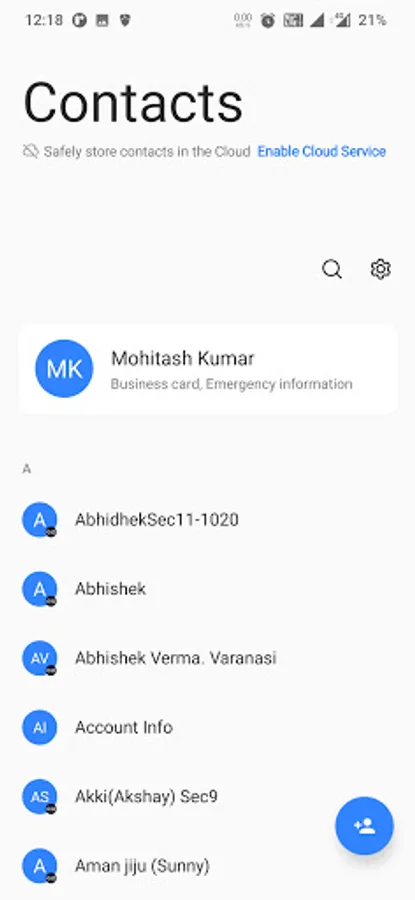
- PureWhite Backgrounds
- Different Accent Colors available
- New Settings icons that are accords to Accent Color
NOTE: To Enable Blur effect as shown in Screenshots, you need to install this Magisk Module in Magisk Manager.
https://androidfilehost.com/?fid=14943124697586342766
Themed Apps:
- Calculator
- Calender
- Call Management
- Contacts
- Duo
- Gmail
- Messaging App
- Phone/Dialer App
- Settings
- SystemUI
- SystemUI Headers
You may also like Material Vivid OOS and Material Light OOS Themes
Material Vivid OOS Theme
https://play.google.com/store/apps/details?id=com.mkadpsubs.materialvividoos
Material Light OOS Theme
https://play.google.com/store/apps/details?id=com.mkadpsubs.materiallightoos
For any support you can contact below
https://mkadp.weebly.com/contact.html
Dark theme for the same is also available here
https://play.google.com/store/apps/details?id=com.mkadpsubs.pureblackuioos
Features:
- PureWhite UI and Notifications
- Transparent StatusBar when pull down QS Panel/Notifications
- PureWhite Backgrounds
- Different Accent Colors available
- New Settings icons that are accords to Accent Color
NOTE: To Enable Blur effect as shown in Screenshots, you need to install this Magisk Module in Magisk Manager.
https://androidfilehost.com/?fid=14943124697586342766
Themed Apps:
- Calculator
- Calender
- Call Management
- Contacts
- Duo
- Gmail
- Messaging App
- Phone/Dialer App
- Settings
- SystemUI
- SystemUI Headers
You may also like Material Vivid OOS and Material Light OOS Themes
Material Vivid OOS Theme
https://play.google.com/store/apps/details?id=com.mkadpsubs.materialvividoos
Material Light OOS Theme
https://play.google.com/store/apps/details?id=com.mkadpsubs.materiallightoos
For any support you can contact below
https://mkadp.weebly.com/contact.html