With this app, you can select and customize floating widgets to overlay on other applications, adjusting size and transparency as needed. Includes options for resizing, setting minimized widget sizes, and auto restore after device reboot.
AppRecs review analysis
AppRecs rating 3.7. Trustworthiness 0 out of 100. Review manipulation risk 0 out of 100. Based on a review sample analyzed.
★★★☆☆
3.7
AppRecs Rating
Ratings breakdown
5 star
45%
4 star
27%
3 star
0%
2 star
14%
1 star
14%
What to know
✓
Good user ratings
73% positive sampled reviews
About Floating Widgets
Drop me an email with the feature you'd like to see in the future updates.
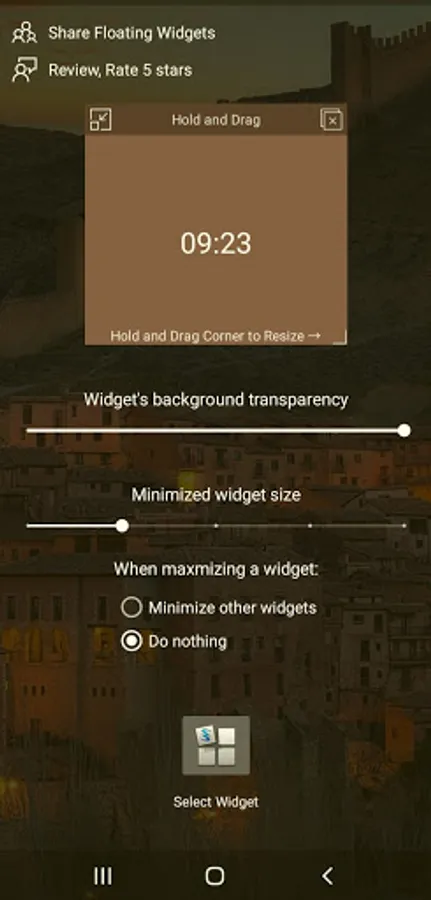
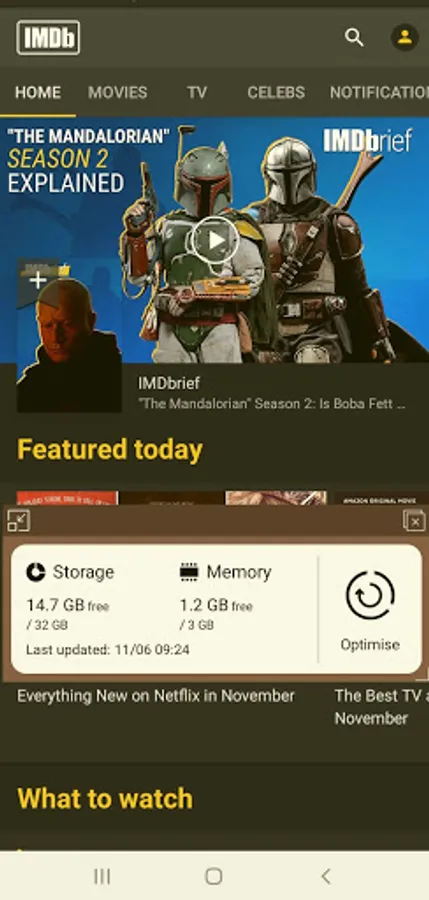
Select your favorite widgets to be floating on top of any application, with a minimize feature that turns your floating widget into a floating icon.
Features:
- Resize widgets
(Hold & Drag the Bottom-Right corner)
- Set minimized widgets size
- Set auto minimize all widgets
- Auto Restore floating widgets when device reboots.
- Change widgets background color and transparency
Special Notes and permissions:
1- On Android Oreo and later, you will be asked for a permission to allow the application to draw over other applications, in other words allowing the application to have a floating window everywhere, This permission is mandatory for the application to work.
If you have any questions or suggestions please let me know.
Thank you
Select your favorite widgets to be floating on top of any application, with a minimize feature that turns your floating widget into a floating icon.
Features:
- Resize widgets
(Hold & Drag the Bottom-Right corner)
- Set minimized widgets size
- Set auto minimize all widgets
- Auto Restore floating widgets when device reboots.
- Change widgets background color and transparency
Special Notes and permissions:
1- On Android Oreo and later, you will be asked for a permission to allow the application to draw over other applications, in other words allowing the application to have a floating window everywhere, This permission is mandatory for the application to work.
If you have any questions or suggestions please let me know.
Thank you
Floating Widgets Screenshots
Tap to Rate: