Simple OCR
OneLightApplication
10+
downloads
Free
AppRecs review analysis
AppRecs rating 4.8. Trustworthiness 75 out of 100. Review manipulation risk 20 out of 100. Based on a review sample analyzed.
★★★★☆
4.8
AppRecs Rating
Ratings breakdown
5 star
100%
4 star
0%
3 star
0%
2 star
0%
1 star
0%
What to know
✓
Low review manipulation risk
20% review manipulation risk
✓
Credible reviews
75% trustworthiness score from analyzed reviews
✓
High user satisfaction
100% of sampled ratings are 5 stars
About Simple OCR
Easily extract text from images with simple operations. The extracted text can be edited on the spot.
Supported languages: 4 languages. (Latin, Chinese, Korean, Japanese)
[How to Use]
*Setting an image
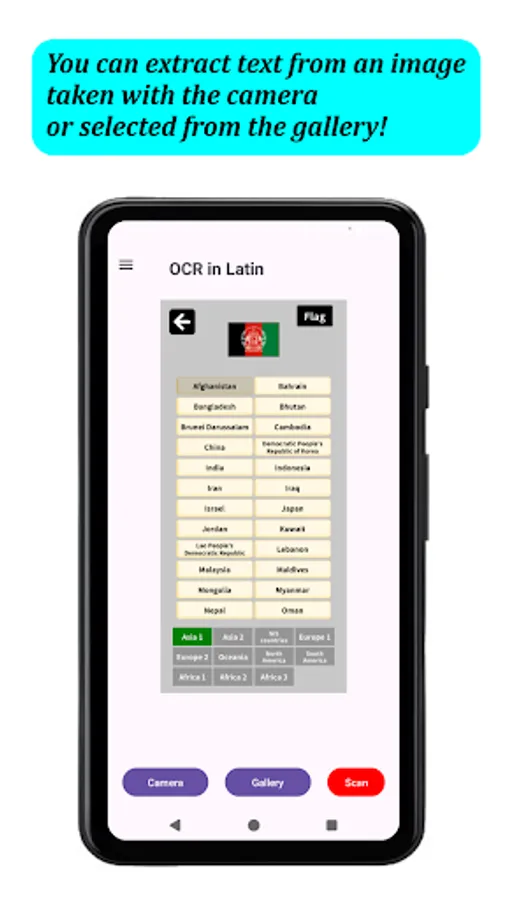
You can set an image taken with the camera or selected from your gallery. Tapping the “Camera” button at the bottom of the top screen to launch the camera. Tapping the “Gallery” button displays your gallery.
*Extraction Method
Tapping the “Scan” button at the bottom right of the main screen to proceed to the result screen. (Perform this after setting an image.)
*Editing
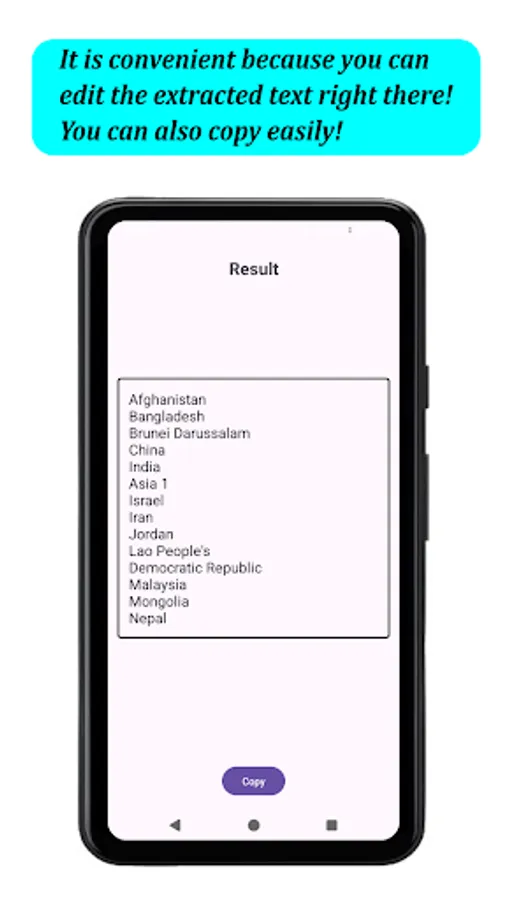
On the result screen, you can edit the extracted text.
Tapping the “Copy” button at the bottom of the screen to copy all text to the clipboard.
*Switching languages for scanning
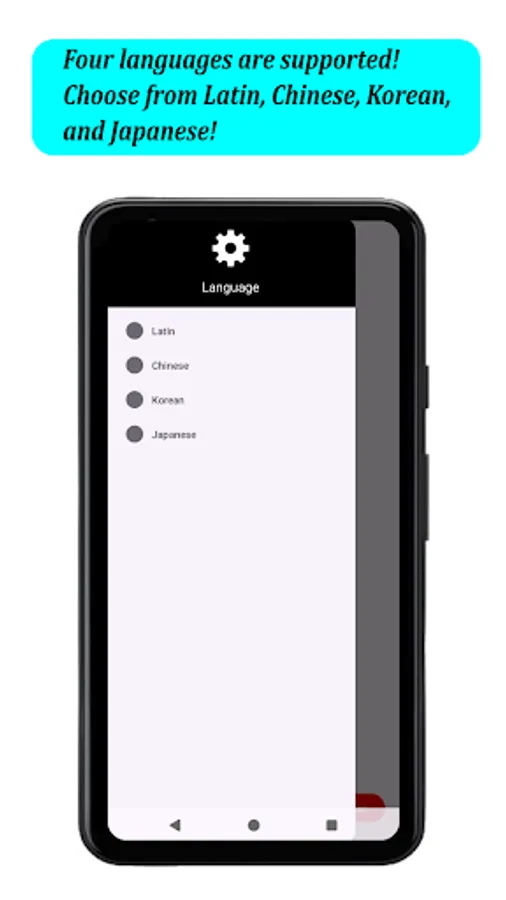
You can switch the languages for scanning from the navigation drawer on the top screen (the three-line icon on the left side of the title bar). You can choose from four supported languages: Latin, Chinese, Korean, and Japanese. You can switch languages even after setting an image.
*The app supports English and Japanese as display languages. Language switching within the app is not supported. The language will change according to your device's language settings.
Supported languages: 4 languages. (Latin, Chinese, Korean, Japanese)
[How to Use]
*Setting an image
You can set an image taken with the camera or selected from your gallery. Tapping the “Camera” button at the bottom of the top screen to launch the camera. Tapping the “Gallery” button displays your gallery.
*Extraction Method
Tapping the “Scan” button at the bottom right of the main screen to proceed to the result screen. (Perform this after setting an image.)
*Editing
On the result screen, you can edit the extracted text.
Tapping the “Copy” button at the bottom of the screen to copy all text to the clipboard.
*Switching languages for scanning
You can switch the languages for scanning from the navigation drawer on the top screen (the three-line icon on the left side of the title bar). You can choose from four supported languages: Latin, Chinese, Korean, and Japanese. You can switch languages even after setting an image.
*The app supports English and Japanese as display languages. Language switching within the app is not supported. The language will change according to your device's language settings.