G-sensor Logger
Peter Ho
4.3 ★
939 ratings
100,000+
downloads
Free
+ in-app
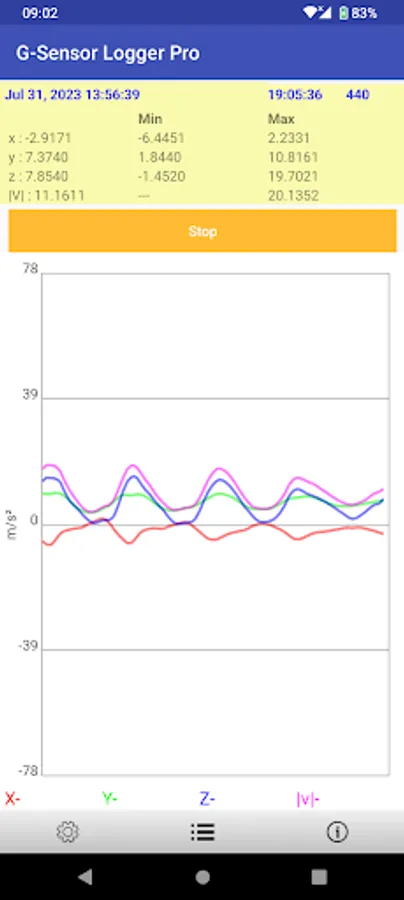
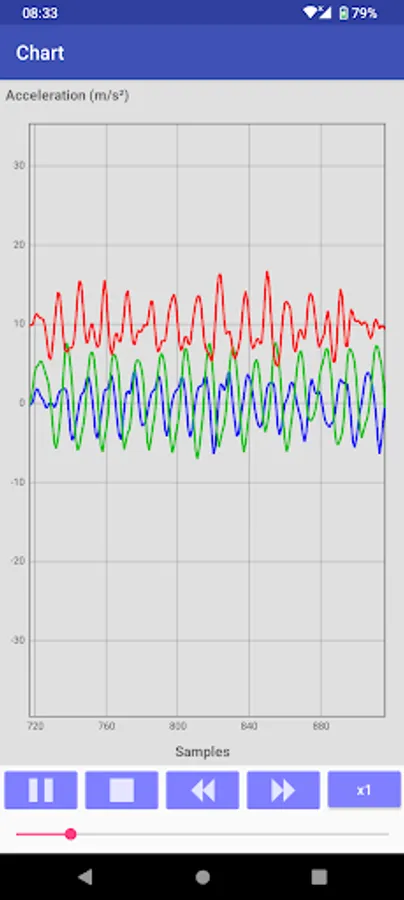
In this app, you can record and save accelerometer sensor data into CSV files and review the recorded data. Includes data capture, playback, and file export features.
AppRecs review analysis
AppRecs rating 4.3. Trustworthiness 52 out of 100. Review manipulation risk 42 out of 100. Based on a review sample analyzed.
★★★★☆
4.3
AppRecs Rating
Ratings breakdown
5 star
64%
4 star
17%
3 star
11%
2 star
5%
1 star
2%
What to know
✓
Authentic reviews
Natural distribution, no red flags
⚠
Questionable review patterns
42% review manipulation risk - some review patterns appear unusual
⚠
Review quality concerns
53% of sampled 5-star reviews are very short
About G-sensor Logger
The application capture the accelerometer sensor (or G-sensor) data into a file
Features
1. The magnitude, minimum and maximum are calculated.
2. Replay
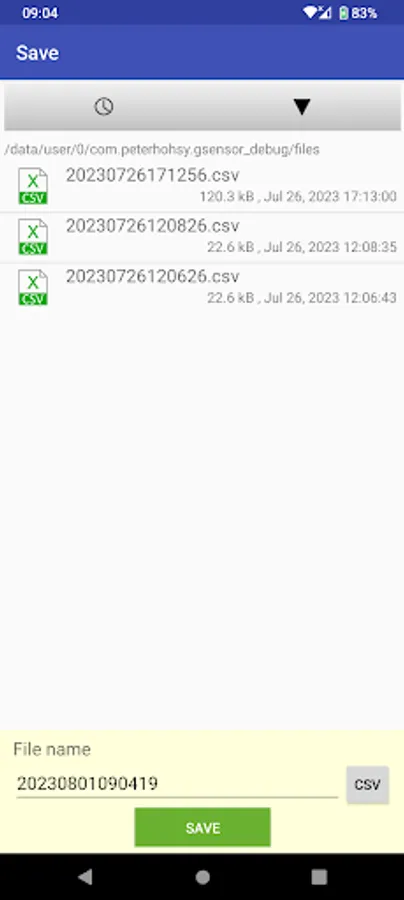
3. The captured data can be save in comma-separated values (CSV) file
4. Limit 10000 data points
5. Support English, German, French, Italian, Spanish, Portuguese, Trad. Chinese, Simplified Chinese, Japanese, Korean, Russian, Thai, Vietnamese, Malay
Features in Pro only
1. No limitation of data points
2. No ads
Permission
* Modify/delete SD card contents is used to write CSV file to SD card
* Internet access is used for ad and Dropbox access
* Prevent phone from sleeping is used to keep the screen on for user taking lap
How to use the app ?
Press "Logging" to start logging accelerometer data. To stop logging, press the button again
Press menu->"Save" icon to save the logging data to CSV file
Press menu->"Dropbox" icon to upload a selected file to you Dropbox.
Note :
For those who need support please email to the designated email.
Do NOT use either the feedback area to write questions, it is not appropriate and that is not guaranteed that can read them.
Features
1. The magnitude, minimum and maximum are calculated.
2. Replay
3. The captured data can be save in comma-separated values (CSV) file
4. Limit 10000 data points
5. Support English, German, French, Italian, Spanish, Portuguese, Trad. Chinese, Simplified Chinese, Japanese, Korean, Russian, Thai, Vietnamese, Malay
Features in Pro only
1. No limitation of data points
2. No ads
Permission
* Modify/delete SD card contents is used to write CSV file to SD card
* Internet access is used for ad and Dropbox access
* Prevent phone from sleeping is used to keep the screen on for user taking lap
How to use the app ?
Press "Logging" to start logging accelerometer data. To stop logging, press the button again
Press menu->"Save" icon to save the logging data to CSV file
Press menu->"Dropbox" icon to upload a selected file to you Dropbox.
Note :
For those who need support please email to the designated email.
Do NOT use either the feedback area to write questions, it is not appropriate and that is not guaranteed that can read them.