
WeDJ
AlphaTheta Corporation
4.0 ★
12K ratings
1,000,000+
downloads
Free
+ in-app
AppRecs review analysis
AppRecs rating 4.1. Trustworthiness 77 out of 100. Review manipulation risk 32 out of 100. Based on a review sample analyzed.
★★★★☆
4.1
AppRecs Rating
Ratings breakdown
5 star
58%
4 star
15%
3 star
7%
2 star
5%
1 star
15%
What to know
✓
Credible reviews
77% trustworthiness score from analyzed reviews
✓
Good user ratings
73% positive sampled reviews
✓
Authentic reviews
Natural distribution, no red flags
About WeDJ
🎉💿🎛🎚🎚🎛💿Get the party started with WeDJ for Android.🎧 ✨🎵
Developed by Pioneer DJ - the brand known for its club-standard DJ equipment – this app offers a flexible and seamless DJ experience.
Play and mix music stored on your Android phone/tablet and use performance features and FX to create your own sound.
Take your performances to the next level by connecting compatible DJ gear.
Get hands-on with any of these units:
- DDJ-200*
- DDJ-WeGO4
- DDJ-WeGO3
*DDJ-200 Transition FX is not supported.
Make the music your own.
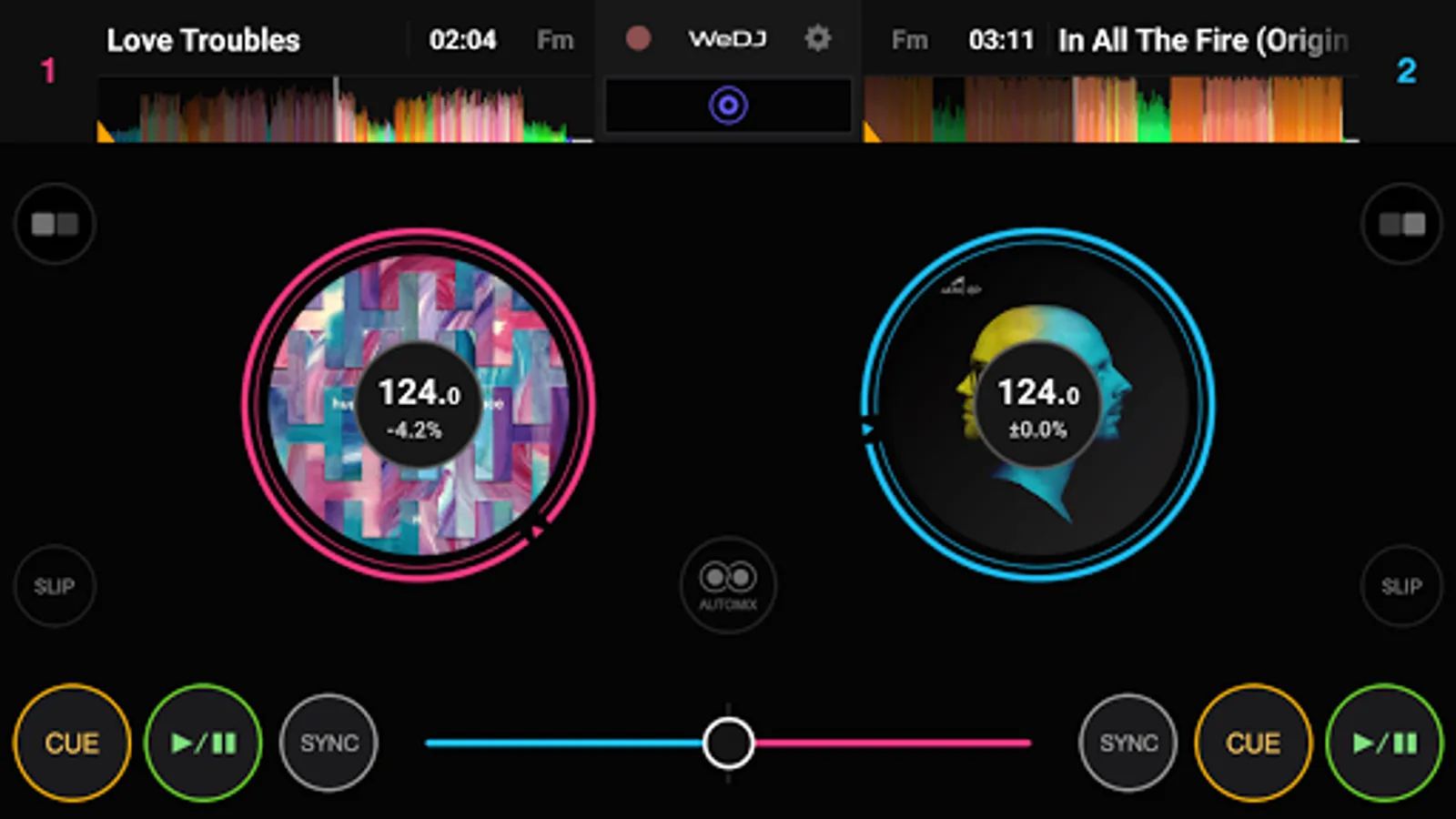
- 2-channel layout: Play and mix two different tracks at the same time.
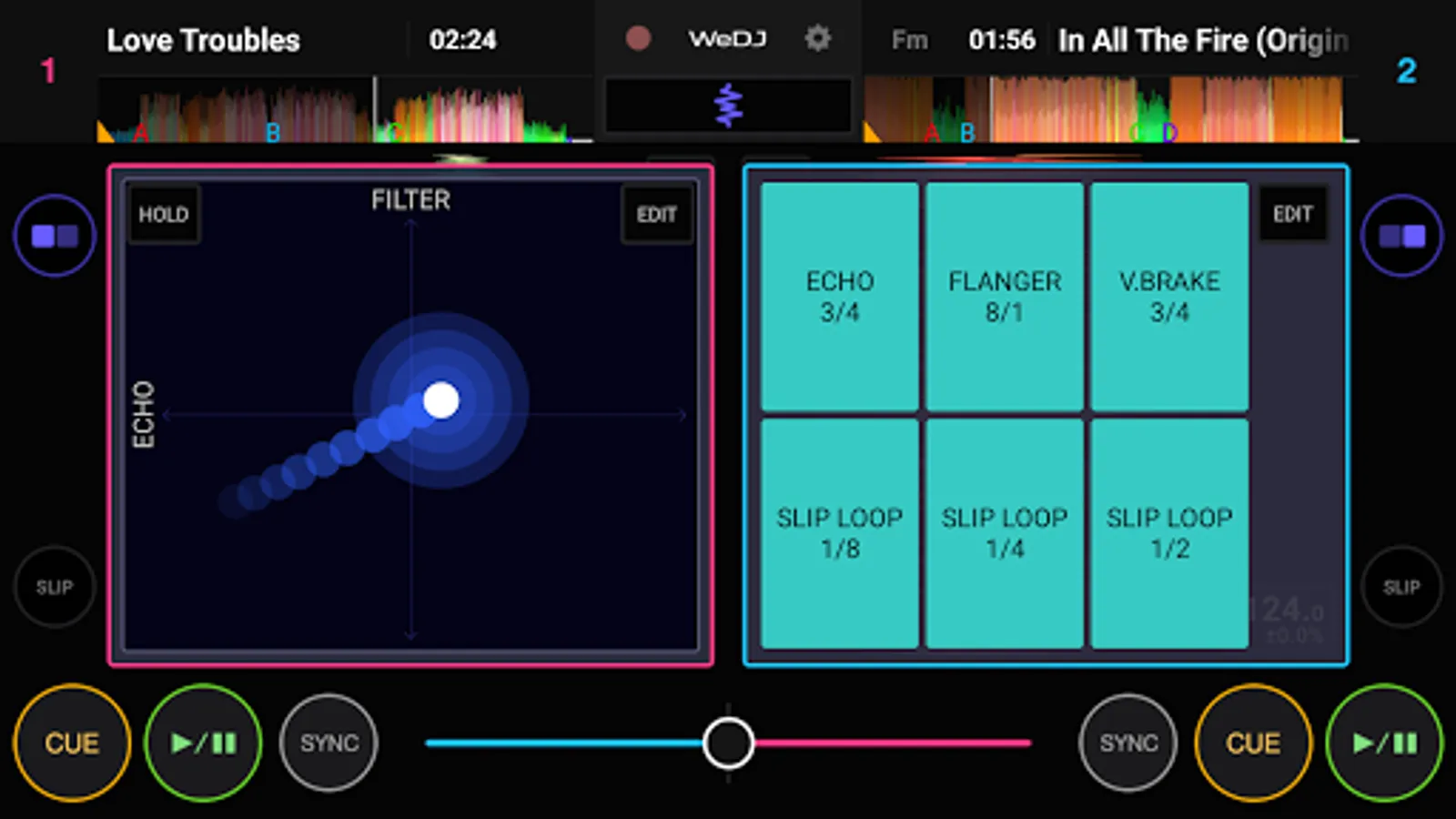
- FX (effects): Change the texture of the sound using various FX, such as Echo and Reverb.
- Sampler (sound effects): Get creative by triggering included sounds including Horn and Siren.
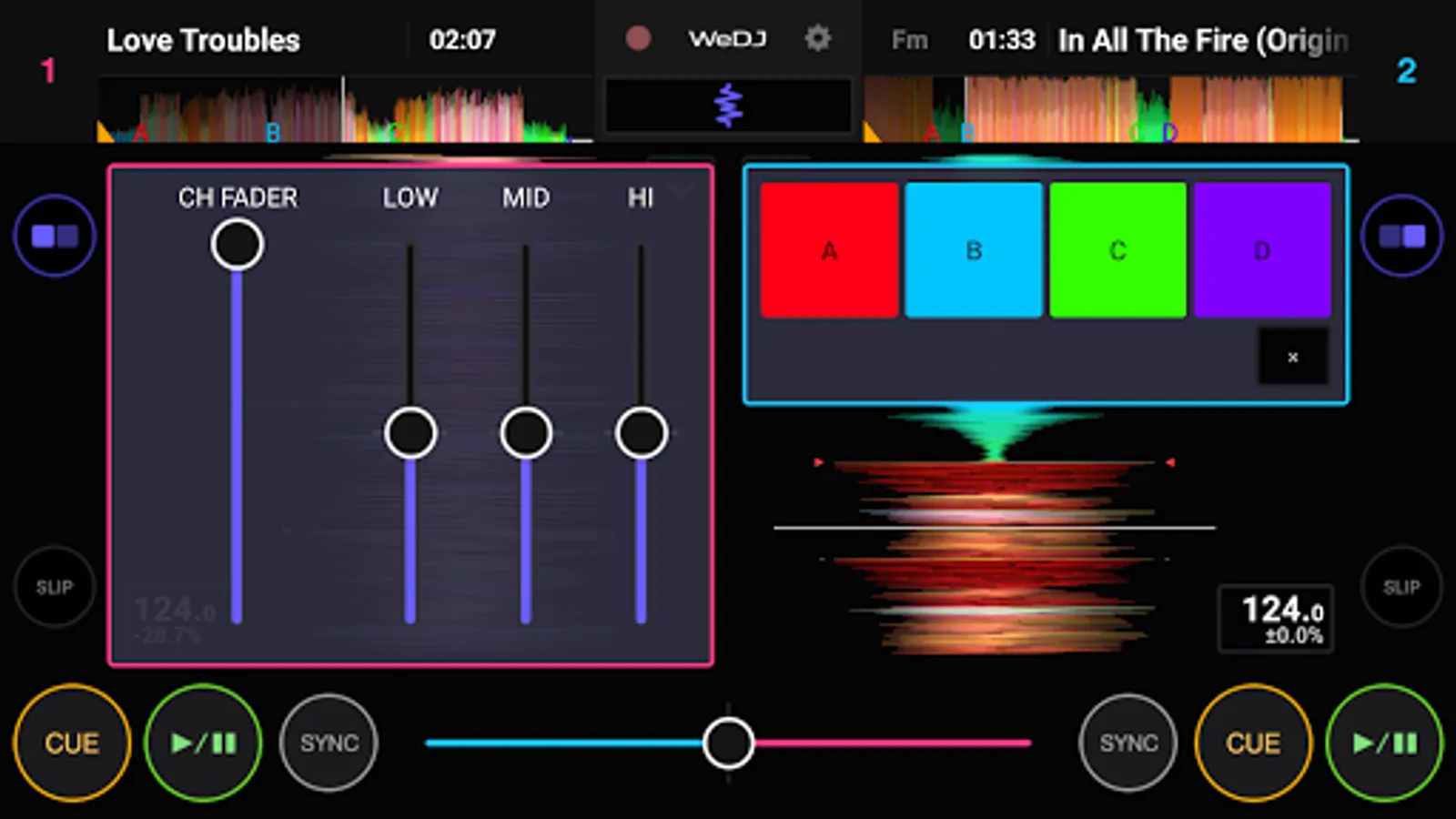
- 3-band EQ & Mixer: Mix smoothly by adjusting the volume of three sound ranges: high, medium, and low.
- Tempo slider: Control the speed of each track and use Master Tempo to prevent changes to the key.
Easy DJ mixing
- Beat Sync: Sync the tempo of two songs with the touch of a button.
- Crossfader: Adjust the volume balance of the two tracks.
- Pre-cueing: Split the stereo output to check the monitor and master outputs separately before you perform each mix (split cable required - comes with the DDJ-200).
Play your favorite parts of a track
- Loop: Choose a section of a track and play it repeatedly.
- Hot Cue: Mark the point in a track where you want to start playing from and jump to it at any time.
Listen and share
- Automix: Let the app do the mixing so you can just enjoy listening.
- Record: Record and share your mix.
Design
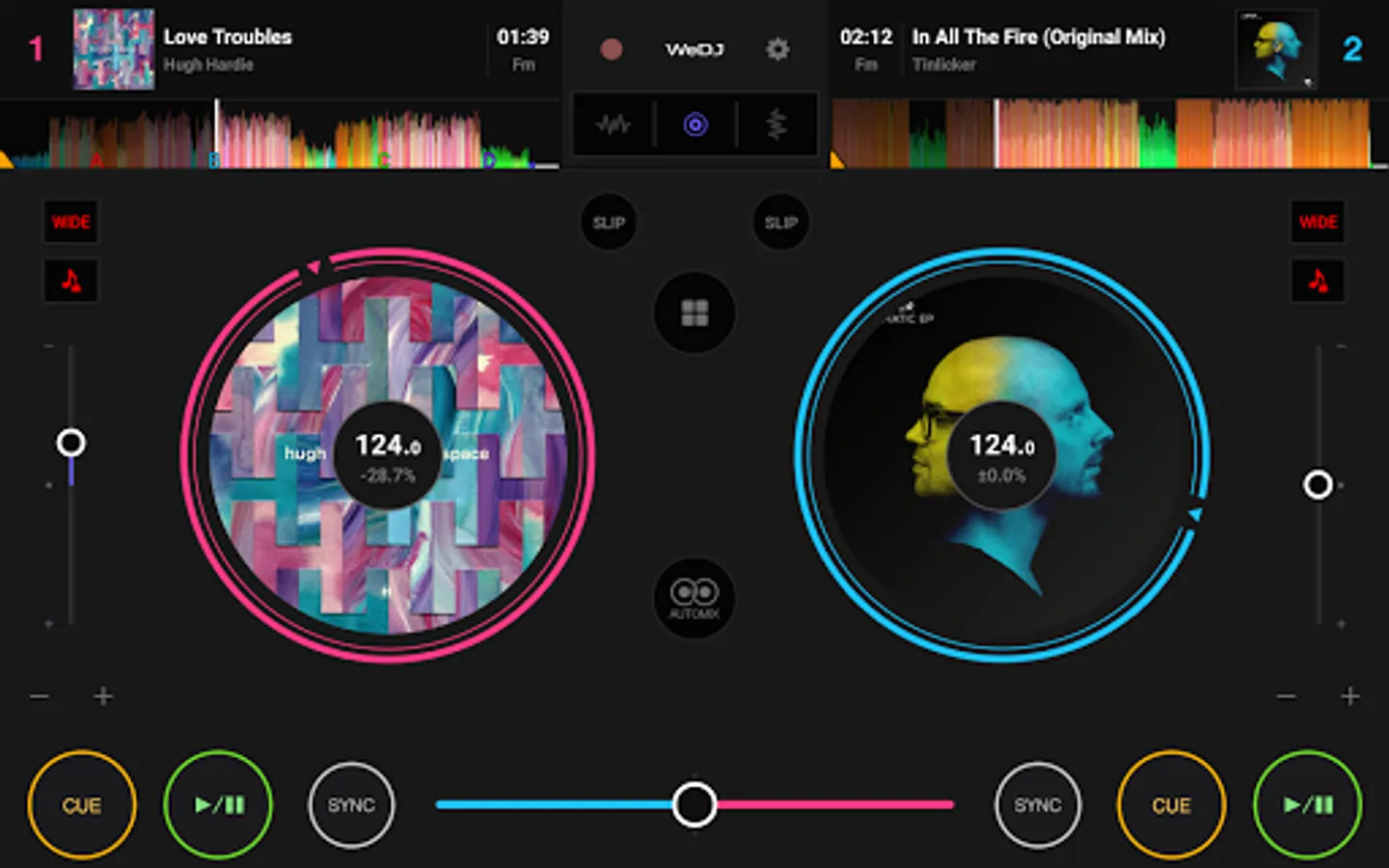
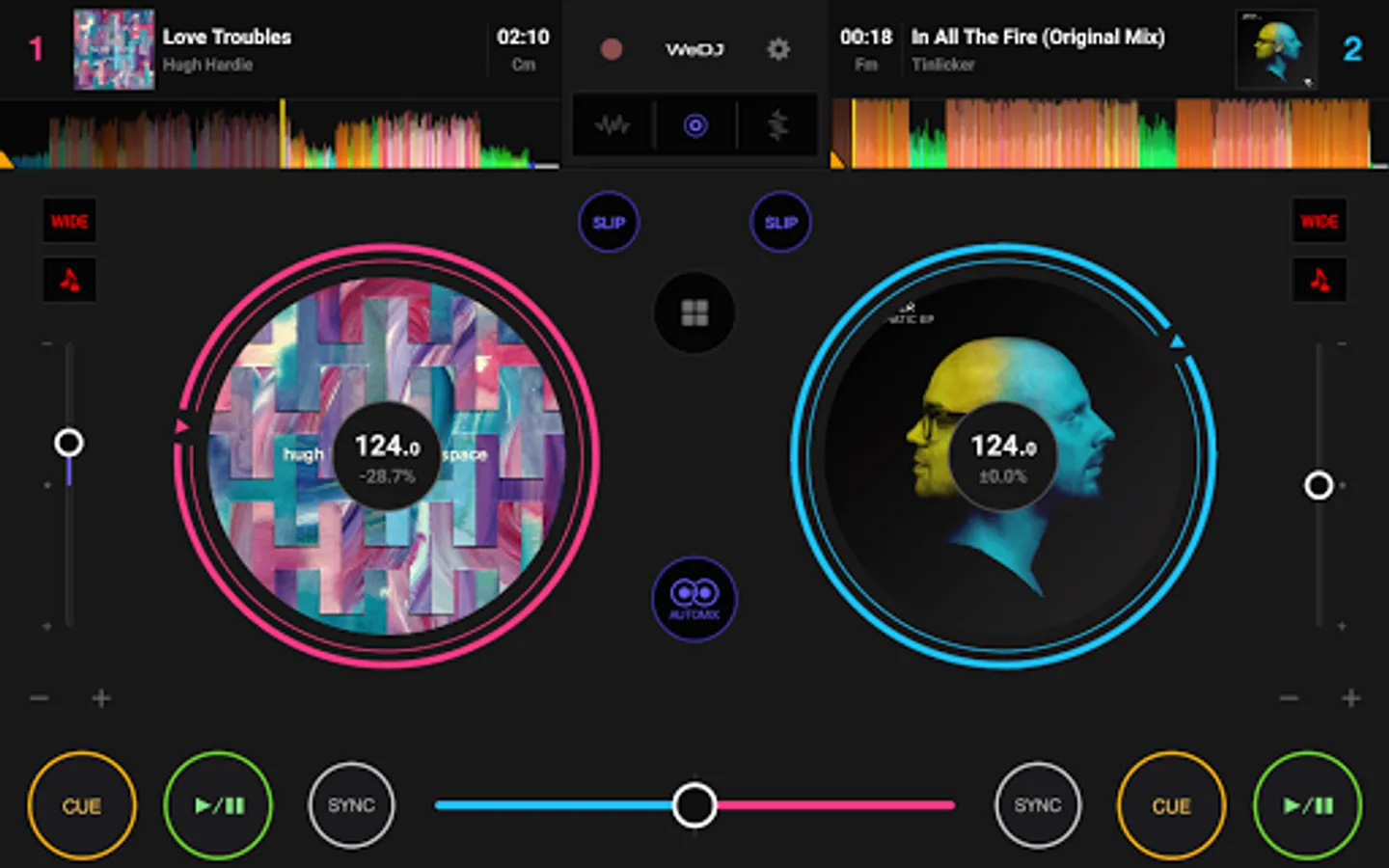
- Jog wheels: Scratch tracks by touching the turntables on the screen.
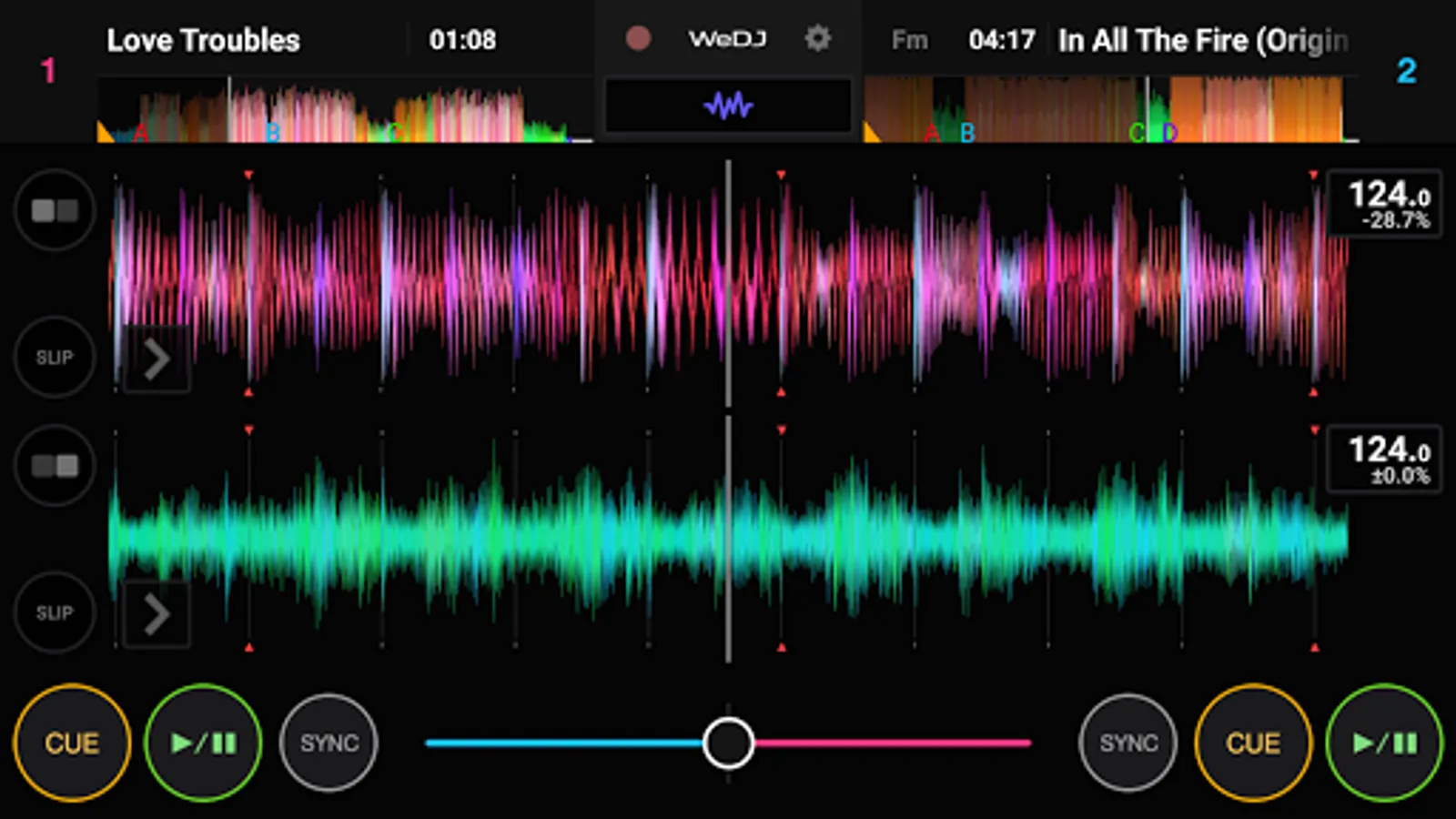
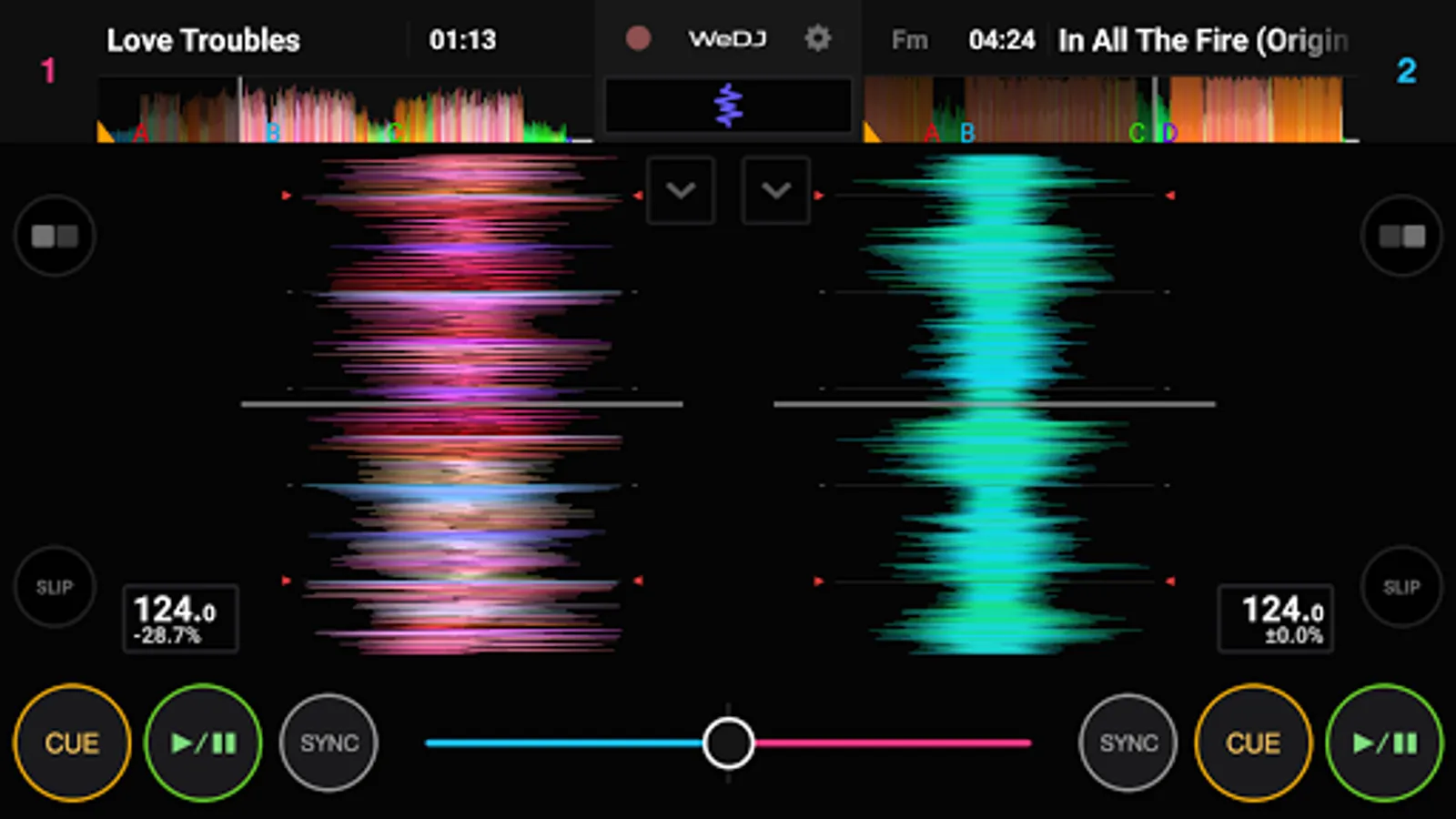
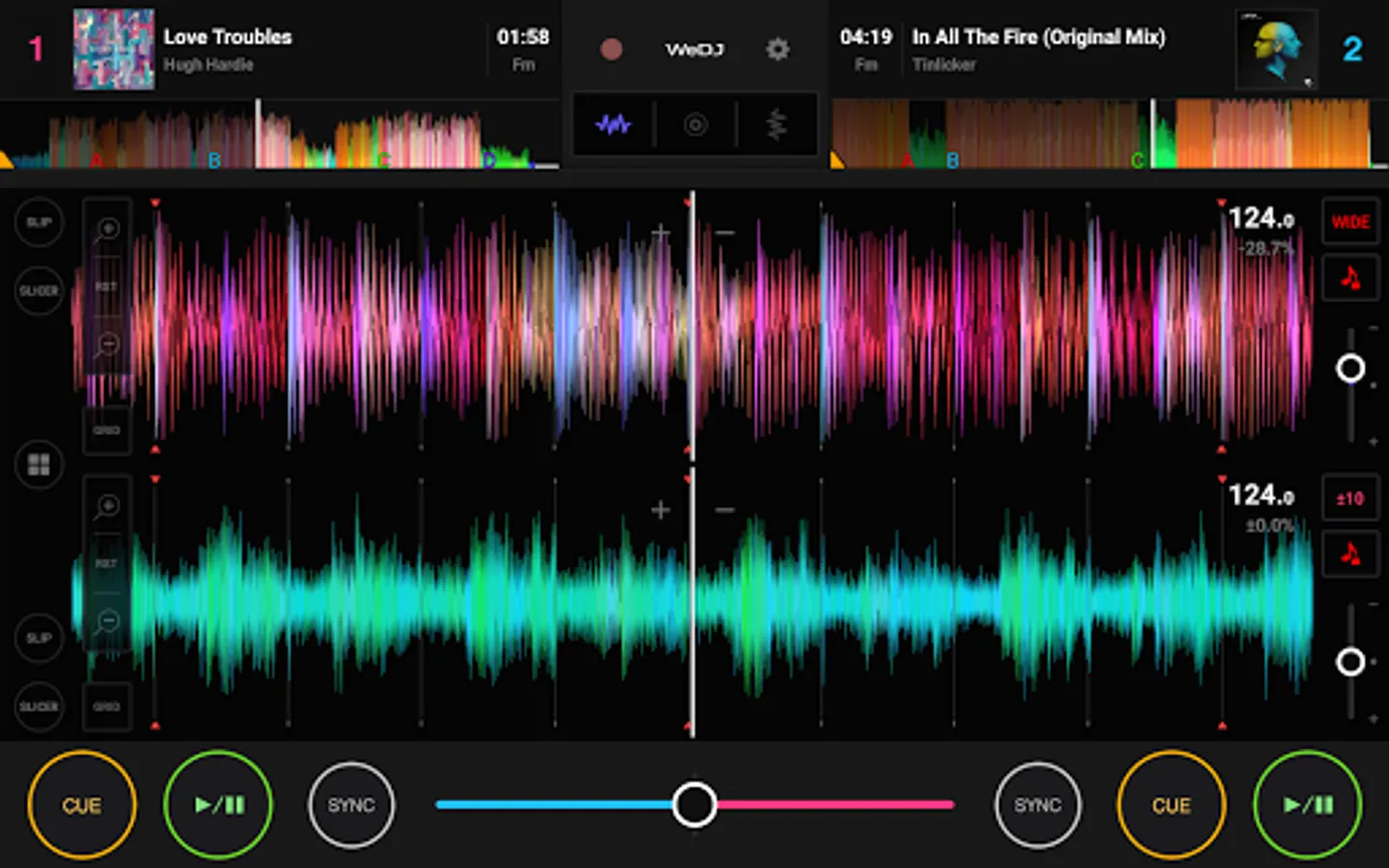
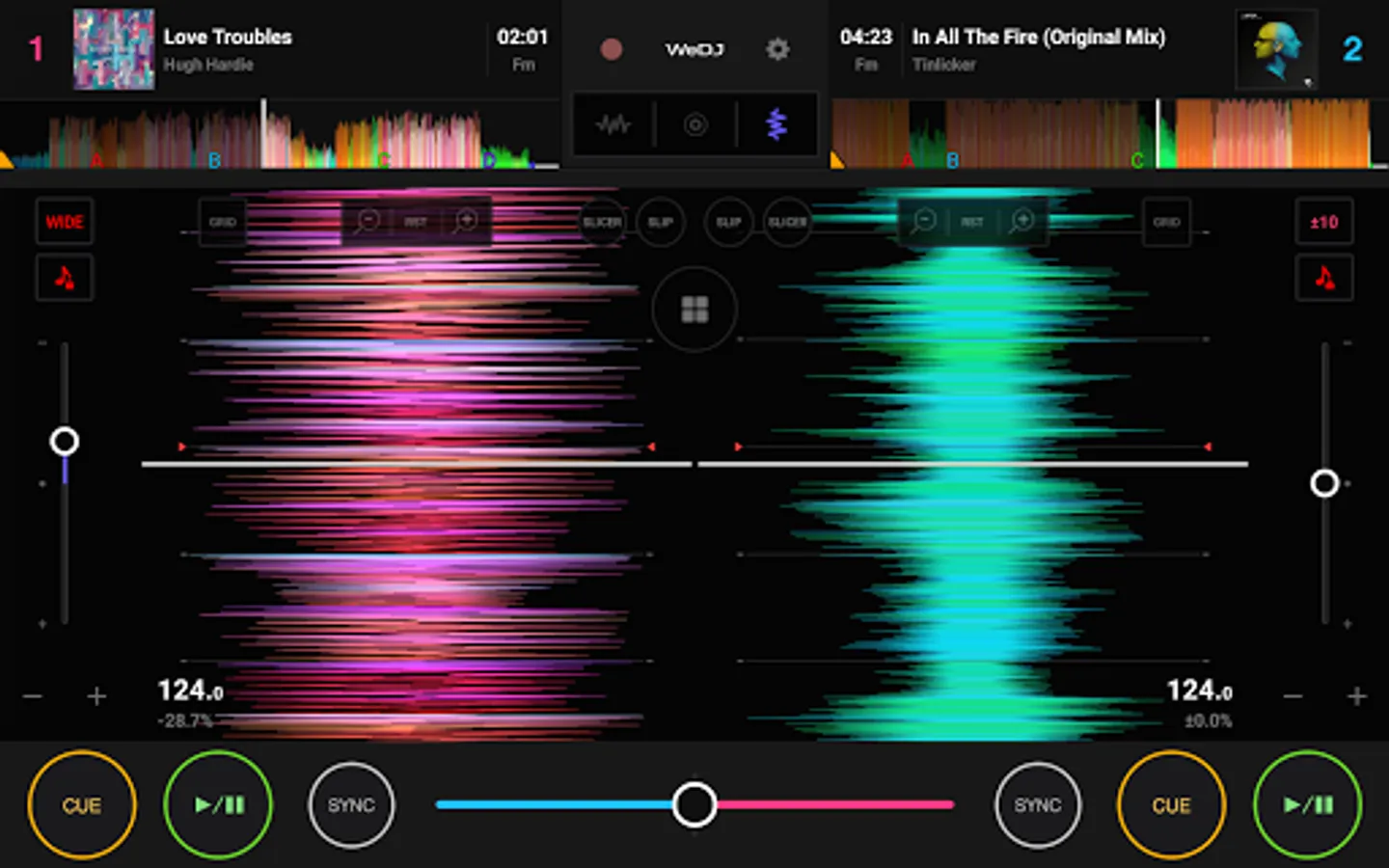
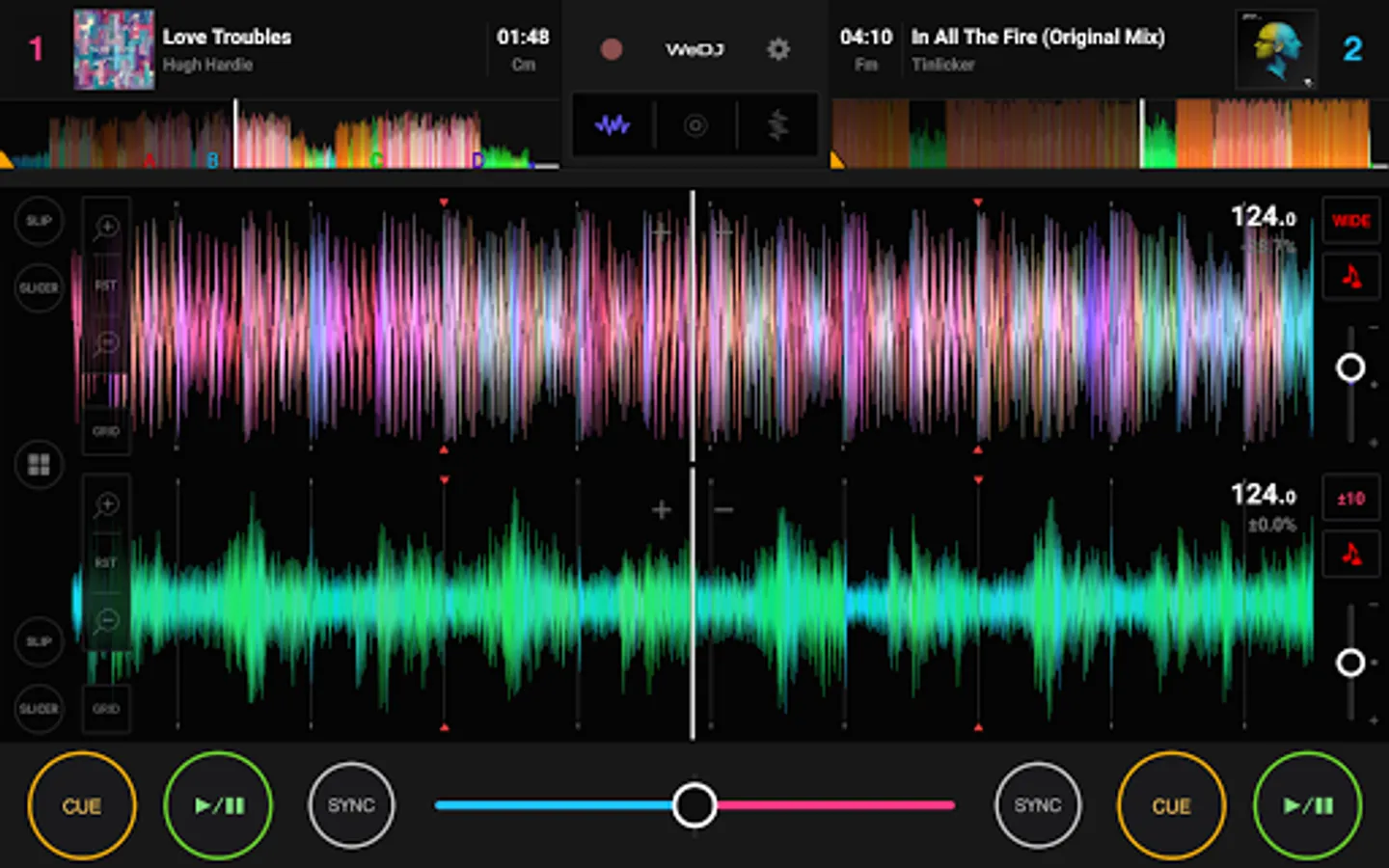
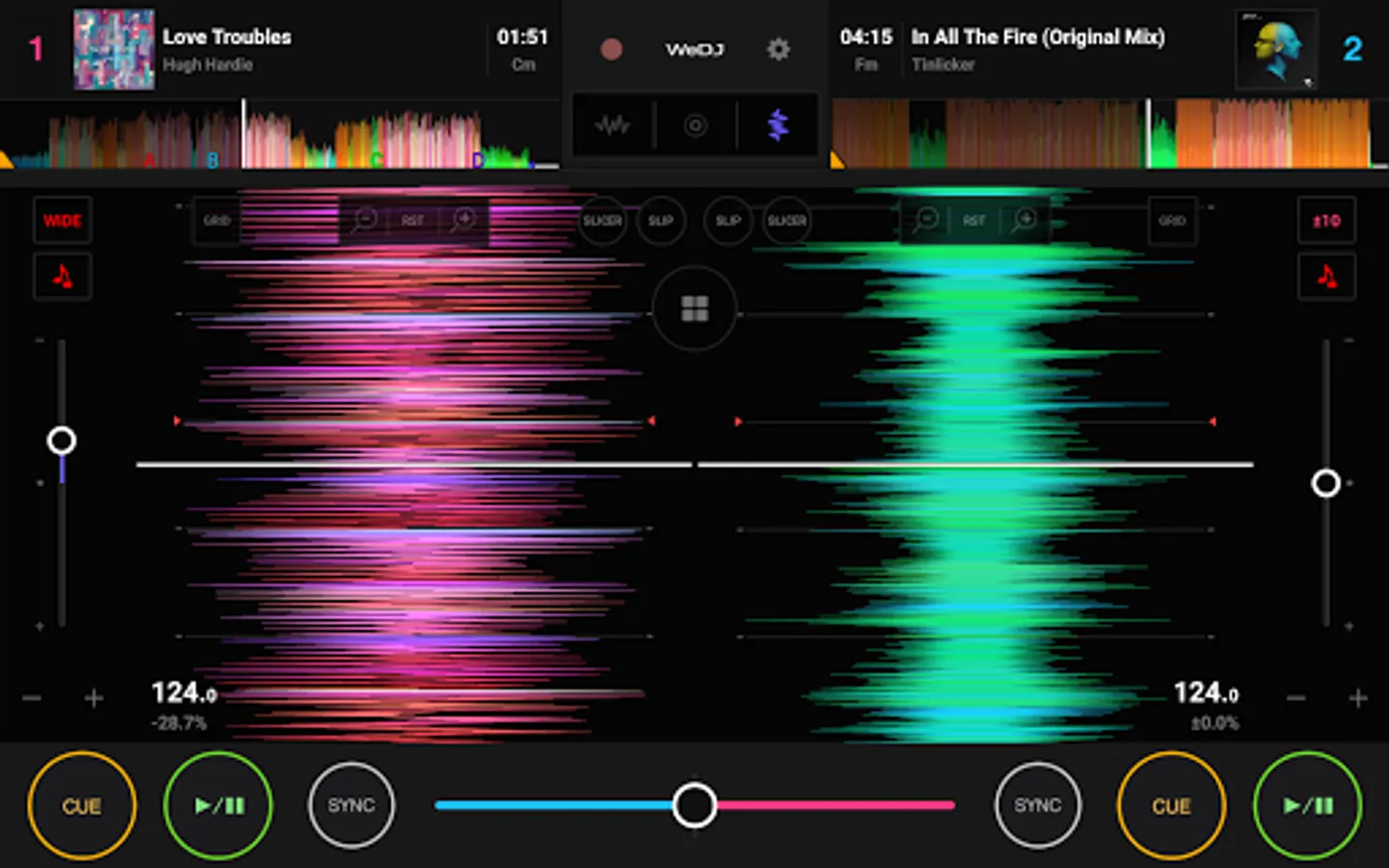
- Enlarged waveforms: See a visual representation of the track and touch the waveform to visually check the playback position.
Supported file formats
- WAV, AIFF, MP3, M4A
Note: Some tracks may not be displayed on the Browse screen depending on the Android device you are using.
Other key features
- Intuitive user interface: The colorful, animated layout gives you clear visual feedback of your jog wheels and controls as you adjust the tempo, scratch tracks and tweak EQs. This makes it easy to learn the basics of DJ-ing before transitioning to using hardware.
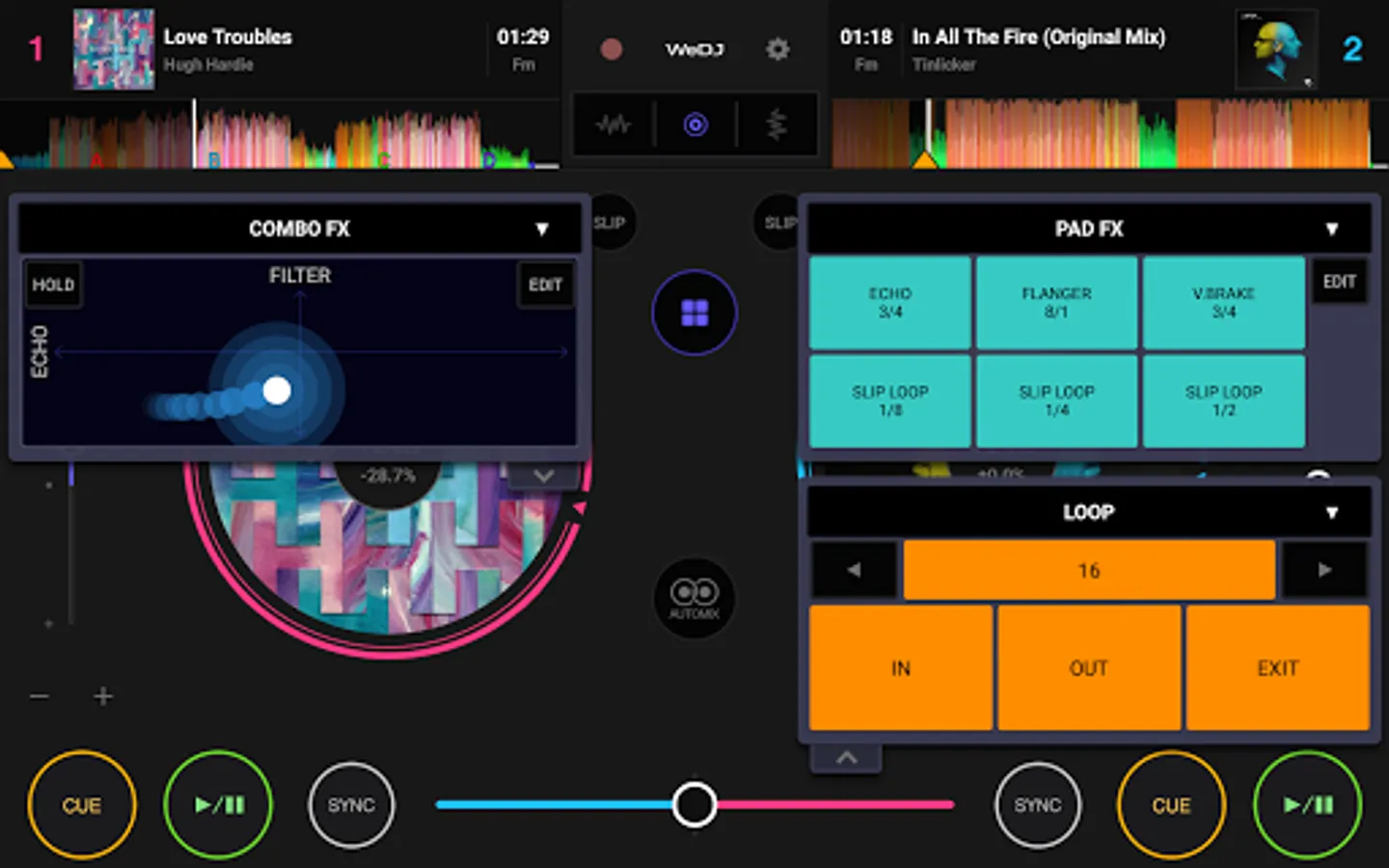
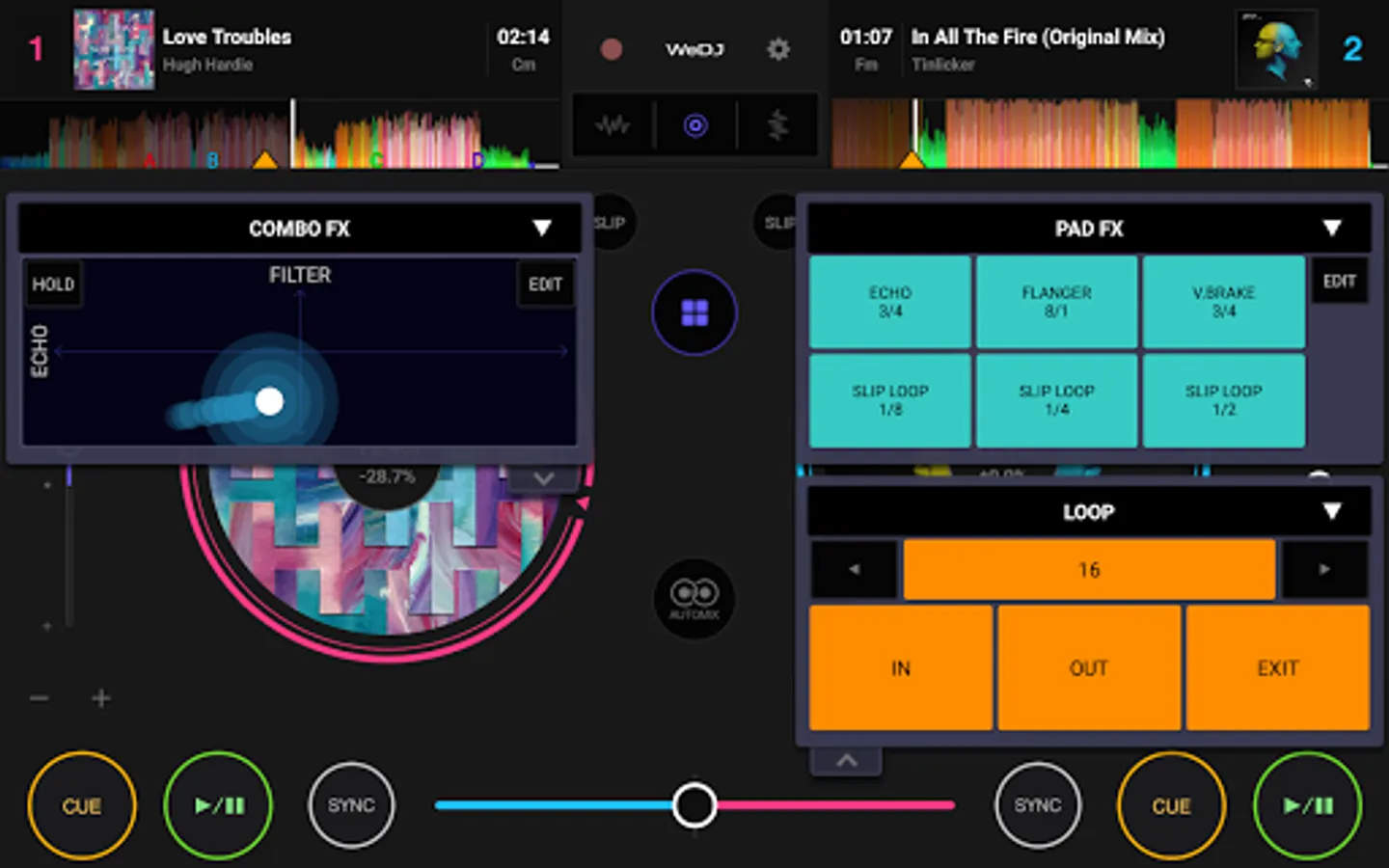
- Performance features: Hot Cues, loops, sampler, Pad FX and Combo FX are just a few of the WeDJ’s advanced features. Set your creativity free – without switching performance panels.
- Flexible layout: You can change the layout to match your needs. Choose to see the 2 jog wheels and overview waveforms, or display enlarged waveforms either horizontally or vertically.
- Advanced FX: Trigger Pad FX by pressing down on the pads, or use the X/Y pad to blend 2 effects by tracing your finger on the x and y axes on the display. On your tablet, 2 features can be displayed on each deck simultaneously so you can create new sounds without switching performance panels.
- Colorful display: The color of the waveforms and jog wheels change according to the album cover image, so you can easily keep track of what’s on each deck.
Product page
https://www.pioneerdj.com/en/product/software/wedj-for-android/dj-app/overview/
FAQ
https://faq.pioneerdj.com/product.php?lang=en&p=WeDJ-for-Android&t=faq
Inquiries
If you have any questions about WeDJ for Android, please submit a form here: https://www.pioneerdj.com/en/landing/app-inquiries/
Developed by Pioneer DJ - the brand known for its club-standard DJ equipment – this app offers a flexible and seamless DJ experience.
Play and mix music stored on your Android phone/tablet and use performance features and FX to create your own sound.
Take your performances to the next level by connecting compatible DJ gear.
Get hands-on with any of these units:
- DDJ-200*
- DDJ-WeGO4
- DDJ-WeGO3
*DDJ-200 Transition FX is not supported.
Make the music your own.
- 2-channel layout: Play and mix two different tracks at the same time.
- FX (effects): Change the texture of the sound using various FX, such as Echo and Reverb.
- Sampler (sound effects): Get creative by triggering included sounds including Horn and Siren.
- 3-band EQ & Mixer: Mix smoothly by adjusting the volume of three sound ranges: high, medium, and low.
- Tempo slider: Control the speed of each track and use Master Tempo to prevent changes to the key.
Easy DJ mixing
- Beat Sync: Sync the tempo of two songs with the touch of a button.
- Crossfader: Adjust the volume balance of the two tracks.
- Pre-cueing: Split the stereo output to check the monitor and master outputs separately before you perform each mix (split cable required - comes with the DDJ-200).
Play your favorite parts of a track
- Loop: Choose a section of a track and play it repeatedly.
- Hot Cue: Mark the point in a track where you want to start playing from and jump to it at any time.
Listen and share
- Automix: Let the app do the mixing so you can just enjoy listening.
- Record: Record and share your mix.
Design
- Jog wheels: Scratch tracks by touching the turntables on the screen.
- Enlarged waveforms: See a visual representation of the track and touch the waveform to visually check the playback position.
Supported file formats
- WAV, AIFF, MP3, M4A
Note: Some tracks may not be displayed on the Browse screen depending on the Android device you are using.
Other key features
- Intuitive user interface: The colorful, animated layout gives you clear visual feedback of your jog wheels and controls as you adjust the tempo, scratch tracks and tweak EQs. This makes it easy to learn the basics of DJ-ing before transitioning to using hardware.
- Performance features: Hot Cues, loops, sampler, Pad FX and Combo FX are just a few of the WeDJ’s advanced features. Set your creativity free – without switching performance panels.
- Flexible layout: You can change the layout to match your needs. Choose to see the 2 jog wheels and overview waveforms, or display enlarged waveforms either horizontally or vertically.
- Advanced FX: Trigger Pad FX by pressing down on the pads, or use the X/Y pad to blend 2 effects by tracing your finger on the x and y axes on the display. On your tablet, 2 features can be displayed on each deck simultaneously so you can create new sounds without switching performance panels.
- Colorful display: The color of the waveforms and jog wheels change according to the album cover image, so you can easily keep track of what’s on each deck.
Product page
https://www.pioneerdj.com/en/product/software/wedj-for-android/dj-app/overview/
FAQ
https://faq.pioneerdj.com/product.php?lang=en&p=WeDJ-for-Android&t=faq
Inquiries
If you have any questions about WeDJ for Android, please submit a form here: https://www.pioneerdj.com/en/landing/app-inquiries/
WeDJ Screenshots
Tap to Rate:
Reviews for WeDJ
Kevn Escobar
12/21/2025
it the best so great and no adds and it's worth it 10\10
Simon Lehlake
12/6/2025
when loading tracks it says not supported. n b4 it was ok not now