
SMS Backup & Restore
SyncTech Pty Ltd
3.9 ★
131K ratings
10,000,000+
downloads
Free
With this app, you can create backups of SMS, MMS, and call logs and restore them from existing backups. Includes options to back up locally or upload to cloud services like Google Drive, Dropbox, and OneDrive.
AppRecs review analysis
AppRecs rating 4.0. Trustworthiness 81 out of 100. Review manipulation risk 24 out of 100. Based on a review sample analyzed.
★★★★☆
4.0
AppRecs Rating
Ratings breakdown
5 star
62%
4 star
7%
3 star
7%
2 star
4%
1 star
20%
What to know
✓
Low review manipulation risk
24% review manipulation risk
✓
Credible reviews
81% trustworthiness score from analyzed reviews
✓
Good user ratings
69% positive sampled reviews
About SMS Backup & Restore
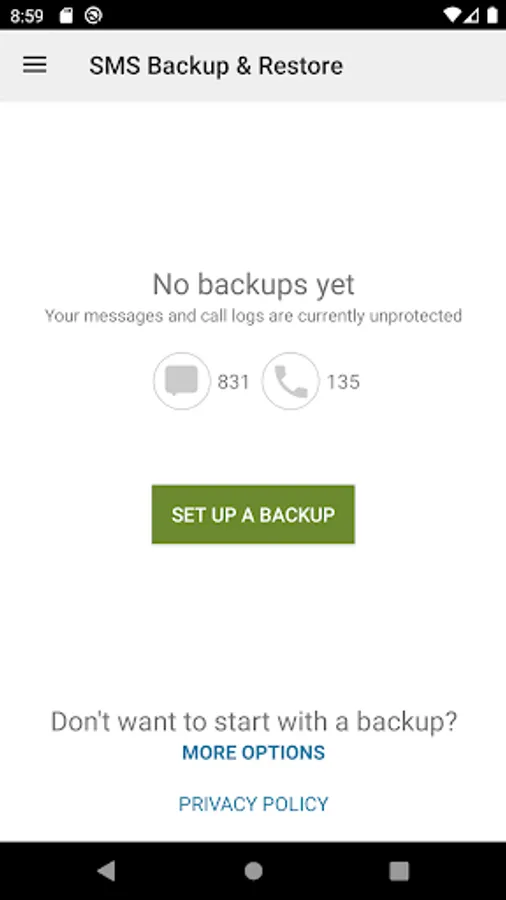
SMS Backup & Restore is an app that backs up (creates a copy of) SMS & MMS messages and call logs currently available on the phone. It can also restore messages and call logs from already existing backups.
Note: This app requires existing backups to be able to restore call logs and messages. It cannot recover anything without existing backups.
To view the contents of the backups, visit https://www.synctech.com.au/view-backup/
For questions or issues please visit our FAQ at: https://synctech.com.au/sms-faqs/
APP FEATURES:
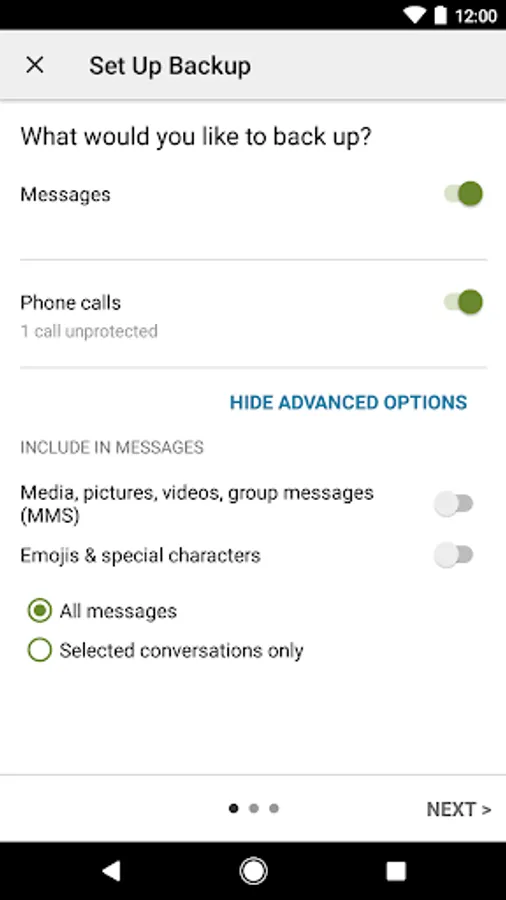
- Backup SMS (text) messages, MMS and call logs in XML format.
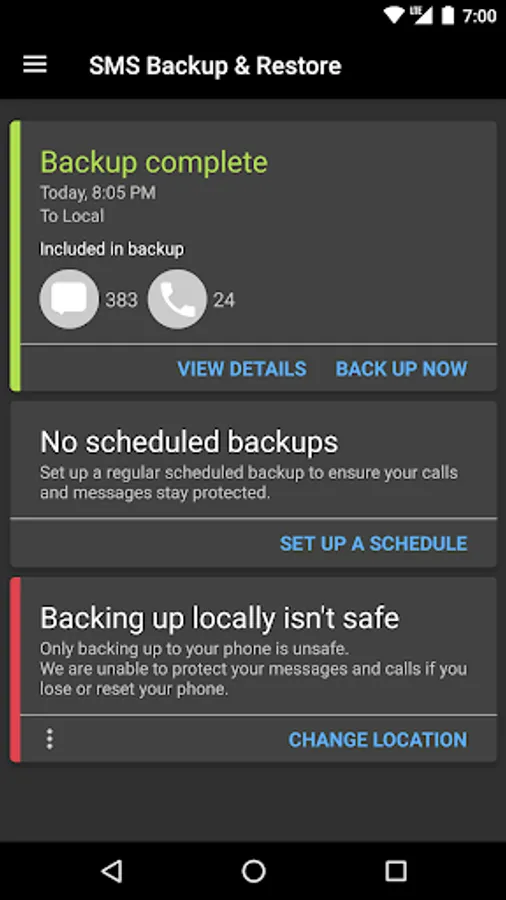
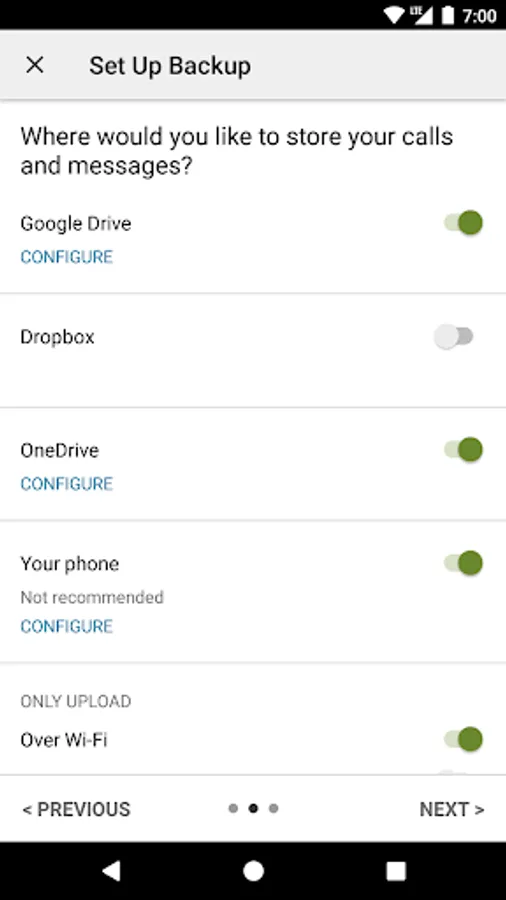
- Local device backup with options to automatically upload to Google Drive, Dropbox and OneDrive.
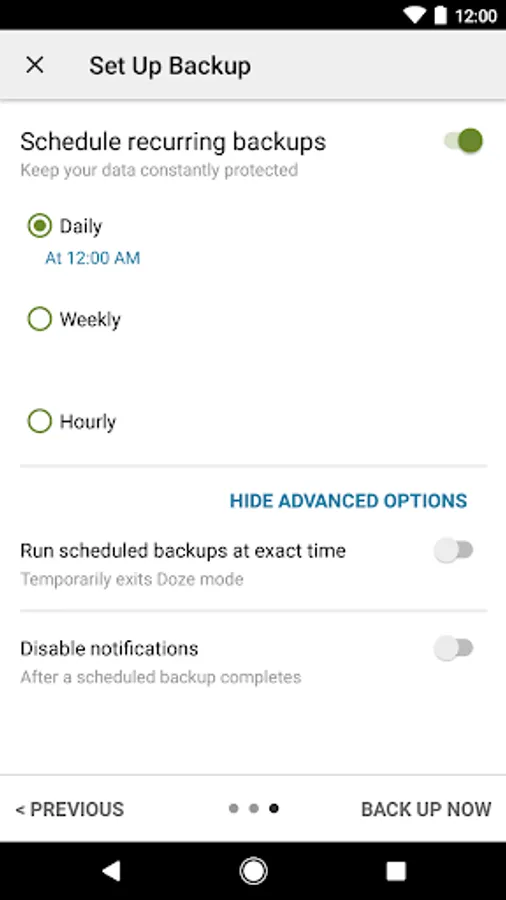
- Choose a recurring scheduled time to automatically backup.
- Option to select which conversations to backup or restore.
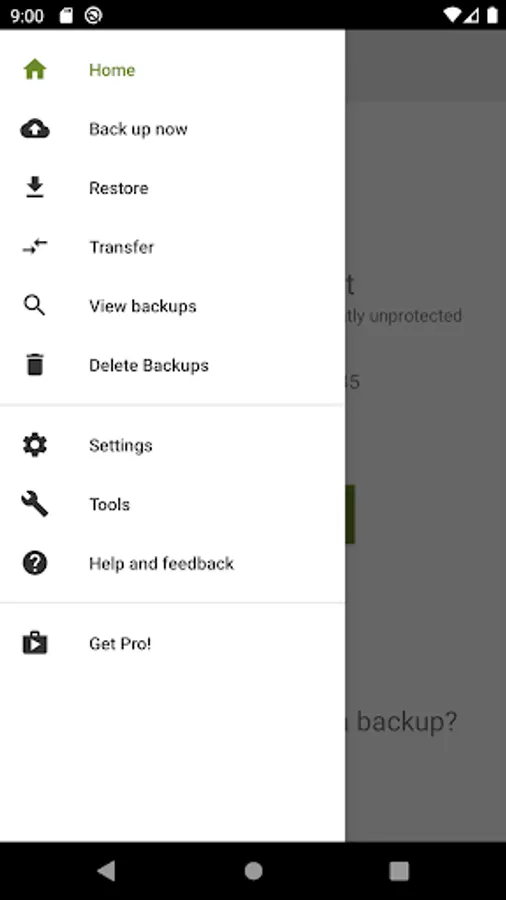
- View and drill into your local and cloud backups.
- Search backups.
- Restore/transfer backup to another phone. Backup format is independent of the Android version so the messages and logs can be easily transferred from one phone to another, irrespective of the version.
- Fast Transfer between 2 phones over WiFi direct
- Free up space on your phone. Delete all SMS messages or call logs on the Phone.
- Email a backup file.
- The XML backup can be viewed on a computer via the online viewer at https://SyncTech.com.au/view-backup/
Notes:
- Tested on Android 5.0 and higher
- App only restores backups made by this app
- Backup is created locally on the phone by default, but has options to upload to Google Drive, Dropbox, OneDrive or Email. At no time are the files sent to the developer.
- Please ensure there is a copy of the backup outside the phone before performing a factory reset on the phone.
This App needs access to the following:
* Your messages: Backup and Restore messages. Receive SMS permission needed to properly handle messages received while the app is the default messaging app.
* Your Calls and Contact information: Backup and Restore Call Logs.
* Storage: To create the Backup file on the SD card.
* Network view and communication: Allows the app to connect to wifi for backup
* Your social information: To display and store the contact names in the Backup file.
* Run at start-up: Start scheduled Backups.
* Prevent Phone from Sleeping: To prevent the phone from going to sleep/suspended state while a Backup or Restore operation is in progress.
* Test access to Protected Storage: To create the Backup file on the SD card.
* Account Information: To authenticate with Google Drive and Gmail for cloud uploads.
* Location: Only requested and used during WiFi direct transfer due to a security requirement on Android.
Note: This app requires existing backups to be able to restore call logs and messages. It cannot recover anything without existing backups.
To view the contents of the backups, visit https://www.synctech.com.au/view-backup/
For questions or issues please visit our FAQ at: https://synctech.com.au/sms-faqs/
APP FEATURES:
- Backup SMS (text) messages, MMS and call logs in XML format.
- Local device backup with options to automatically upload to Google Drive, Dropbox and OneDrive.
- Choose a recurring scheduled time to automatically backup.
- Option to select which conversations to backup or restore.
- View and drill into your local and cloud backups.
- Search backups.
- Restore/transfer backup to another phone. Backup format is independent of the Android version so the messages and logs can be easily transferred from one phone to another, irrespective of the version.
- Fast Transfer between 2 phones over WiFi direct
- Free up space on your phone. Delete all SMS messages or call logs on the Phone.
- Email a backup file.
- The XML backup can be viewed on a computer via the online viewer at https://SyncTech.com.au/view-backup/
Notes:
- Tested on Android 5.0 and higher
- App only restores backups made by this app
- Backup is created locally on the phone by default, but has options to upload to Google Drive, Dropbox, OneDrive or Email. At no time are the files sent to the developer.
- Please ensure there is a copy of the backup outside the phone before performing a factory reset on the phone.
This App needs access to the following:
* Your messages: Backup and Restore messages. Receive SMS permission needed to properly handle messages received while the app is the default messaging app.
* Your Calls and Contact information: Backup and Restore Call Logs.
* Storage: To create the Backup file on the SD card.
* Network view and communication: Allows the app to connect to wifi for backup
* Your social information: To display and store the contact names in the Backup file.
* Run at start-up: Start scheduled Backups.
* Prevent Phone from Sleeping: To prevent the phone from going to sleep/suspended state while a Backup or Restore operation is in progress.
* Test access to Protected Storage: To create the Backup file on the SD card.
* Account Information: To authenticate with Google Drive and Gmail for cloud uploads.
* Location: Only requested and used during WiFi direct transfer due to a security requirement on Android.
SMS Backup & Restore Screenshots
Tap to Rate:
Reviews for SMS Backup & Restore
Baldeb Shaw
12/29/2025
Very easy to use and worked fantastically for me, also didn't even see a single ad during my usage. Recommended if you want to transfer call logs or messages.
Dougie Thrash
12/29/2025
restore failed, customer support was no help.