
S power planning
Samsung R&D Institute India Noida
4.6 ★
13K ratings
100,000,000+
downloads
Free
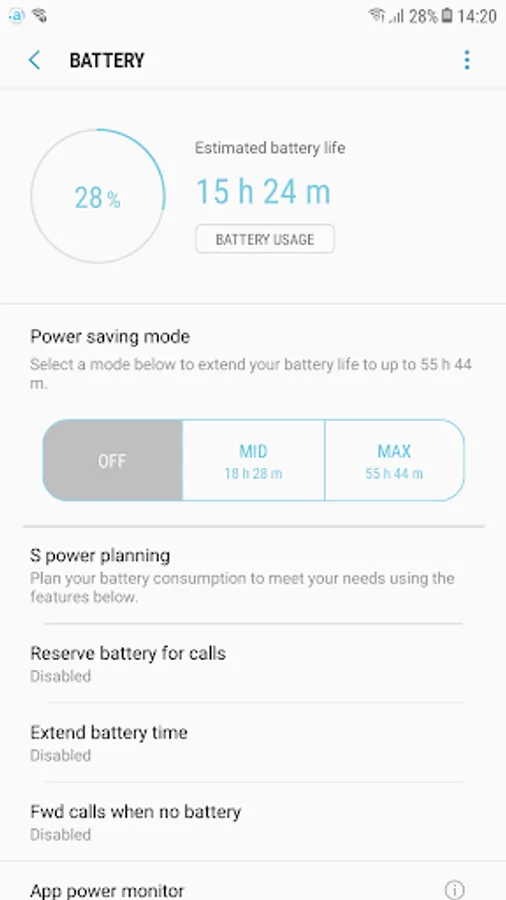
With this battery planning app, you can manage your device's power usage by setting reserve modes, extending battery life, and forwarding calls when power is critically low. Includes call forwarding options, battery saving modes, and customizable thresholds.
AppRecs review analysis
AppRecs rating 4.6. Trustworthiness 75 out of 100. Review manipulation risk 35 out of 100. Based on a review sample analyzed.
★★★★☆
4.6
AppRecs Rating
Ratings breakdown
5 star
83%
4 star
6%
3 star
6%
2 star
0%
1 star
5%
What to know
✓
Credible reviews
75% trustworthiness score from analyzed reviews
✓
High user satisfaction
83% of sampled ratings are 5 stars
About S power planning
Plan your battery consumption to meet your needs using the features below.
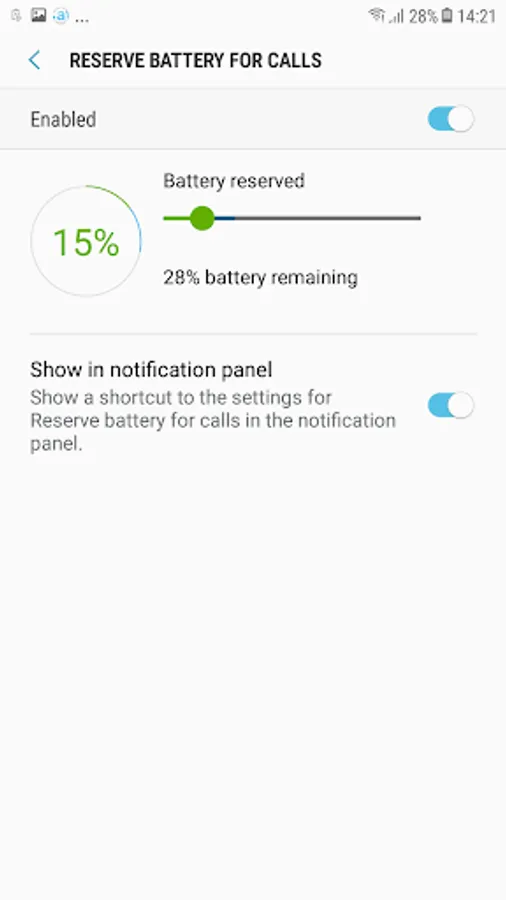
1.Reserve battery for calls
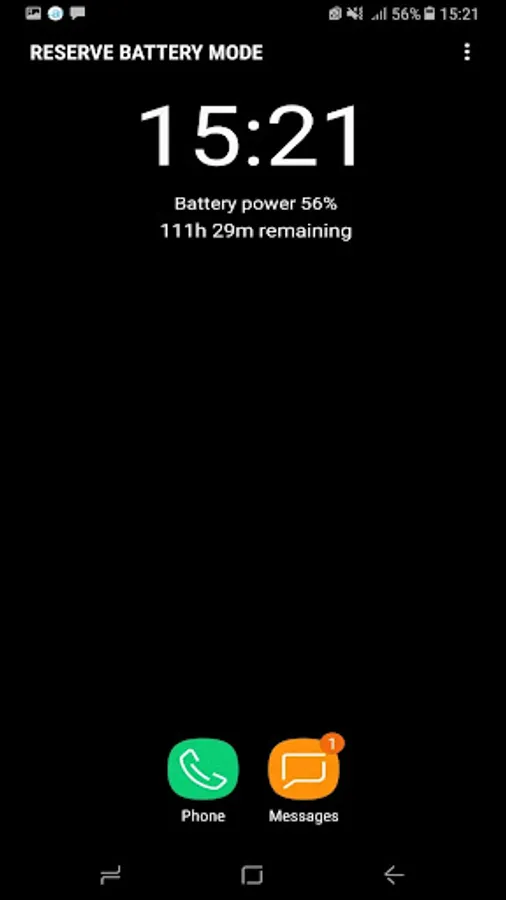
Reserve your remaining battery power for calls and messages when it falls below a set threshold.
At this threshold, Reserve battery mode will be enabled automatically, allowing only the Phone and Messages apps to be used. All other apps and functions will be disabled to save battery power. The default reserve threshold is 15% battery power.
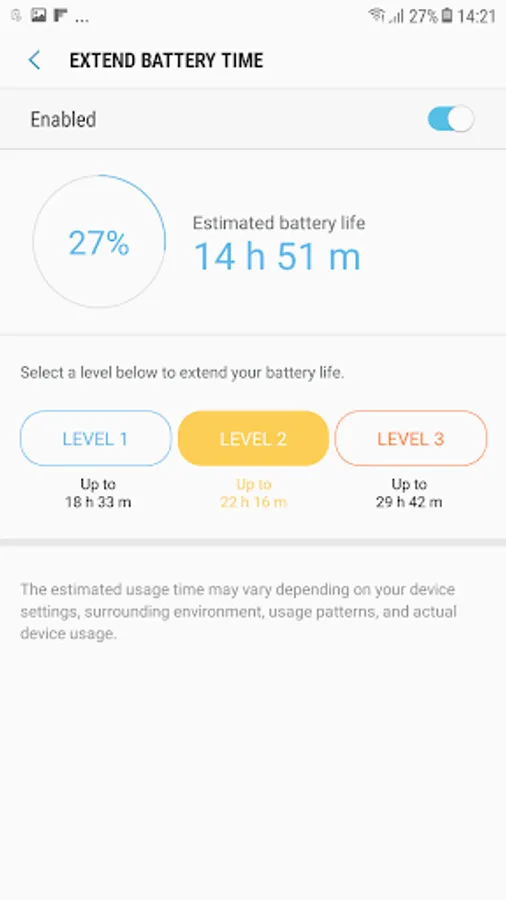
2. Extend battery time
Extend your battery life up to double the time.
Depending on your usage, Maximum power saving mode will be enabled automatically when necessary.
The battery life remaining after Maximum power saving mode is enabled may vary based on your continued device usage. Manually enabling Maximum power saving mode will automatically disable Extend battery time.
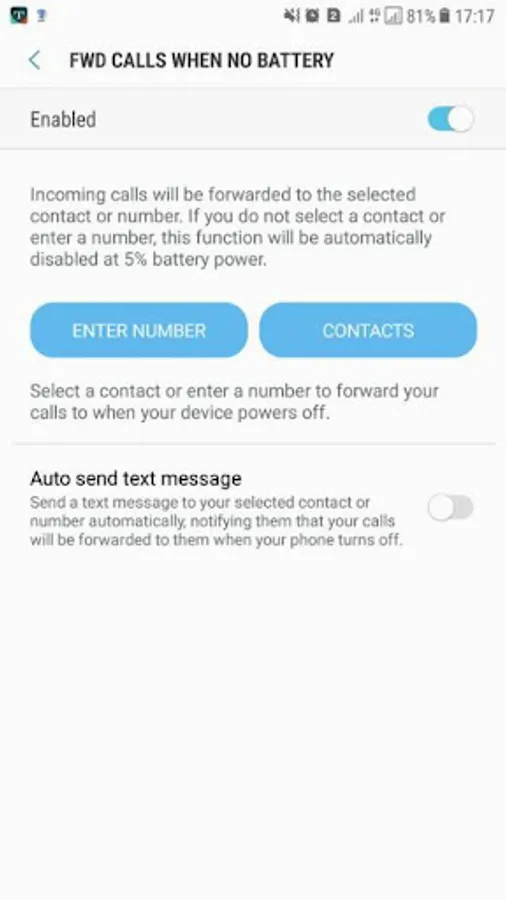
3. Forward calls when no battery
Forward incoming calls to a selected contact or number while your device is powered off because its battery power is critically low.
When your device is charged and powered on again, calls will no longer be forwarded.
You can also send a text message to inform your contact that your device will power off and your calls will be forwarded to them.
Make sure that your service provider supports call forwarding. Forwarding calls and sending text messages may result in additional charges, depending on your payment plan.
1.Reserve battery for calls
Reserve your remaining battery power for calls and messages when it falls below a set threshold.
At this threshold, Reserve battery mode will be enabled automatically, allowing only the Phone and Messages apps to be used. All other apps and functions will be disabled to save battery power. The default reserve threshold is 15% battery power.
2. Extend battery time
Extend your battery life up to double the time.
Depending on your usage, Maximum power saving mode will be enabled automatically when necessary.
The battery life remaining after Maximum power saving mode is enabled may vary based on your continued device usage. Manually enabling Maximum power saving mode will automatically disable Extend battery time.
3. Forward calls when no battery
Forward incoming calls to a selected contact or number while your device is powered off because its battery power is critically low.
When your device is charged and powered on again, calls will no longer be forwarded.
You can also send a text message to inform your contact that your device will power off and your calls will be forwarded to them.
Make sure that your service provider supports call forwarding. Forwarding calls and sending text messages may result in additional charges, depending on your payment plan.
S power planning Screenshots
Tap to Rate:
Reviews for S power planning
Ayesha Shahzad
12/15/2025
ok
Ayesha Shahzad
10/29/2025
ok