
Easy Contacts Backup & Restore
LSM Apps
4.5 ★
49K ratings
1,000,000+
downloads
Free
AppRecs review analysis
AppRecs rating 4.6. Trustworthiness 75 out of 100. Review manipulation risk 40 out of 100. Based on a review sample analyzed.
★★★★☆
4.6
AppRecs Rating
Ratings breakdown
5 star
76%
4 star
12%
3 star
4%
2 star
1%
1 star
8%
What to know
✓
Credible reviews
75% trustworthiness score from analyzed reviews
✓
High user satisfaction
88% of sampled ratings are 4+ stars (4.5★ average)
✓
Authentic reviews
Natural distribution, no red flags
About Easy Contacts Backup & Restore
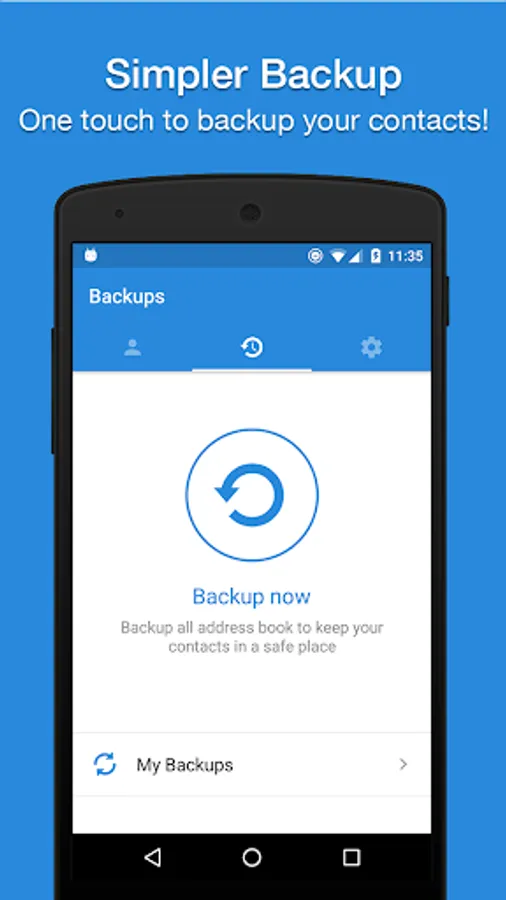
Easy Backup is the easiest and fastest way to backup, restore and transfer your contacts between mobile devices
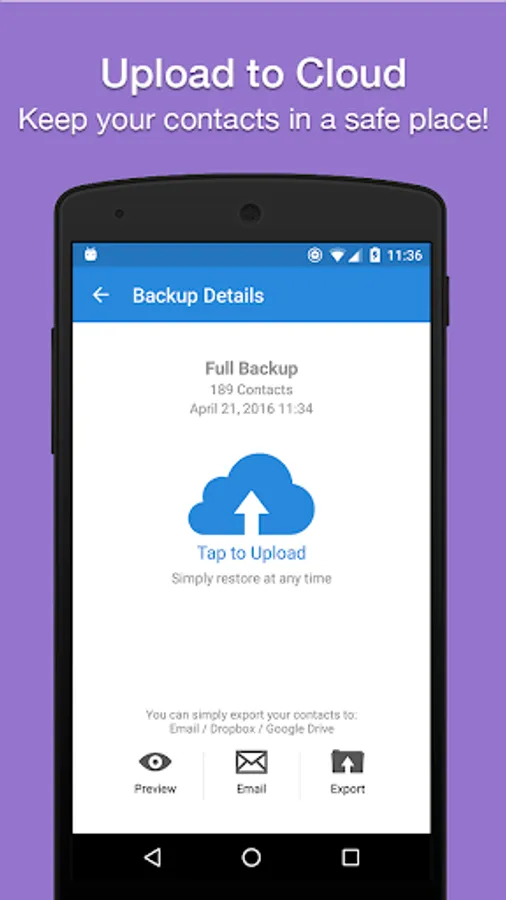
✔️ Easy Backup allows you to backup your phone’s entire contacts list with a single tap, by uploading your contacts to a secured cloud to keep them safe!
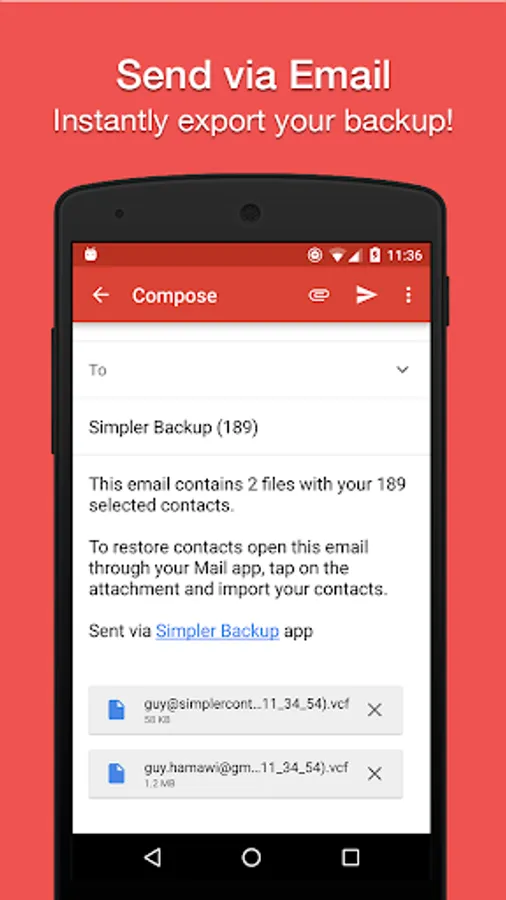
✔️ Export your contacts - you can easily send a backup .vcf file of your contacts book to any email address!
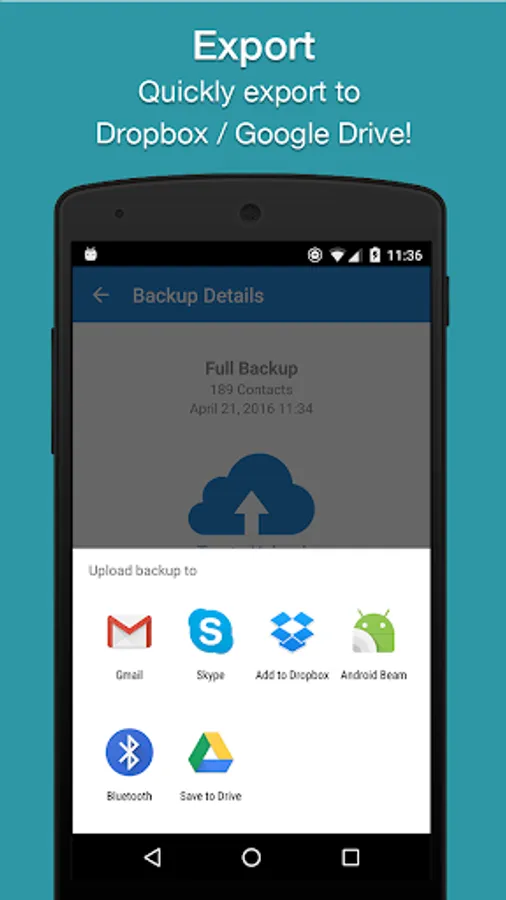
✔️ You can also send contacts via various share services such as: WhatsApp, Gmail, Google Drive, SMS, Dropbox, Skype, Telegram and many others!
✔️ Easy Backup is the easiest and the most efficient way to transfer and recover contact details of your friends and family if you lose your smartphone or switch to a new one!
💡 How it works:
🔹 To Backup your contacts:
1. Download Easy Backup on your phone
2. Create an account with your email address, Facebook or Google details.
3. Allow Easy Backup to access your contacts.
4. Hit the big “Backup Now” button
5. That’s it! Your contacts are safe on our cloud
🔹To Transfer your contacts:
1. Download Easy Backup on your other device
2. In case you are switching to an iPhone – just use Easy Backup’s iOS app
3. Sign in with the same account you did the first time
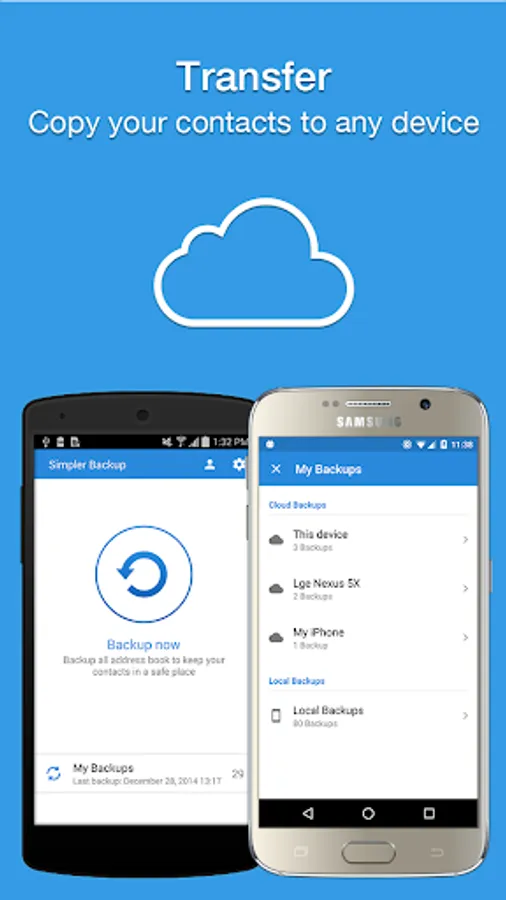
4. Hit “My Backups” on the bottom part of your screen
5. Now you have access to all your cloud backups of your address book contacts!
🔹To Restore your contacts:
1. In “My backups” tap the backup file you would like to restore contacts from
2. Hit “Tap to download “
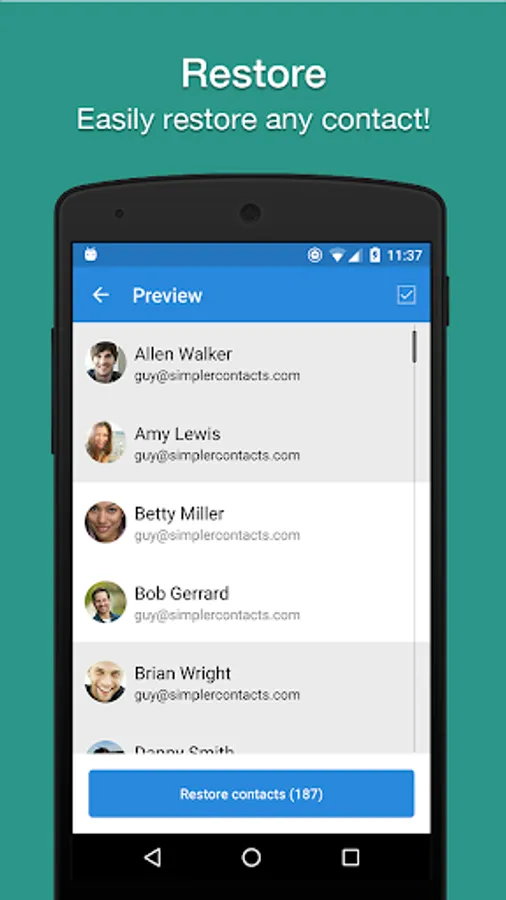
3. Hit “Preview” and select all or any contacts you want to restore
4. Hit “Restore Contacts”
5. That’s it! Your contacts have been recovered!
🔹To Import/Export your contacts:
1. Go to My Backups
2. Choose the local or cloud backup you want to export
3. Select all or any contacts from the list
4. Hit “Email” to send a .vcf file by email or “Export” to choose from the many services you can upload your backups to
5. Open the .vcf file you just sent yourself on the other device and update your contacts
6. Easy isn’t it?
💡 MAIN FEATURES
▪️ One tap to backup your contacts!
▪️ Transfer your contacts address book between mobile devices with ease!
▪️ Offline Backup. No need to sync to any server. Just email yourself the backup file.
▪️ Simple Restore - just tap on the .vcf file in any Android or iPhone mail client.
▪️ Save a copy of the backup file in your Computer.
▪️ Backup Contacts as VCF (VCard).
▪️ Quickly export your backups to Dropbox, Google Drive, SD Card
▪️ Move contacts between accounts (Google, Exchange, Gmail, Address Book)
▪️ Simple Manage - all your backups automatically saved in your SD Card for future use.
▪️ Never lose your contacts again
Easy Backup supports any kind of provider: Google, Exchange, Yahoo, Facebook, LinkedIn, Gmail, iCloud, Outlook.
AVAILABLE IN 15 DIFFERENT LANGUAGES:
English, Español, Français, Italiano, Deutsch, Português (Br.), 中文 (Simplified), 中文 (Traditional), 日本語, 한국어, Nederlands, Русский, Türkçe, العربية, עברית
✔️ Easy Backup allows you to backup your phone’s entire contacts list with a single tap, by uploading your contacts to a secured cloud to keep them safe!
✔️ Export your contacts - you can easily send a backup .vcf file of your contacts book to any email address!
✔️ You can also send contacts via various share services such as: WhatsApp, Gmail, Google Drive, SMS, Dropbox, Skype, Telegram and many others!
✔️ Easy Backup is the easiest and the most efficient way to transfer and recover contact details of your friends and family if you lose your smartphone or switch to a new one!
💡 How it works:
🔹 To Backup your contacts:
1. Download Easy Backup on your phone
2. Create an account with your email address, Facebook or Google details.
3. Allow Easy Backup to access your contacts.
4. Hit the big “Backup Now” button
5. That’s it! Your contacts are safe on our cloud
🔹To Transfer your contacts:
1. Download Easy Backup on your other device
2. In case you are switching to an iPhone – just use Easy Backup’s iOS app
3. Sign in with the same account you did the first time
4. Hit “My Backups” on the bottom part of your screen
5. Now you have access to all your cloud backups of your address book contacts!
🔹To Restore your contacts:
1. In “My backups” tap the backup file you would like to restore contacts from
2. Hit “Tap to download “
3. Hit “Preview” and select all or any contacts you want to restore
4. Hit “Restore Contacts”
5. That’s it! Your contacts have been recovered!
🔹To Import/Export your contacts:
1. Go to My Backups
2. Choose the local or cloud backup you want to export
3. Select all or any contacts from the list
4. Hit “Email” to send a .vcf file by email or “Export” to choose from the many services you can upload your backups to
5. Open the .vcf file you just sent yourself on the other device and update your contacts
6. Easy isn’t it?
💡 MAIN FEATURES
▪️ One tap to backup your contacts!
▪️ Transfer your contacts address book between mobile devices with ease!
▪️ Offline Backup. No need to sync to any server. Just email yourself the backup file.
▪️ Simple Restore - just tap on the .vcf file in any Android or iPhone mail client.
▪️ Save a copy of the backup file in your Computer.
▪️ Backup Contacts as VCF (VCard).
▪️ Quickly export your backups to Dropbox, Google Drive, SD Card
▪️ Move contacts between accounts (Google, Exchange, Gmail, Address Book)
▪️ Simple Manage - all your backups automatically saved in your SD Card for future use.
▪️ Never lose your contacts again
Easy Backup supports any kind of provider: Google, Exchange, Yahoo, Facebook, LinkedIn, Gmail, iCloud, Outlook.
AVAILABLE IN 15 DIFFERENT LANGUAGES:
English, Español, Français, Italiano, Deutsch, Português (Br.), 中文 (Simplified), 中文 (Traditional), 日本語, 한국어, Nederlands, Русский, Türkçe, العربية, עברית
Easy Contacts Backup & Restore Screenshots
Tap to Rate:
Reviews for Easy Contacts Backup & Restore
Tony Jul
2/22/2026
best app
Faris Ahmad
2/17/2026
A very helpful app, easy to understand and no need to have a lot of waiting. Just click, and then you got your backup, mail to your account to share and open it on another phone. As simple as that, thanks dev 👍👍👍