
AutomateIt Shell Plugin
SmarterApps Ltd
4.2 ★
368 ratings
10,000+
downloads
Free
AutomateIt Shell Plugin allows users to execute shell commands automatically on Android devices. It enables running commands as a regular user or root and integrates actions within the AutomateIt app. Includes command execution, root support, and integration with other automations.
AppRecs review analysis
AppRecs rating 4.2. Trustworthiness 0 out of 100. Review manipulation risk 0 out of 100. Based on a review sample analyzed.
★★★★☆
4.2
AppRecs Rating
Ratings breakdown
5 star
53%
4 star
30%
3 star
5%
2 star
6%
1 star
6%
What to know
✓
High user satisfaction
84% of sampled ratings are 4+ stars (4.2★ average)
✓
Authentic reviews
Natural distribution, no red flags
About AutomateIt Shell Plugin
Make the most of your Android by executing any shell command automatically.
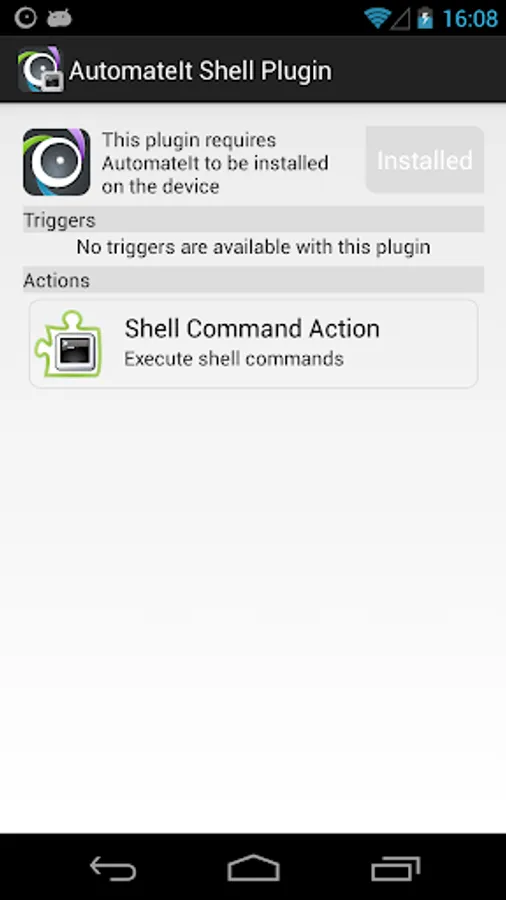
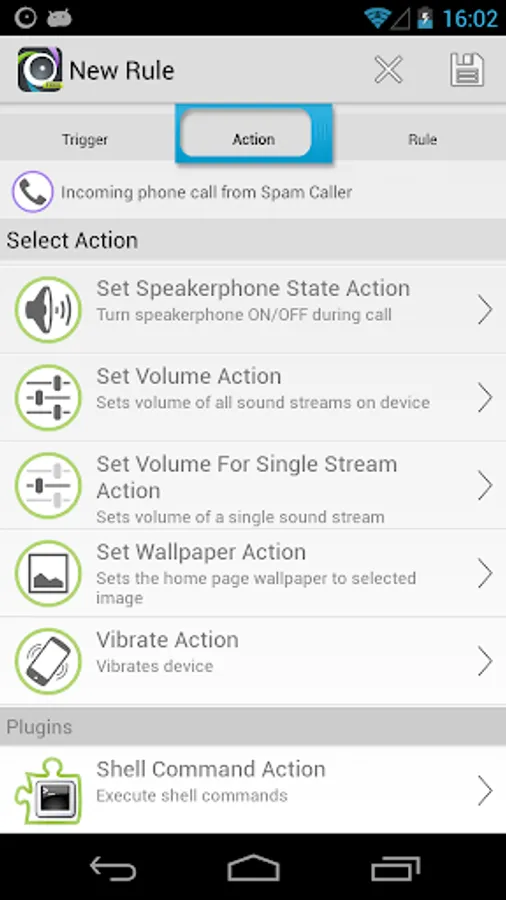
This plugin adds a dedicated action to AutomateIt to run any shell command. The command can be run as regular user or root (on supporting devices).
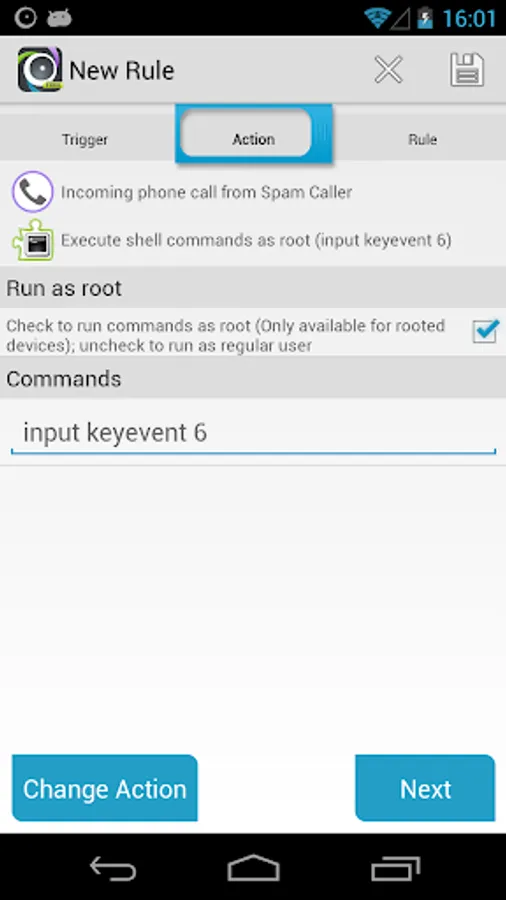
Screenshots shows how shell command action is used within AutomateIt.
These are just few examples for commands you can run:
Start navigation to a defined location with Waze (replace DESTINATION with address, name of location or latitude,longitude coordinates):
am start -a android.content.Intent.ACTION_VIEW -c android.intent.category.DEFAULT -d "geo:?q=DESTINATION" com.waze
Send message with WhatsApp command:
am start -a android.intent.action.SEND -c android.intent.category.DEFAULT -t text/plain --es android.intent.extra.TEXT "AutomateIt is Awesome !" com.whatsapp
Start video on YouTube command:
am start -a android.intent.action.VIEW -d http://www.youtube.com/watch?v=hfnguZ2XMMM com.google.android.youtube
Start Web search command:
am start -a android.intent.action.WEB_SEARCH --es query automateit
***** The following commands can be run as ROOT ONLY ! *****
Answer call command:
input keyevent 5
Reject call command:
input keyevent 6
http://automateitapp.com/rule.php?id=26975
This plugin adds a dedicated action to AutomateIt to run any shell command. The command can be run as regular user or root (on supporting devices).
Screenshots shows how shell command action is used within AutomateIt.
These are just few examples for commands you can run:
Start navigation to a defined location with Waze (replace DESTINATION with address, name of location or latitude,longitude coordinates):
am start -a android.content.Intent.ACTION_VIEW -c android.intent.category.DEFAULT -d "geo:?q=DESTINATION" com.waze
Send message with WhatsApp command:
am start -a android.intent.action.SEND -c android.intent.category.DEFAULT -t text/plain --es android.intent.extra.TEXT "AutomateIt is Awesome !" com.whatsapp
Start video on YouTube command:
am start -a android.intent.action.VIEW -d http://www.youtube.com/watch?v=hfnguZ2XMMM com.google.android.youtube
Start Web search command:
am start -a android.intent.action.WEB_SEARCH --es query automateit
***** The following commands can be run as ROOT ONLY ! *****
Answer call command:
input keyevent 5
Reject call command:
input keyevent 6
http://automateitapp.com/rule.php?id=26975
AutomateIt Shell Plugin Screenshots
Tap to Rate: