JPG to PDF Converter, PDFTools
SR Group
4.9 ★
33K ratings
1,000,000+
downloads
Free
+ in-app
In this file management app, you can convert images to PDFs, merge files, and add security features. Includes image to PDF conversion, editing tools, and password protection options.
AppRecs review analysis
AppRecs rating 4.0. Trustworthiness 61 out of 100. Review manipulation risk 48 out of 100. Based on a review sample analyzed.
★★★★☆
4.0
AppRecs Rating
Ratings breakdown
5 star
91%
4 star
5%
3 star
3%
2 star
0%
1 star
1%
What to know
⚠
Questionable review patterns
48% review manipulation risk - some review patterns appear unusual
⚠
Rating authenticity concerns
High rating concentration (91% 5-star) in sampled ratings
⚠
Review quality concerns
72% of sampled 5-star reviews are very short
About JPG to PDF Converter, PDFTools
📲 JPG to PDF Converter, PDFTools – Convert, Edit & Manage PDFs
Transform your images into professional-quality PDFs in seconds!
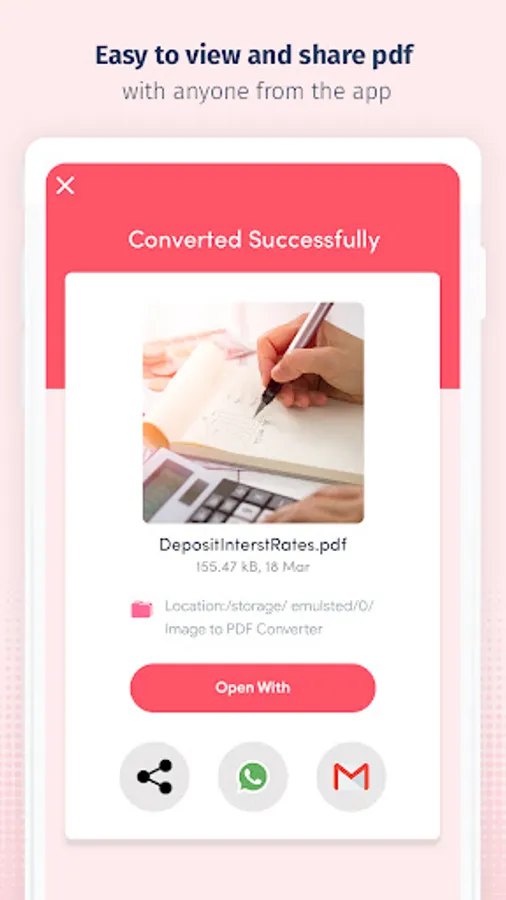
The JPG to PDF Converter, PDFTools app is your all-in-one PDF editor and converter, offering fast, secure, and offline tools for seamless document creation and management. Easily convert JPG, JPEG, PNG, GIF, BMP, TIFF, XPS, JFIF, and more into high-quality PDF files, and unlock powerful features like merging, compressing, editing, e-signing, and password-protecting PDFs.
Whether you're scanning receipts, digitizing forms, or sharing documents, PDFTools makes it simple, smart, and secure.
🔥 Key Features:
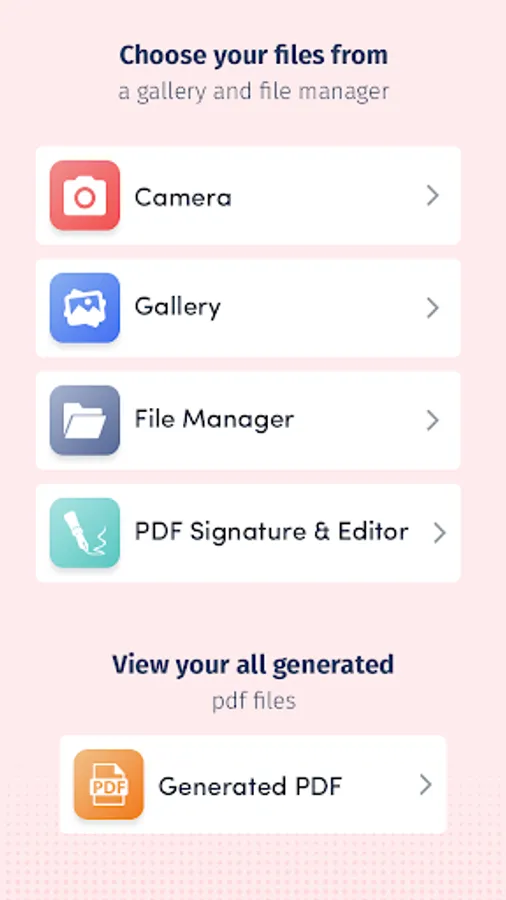
🔄 Image to PDF Converter (JPG, PNG, BMP, TIFF, and more)
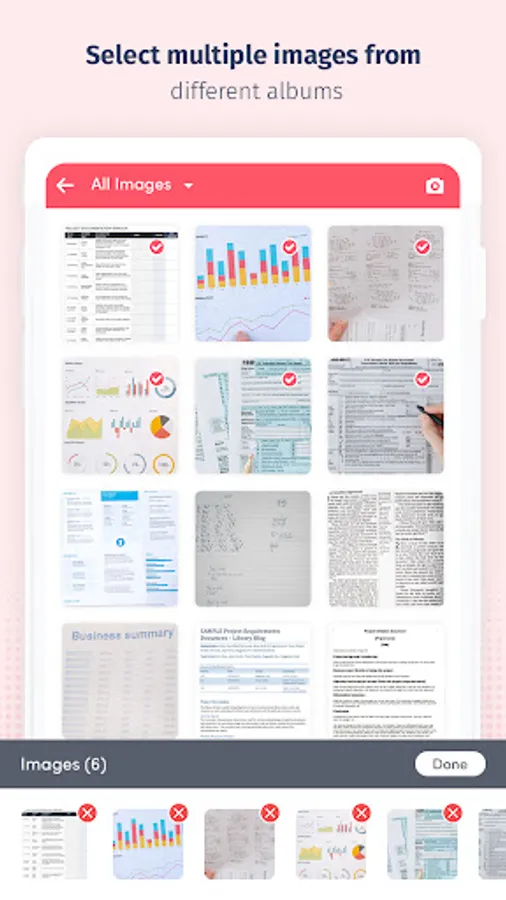
Convert single or multiple images into PDF format instantly — no internet required!
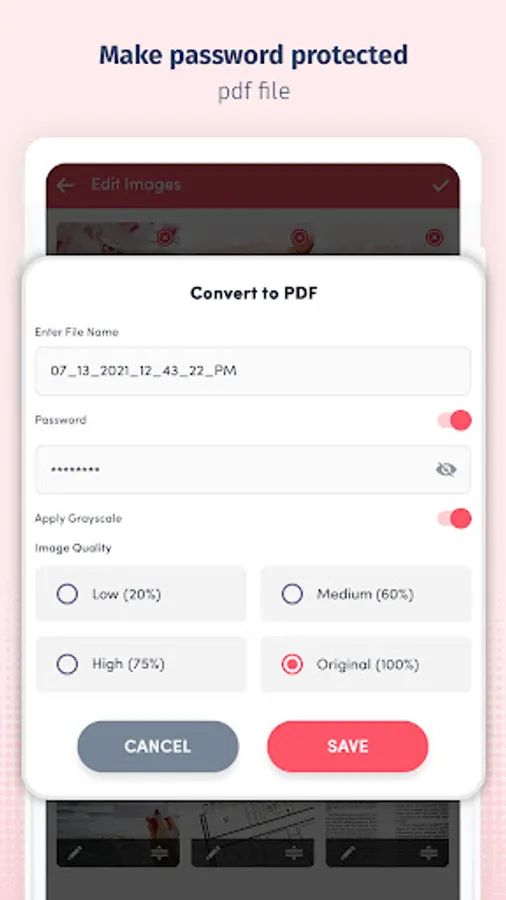
🔐 Password-Protect PDF Files
Secure your documents with encryption and custom passwords.
📸 Scan Documents with Camera
Use your phone's camera to scan whiteboards, receipts, notes, or documents and convert them to PDFs with just a tap.
🖼️ Apply Image Filters
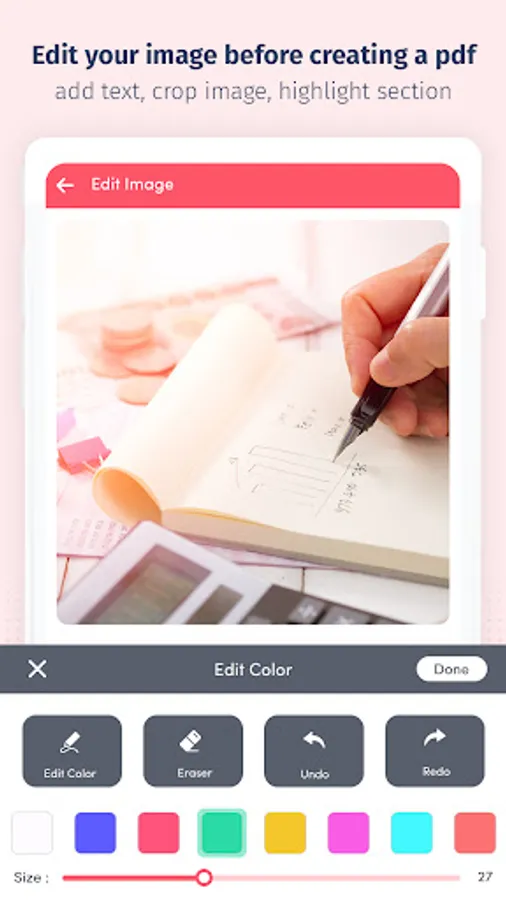
Enhance your images with grayscale, black-and-white, or color effects before creating PDFs.
📉 Control PDF Size & Quality
Choose compression levels: No Compression, Low, Medium, or High to optimize your PDFs.
🧾 Fill Forms & Add Text
Fill out PDF forms and add text boxes directly on your documents.
✍️ E-Sign PDF Files
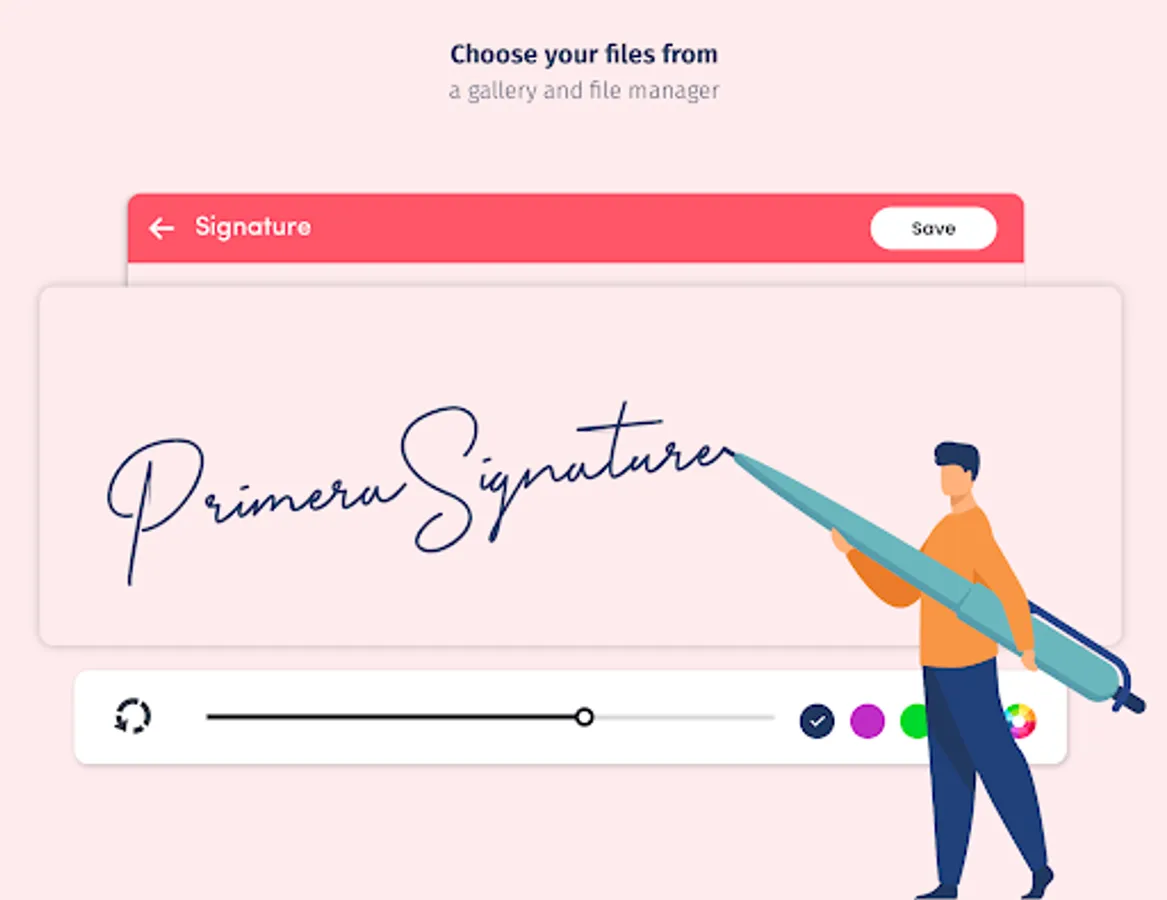
Add your digital signature to contracts, forms, and documents.
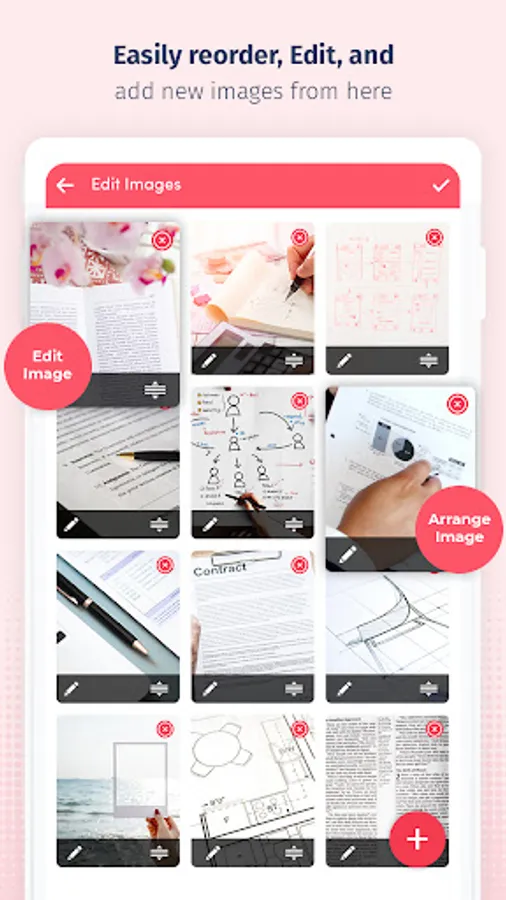
🧷 Merge, Split & Reorder PDFs
Combine multiple PDFs, split large files, and organize pages with ease.
🧹 Delete Unwanted Pages
Remove unnecessary pages from any PDF.
🖼️ PDF to Image Conversion
Convert PDFs to JPG, PNG, and other image formats effortlessly.
📄 Doc to PDF Converter
Easily turn DOC and DOCX files into PDF format with one click.
🌟 Favorites & Quick Access
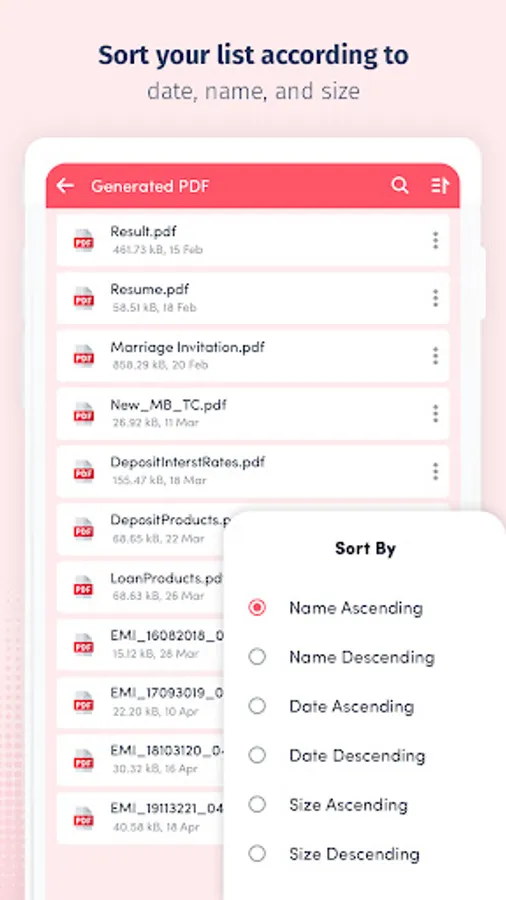
Bookmark frequently used documents for easy retrieval.
🔓 PDF Lock & Unlock
Lock confidential PDFs or unlock password-protected ones for editing.
📖 Flexible Viewing Options
Read your PDFs in Single Page, Scroll Mode, or Reading Mode.
✅ Why Choose JPG to PDF Converter, PDFTools?
💡 Intuitive Interface – Clean, user-friendly UI for quick navigation.
🚀 Fast – Convert, merge, or compress on the go.
🔐 Secure – Protect your files with industry-grade encryption.
🔧 Complete PDF Toolkit – Combines a PDF reader, editor, converter, and scanner in one app.
📂 All File Formats Supported – Works with JPG, PNG, PDF, DOC, BMP, TIFF, XPS, and more.
🧠 Use Cases:
• Convert homework or assignments into a neat PDF
• Digitize and organize bills, receipts, and notes
• Scan and send signed contracts or agreements
• Create portfolios from images
• Securely store personal documents on your device
📥 Download JPG to PDF Converter, PDFTools now and join thousands of users creating, editing, and managing PDFs with ease. Whether you're working from home, school, or office — this is the only PDF app you need.
Transform your images into professional-quality PDFs in seconds!
The JPG to PDF Converter, PDFTools app is your all-in-one PDF editor and converter, offering fast, secure, and offline tools for seamless document creation and management. Easily convert JPG, JPEG, PNG, GIF, BMP, TIFF, XPS, JFIF, and more into high-quality PDF files, and unlock powerful features like merging, compressing, editing, e-signing, and password-protecting PDFs.
Whether you're scanning receipts, digitizing forms, or sharing documents, PDFTools makes it simple, smart, and secure.
🔥 Key Features:
🔄 Image to PDF Converter (JPG, PNG, BMP, TIFF, and more)
Convert single or multiple images into PDF format instantly — no internet required!
🔐 Password-Protect PDF Files
Secure your documents with encryption and custom passwords.
📸 Scan Documents with Camera
Use your phone's camera to scan whiteboards, receipts, notes, or documents and convert them to PDFs with just a tap.
🖼️ Apply Image Filters
Enhance your images with grayscale, black-and-white, or color effects before creating PDFs.
📉 Control PDF Size & Quality
Choose compression levels: No Compression, Low, Medium, or High to optimize your PDFs.
🧾 Fill Forms & Add Text
Fill out PDF forms and add text boxes directly on your documents.
✍️ E-Sign PDF Files
Add your digital signature to contracts, forms, and documents.
🧷 Merge, Split & Reorder PDFs
Combine multiple PDFs, split large files, and organize pages with ease.
🧹 Delete Unwanted Pages
Remove unnecessary pages from any PDF.
🖼️ PDF to Image Conversion
Convert PDFs to JPG, PNG, and other image formats effortlessly.
📄 Doc to PDF Converter
Easily turn DOC and DOCX files into PDF format with one click.
🌟 Favorites & Quick Access
Bookmark frequently used documents for easy retrieval.
🔓 PDF Lock & Unlock
Lock confidential PDFs or unlock password-protected ones for editing.
📖 Flexible Viewing Options
Read your PDFs in Single Page, Scroll Mode, or Reading Mode.
✅ Why Choose JPG to PDF Converter, PDFTools?
💡 Intuitive Interface – Clean, user-friendly UI for quick navigation.
🚀 Fast – Convert, merge, or compress on the go.
🔐 Secure – Protect your files with industry-grade encryption.
🔧 Complete PDF Toolkit – Combines a PDF reader, editor, converter, and scanner in one app.
📂 All File Formats Supported – Works with JPG, PNG, PDF, DOC, BMP, TIFF, XPS, and more.
🧠 Use Cases:
• Convert homework or assignments into a neat PDF
• Digitize and organize bills, receipts, and notes
• Scan and send signed contracts or agreements
• Create portfolios from images
• Securely store personal documents on your device
📥 Download JPG to PDF Converter, PDFTools now and join thousands of users creating, editing, and managing PDFs with ease. Whether you're working from home, school, or office — this is the only PDF app you need.
JPG to PDF Converter, PDFTools Screenshots
Tap to Rate:
Reviews for JPG to PDF Converter, PDFTools
Alexander Solomon
2/15/2026
Very helpful app. Serves the purpose.
St. Morgan Gh
2/14/2026
Excellent and recommended to everyone who needs fast job.