Projector Remote Control
Outofcontext
2.8 ★
store rating
50,000+
downloads
Free
In this remote control app, you can turn your projector on and off, adjust volume, and change input sources. Includes support for multiple projector brands, customizable shortcuts, and keystone adjustments.
AppRecs review analysis
AppRecs rating 2.8. Trustworthiness 83 out of 100. Review manipulation risk 23 out of 100. Based on a review sample analyzed.
★★☆☆☆
2.8
AppRecs Rating
Ratings breakdown
5 star
44%
4 star
0%
3 star
0%
2 star
0%
1 star
56%
What to know
✓
Low review manipulation risk
23% review manipulation risk
⚠
Mixed user feedback
Average 2.8★ rating suggests room for improvement
⚠
High negative review ratio
56% of sampled ratings are 1–2 stars
About Projector Remote Control
Control your projector with your Android phone or tablet! This app uses your phone's IR blaster to send commands to your projector, so you can turn it on/off, adjust the volume, change the input, and more.
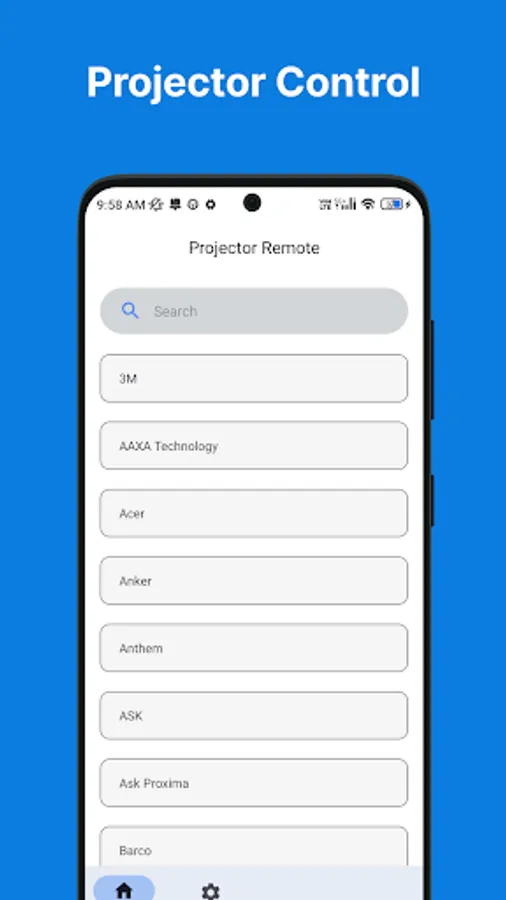
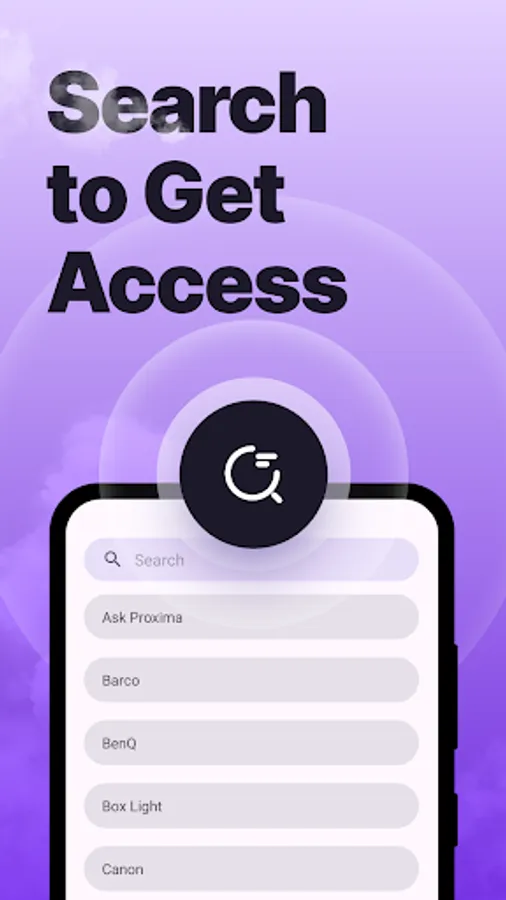
Supports a wide range of projectors from popular brands like Epson, BenQ, Optoma, and more.
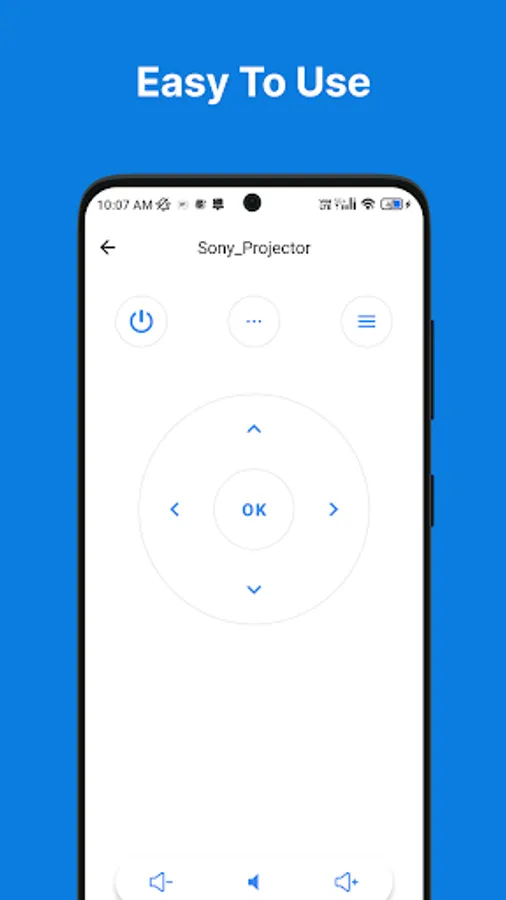
Easy to use interface with large buttons and clear labels.
Completely free to download and use.
The Projector Remote Control Android Application is a user-friendly and feature-rich mobile application designed to provide seamless control over projectors directly from your Android device. With this app, users can effortlessly manage projector settings, navigation, and multimedia playback, turning their smartphones or tablets into convenient remote controllers.
This application supports a wide range of projectors, making it compatible with various brands and models, ensuring a versatile remote control solution for all users.
Key Features:
Intuitive User Interface: The app offers a user-friendly and intuitive interface, allowing users to easily navigate through various projector control options.
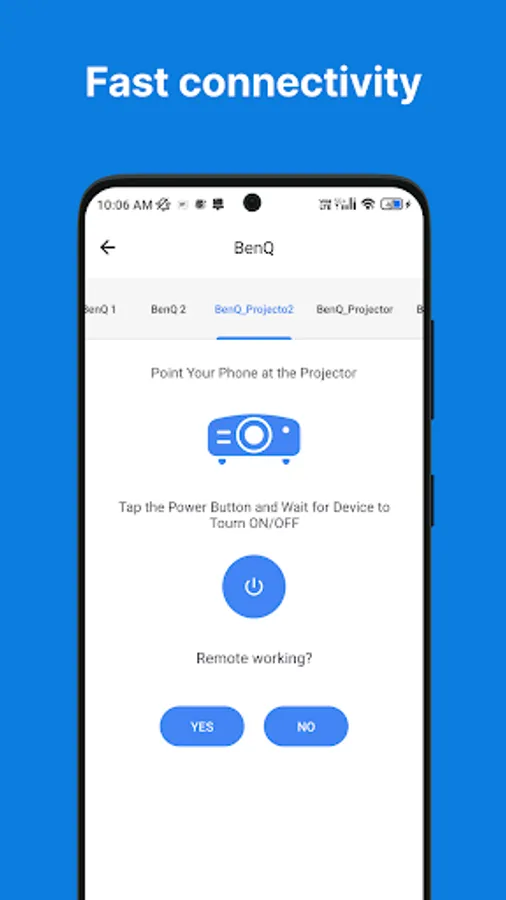
Power On/Off: Turn the projector on or off with just a tap, providing convenience and energy-saving functionality.
Navigation and Input Control: Navigate through projector menus and settings using the app's touchpad or directional controls.
Media Playback: Control multimedia playback (e.g., videos, images, presentations) directly from the app, providing smooth and convenient content management.
Keystone Adjustment: Adjust the projector's keystone for optimal image alignment, ensuring a clear and distortion-free display.
Brightness and Volume Control: Easily adjust brightness and volume settings to suit different environments and preferences.
Input Source Selection: Switch between various input sources (e.g., HDMI, VGA, USB) directly from the app, eliminating the need for multiple remotes.
Customizable Shortcuts: Allow users to set up custom shortcuts for frequently used projector functions, enhancing user personalization.
Compatibility: Support a wide range of projector brands and models, ensuring compatibility with various devices.
We are aware that some IR codes may not work for users with old databases. This is because the database contains outdated information about the IR codes. We are working to update the database, but it may take some time.
In the meantime, if you are experiencing problems with IR codes, please try the following:
Check the manufacturer's website to see if they have updated IR codes.
Use a different remote control that has a newer database.
Update your database to the latest version.
We apologize for any inconvenience this may cause. We will continue to work to improve the database and make sure that all IR codes work as expected.
Thank you for your understanding.
Sincerely,
The IR Code Team
Supports a wide range of projectors from popular brands like Epson, BenQ, Optoma, and more.
Easy to use interface with large buttons and clear labels.
Completely free to download and use.
The Projector Remote Control Android Application is a user-friendly and feature-rich mobile application designed to provide seamless control over projectors directly from your Android device. With this app, users can effortlessly manage projector settings, navigation, and multimedia playback, turning their smartphones or tablets into convenient remote controllers.
This application supports a wide range of projectors, making it compatible with various brands and models, ensuring a versatile remote control solution for all users.
Key Features:
Intuitive User Interface: The app offers a user-friendly and intuitive interface, allowing users to easily navigate through various projector control options.
Power On/Off: Turn the projector on or off with just a tap, providing convenience and energy-saving functionality.
Navigation and Input Control: Navigate through projector menus and settings using the app's touchpad or directional controls.
Media Playback: Control multimedia playback (e.g., videos, images, presentations) directly from the app, providing smooth and convenient content management.
Keystone Adjustment: Adjust the projector's keystone for optimal image alignment, ensuring a clear and distortion-free display.
Brightness and Volume Control: Easily adjust brightness and volume settings to suit different environments and preferences.
Input Source Selection: Switch between various input sources (e.g., HDMI, VGA, USB) directly from the app, eliminating the need for multiple remotes.
Customizable Shortcuts: Allow users to set up custom shortcuts for frequently used projector functions, enhancing user personalization.
Compatibility: Support a wide range of projector brands and models, ensuring compatibility with various devices.
We are aware that some IR codes may not work for users with old databases. This is because the database contains outdated information about the IR codes. We are working to update the database, but it may take some time.
In the meantime, if you are experiencing problems with IR codes, please try the following:
Check the manufacturer's website to see if they have updated IR codes.
Use a different remote control that has a newer database.
Update your database to the latest version.
We apologize for any inconvenience this may cause. We will continue to work to improve the database and make sure that all IR codes work as expected.
Thank you for your understanding.
Sincerely,
The IR Code Team