Internet Speed Meter
AndroidCodeX
4.1 ★
store rating
1,000,000+
downloads
Free
AppRecs review analysis
AppRecs rating 3.4. Trustworthiness 76 out of 100. Review manipulation risk 38 out of 100. Based on a review sample analyzed.
★★★☆☆
3.4
AppRecs Rating
Ratings breakdown
5 star
64%
4 star
12%
3 star
7%
2 star
6%
1 star
12%
What to know
✓
Credible reviews
76% trustworthiness score from analyzed reviews
✓
High user satisfaction
75% of sampled ratings are 4+ stars (4.1★ average)
⚠
Review quality concerns
78% of sampled 5-star reviews are very short
About Internet Speed Meter
Internet Speed Meter displays real-time internet speed in your status bar and notification. Monitor your network usage with live graphs and accurate data tracking - all processed locally on your device.
🚀 KEY FEATURES
⚡ Real-Time Monitoring
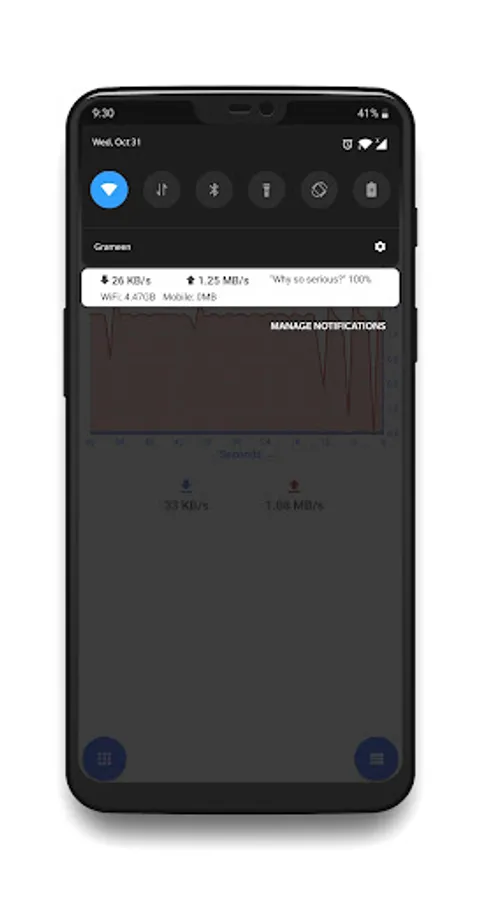
• Live download and upload speed in notification bar
• Real-time speed display in status bar
• Instant network speed updates
• Choose between total speed or separate download/upload display
📊 Visual Data Tracking
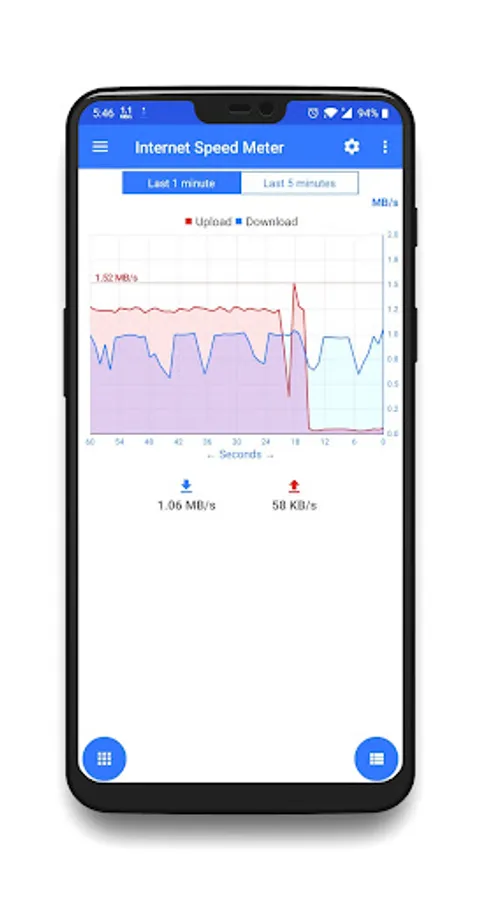
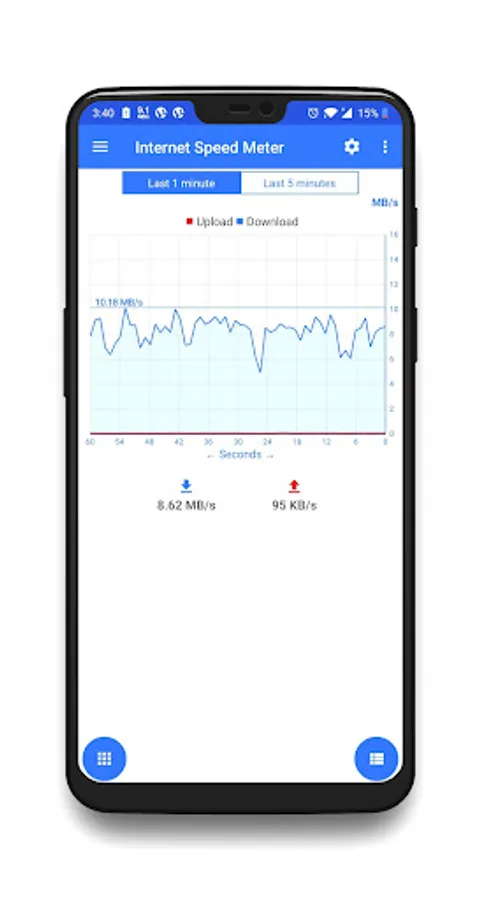
• Real-time graphical representation of network speed
• View last 1 minute or last 5 minutes of data
• Beautiful, easy-to-read graphs
• Track your internet performance at a glance
📱 Customizable Display
• Multiple beautiful themes (Light & Dark mode)
• Adjustable notification importance levels
• Hide lockscreen notification option
• Choose between MegaBytes/sec (MB/s) or Megabits/sec (Mb/s)
🔋 Battery Efficient
• Optimized for minimal battery consumption
• Lightweight foreground service
• No background processes when not needed
🔒 Privacy First
• ✅ No ads - completely ad-free
• ✅ No analytics or tracking
• ✅ No data collection
• ✅ All data processed locally on your device
• ✅ No internet connection required (only monitors your usage)
• ✅ Open source friendly
💾 Data Management
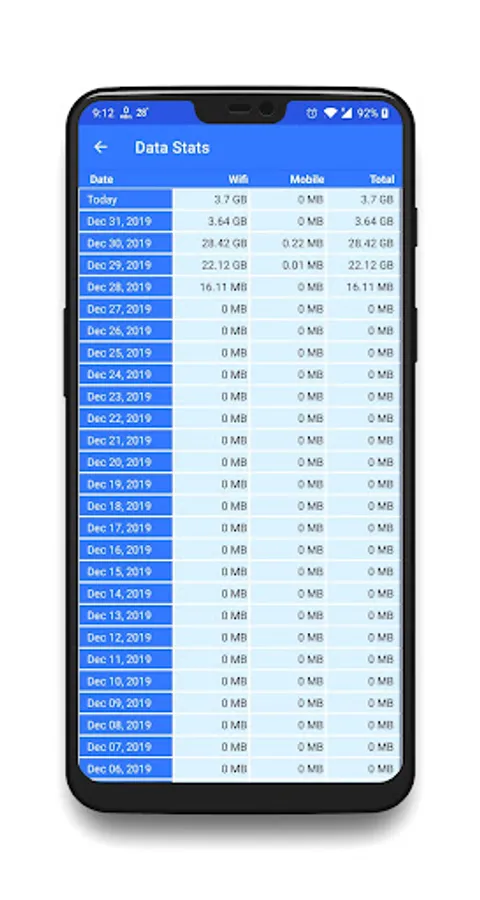
• Monitor WiFi and Mobile data separately
• Accurate system-level network statistics
• Reset settings anytime
• Full control over your data
⚙️ PERMISSIONS EXPLAINED
• Usage Access: Required to read accurate WiFi and Mobile data usage from Android system (NetworkStatsManager API). All data stays on your device.
• Notification: To display real-time speed in your notification bar
• Network State: To detect WiFi/Mobile connection status
• Boot Completed: To restart monitoring after device restart
📌 WHY CHOOSE INTERNET SPEED METER?
✓ Simple, clean, and intuitive interface
✓ No registration or account required
✓ Completely free with no hidden costs
✓ No intrusive ads or pop-ups
✓ Respects your privacy - zero data collection
✓ Regular updates and improvements
✓ Lightweight and fast
🎯 PERFECT FOR
• Monitoring your internet speed on the go
• Tracking data usage to avoid overages
• Checking network performance
• Troubleshooting slow connections
• Keeping an eye on WiFi vs Mobile data usage
Internet Speed Meter is completely free and respects your privacy. All network monitoring happens locally on your device - nothing is sent to external servers.
Download now and take control of your internet monitoring!
🚀 KEY FEATURES
⚡ Real-Time Monitoring
• Live download and upload speed in notification bar
• Real-time speed display in status bar
• Instant network speed updates
• Choose between total speed or separate download/upload display
📊 Visual Data Tracking
• Real-time graphical representation of network speed
• View last 1 minute or last 5 minutes of data
• Beautiful, easy-to-read graphs
• Track your internet performance at a glance
📱 Customizable Display
• Multiple beautiful themes (Light & Dark mode)
• Adjustable notification importance levels
• Hide lockscreen notification option
• Choose between MegaBytes/sec (MB/s) or Megabits/sec (Mb/s)
🔋 Battery Efficient
• Optimized for minimal battery consumption
• Lightweight foreground service
• No background processes when not needed
🔒 Privacy First
• ✅ No ads - completely ad-free
• ✅ No analytics or tracking
• ✅ No data collection
• ✅ All data processed locally on your device
• ✅ No internet connection required (only monitors your usage)
• ✅ Open source friendly
💾 Data Management
• Monitor WiFi and Mobile data separately
• Accurate system-level network statistics
• Reset settings anytime
• Full control over your data
⚙️ PERMISSIONS EXPLAINED
• Usage Access: Required to read accurate WiFi and Mobile data usage from Android system (NetworkStatsManager API). All data stays on your device.
• Notification: To display real-time speed in your notification bar
• Network State: To detect WiFi/Mobile connection status
• Boot Completed: To restart monitoring after device restart
📌 WHY CHOOSE INTERNET SPEED METER?
✓ Simple, clean, and intuitive interface
✓ No registration or account required
✓ Completely free with no hidden costs
✓ No intrusive ads or pop-ups
✓ Respects your privacy - zero data collection
✓ Regular updates and improvements
✓ Lightweight and fast
🎯 PERFECT FOR
• Monitoring your internet speed on the go
• Tracking data usage to avoid overages
• Checking network performance
• Troubleshooting slow connections
• Keeping an eye on WiFi vs Mobile data usage
Internet Speed Meter is completely free and respects your privacy. All network monitoring happens locally on your device - nothing is sent to external servers.
Download now and take control of your internet monitoring!