ATouch IOS - Screen Recorder
FA developer
4.6 ★
660K ratings
10,000,000+
downloads
Free
+ in-app
In this app, users can record their screen, take screenshots, and access quick device controls. Includes features like screen rotation, volume adjustment, brightness control, and flashlight toggle.
AppRecs review analysis
AppRecs rating 4.6. Trustworthiness 64 out of 100. Review manipulation risk 42 out of 100. Based on a review sample analyzed.
★★★★☆
4.6
AppRecs Rating
Ratings breakdown
5 star
85%
4 star
6%
3 star
2%
2 star
1%
1 star
6%
What to know
⚠
Questionable review patterns
42% review manipulation risk - some review patterns appear unusual
⚠
Rating authenticity concerns
High rating concentration (85% 5-star) in sampled ratings
⚠
Review quality concerns
73% of sampled 5-star reviews are very short
About ATouch IOS - Screen Recorder
*** OVER 25 MILLION DOWNLOADS WORLDWIDE ***
*** GREAT RATING 4.9/5 STARS ***
ATouch IOS - Screen Recorder quickly help you to change settings, screen recorder, Screenshot, Volume, Lock the screen (Screen off) and fast access to the favorite application.
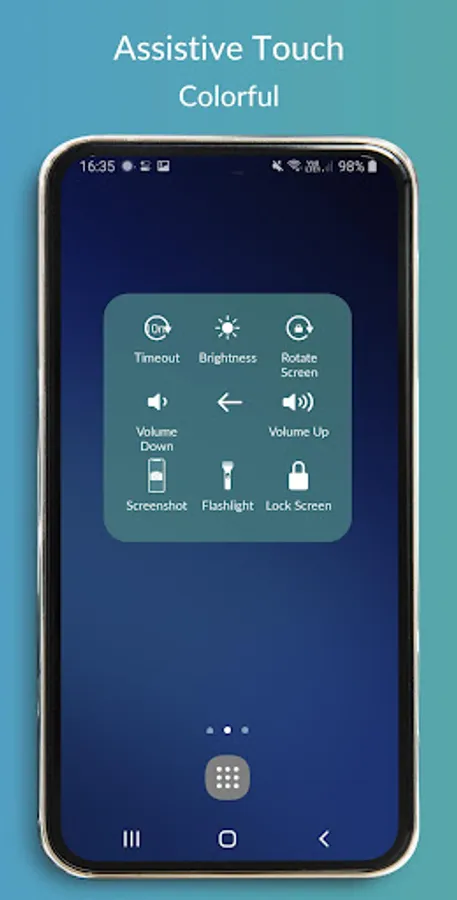
Quickly access:
- Screen rotation: switch portrait or landscape
- Change volume: a volume manager, quickly change media volume, ringtone, and alarms
- Brightness: fast change to lower, medium or higher brightness.
- Flashlight: turn on and of the flashlight
- Do not disturb
- Lock the screen (screen off): turn off screen and support to opening screen by fingerprint, face, and iris.
- Screen recorder be like iPhone IOS
- Screenshot, screen capture, screencast
- Notification: open the notification bar
- Pin favorite application in ATouch
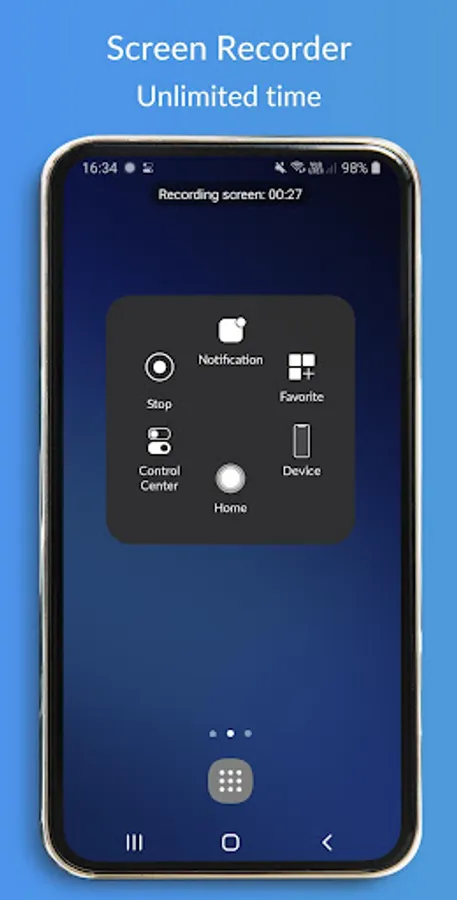
Screen Recorder: Fast record anything on your screen.
To start the Screen Recorder: open ATouch, select Device, and select screen recorder icon.
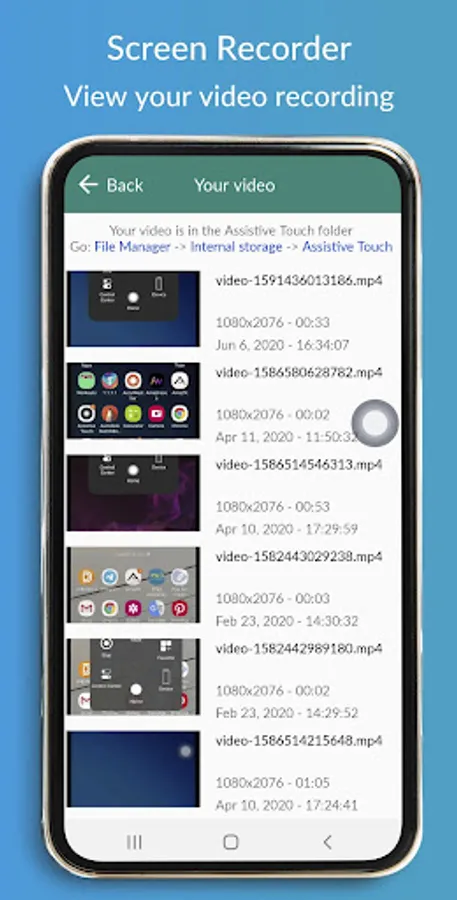
On ATouch, select Your video to view your video recording (from screen recorder)
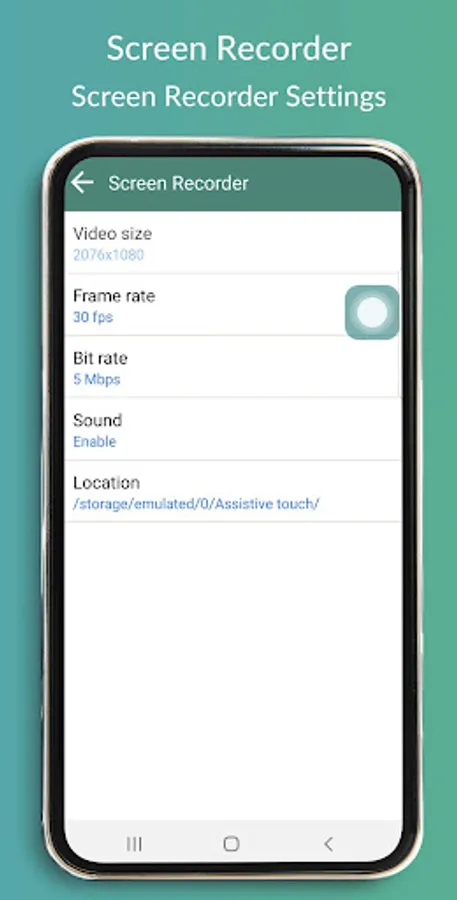
Change screen recorder settings: Bitrate, Frame rate, and Sound.
Tap on a floating button to open ATouch IOS, touch outside to close.
No limitation of customization: change color, background, button size, button position
The app will be better than if it connects with Control Center IOS or any IOS launcher to be like iPhone.
ATouch connects with Control Center IOS 13 - Screen Recorder to open Control Center and Screen Off and Lock - Fingerprint Support to lock the screen.
Thanks for using my app!
*** GREAT RATING 4.9/5 STARS ***
ATouch IOS - Screen Recorder quickly help you to change settings, screen recorder, Screenshot, Volume, Lock the screen (Screen off) and fast access to the favorite application.
Quickly access:
- Screen rotation: switch portrait or landscape
- Change volume: a volume manager, quickly change media volume, ringtone, and alarms
- Brightness: fast change to lower, medium or higher brightness.
- Flashlight: turn on and of the flashlight
- Do not disturb
- Lock the screen (screen off): turn off screen and support to opening screen by fingerprint, face, and iris.
- Screen recorder be like iPhone IOS
- Screenshot, screen capture, screencast
- Notification: open the notification bar
- Pin favorite application in ATouch
Screen Recorder: Fast record anything on your screen.
To start the Screen Recorder: open ATouch, select Device, and select screen recorder icon.
On ATouch, select Your video to view your video recording (from screen recorder)
Change screen recorder settings: Bitrate, Frame rate, and Sound.
Tap on a floating button to open ATouch IOS, touch outside to close.
No limitation of customization: change color, background, button size, button position
The app will be better than if it connects with Control Center IOS or any IOS launcher to be like iPhone.
ATouch connects with Control Center IOS 13 - Screen Recorder to open Control Center and Screen Off and Lock - Fingerprint Support to lock the screen.
Thanks for using my app!
ATouch IOS - Screen Recorder Screenshots
Tap to Rate:
Reviews for ATouch IOS - Screen Recorder
RoboReels roboreelsai
12/28/2025
best app ngl
Luzira Hisham
12/25/2025
good