In this communication app, users enter text and press ENTER to have it read aloud by a speech synthesizer, with message history available for reuse. Includes voice customization in multiple languages and options for saving common actions.
AppRecs review analysis
AppRecs rating 3.8. Trustworthiness 58 out of 100. Review manipulation risk 32 out of 100. Based on a review sample analyzed.
★★★☆☆
3.8
AppRecs Rating
Ratings breakdown
5 star
62%
4 star
0%
3 star
19%
2 star
0%
1 star
19%
What to know
✓
Good user ratings
62% positive sampled reviews
✓
Authentic reviews
Natural distribution, no red flags
About MessageTTS
App that allows reading with the voice synthesizer the text entered using the keyboard, it is designed for people with communication problems affecting their speech.
Kids with communication problems enjoy communication thanks to MessageTTS. It is children's voice when talking is hard or impossible.
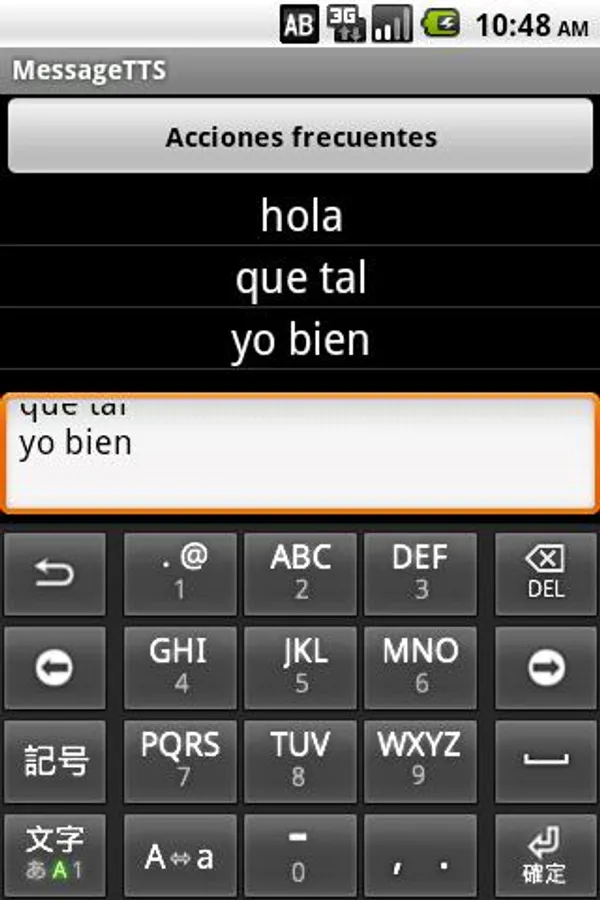
After writing a message in the text box on the main screen and pressing ENTER, the message is read by the speech synthesizer and stored in the user's history. This history is displayed on the screen and by clicking on one of those messages, this will be read aloud again.
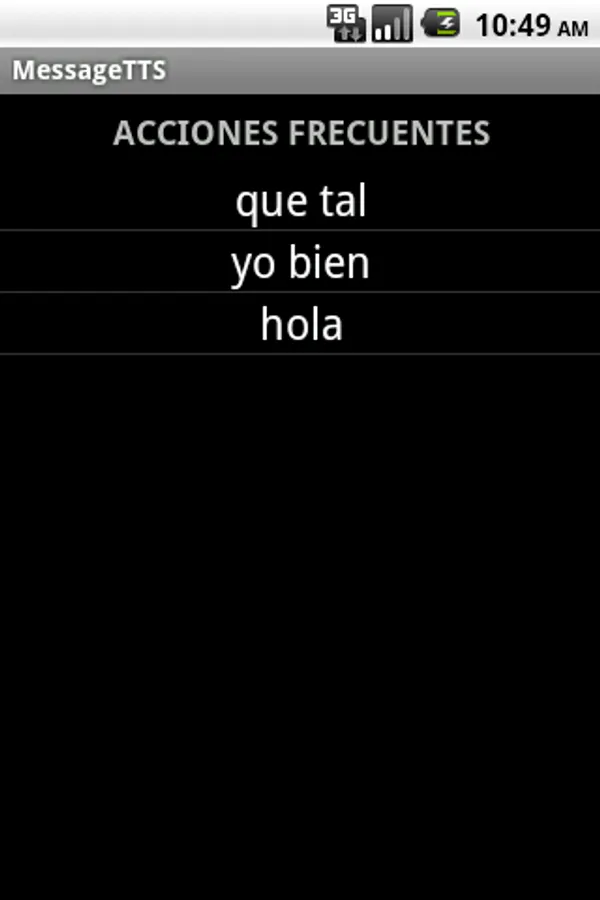
A message can be saved as common action by long pressing on the message. The app has a button on the main screen to access common actions, where they are all enlisted and can be read by simply clicking on them, long pressing an utterance stored as common action will delete it.
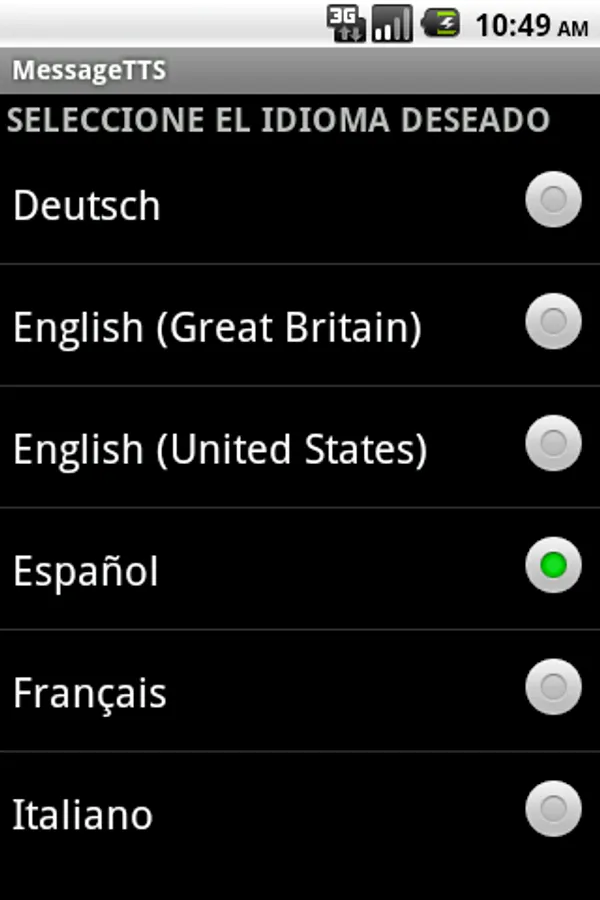
It also includes a setup menu to configure the voice synthesizer in the corresponding language. Available languages are: Spanish, German, English, French and Italian.
When choosing exit to leave the program, the history will be deleted, but not those saved as common actions.
To make the voice synthesizer work:
For version 2.1:
- Go to page http://code.google.com/p/eyes-free/downloads/list and download packages "tts_3.1_market.apk" and "com.svox.langpack.installer_1.0.1.apk". Install them on the device.
From version 2.2:
- Go to "Settings> Voice Input and Output", click on "Settings speech synthesis" and then "Install voice data files."
Privacy Policy: http://www.accegal.org/privacy-policy-messagetts/
Kids with communication problems enjoy communication thanks to MessageTTS. It is children's voice when talking is hard or impossible.
After writing a message in the text box on the main screen and pressing ENTER, the message is read by the speech synthesizer and stored in the user's history. This history is displayed on the screen and by clicking on one of those messages, this will be read aloud again.
A message can be saved as common action by long pressing on the message. The app has a button on the main screen to access common actions, where they are all enlisted and can be read by simply clicking on them, long pressing an utterance stored as common action will delete it.
It also includes a setup menu to configure the voice synthesizer in the corresponding language. Available languages are: Spanish, German, English, French and Italian.
When choosing exit to leave the program, the history will be deleted, but not those saved as common actions.
To make the voice synthesizer work:
For version 2.1:
- Go to page http://code.google.com/p/eyes-free/downloads/list and download packages "tts_3.1_market.apk" and "com.svox.langpack.installer_1.0.1.apk". Install them on the device.
From version 2.2:
- Go to "Settings> Voice Input and Output", click on "Settings speech synthesis" and then "Install voice data files."
Privacy Policy: http://www.accegal.org/privacy-policy-messagetts/
MessageTTS Screenshots
Tap to Rate:
Reviews for MessageTTS
A Google user
6/10/2019
I installed this Message TTS App and after typing my message to be read back I'm supposed to hit an enter button but there isn't one so in my opinion it's just garbage and I'll be uninstalling the app and finding a different one.
A Google user
11/3/2016
Like app