Sticker Maker for WhatsApp
Viasoft Apps
4.7 ★
store rating
100,000+
downloads
Free
In this sticker maker app, you can create personalized WhatsApp stickers by adding photos, text, and decorations. Includes background customization, layering tools, and export options.
AppRecs review analysis
AppRecs rating 4.7. Trustworthiness 0 out of 100. Review manipulation risk 0 out of 100. Based on a review sample analyzed.
★★★★☆
4.7
AppRecs Rating
Ratings breakdown
5 star
80%
4 star
13%
3 star
0%
2 star
7%
1 star
0%
What to know
✓
High user satisfaction
80% of sampled ratings are 5 stars
✓
Authentic reviews
Natural distribution, no red flags
About Sticker Maker for WhatsApp
WhatsApp stickers made easy!
Easy steps to use WhatsApp Sticker Maker
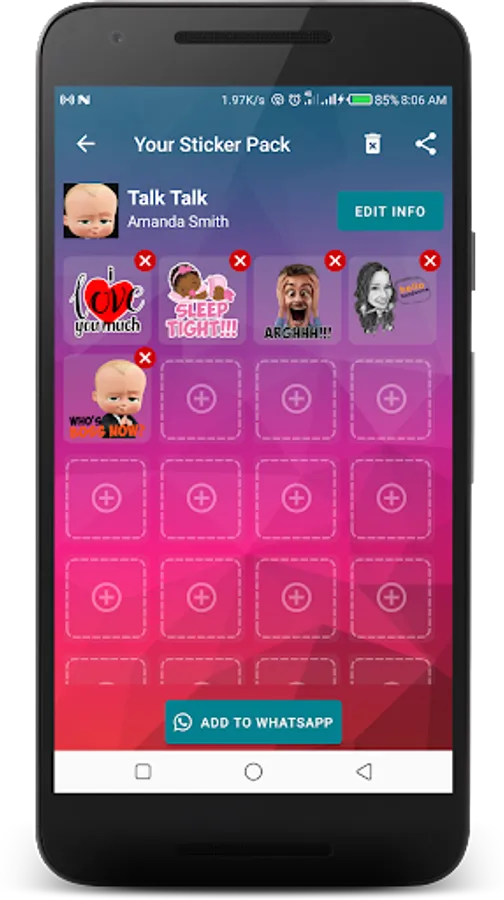
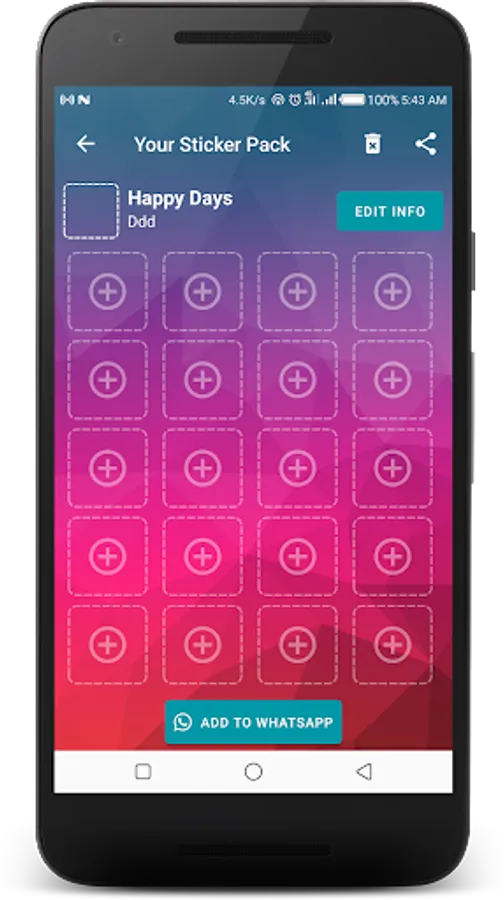
1. Open Sticker Maker Studio and click the "Create Sticker Pack" button.
2. Enter a name for your sticker pack and creator's name (you); click "Save" button.
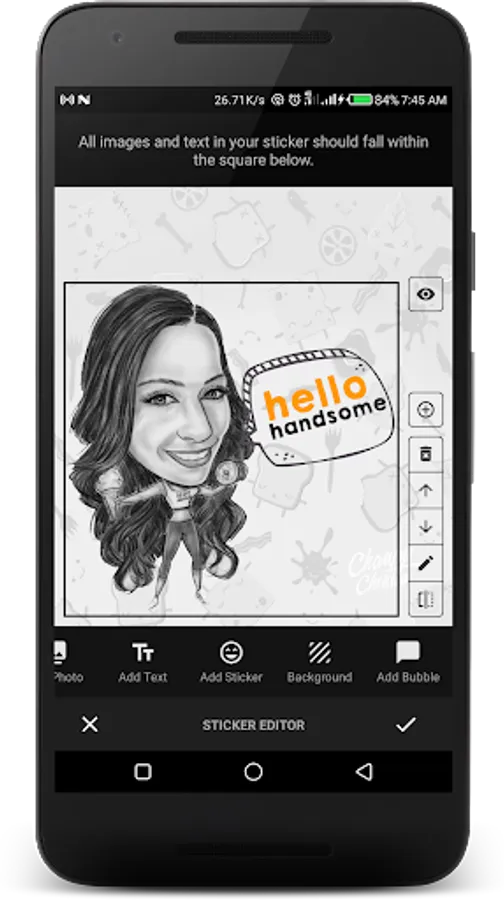
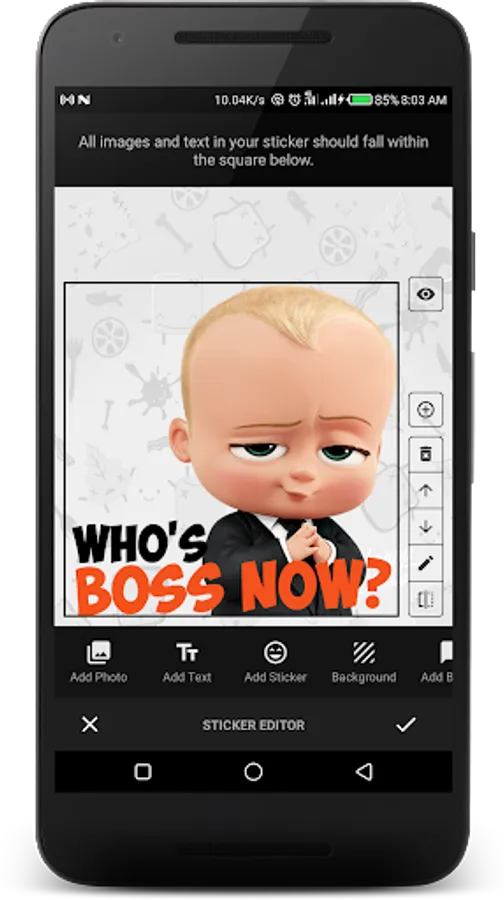
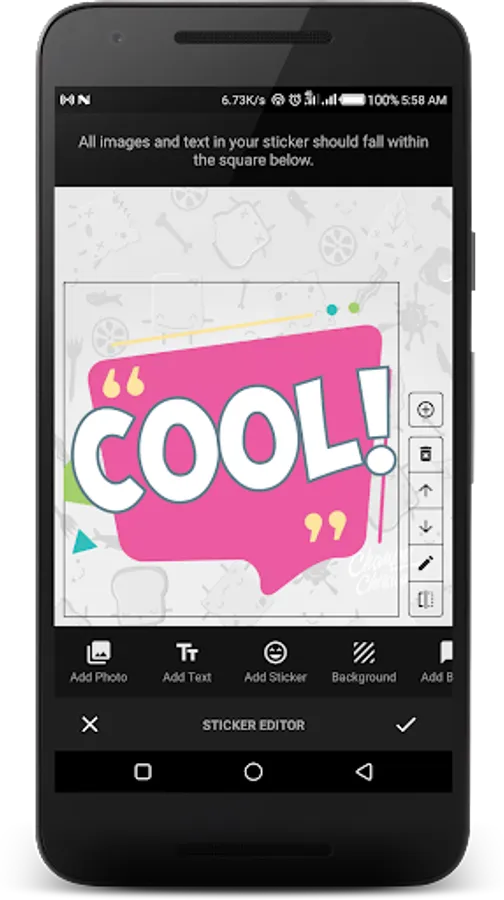
3. Click the ➕ button to open the sticker editor, you can:
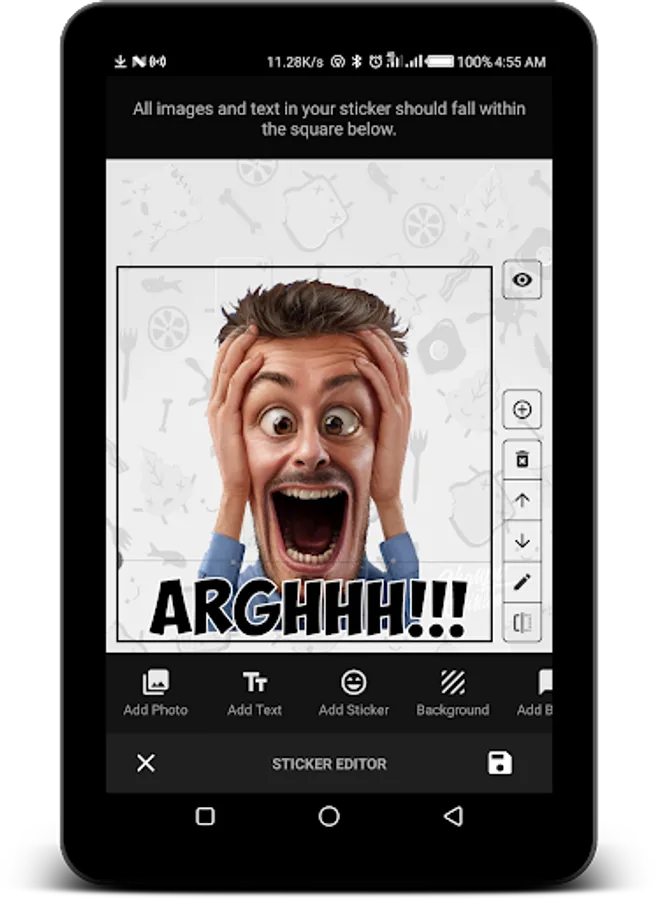
a. Add a photo 🖼️ from gallery or camera, crop, remove background, make shapes and more...
b. Add Text ✏️: you can add text to your photo or sticker
c. Add Decorations 🎉: you can import over 30+ decorations to make your sticker even cooler!
d. Add Background ❤️: choose from 30+ backgrounds to make your stickers stand out.
e. Add Chat Bubbles 💬: give life to your text stickers with 40+ cool chat bubbles.
4. When you are done making your sticker in the sticker creator, click the ✔️button to save your sticker to the sticker pack.
Adding your sticker pack to WhatsApp
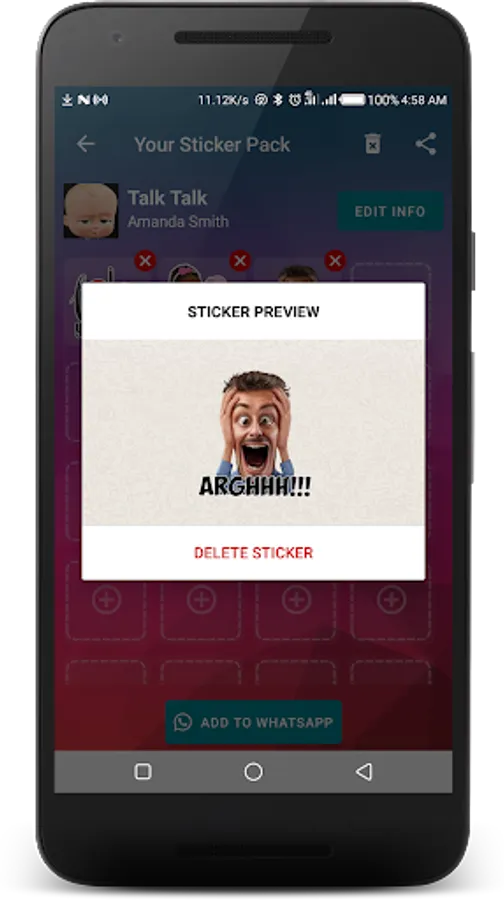
When you have created at least 1 sticker 😜 in a sticker pack, you can add to Whatsapp by clicking the "Add to WhatsApp" button. After this, your sticker pack is available for use in WhatsApp. Enjoy your chats with family and friends with your unique stickers!
Key Features of Sticker Maker Studio
★ Text Editor
Sticker Maker Studio has a rich text editor where you can change your text colour, border colour, background colour, fonts, and alignment.
★ Photo Editor
Crop you photos to square or circle shape, rotate photo, flip photo, erase background with automatic background eraser or eraser brush.
★ Sticker Decorations
You can use from over 100+ sticker artefacts like decorative arts, backgrounds, bubbles.
★ Layering
You can arrange and move sticker objects (photos, text, arts etc) in layers above or below each other.
★ Zoom, Rotate, Flip
You can zoom or rotate or flip your sticker objects to create that amazing effect you like!
Cool things you can do
- Create funny memes or emojis stickers with photos of your friends' and family faces.
- Make stickers to mark special occasions like birthdays, anniversaries, weddings, thanksgiving, halloween etc
Enjoy!!!
Easy steps to use WhatsApp Sticker Maker
1. Open Sticker Maker Studio and click the "Create Sticker Pack" button.
2. Enter a name for your sticker pack and creator's name (you); click "Save" button.
3. Click the ➕ button to open the sticker editor, you can:
a. Add a photo 🖼️ from gallery or camera, crop, remove background, make shapes and more...
b. Add Text ✏️: you can add text to your photo or sticker
c. Add Decorations 🎉: you can import over 30+ decorations to make your sticker even cooler!
d. Add Background ❤️: choose from 30+ backgrounds to make your stickers stand out.
e. Add Chat Bubbles 💬: give life to your text stickers with 40+ cool chat bubbles.
4. When you are done making your sticker in the sticker creator, click the ✔️button to save your sticker to the sticker pack.
Adding your sticker pack to WhatsApp
When you have created at least 1 sticker 😜 in a sticker pack, you can add to Whatsapp by clicking the "Add to WhatsApp" button. After this, your sticker pack is available for use in WhatsApp. Enjoy your chats with family and friends with your unique stickers!
Key Features of Sticker Maker Studio
★ Text Editor
Sticker Maker Studio has a rich text editor where you can change your text colour, border colour, background colour, fonts, and alignment.
★ Photo Editor
Crop you photos to square or circle shape, rotate photo, flip photo, erase background with automatic background eraser or eraser brush.
★ Sticker Decorations
You can use from over 100+ sticker artefacts like decorative arts, backgrounds, bubbles.
★ Layering
You can arrange and move sticker objects (photos, text, arts etc) in layers above or below each other.
★ Zoom, Rotate, Flip
You can zoom or rotate or flip your sticker objects to create that amazing effect you like!
Cool things you can do
- Create funny memes or emojis stickers with photos of your friends' and family faces.
- Make stickers to mark special occasions like birthdays, anniversaries, weddings, thanksgiving, halloween etc
Enjoy!!!