Emolfi: power up any messenger
Photo Lab DMCC
4.0 ★
724 ratings
100,000+
downloads
Free
+ in-app
In this messaging app, you can create personalized stickers using your selfies and add emotions automatically. Includes AI-generated emotions, customizable app access, and export options for WhatsApp.
AppRecs review analysis
AppRecs rating 4.1. Trustworthiness 71 out of 100. Review manipulation risk 41 out of 100. Based on a review sample analyzed.
★★★★☆
4.1
AppRecs Rating
Ratings breakdown
5 star
58%
4 star
15%
3 star
6%
2 star
9%
1 star
12%
What to know
✓
Authentic reviews
Natural distribution, no red flags
⚠
Questionable review patterns
41% review manipulation risk - some review patterns appear unusual
⚠
Review quality concerns
69% of sampled 5-star reviews are very short
About Emolfi: power up any messenger
Power up your WhatsApp, Messenger, socials, and more!
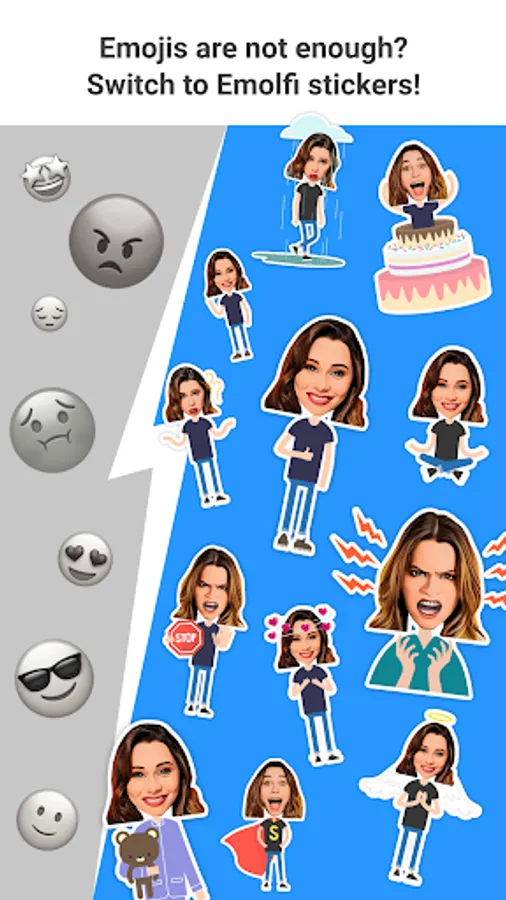
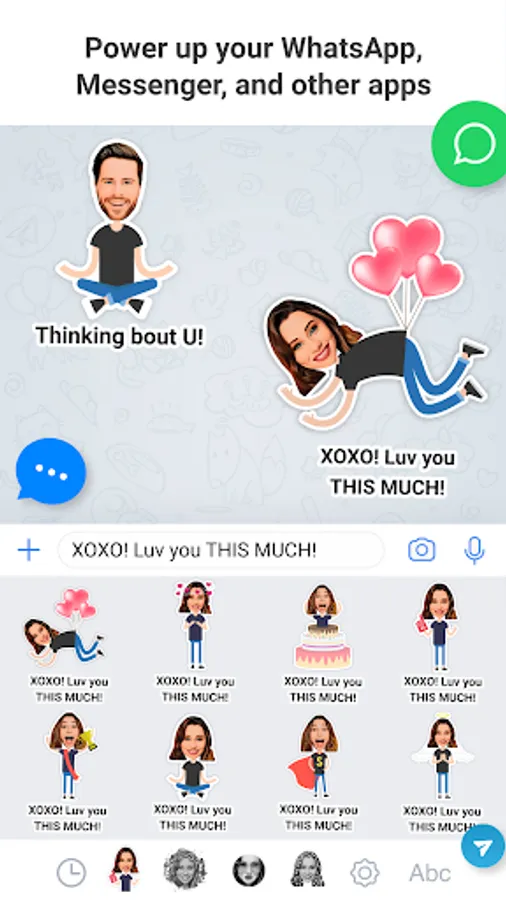
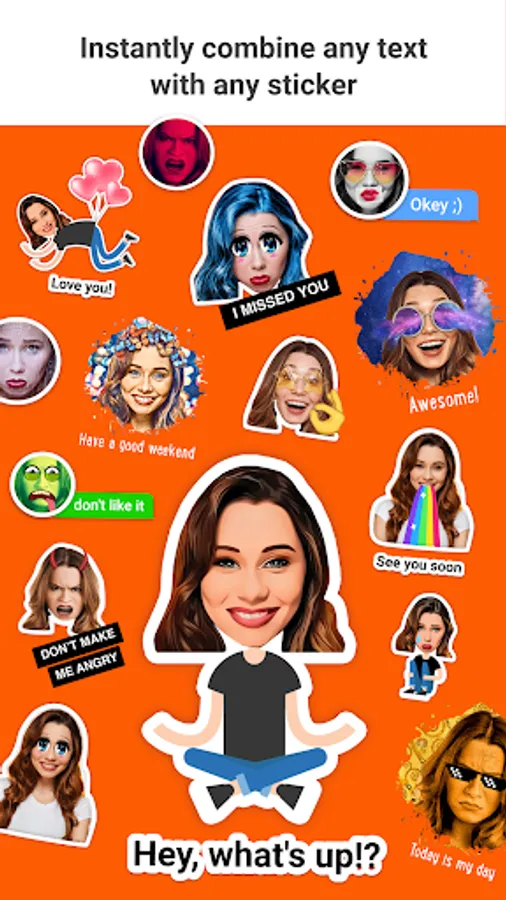
Enrich the way you chat with Emolfi. Get yourself dozens of selfie-based emotional stickers to use in WhatsApp, Messenger, or any other chat app and social network. In addition to that, stickers are automatically combined with the text you type turning simple chatting into a fully visualized messaging.
Let's look into that in more detail, shall we?
** Selfie-based **
First of all, it uses your portrait picture (just one) to generate dozens of personalized stickers various in design and layout. So you get many sets of unique images with YOU on them.
** Feelings on **
Emolfi Keyboard's next goal is to help you convey both aspects of your message - words and how you feel about them. To turn the feelings on six AI-generated emotions are added automatically to your selfie making it more versatile.
** Works with all languages **
Keep it simple and just type anything in any language keyboard. Then leave the rest to Emolfi Keyboard. It'll take care of getting you a 2-in-1: balanced visualization of words and feelings packed in one sticker-message.
** Always at hand **
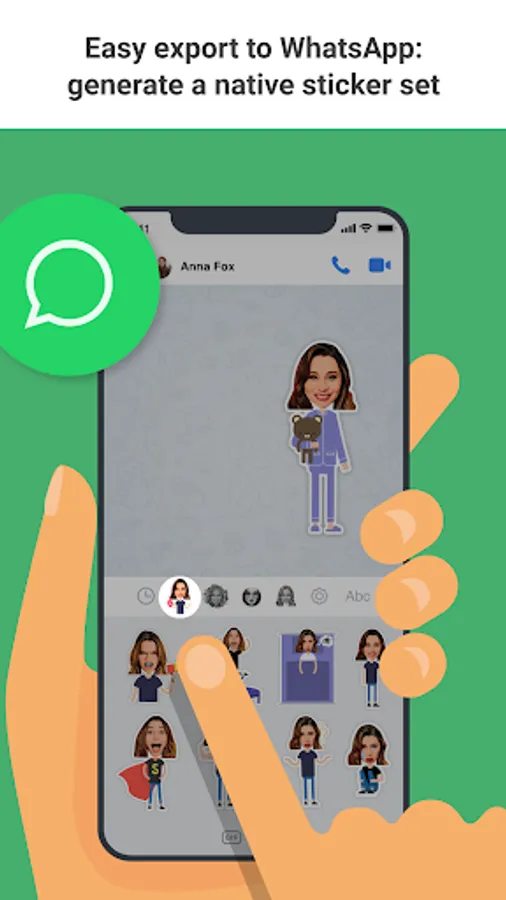
It's a keyboard extension, so once enabled it can be reached within any app you want, just like emojis. Messengers and chats, social networks, browsers - you can easily control the list of apps in the app's settings.
**Easy export to WhatsApp**
A cool bonus for WhatsApp fans - up to 30 stickers can be turned into a native sticker set we all love so much.
**Non-distraction technology**
Appears only where needed. For those who prefer tapping the globe to switch among keyboards Emolfi Keyboard only appears by default in messengers and social networks and will be silently skipped in any other application (like browsers, gmail, etc.). It can be changed in settings.
Now you know everything, we are looking forward to seeing how you would you say Hi! in your favorite messenger now!
Enrich the way you chat with Emolfi. Get yourself dozens of selfie-based emotional stickers to use in WhatsApp, Messenger, or any other chat app and social network. In addition to that, stickers are automatically combined with the text you type turning simple chatting into a fully visualized messaging.
Let's look into that in more detail, shall we?
** Selfie-based **
First of all, it uses your portrait picture (just one) to generate dozens of personalized stickers various in design and layout. So you get many sets of unique images with YOU on them.
** Feelings on **
Emolfi Keyboard's next goal is to help you convey both aspects of your message - words and how you feel about them. To turn the feelings on six AI-generated emotions are added automatically to your selfie making it more versatile.
** Works with all languages **
Keep it simple and just type anything in any language keyboard. Then leave the rest to Emolfi Keyboard. It'll take care of getting you a 2-in-1: balanced visualization of words and feelings packed in one sticker-message.
** Always at hand **
It's a keyboard extension, so once enabled it can be reached within any app you want, just like emojis. Messengers and chats, social networks, browsers - you can easily control the list of apps in the app's settings.
**Easy export to WhatsApp**
A cool bonus for WhatsApp fans - up to 30 stickers can be turned into a native sticker set we all love so much.
**Non-distraction technology**
Appears only where needed. For those who prefer tapping the globe to switch among keyboards Emolfi Keyboard only appears by default in messengers and social networks and will be silently skipped in any other application (like browsers, gmail, etc.). It can be changed in settings.
Now you know everything, we are looking forward to seeing how you would you say Hi! in your favorite messenger now!
Emolfi: power up any messenger Screenshots

Tap to Rate:
Reviews for Emolfi: power up any messenger
Prabir Bar
8/19/2024
Nice 👍🙂
Steven Gilbert
3/12/2024
Great stuff