GitSync
ViscousPotential
4.3 ★
store rating
10,000+
downloads
Free
+ in-app
In this app, you can sync local folders with remote Git repositories and manage commits easily. Includes support for multiple authentication methods and customizable sync options.
AppRecs review analysis
AppRecs rating 4.2. Trustworthiness 86 out of 100. Review manipulation risk 15 out of 100. Based on a review sample analyzed.
★★★★☆
4.2
AppRecs Rating
Ratings breakdown
5 star
77%
4 star
5%
3 star
5%
2 star
2%
1 star
12%
What to know
✓
Low review manipulation risk
15% review manipulation risk
✓
Credible reviews
86% trustworthiness score from analyzed reviews
✓
High user satisfaction
81% of sampled ratings are 4+ stars (4.3★ average)
About GitSync
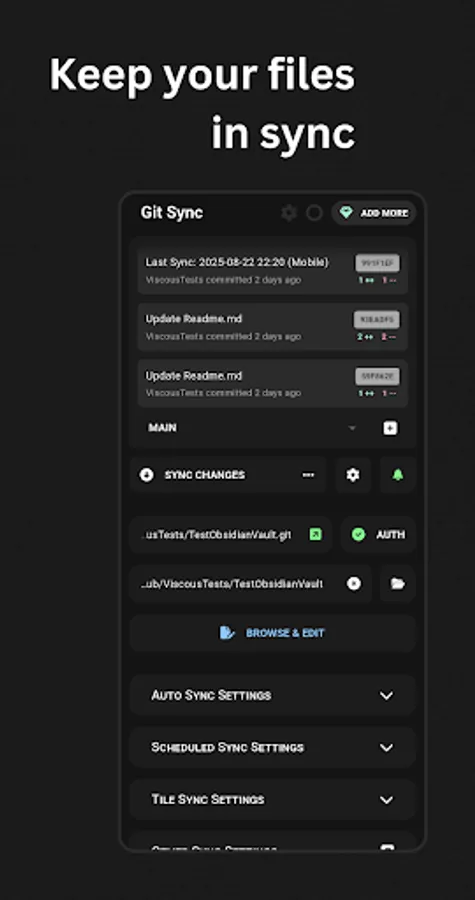
GitSync is a cross-platform git client that aims to simplify the process of syncing a folder between a git remote and a local directory. It works in the background to keep your files synced with a simple one-time setup and numerous options for activating manual syncs.
- Supports Android 5+
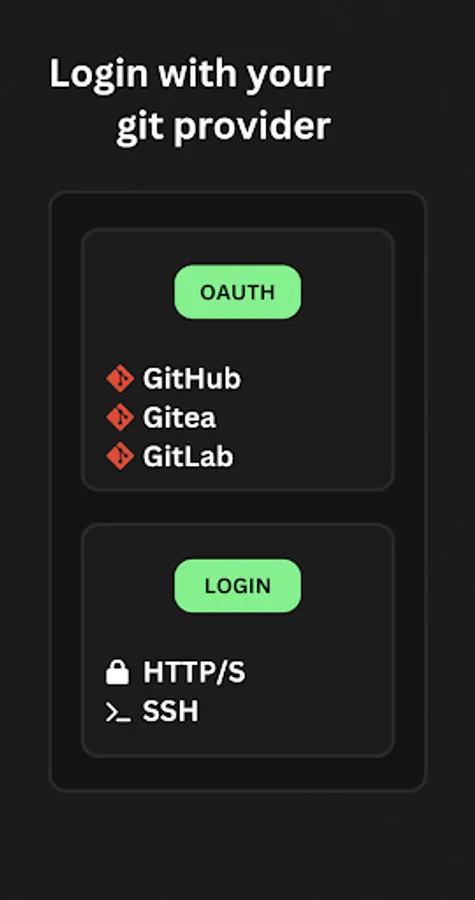
- Authenticate with
- HTTP/S
- SSH
- OAuth
- GitHub
- Gitea
- Gitlab
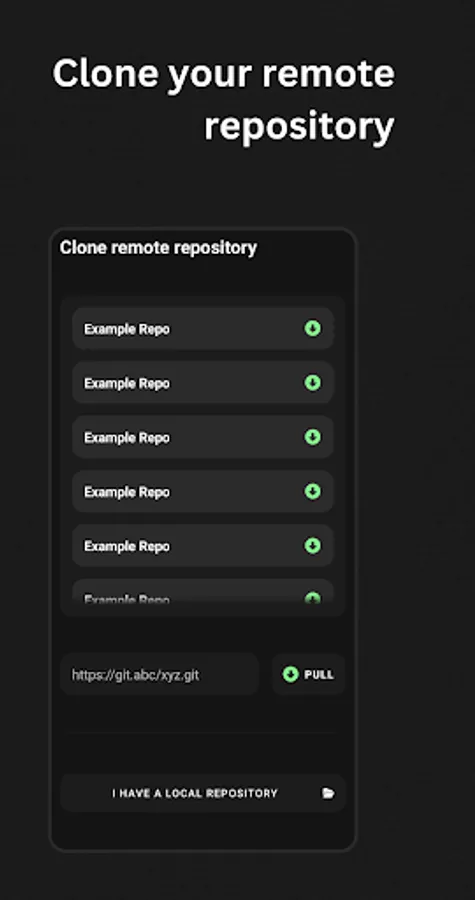
- Clone a remote repository
- Sync repository
- Fetch changes
- Pull changes
- Stage & commit changes
- Push changes
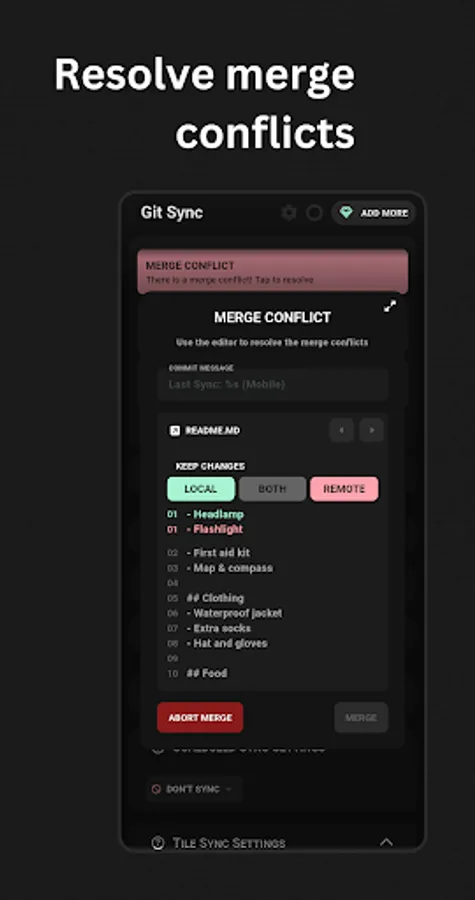
- Resolve merge conflicts
- Sync mechanisms
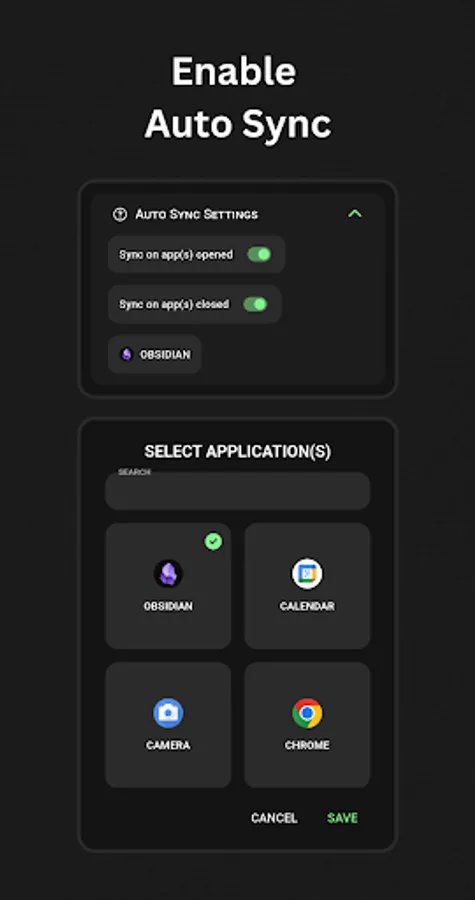
- Automatically, when an app is opened or closed
- Automatically, on a schedule
- From a quick tile
- From a custom intent (advanced)
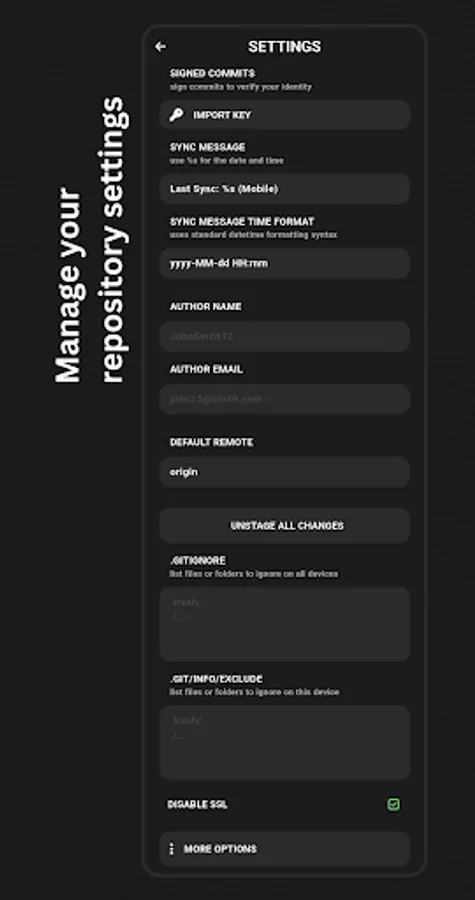
- Repository Settings
- Signed commits
- Customisable sync commit messages
- Author details
- Edit .gitignore & .git/info/exclude files
- Disable SSL
Documentation - https://gitsync.viscouspotenti.al/wiki
Privacy Policy - https://gitsync.viscouspotenti.al/wiki/privacy-policy
Accessibility Service Disclosure
To enhance your experience, GitSync uses Android’s Accessibility Service to detect when apps are opened or closed. This helps us provide tailored features without storing or sharing any data.
Key Points:
Purpose: We use this service solely to improve your app experience.
Privacy: No data is stored or sent elsewhere.
Control: You can disable these permissions at any time in your device settings.
- Supports Android 5+
- Authenticate with
- HTTP/S
- SSH
- OAuth
- GitHub
- Gitea
- Gitlab
- Clone a remote repository
- Sync repository
- Fetch changes
- Pull changes
- Stage & commit changes
- Push changes
- Resolve merge conflicts
- Sync mechanisms
- Automatically, when an app is opened or closed
- Automatically, on a schedule
- From a quick tile
- From a custom intent (advanced)
- Repository Settings
- Signed commits
- Customisable sync commit messages
- Author details
- Edit .gitignore & .git/info/exclude files
- Disable SSL
Documentation - https://gitsync.viscouspotenti.al/wiki
Privacy Policy - https://gitsync.viscouspotenti.al/wiki/privacy-policy
Accessibility Service Disclosure
To enhance your experience, GitSync uses Android’s Accessibility Service to detect when apps are opened or closed. This helps us provide tailored features without storing or sharing any data.
Key Points:
Purpose: We use this service solely to improve your app experience.
Privacy: No data is stored or sent elsewhere.
Control: You can disable these permissions at any time in your device settings.